'%20d='M0%208a8%208%200%200%201%208-8h24a8%208%200%200%201%208%208v24a8%208%200%200%201-8%208H8a8%208%200%200%201-8-8V8Z'/%3e%3cpath%20fill='%23fff'%20d='M8.375%2013v14L20.5%2034l12.124-7v-7.737l-1.687-.975-2.806-1.62-1.082-.624v4.83l-.002%204.83H13.95V16.07l3.275-1.89%202.192-1.265%201.082-.625%203.275%201.877%202.192%201.256%201.083.62V9.782L20.5%206%208.376%2013Z'/%3e%3cdefs%3e%3clinearGradient%20id='reapit-pm__a'%20x1='20.702'%20x2='20.702'%20y1='.351'%20y2='31.228'%20gradientUnits='userSpaceOnUse'%3e%3cstop%20stop-color='%235573FD'/%3e%3cstop%20offset='.575'%20stop-color='%234E56EA'/%3e%3c/linearGradient%3e%3c/defs%3e%3c/svg%3e)
Managing CentrePay
To update existing tenants with Centrepay and receipt Rent to automatically include the Centrepay payments in Reapit PM.
Overview
Managing CentrePay
Enabling CentrePay payments means that you can receipt the correct amount received from tenants and the rent paid to date is automatically moved forward for the full period.
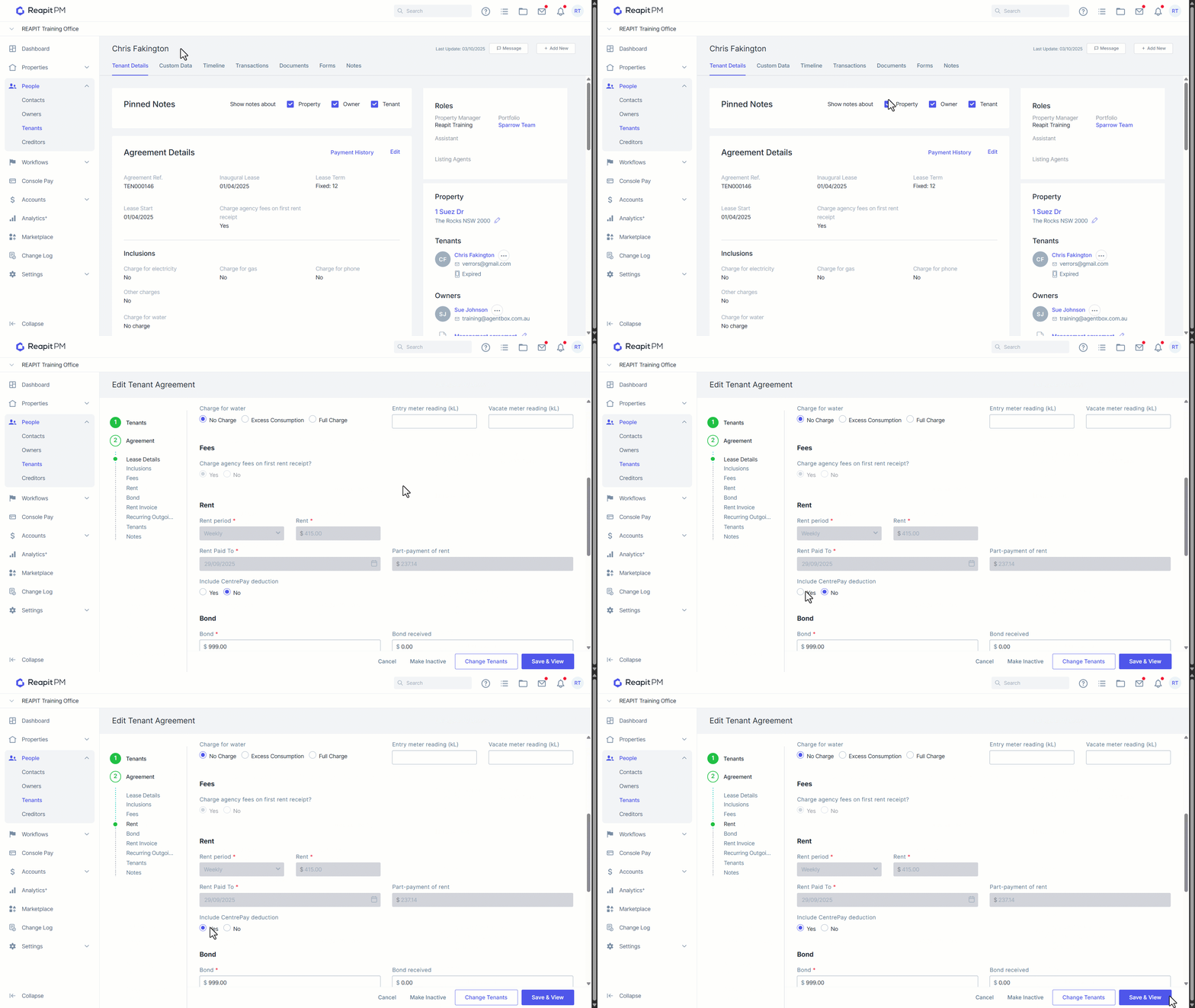
- Navigate to the relevant Tenant.
- Click Edit.
- Navigate to Rent.
- Click Yes on Include Centrepay deduction.
- Click Save & View.
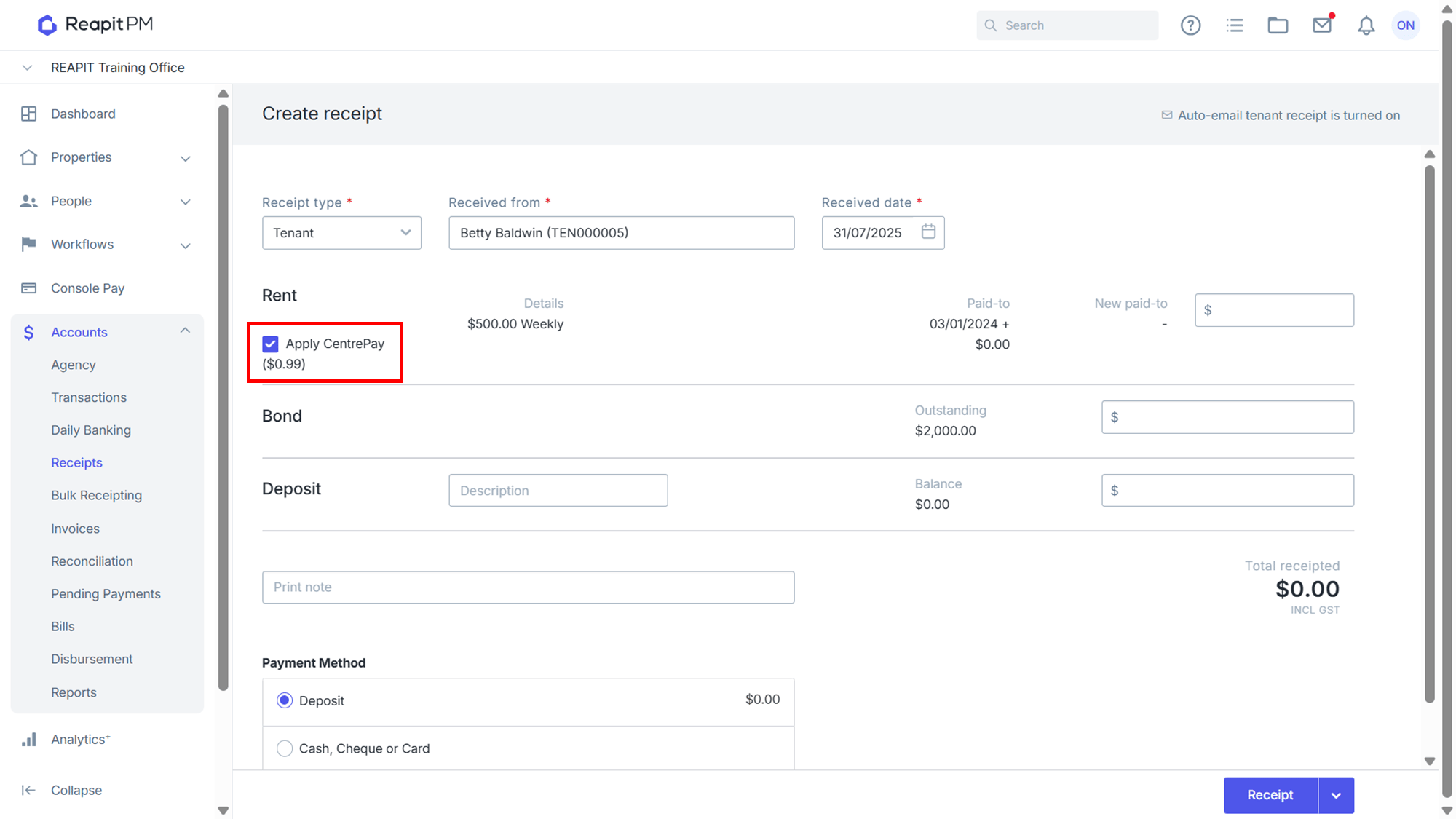
When receipting for this Tenant, the Apply CentrePay option will be selected by default. This will ensure that it takes into account the CentrePay amount when adjusting the Paid to Dates of the tenant.
Note: if payment is made by Cash, Cheque or Card it will not include CentrePay by default.