'%20d='M0%208a8%208%200%200%201%208-8h24a8%208%200%200%201%208%208v24a8%208%200%200%201-8%208H8a8%208%200%200%201-8-8V8Z'/%3e%3cpath%20fill='%23fff'%20d='M8.375%2013v14L20.5%2034l12.124-7v-7.737l-1.687-.975-2.806-1.62-1.082-.624v4.83l-.002%204.83H13.95V16.07l3.275-1.89%202.192-1.265%201.082-.625%203.275%201.877%202.192%201.256%201.083.62V9.782L20.5%206%208.376%2013Z'/%3e%3cdefs%3e%3clinearGradient%20id='reapit-pm__a'%20x1='20.702'%20x2='20.702'%20y1='.351'%20y2='31.228'%20gradientUnits='userSpaceOnUse'%3e%3cstop%20stop-color='%235573FD'/%3e%3cstop%20offset='.575'%20stop-color='%234E56EA'/%3e%3c/linearGradient%3e%3c/defs%3e%3c/svg%3e)
BPAY Bonds
Offices in QLD and Victoria are able to pay Bond Authorities via BPAY, follow the below process to configure and use BPAY within Reapit PM. The processes in this article include: Office Settings Tenancy Agreement Bond Authority CRN
BPAY Bonds
Offices in QLD and Victoria are able to pay Bond Authorities via BPAY, follow the below process to configure and use BPAY within Reapit PM.
The processes in this article include:
- Office Settings
- Tenancy Agreement Bond Authority CRN
Office Settings
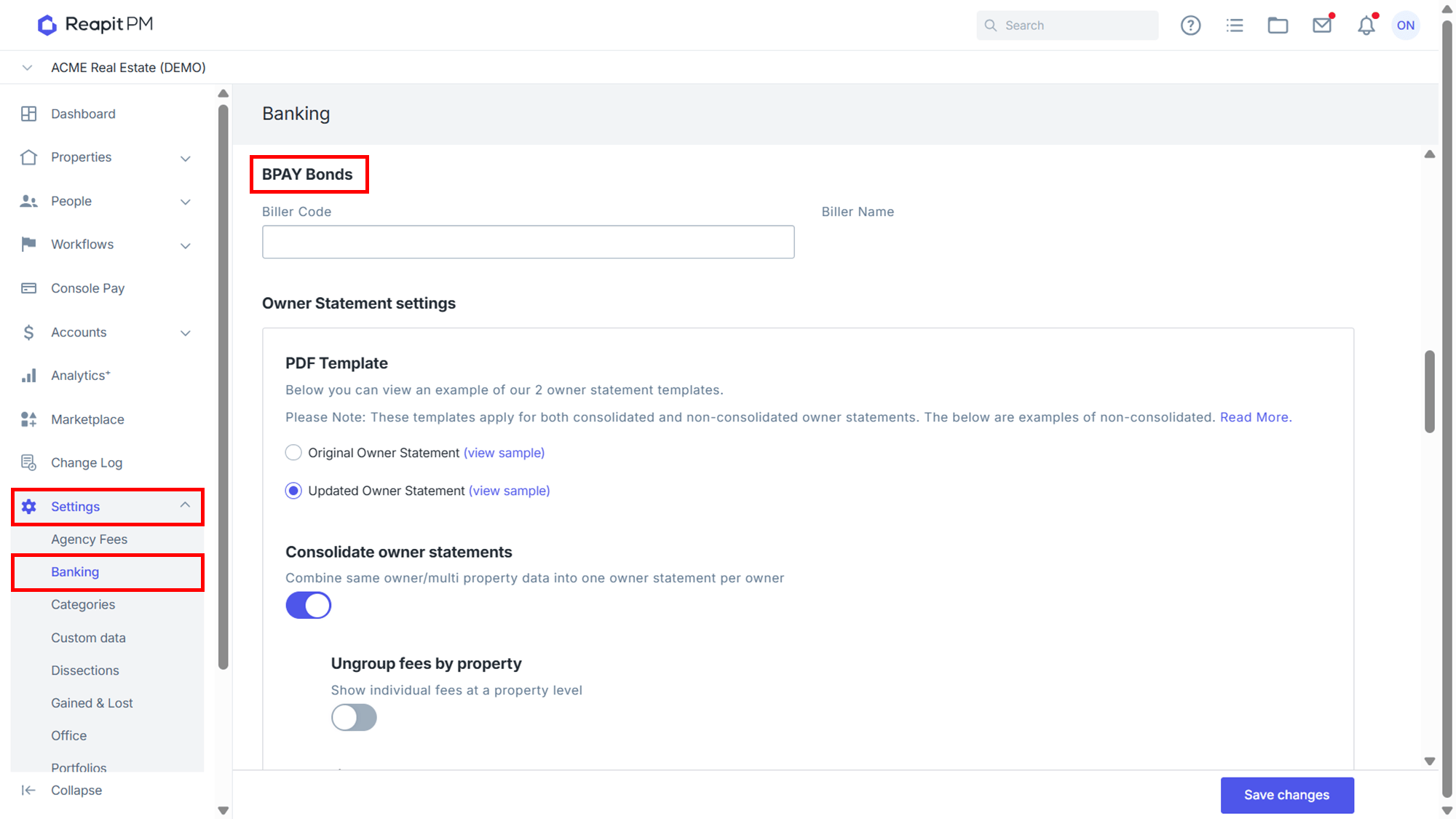
- Navigate to Settings > Banking and to BPAY Bonds.
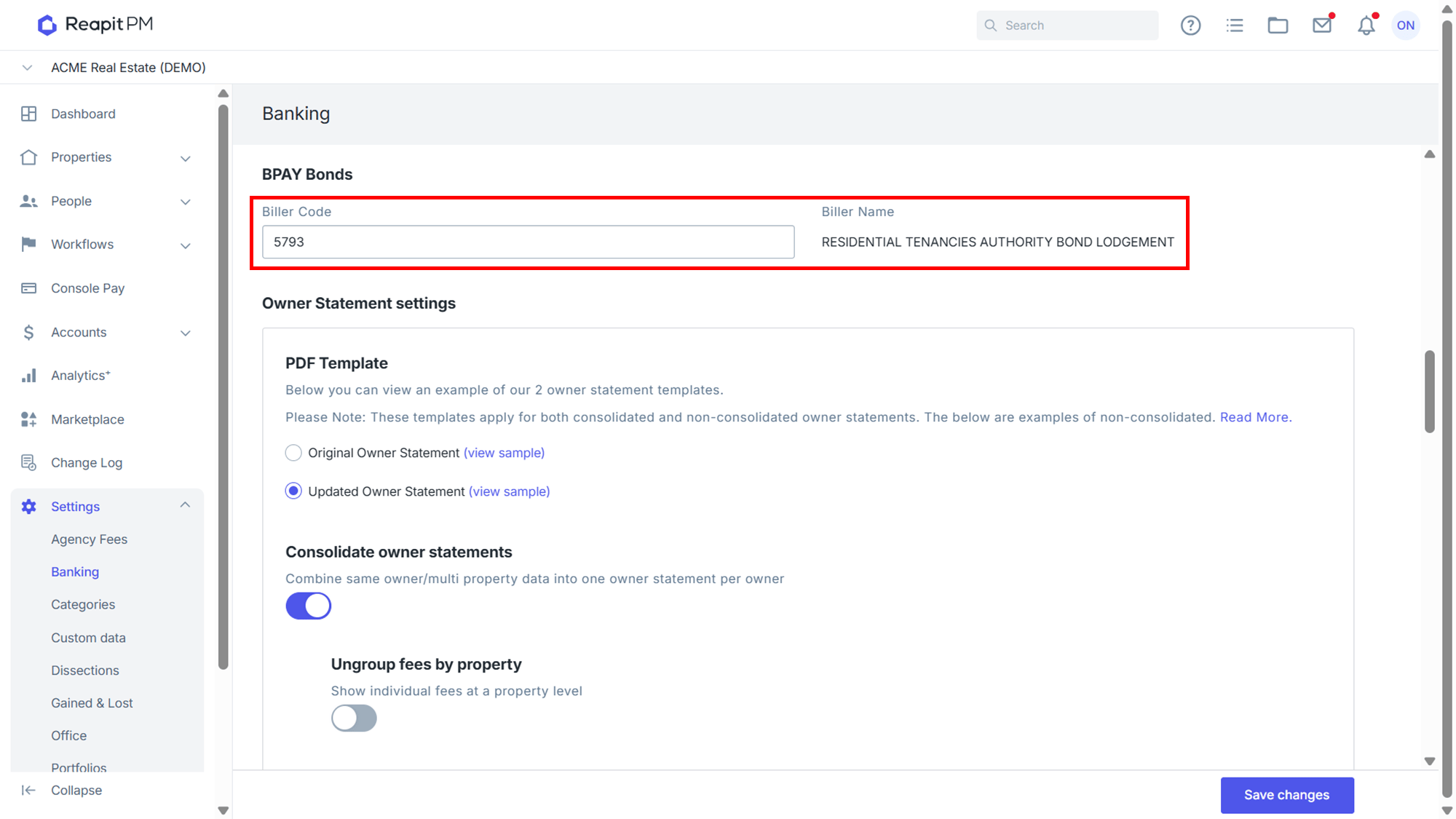
- Enter the Biller Code. The Biller Name will prepopulate once the code has been validated. Click Save Changes.
Tenancy Agreement Bond Authority CRN
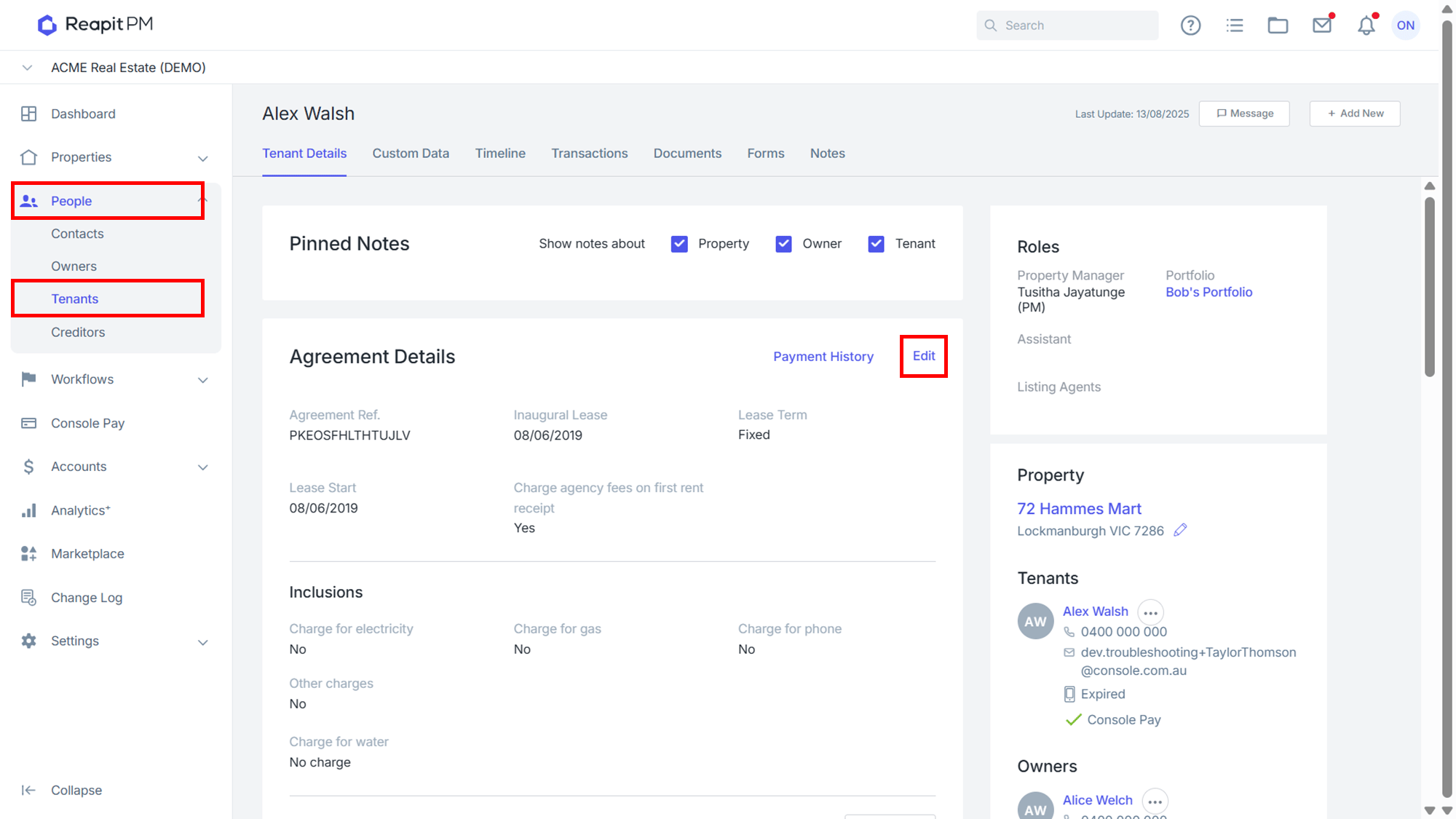
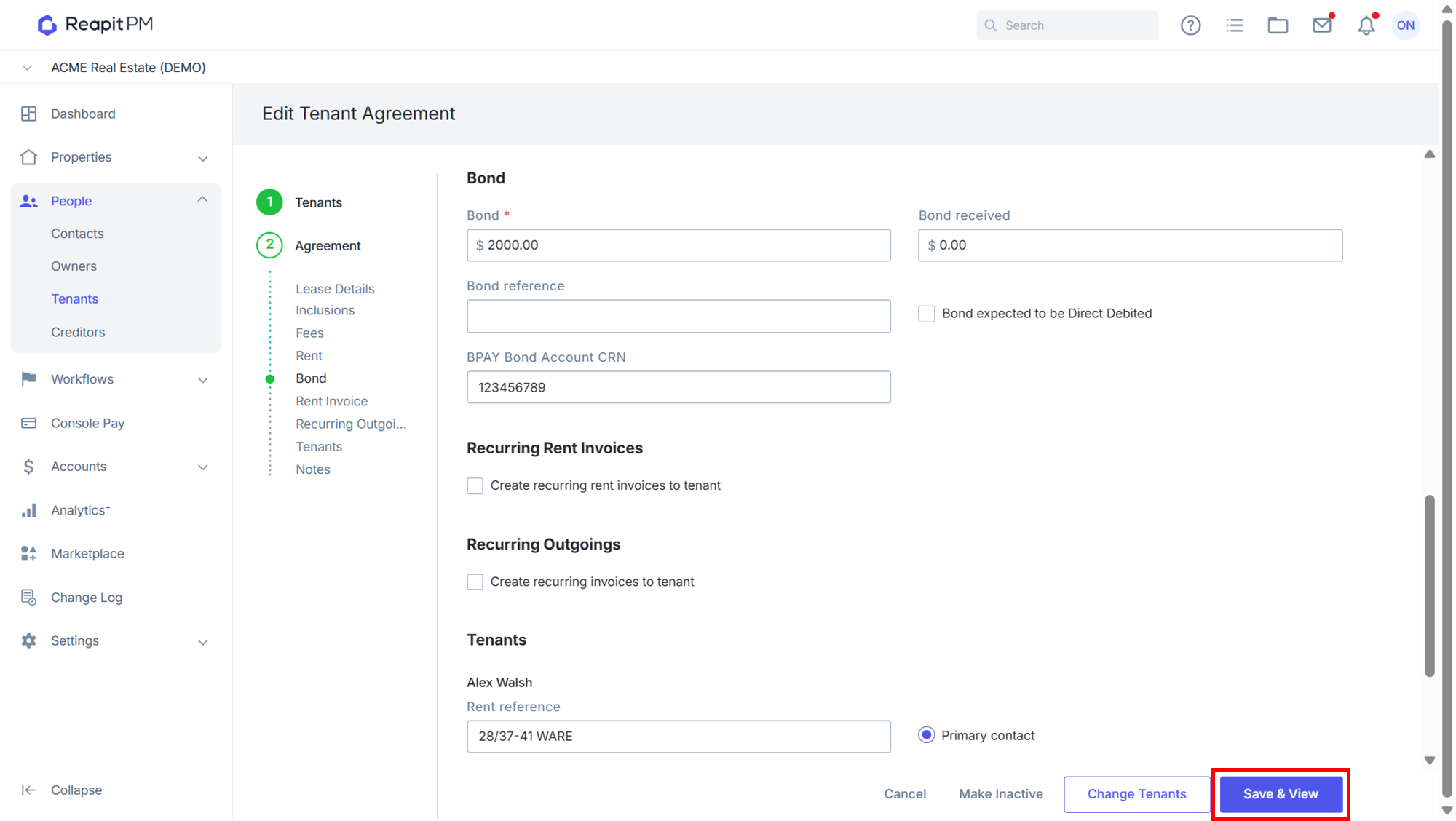
- Navigate to the relevant Tenant, if existing, and Select Edit
- Against the Bond enter the BPAY Bond Account CRN.
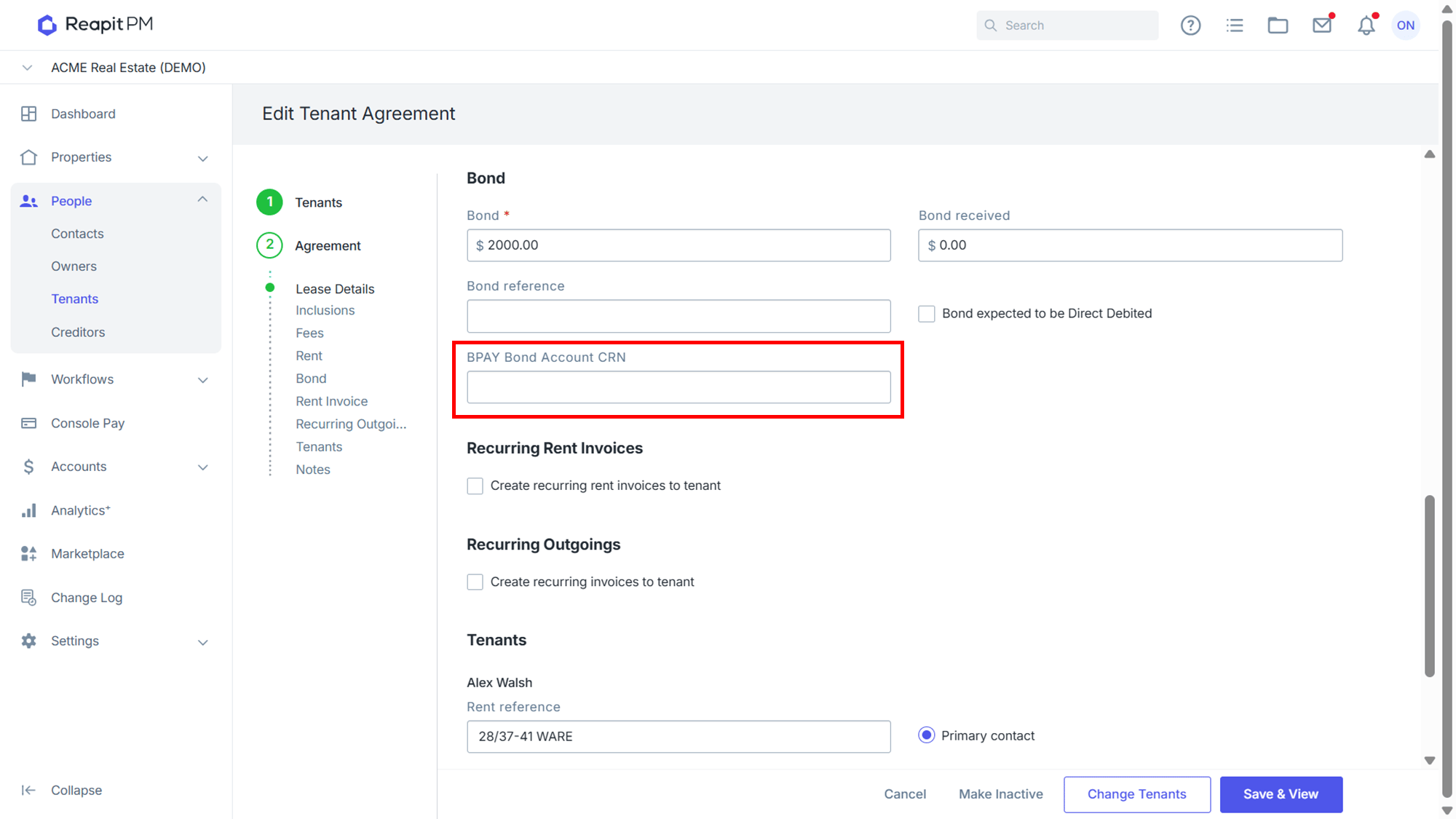
- Click Save & View.
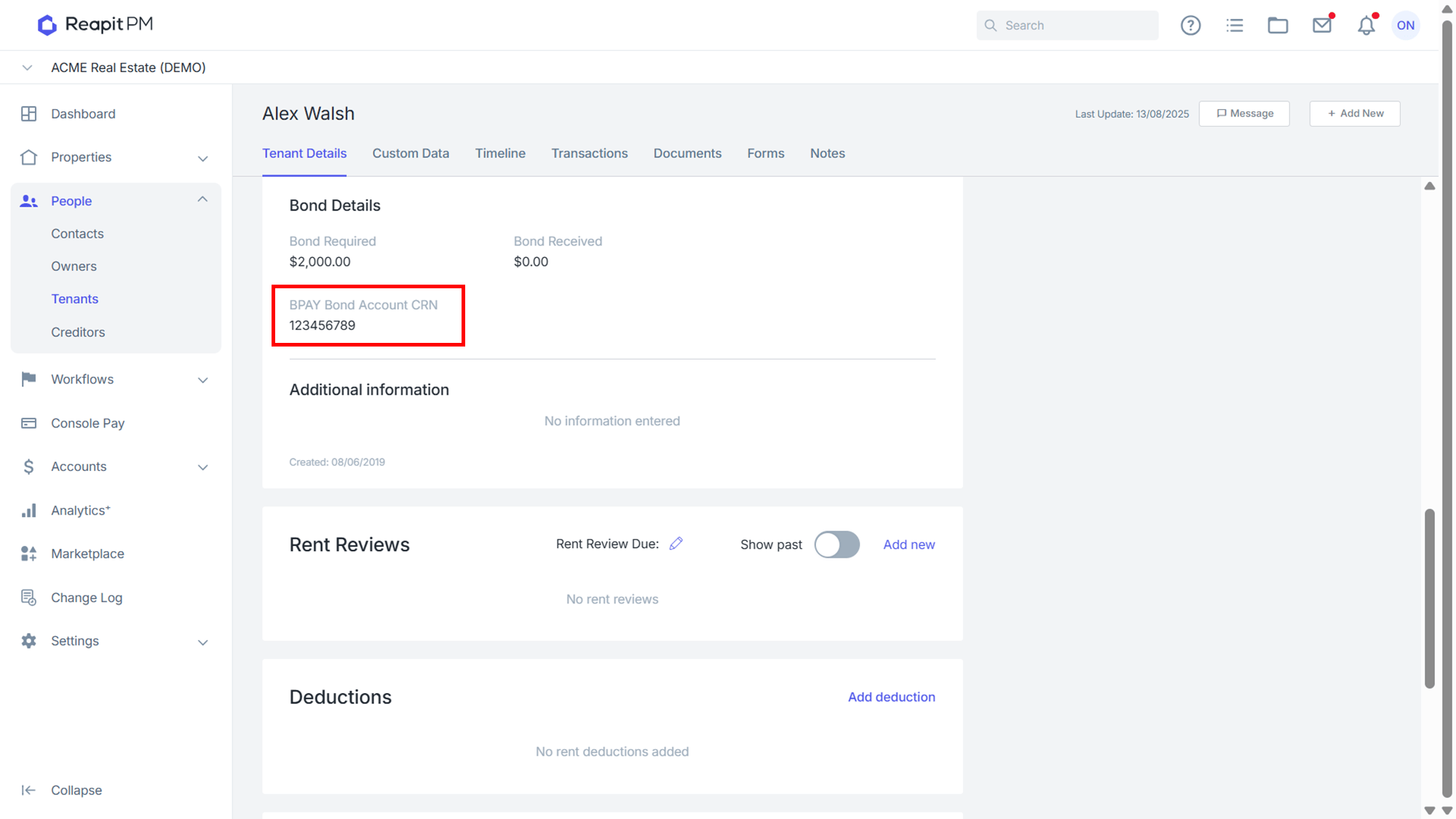
- This will be visible in the Bond Details section of the Tenancy.
Once set up is complete when disbursing, a BPAY batch file will be included in your disbursement .zip and for regeneration in your disbursement history.