'%20d='M0%208a8%208%200%200%201%208-8h24a8%208%200%200%201%208%208v24a8%208%200%200%201-8%208H8a8%208%200%200%201-8-8V8Z'/%3e%3cpath%20fill='%23fff'%20d='M8.375%2013v14L20.5%2034l12.124-7v-7.737l-1.687-.975-2.806-1.62-1.082-.624v4.83l-.002%204.83H13.95V16.07l3.275-1.89%202.192-1.265%201.082-.625%203.275%201.877%202.192%201.256%201.083.62V9.782L20.5%206%208.376%2013Z'/%3e%3cdefs%3e%3clinearGradient%20id='reapit-pm__a'%20x1='20.702'%20x2='20.702'%20y1='.351'%20y2='31.228'%20gradientUnits='userSpaceOnUse'%3e%3cstop%20stop-color='%235573FD'/%3e%3cstop%20offset='.575'%20stop-color='%234E56EA'/%3e%3c/linearGradient%3e%3c/defs%3e%3c/svg%3e)
Change of Owner for Building and Commercial Properties
This article outlines the process for owners of commercial buildings and properties in Reapit PM. The processes in this article include: How to Change an Owner for a Building How to Change an Owner for a Commercial Property Additional Notes and Troubleshooting
Overview
Change of Owner for Building and Commercial Properties
This article outlines the process for owners of commercial buildings and properties in Reapit PM.
The processes in this article include:
- How to Change an Owner for a Building
- How to Change an Owner for a Commercial Property
- Additional Notes and Troubleshooting
How to Change an Owner for a Building
Currently, there is no option to change the owner of a building directly. However, the steps below will guide you through updating ownership for commercial properties attached to the building and transitioning them to new owners.
Unlink Commercial Properties from the building and perform the Change of Ownership
- Proceed to the building file, select the three action dots next to the property address and select remove to unlink from the building. Once all properties have been removed, proceed with the steps below to perform the change of owner for a commercial property.
Create a New Building
- Once ownership of the properties has been updated, create a new building using the same contact and owner details from the owner change.
Link Properties to the New Building
- Once the building has been created and the commercial properties have been transferred to the new owner, proceed to the newly created building and select the three action dots next to Properties and select Add New to link the properties to the building.
For more information regarding creating, managing, linking or unlinking properties, please see - Creating and Managing a Building
Note: The Change of Owner process cannot be done in bulk, and the change of owner must be done for all properties.
How to Change an Owner for a Commercial Property
The Change Owner function in Reapit PM will assist in managing the change of owner process for commercial properties under your management.
If an existing owner of a property under your management sells their property and the new owner would like you to continue managing their property, you will be able to easily follow the change owner workflow to complete this.
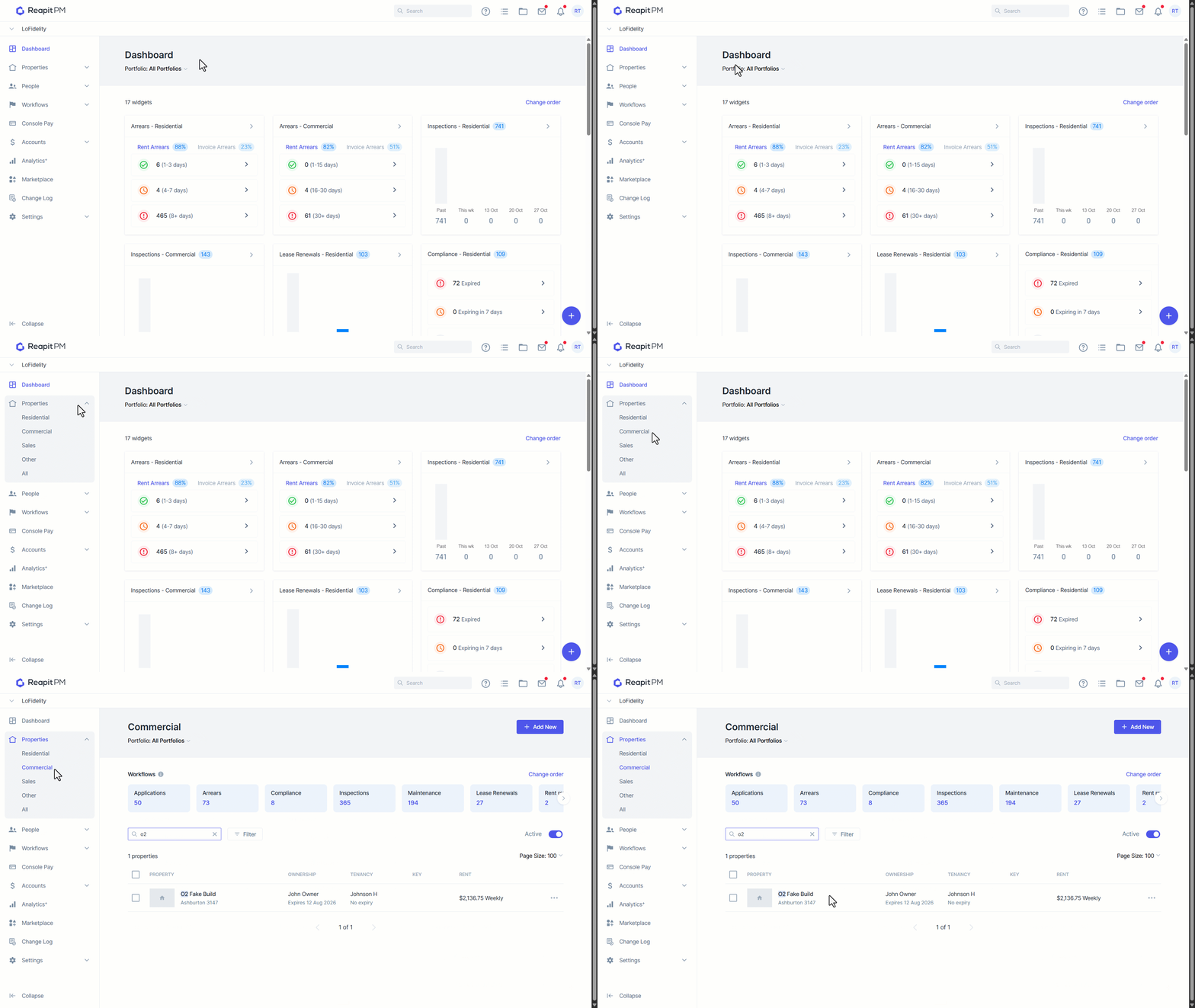
- Navigate to Properties.
- Click Commercial.
- Click on the Property.
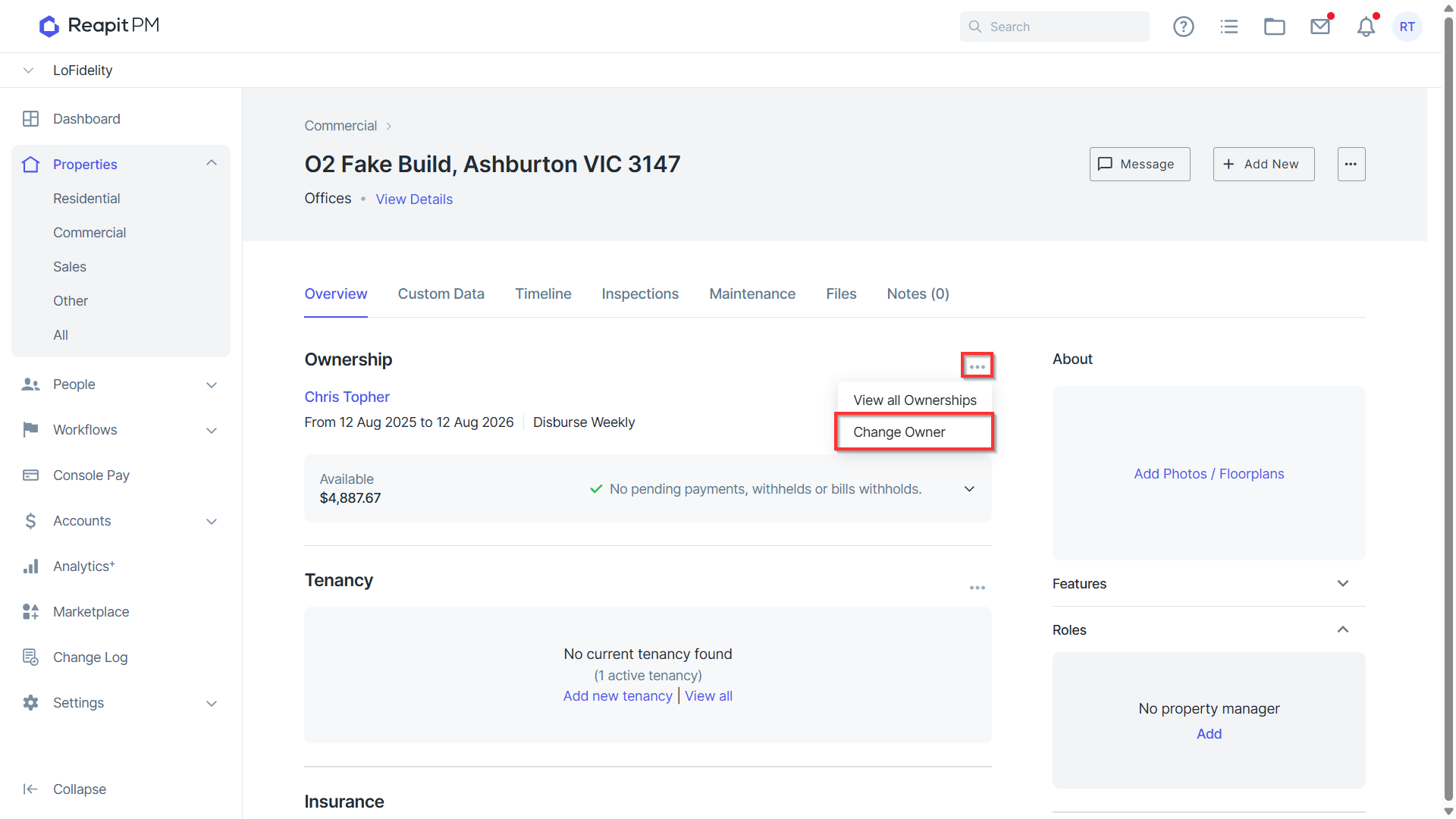
- Click the three dots.
- Click Change Owner.
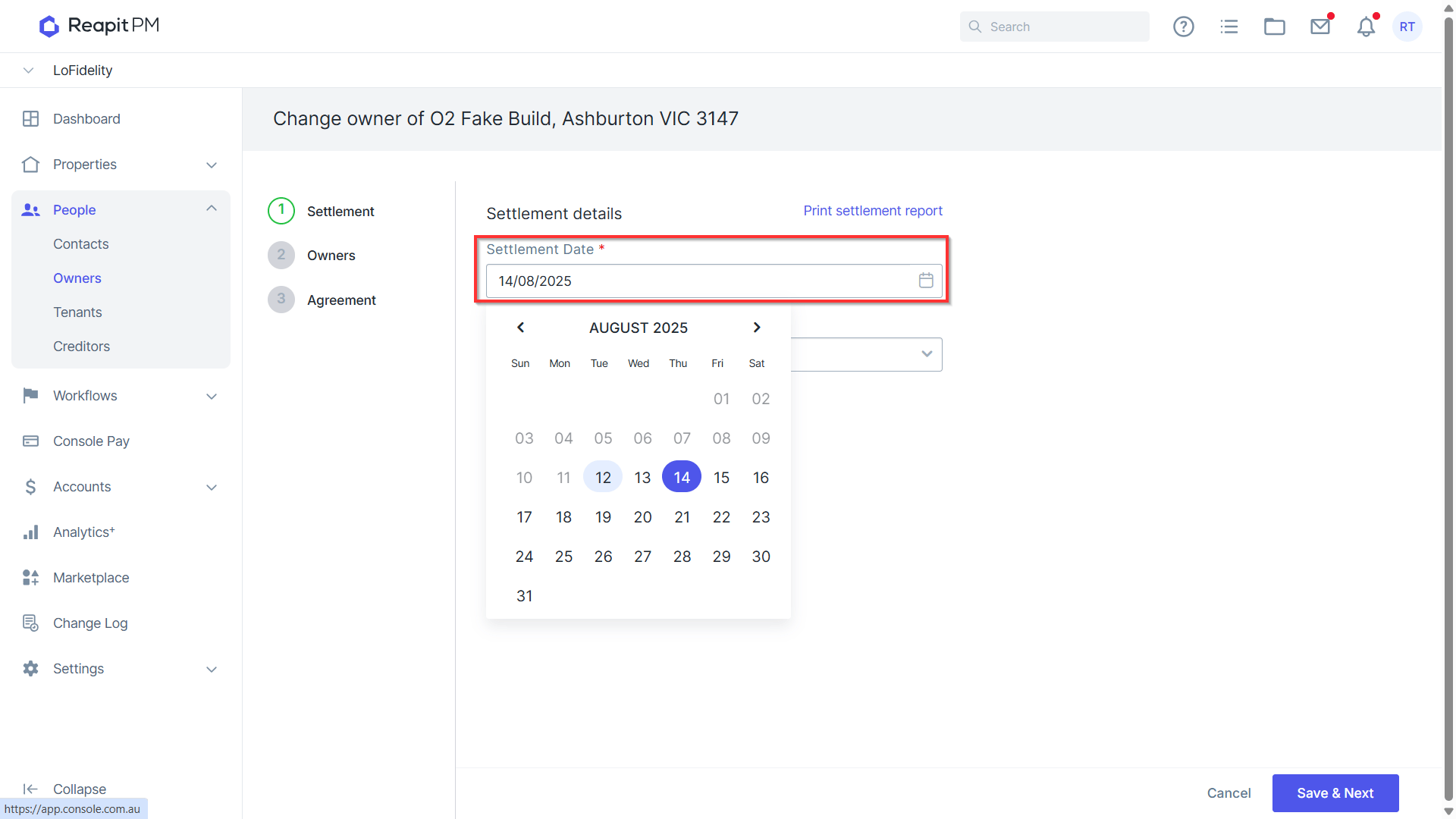
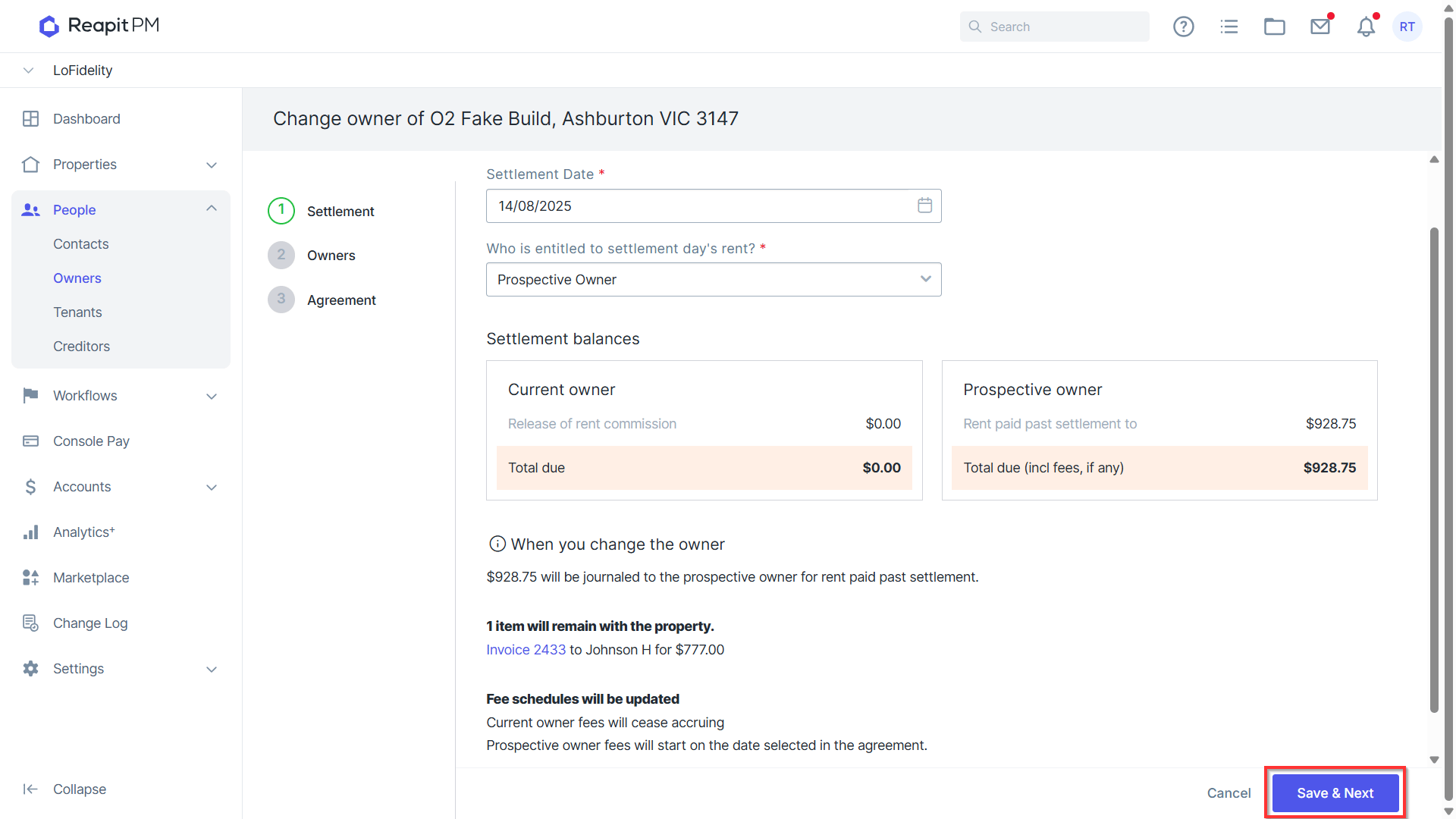
- Enter the Settlement Date.
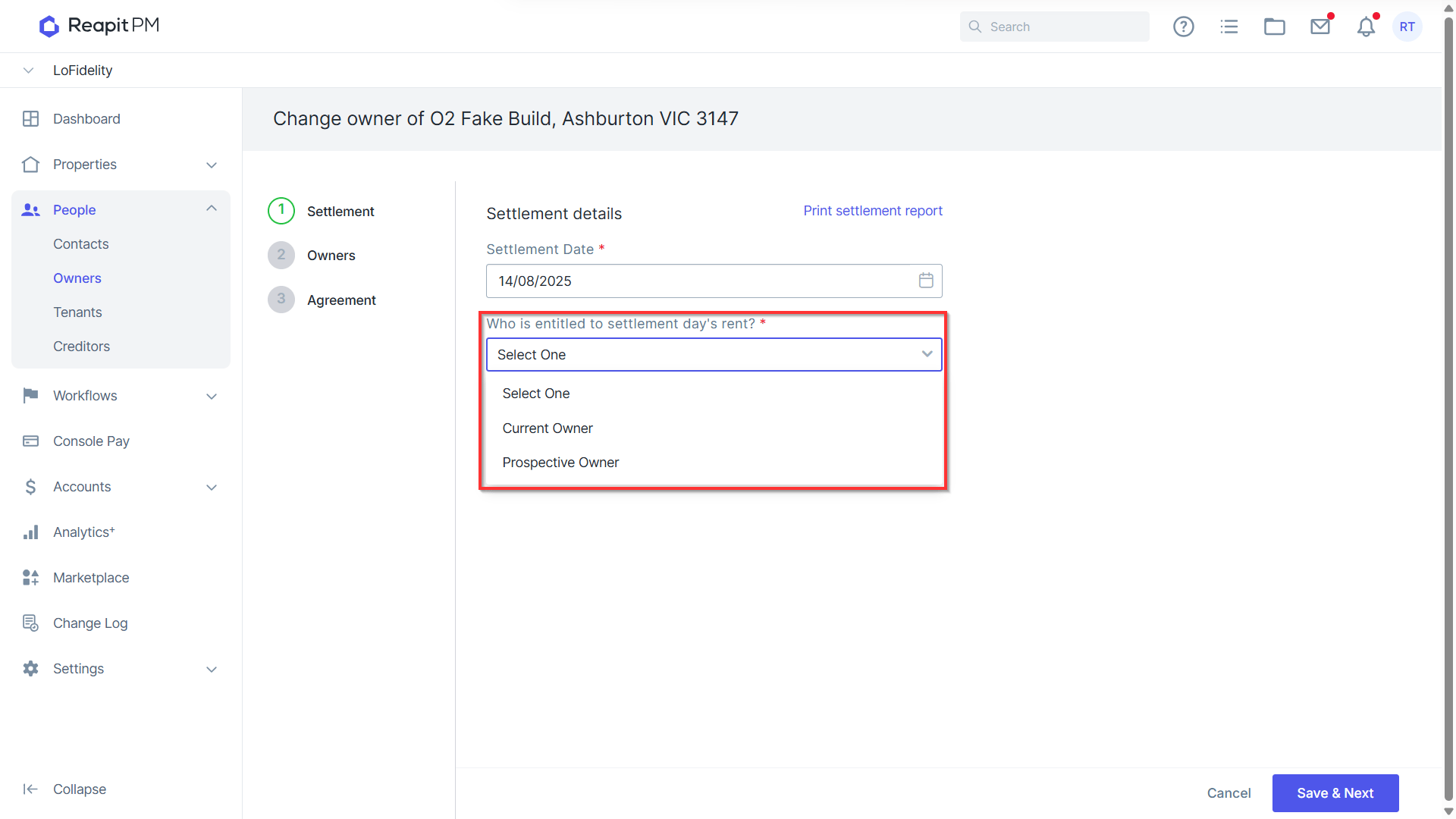
- Select who is entitled to the settlement day’s rent.
- The settlement balances and changes will be displayed. Click Save & Next to proceed
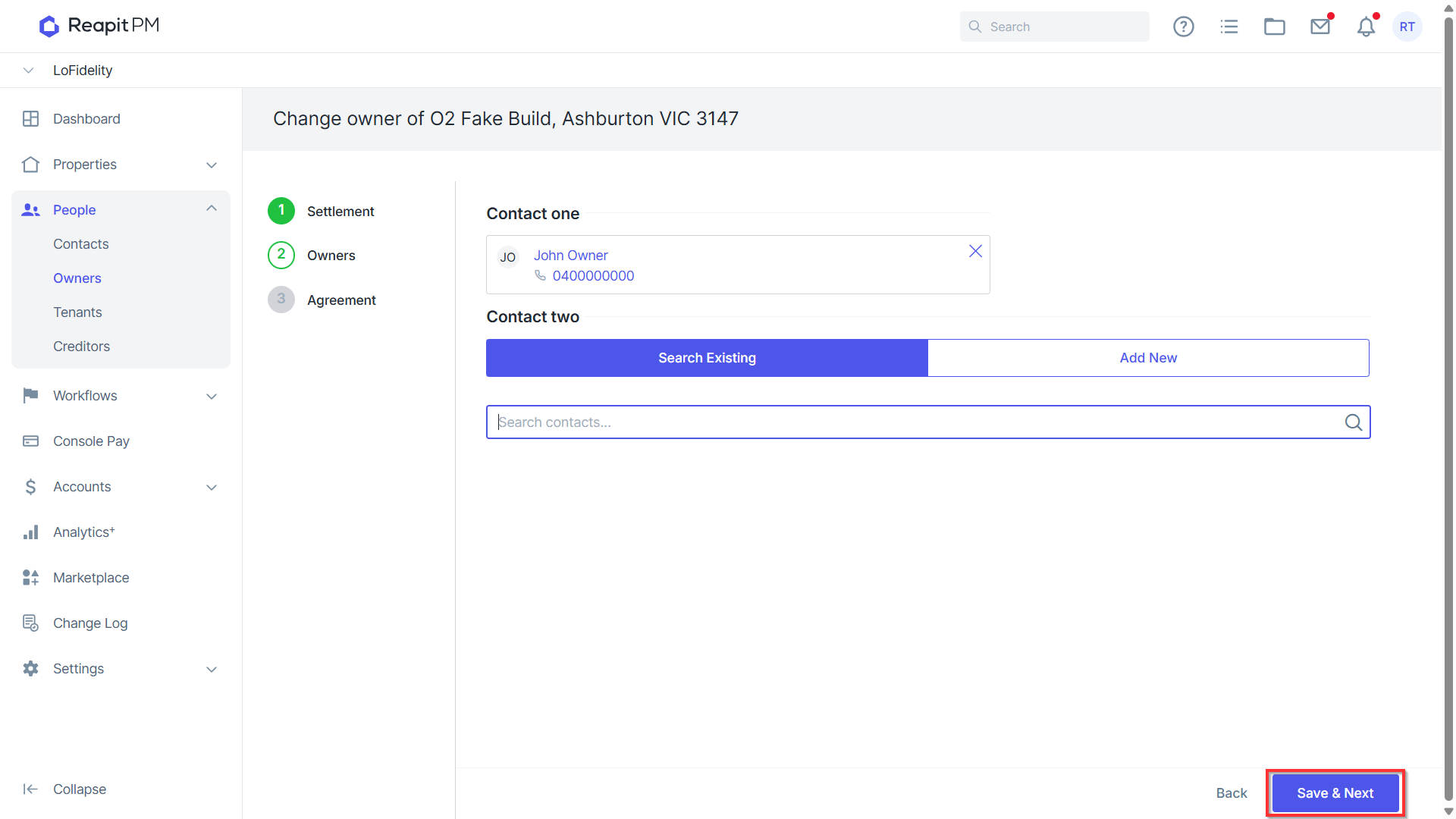
- Enter the new owner details by searching or adding a new contact.
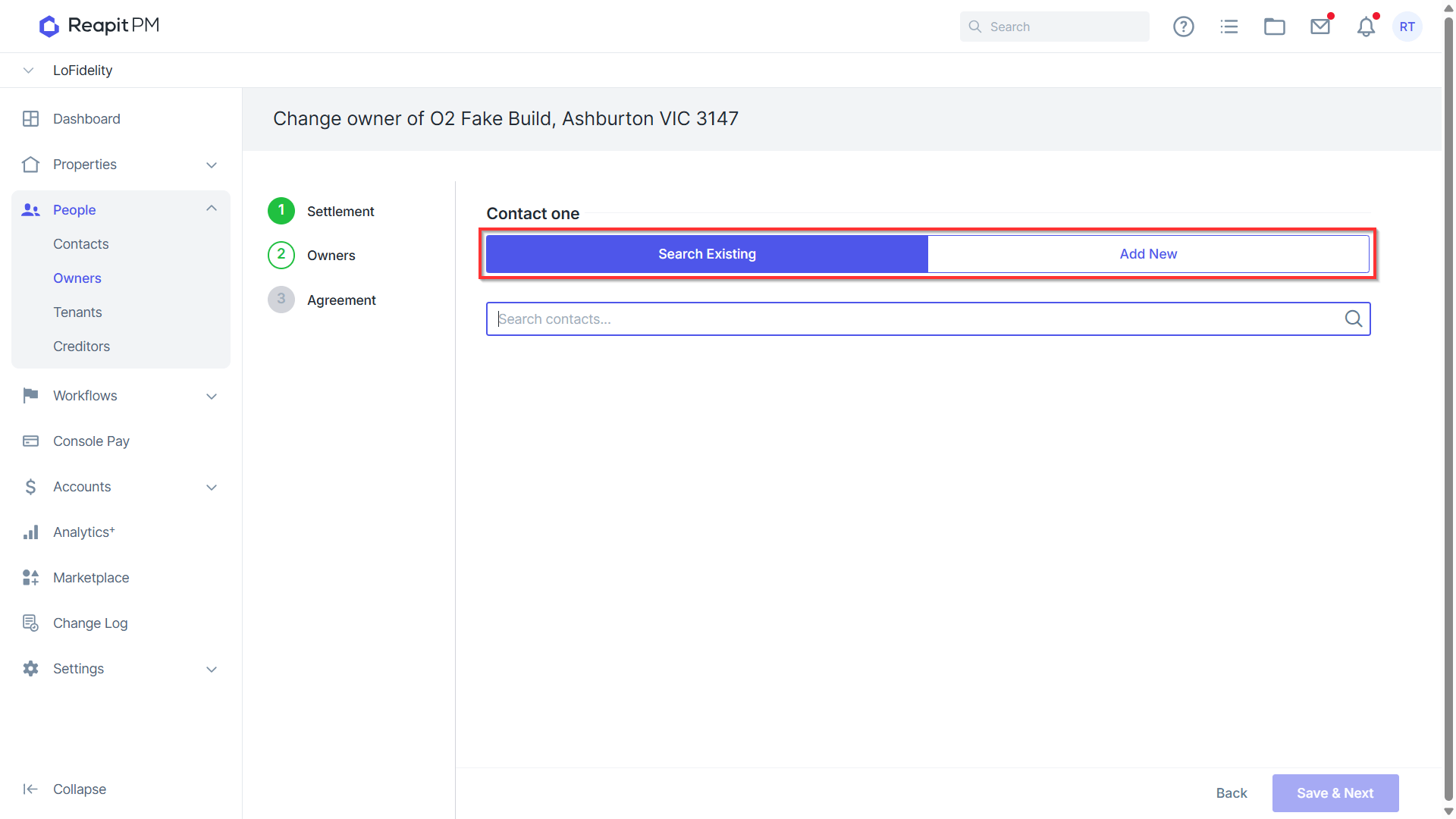
- Click Save & Next.
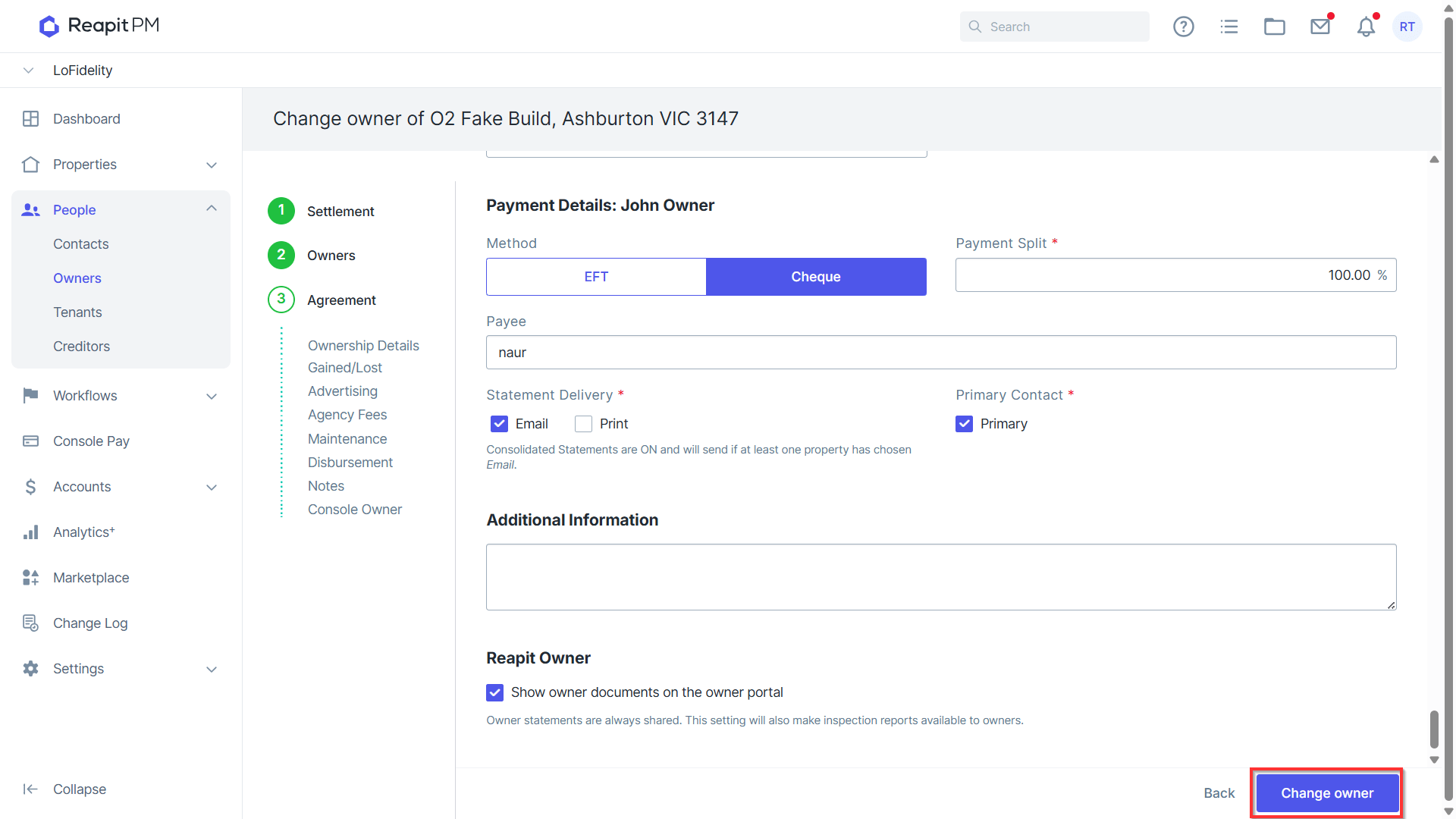
- Enter the new owner management agreement details.
- Click Change Owner
- Your Ownership has successfully been changed when you see a green banner appear on the top right corner.
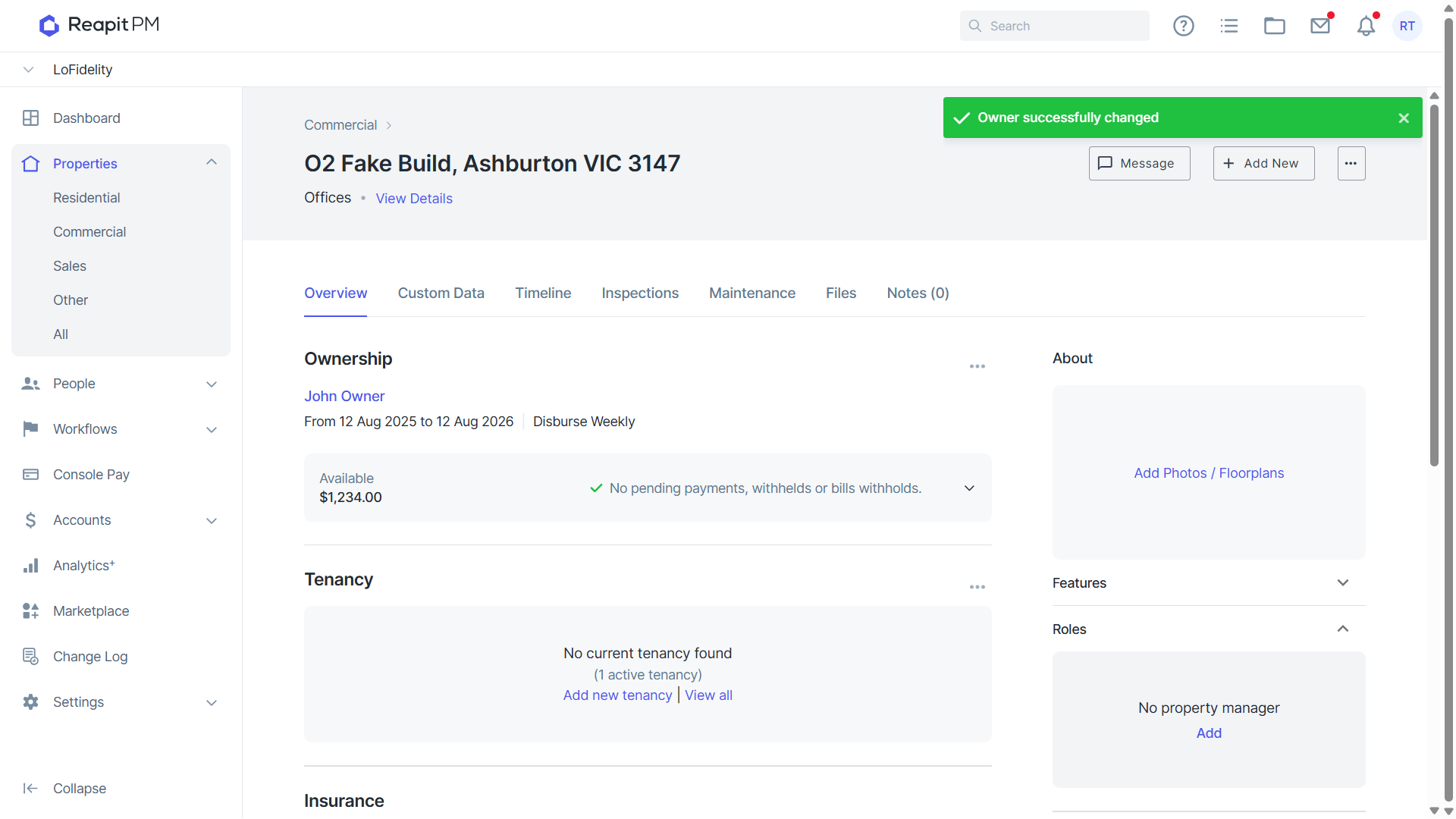
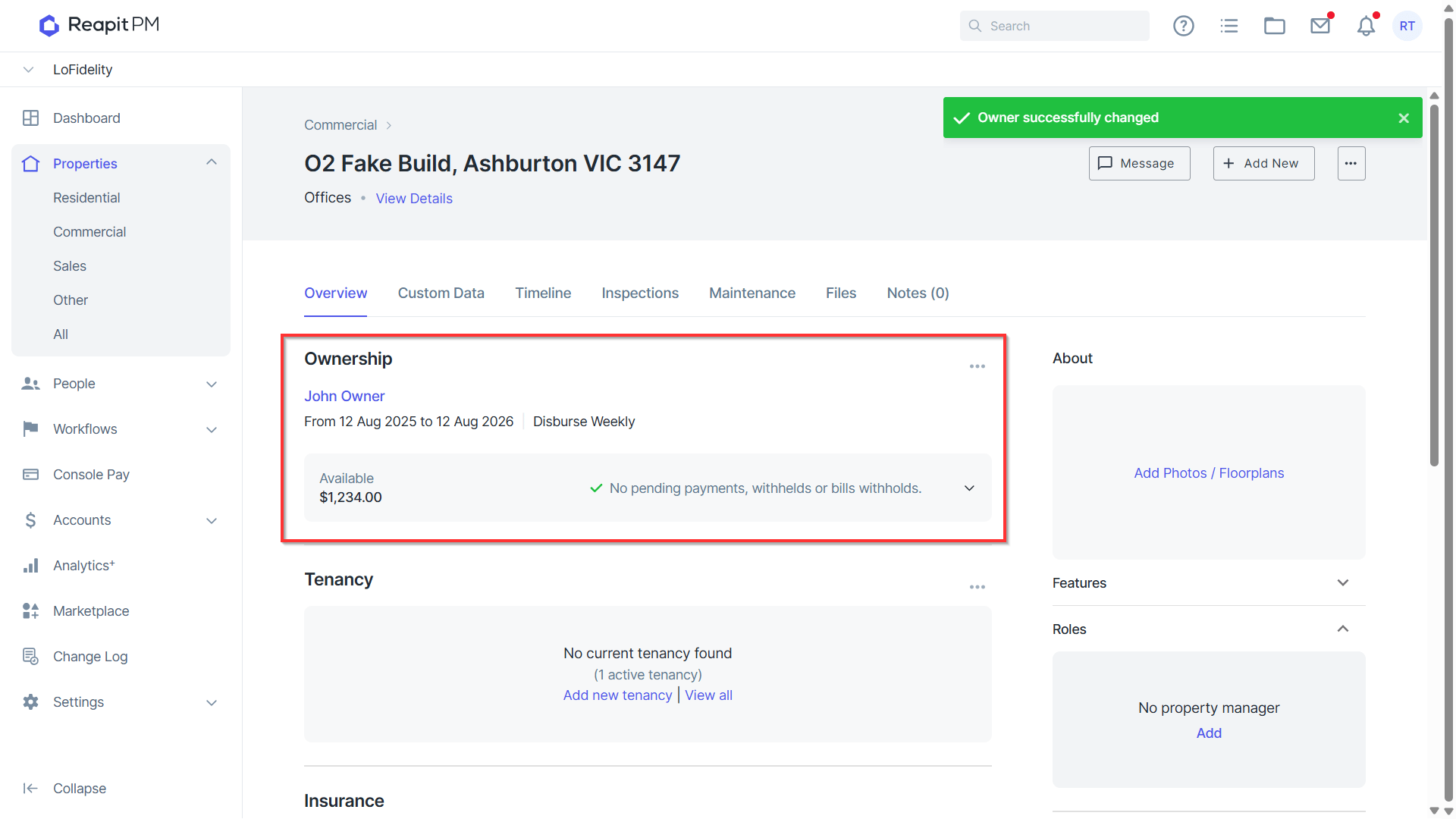
- This property and new management agreement will now display the new ownership details.
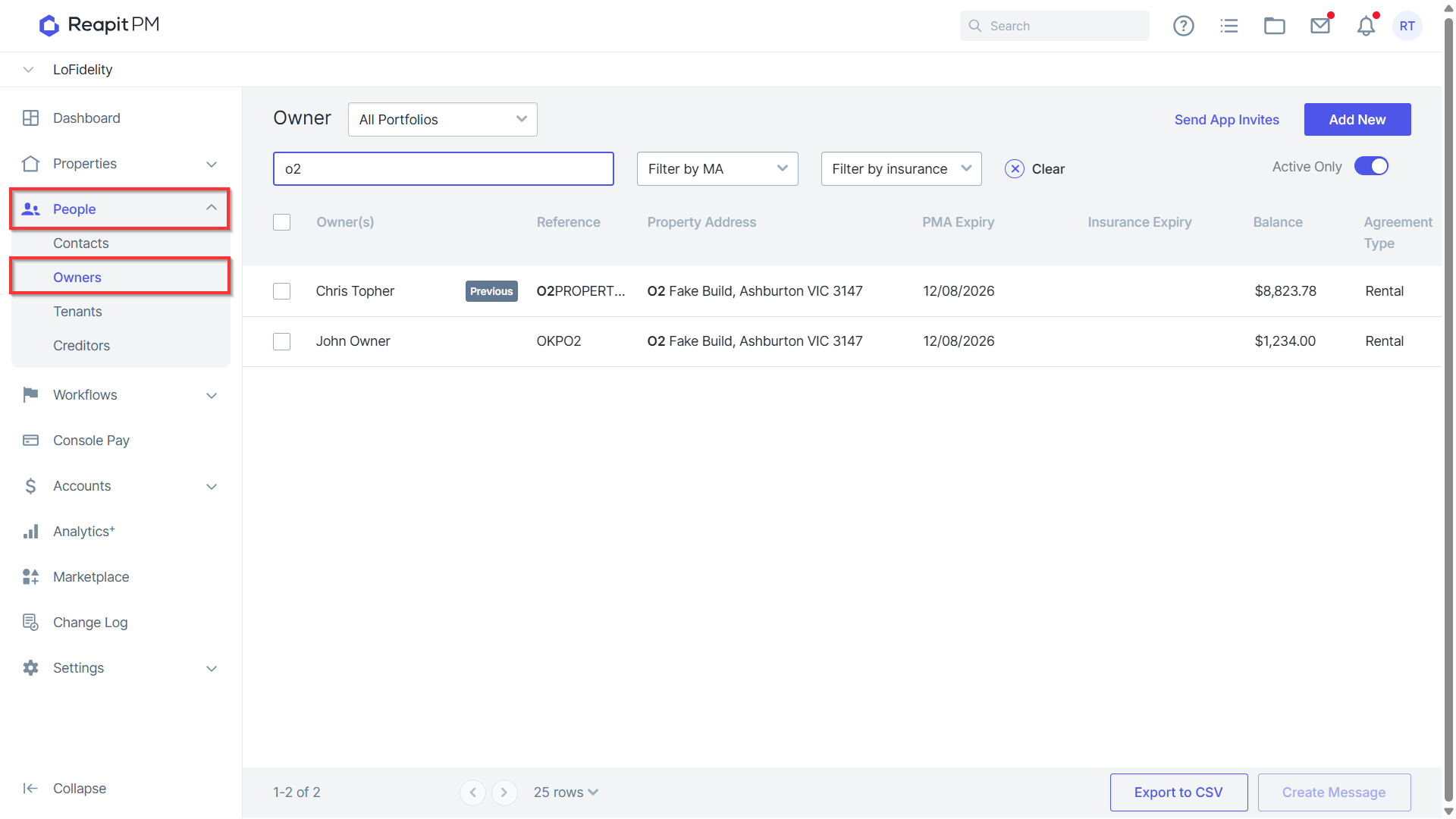
Note: You can view the previous management agreement for the previous owner by navigating to People and Owners, and searching for the previous owners agreement.
Additional Notes and Troubleshooting
- After the owner change, no new fees can be charged to the previous owner (exception being On Demand fees).
- No bills can be paid from the previous owner. Any bills against the property will be paid from new owner's balance. If any bill needs to be paid from old owner's balance, ensure this is done prior to changing owner on the property.
- No receipts from tenant (rent or invoice) will be paid to new owner. Everything receipted to the property's tenants will ALL be paid to new owner after owner change. If rent is not yet paid to settlement date at settlement, you may want to consider holding off on completing owner change until rent is paid to settlement date. There is no way to transfer funds between new and old owner files after owner change.
- Any routine inspection created during previous ownership will remain linked to the old owner. We recommend deleting any scheduled routine inspections and recreating them after owner change, in order to link them to new owner.