'%20d='M0%208a8%208%200%200%201%208-8h24a8%208%200%200%201%208%208v24a8%208%200%200%201-8%208H8a8%208%200%200%201-8-8V8Z'/%3e%3cpath%20fill='%23fff'%20d='M8.375%2013v14L20.5%2034l12.124-7v-7.737l-1.687-.975-2.806-1.62-1.082-.624v4.83l-.002%204.83H13.95V16.07l3.275-1.89%202.192-1.265%201.082-.625%203.275%201.877%202.192%201.256%201.083.62V9.782L20.5%206%208.376%2013Z'/%3e%3cdefs%3e%3clinearGradient%20id='reapit-pm__a'%20x1='20.702'%20x2='20.702'%20y1='.351'%20y2='31.228'%20gradientUnits='userSpaceOnUse'%3e%3cstop%20stop-color='%235573FD'/%3e%3cstop%20offset='.575'%20stop-color='%234E56EA'/%3e%3c/linearGradient%3e%3c/defs%3e%3c/svg%3e)
Direct Debit Bonds
This article will show you how to set up direct debit bonds
Overview
Direct Debit Bonds
Follow the steps below to register bonds that are expected to be direct debited from your account within Reapit PM.
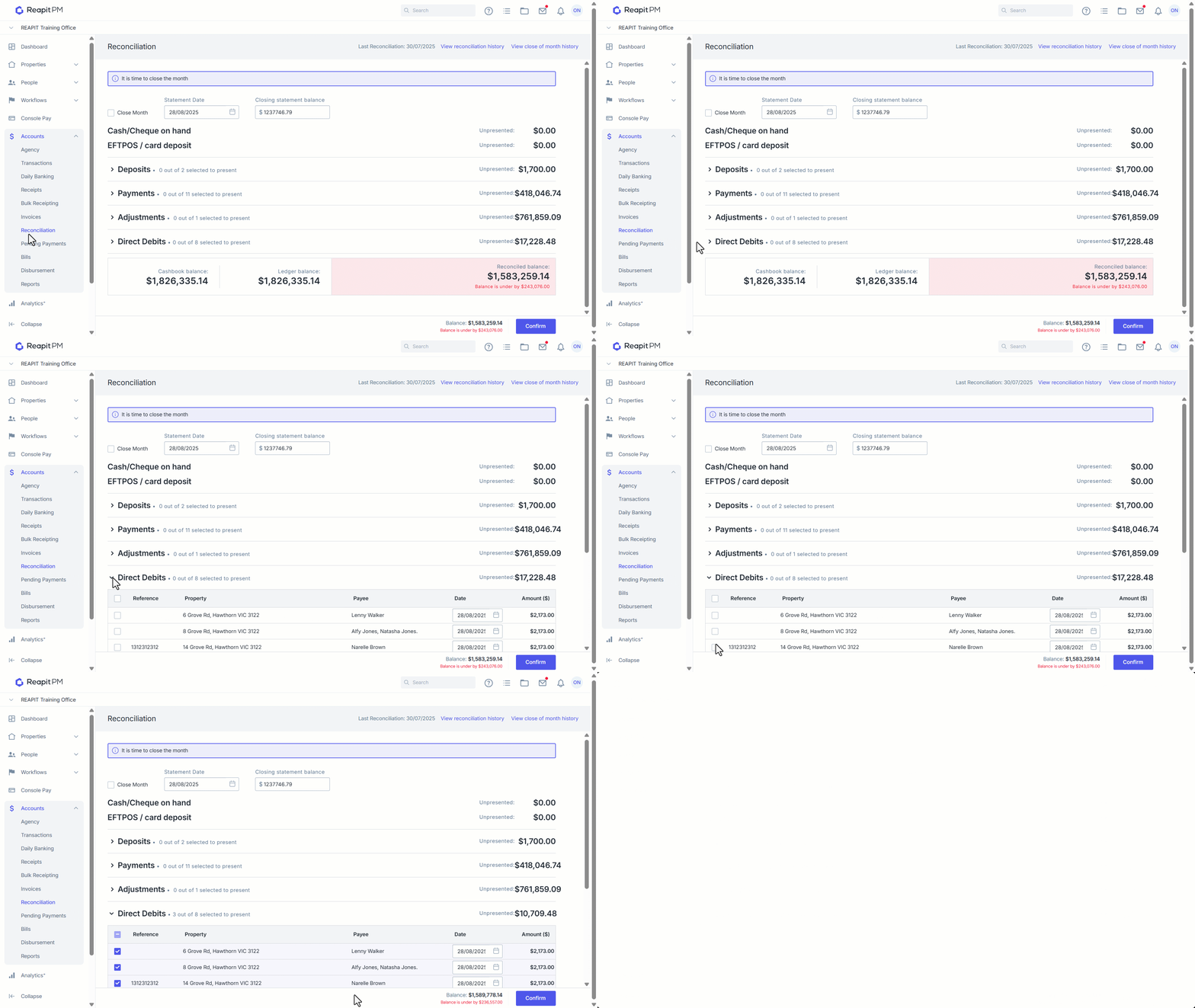
By registering a direct debit bond for a tenant, this will display in the reconciliation screen and you will be able to present these funds.
Setting up a Direct Debit Bond
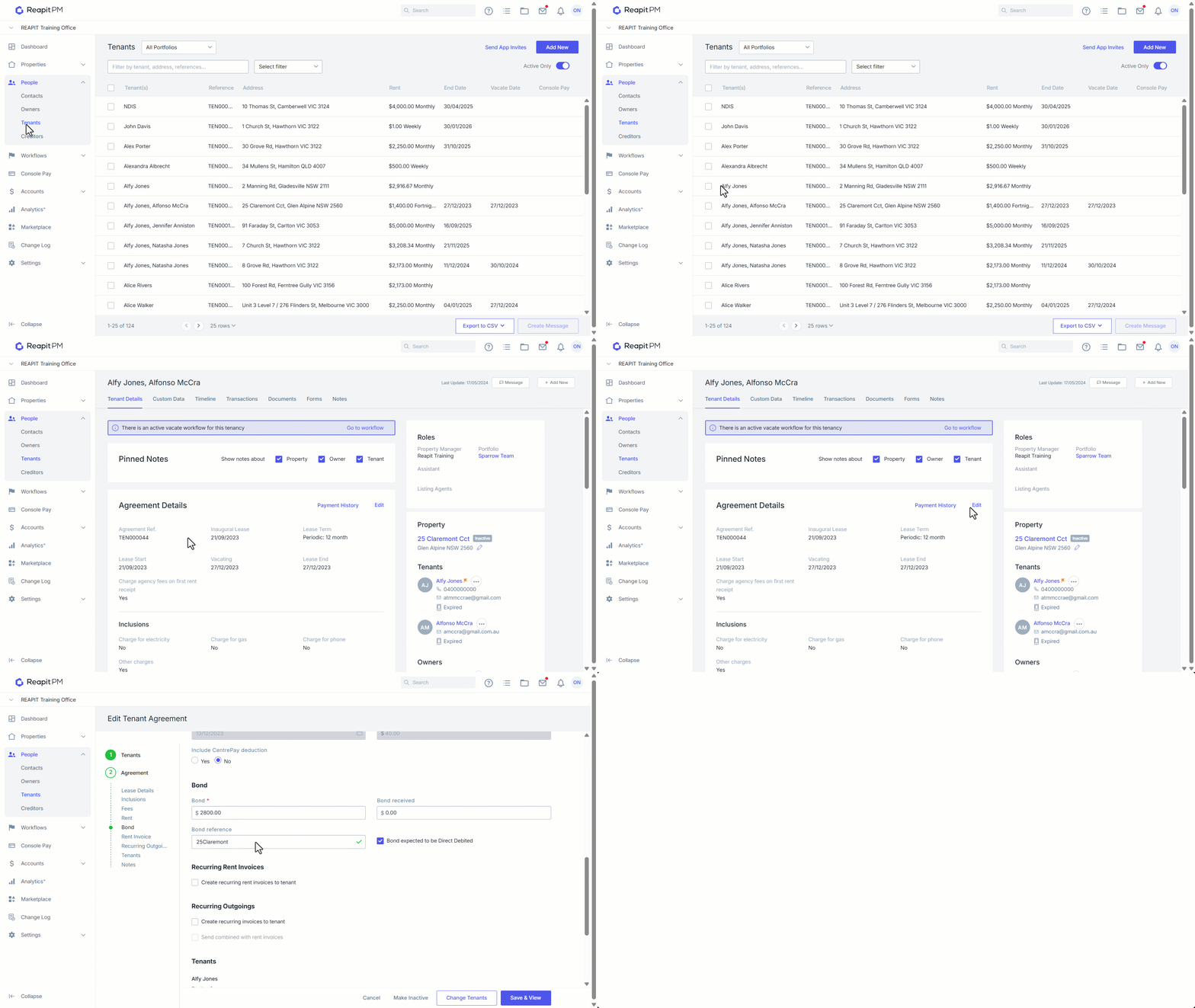
When entering a Tenancy, or by selecting Edit against an existing Tenancy, the Bond can be flagged to Direct Debit.
- Click on People.
- Click on Tenants.
- Search and select a Tenant.
- Click on Edit under Agreement Details.
- Enter the bond amount, reference if available and select the bond to be Direct Debited checkbox.
- Click Save & View.
Reconciling Direct Debit Bonds
Completing this process will automatically create a transaction in-system for the direct debited bond money exiting the trust account and add it to all relevant reporting for compliance purposes.
- Click on Accounts.
- Click on Reconciliation.
- Enter and process reconciliation as per process available here.
- Under Direct Debits select the check box next to each Direct Debit you would like to present.
- Enter the Direct Debit Date.
- Click on Confirm to complete the reconciliation.