'%20d='M0%208a8%208%200%200%201%208-8h24a8%208%200%200%201%208%208v24a8%208%200%200%201-8%208H8a8%208%200%200%201-8-8V8Z'/%3e%3cpath%20fill='%23fff'%20d='M8.375%2013v14L20.5%2034l12.124-7v-7.737l-1.687-.975-2.806-1.62-1.082-.624v4.83l-.002%204.83H13.95V16.07l3.275-1.89%202.192-1.265%201.082-.625%203.275%201.877%202.192%201.256%201.083.62V9.782L20.5%206%208.376%2013Z'/%3e%3cdefs%3e%3clinearGradient%20id='reapit-pm__a'%20x1='20.702'%20x2='20.702'%20y1='.351'%20y2='31.228'%20gradientUnits='userSpaceOnUse'%3e%3cstop%20stop-color='%235573FD'/%3e%3cstop%20offset='.575'%20stop-color='%234E56EA'/%3e%3c/linearGradient%3e%3c/defs%3e%3c/svg%3e)
Tenant Invoice PDF and Email Template Editing Options
This article will run through how to edit the invoice display options and tenant invoice email message in Reapit PM.
The processes in this article include:
- How to Show or Hide the Invoice Payment Options
- Editing the Tenant Invoice Email Template
How to Show / Hide the Invoice Payment Options
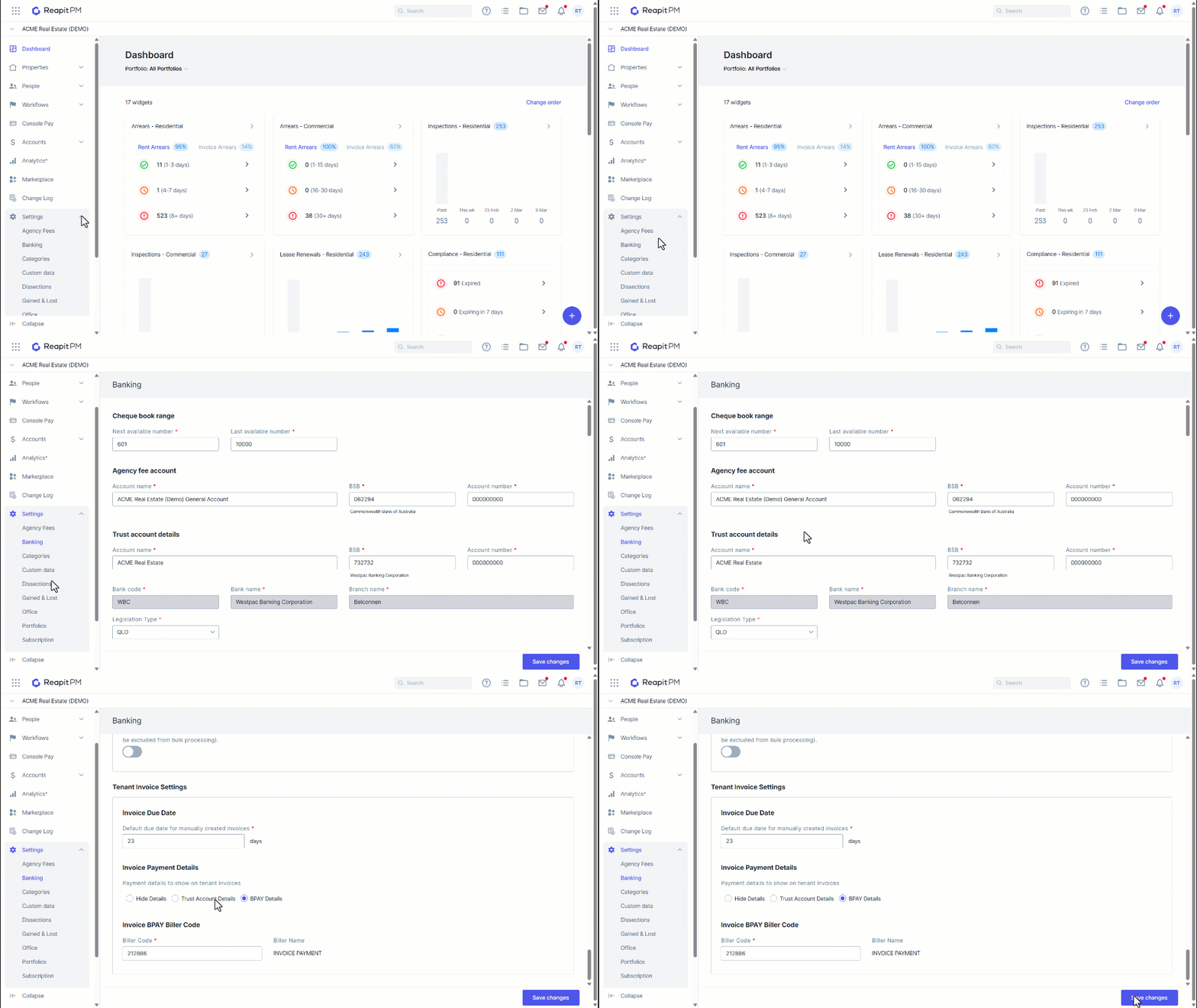
1. Navigate to Settings.
2. Click Banking.
3. Navigate to Tenant Invoice Settings.
4. Invoice Payment Details will display 3 options:
- Hide Details: Payment details will not be displayed on the Tenant Invoice
- Trust Account Details: Trust account details will be displayed on the invoice
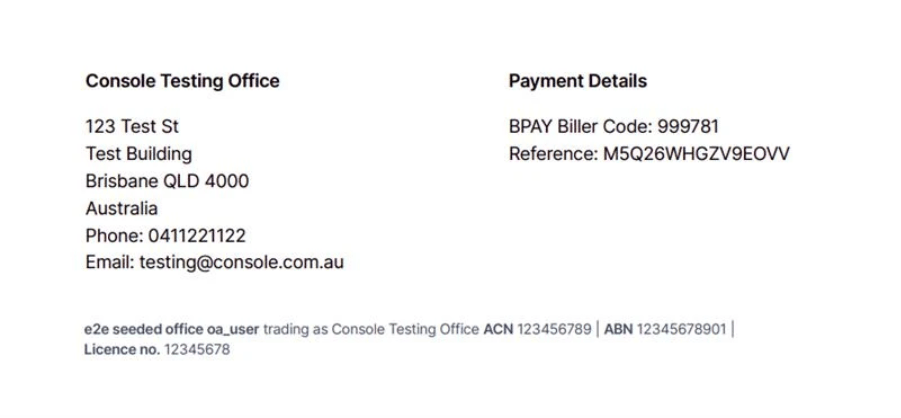
- BPAY Details: The nominated Invoice BPAY Biller Code below will be displayed on the invoice, along with the tenant rent reference
5. Select the required method.
6. Click Save.
Below is an example of the Invoice footer, sent displaying BPAY Details.
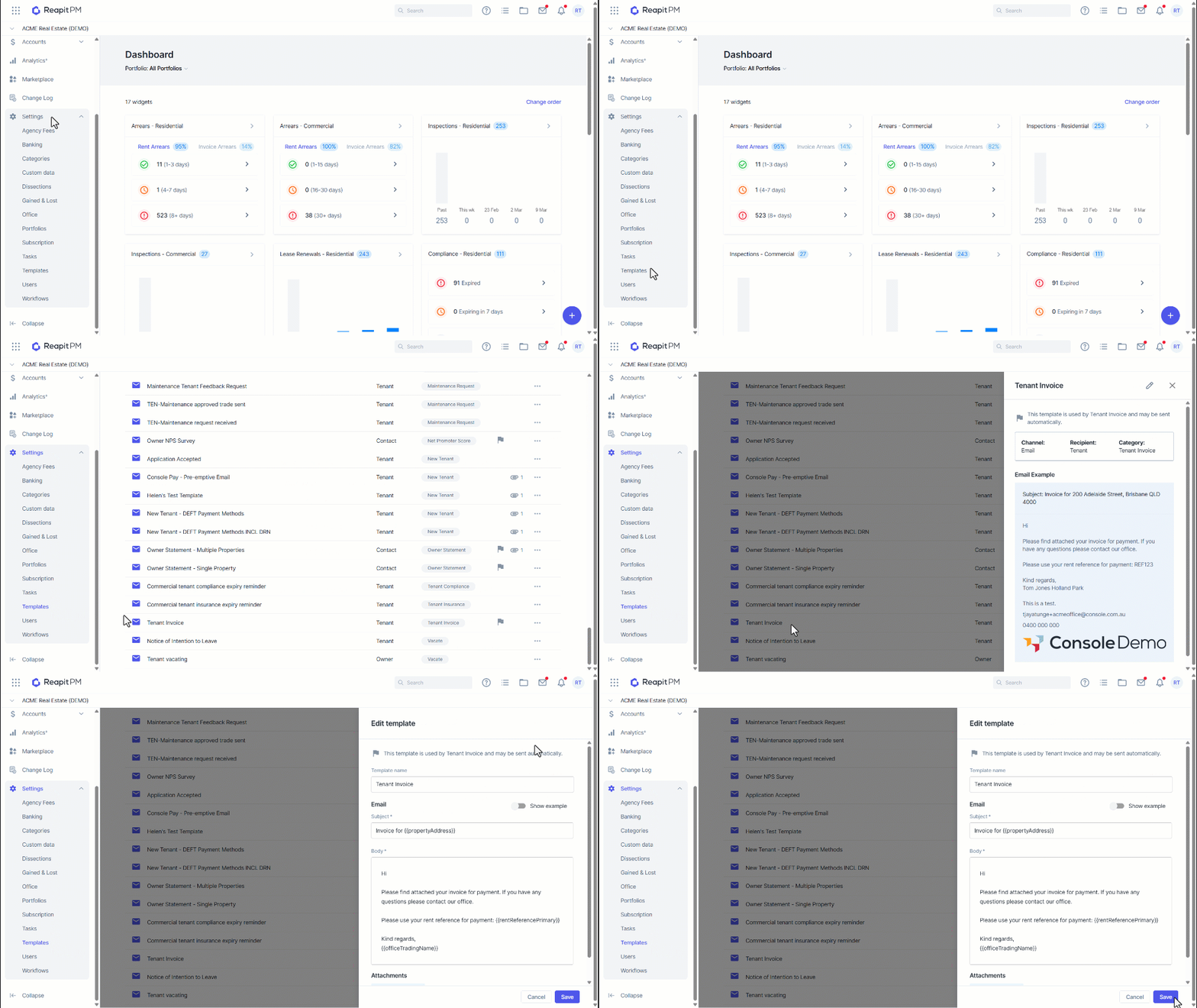
Editing the Tenant Invoice Email Template
Emails sent to tenants with an invoice attached can now be edited through settings by users with Office Administrator access.
1. Navigate to Settings.
2. Click Templates.
3. Navigate and click the Tenant Invoice Email Template.
4. Click the Pencil icon to edit.
5. Make the changes to the template as required.
6. Click Save.