'%20d='M0%208a8%208%200%200%201%208-8h24a8%208%200%200%201%208%208v24a8%208%200%200%201-8%208H8a8%208%200%200%201-8-8V8Z'/%3e%3cpath%20fill='%23fff'%20d='M8.375%2013v14L20.5%2034l12.124-7v-7.737l-1.687-.975-2.806-1.62-1.082-.624v4.83l-.002%204.83H13.95V16.07l3.275-1.89%202.192-1.265%201.082-.625%203.275%201.877%202.192%201.256%201.083.62V9.782L20.5%206%208.376%2013Z'/%3e%3cdefs%3e%3clinearGradient%20id='reapit-pm__a'%20x1='20.702'%20x2='20.702'%20y1='.351'%20y2='31.228'%20gradientUnits='userSpaceOnUse'%3e%3cstop%20stop-color='%235573FD'/%3e%3cstop%20offset='.575'%20stop-color='%234E56EA'/%3e%3c/linearGradient%3e%3c/defs%3e%3c/svg%3e)
Change Log
This article explains how to access the Reapit PM Change Log, how to read entries, filter and search for specific changes.
Change Log
The Change Log is a vital component, providing a detailed record of all changes made to all files in Reapit PM.
This resource is a valuable reference for users and support in establishing a timeline of when and how changes occurred.
This article explains how to access the Reapit PM Change Log, how to read entries, filter and search for specific changes.
The processes in this article include:
- Accessing the Change Log
- Reading Change Log Entries
- Filtering and Searching for Specific Changes
- Hints and Tips
Accessing the Change Log
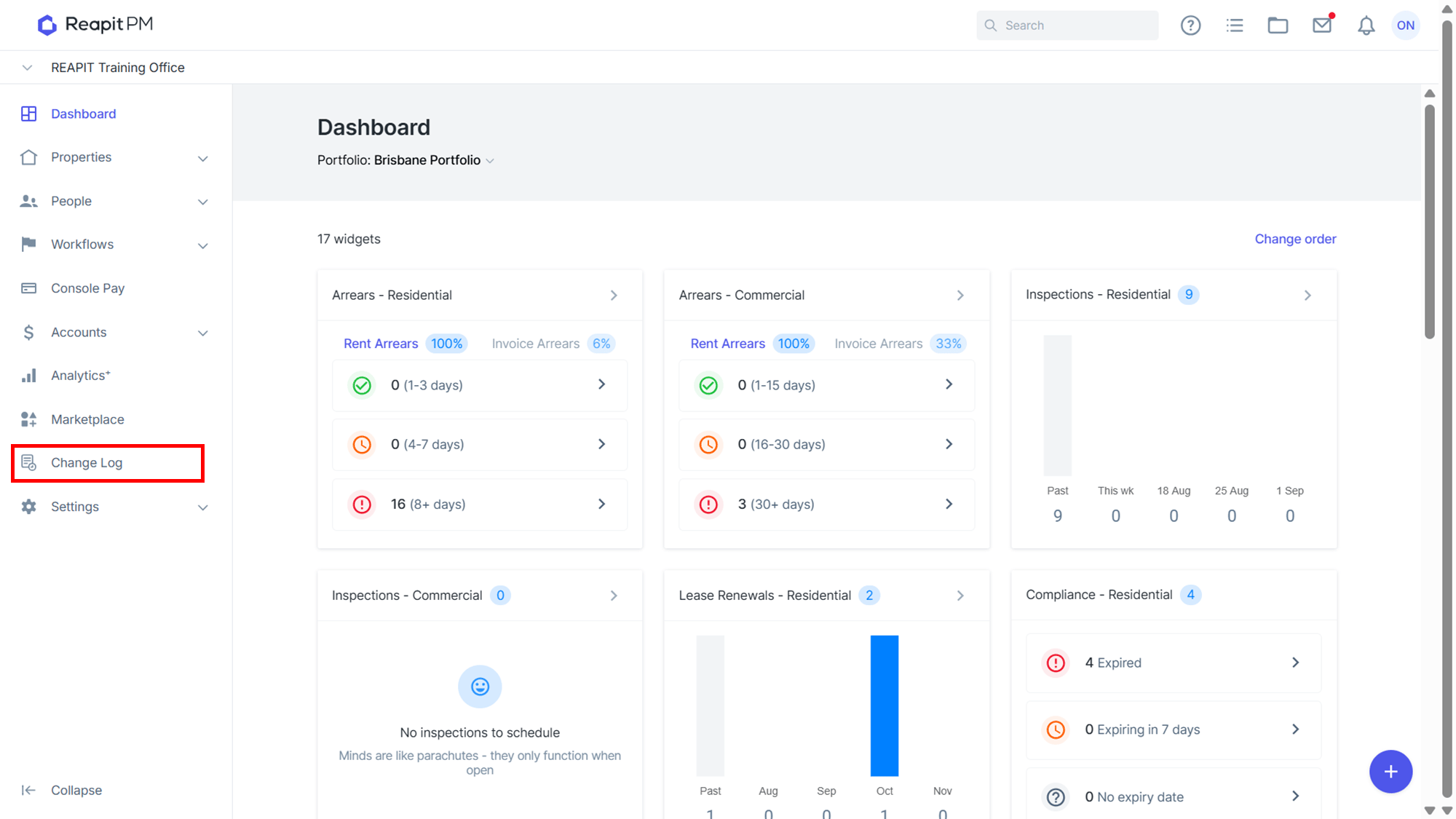
- Navigate to Change Log from the menu bar on the left.
Reading Change Log Entries
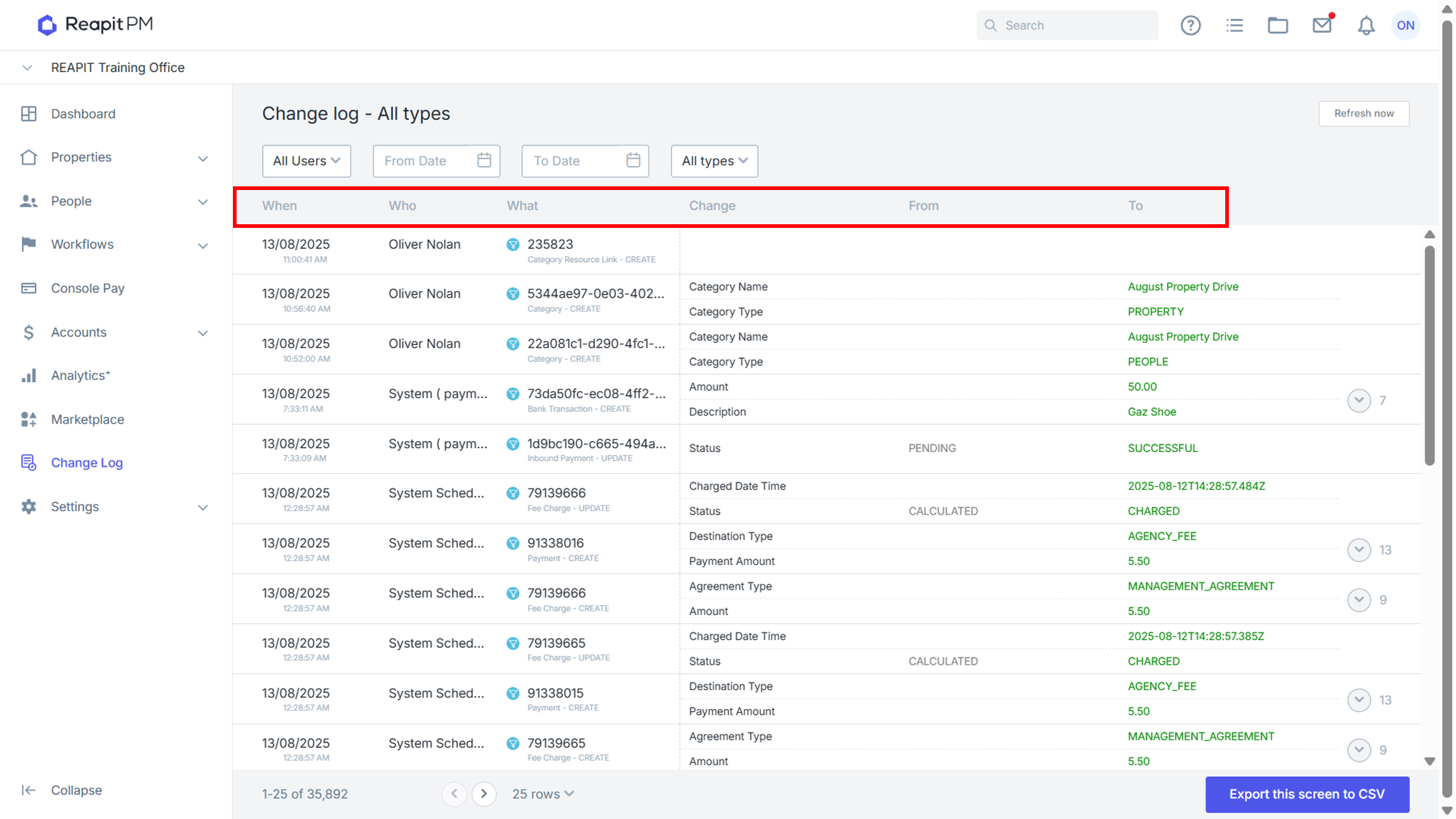
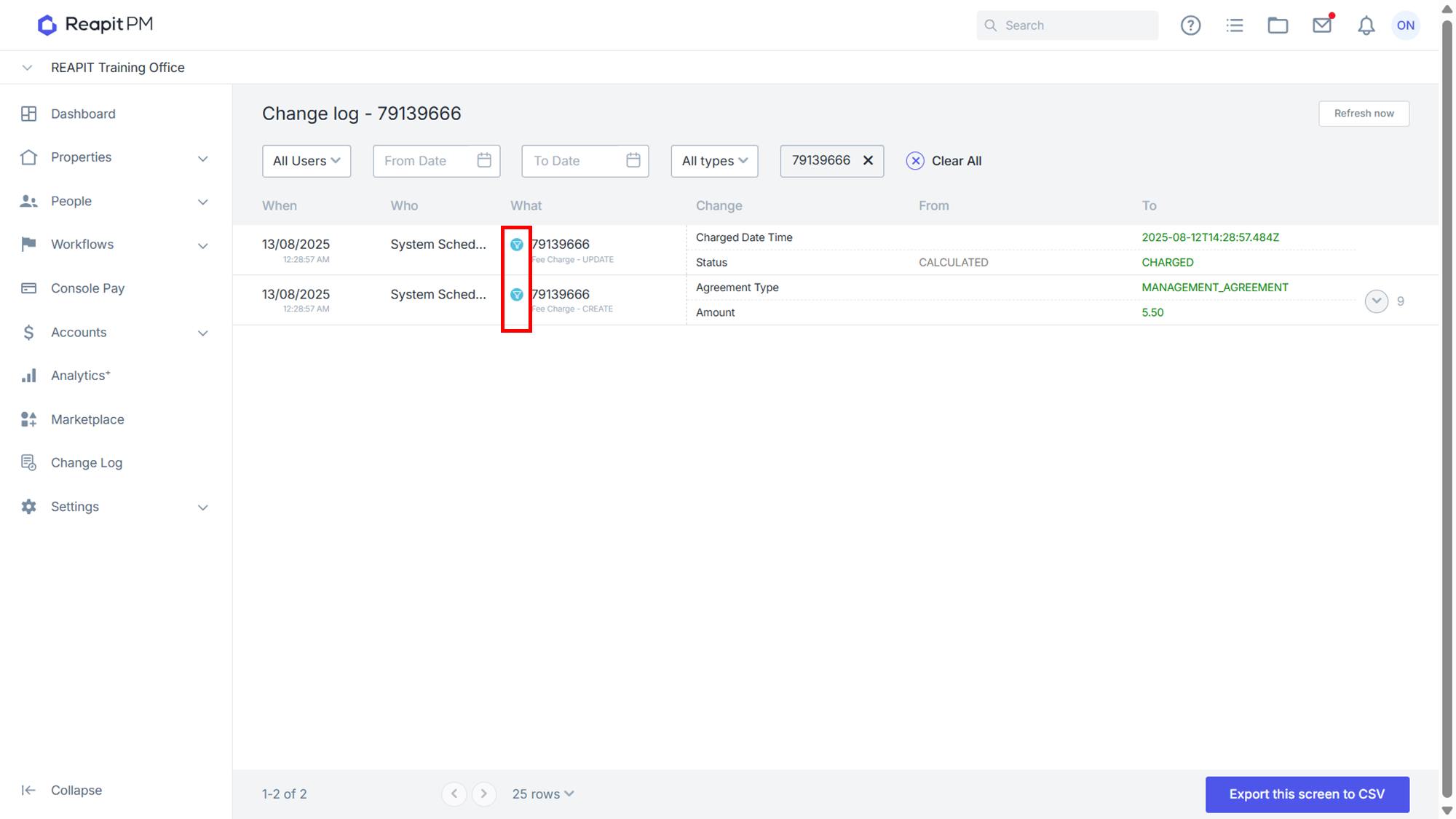
Entries in the Change Log are organized in reverse chronological order. Each row is organised into columns containing the following information:
When: Exact date and time the change occurred
Who: The current user name of the user who made the change
What: The area that was changed, and a reference to the file changed
Change: Lists the item updated during the change.
From: Value prior to the change.
To: Value after the change
Filtering and Searching for Specific Changes
To find specific changes:
Opening the change log from a specific file will automatically show only changes made to that file.
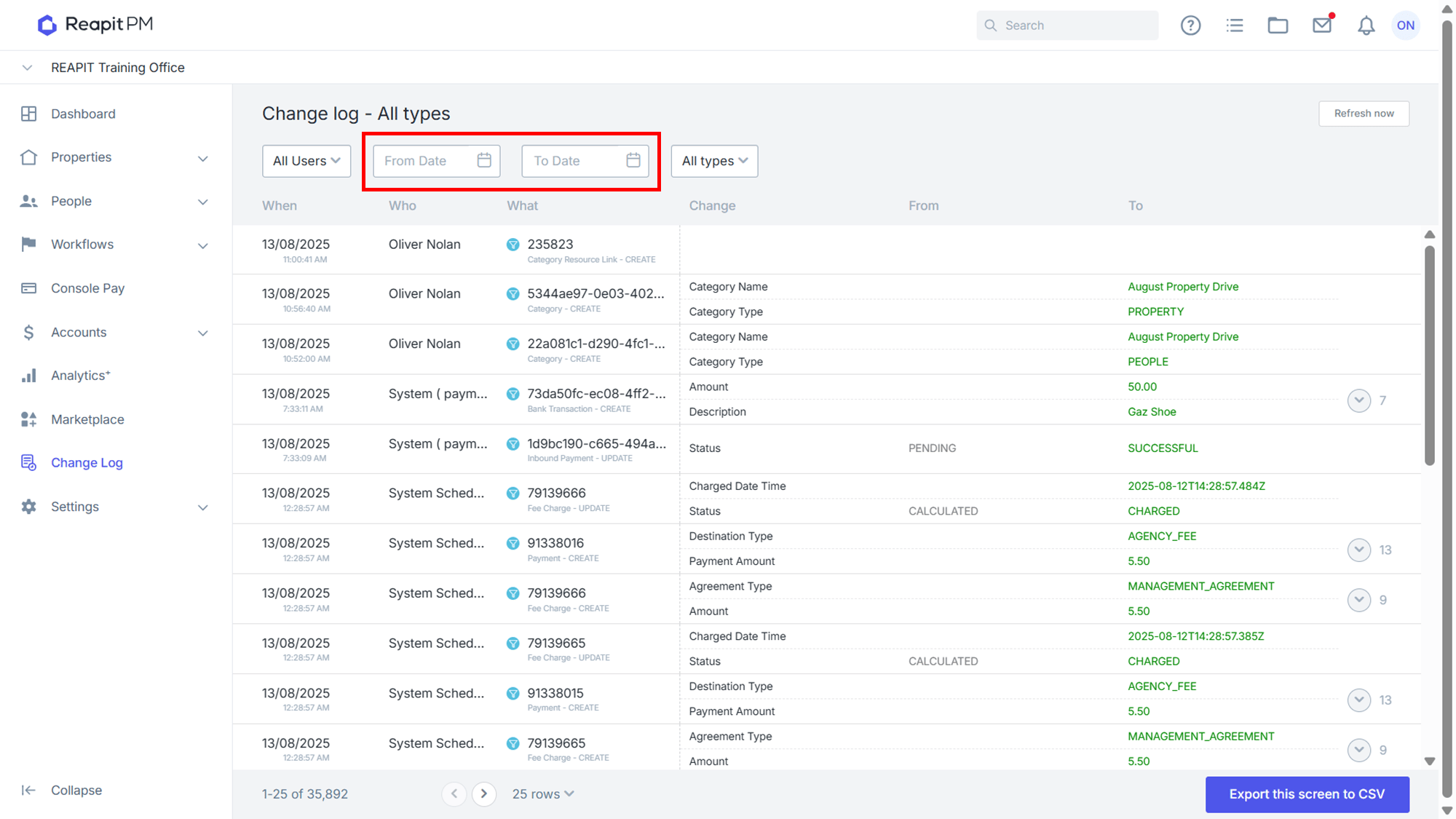
If date of the change is known; use date boxes to filter to a specific date range.
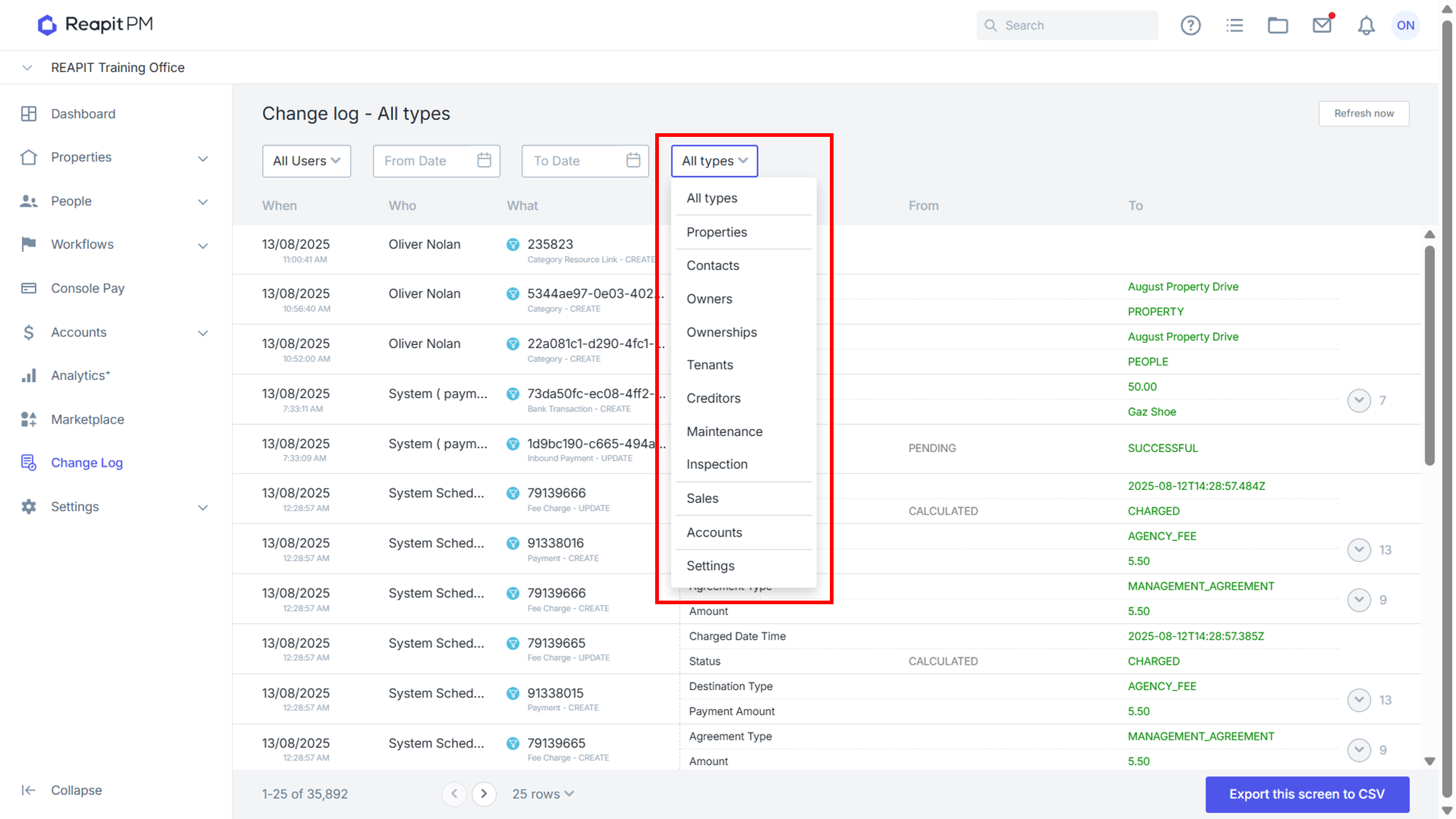
Use All Types dropdown to filter to a specific type of changes.
Press the blue icon in the What column to see a list of all changes made to that item.
Hints and Tips
Expect a delay between changes being made in the system, and the changes showing in Change Log.
If you are investigating an unexplained event, and you know the date and time it occurred from checking the timeline, check the Change Log for all changes made in the system for that time, there may sometimes be a change made elsewhere in the system that had a flow on effect.
In any event when the From or To column is blank, this means that this was changed to or from an empty value.