'%20d='M0%208a8%208%200%200%201%208-8h24a8%208%200%200%201%208%208v24a8%208%200%200%201-8%208H8a8%208%200%200%201-8-8V8Z'/%3e%3cpath%20fill='%23fff'%20d='M8.375%2013v14L20.5%2034l12.124-7v-7.737l-1.687-.975-2.806-1.62-1.082-.624v4.83l-.002%204.83H13.95V16.07l3.275-1.89%202.192-1.265%201.082-.625%203.275%201.877%202.192%201.256%201.083.62V9.782L20.5%206%208.376%2013Z'/%3e%3cdefs%3e%3clinearGradient%20id='reapit-pm__a'%20x1='20.702'%20x2='20.702'%20y1='.351'%20y2='31.228'%20gradientUnits='userSpaceOnUse'%3e%3cstop%20stop-color='%235573FD'/%3e%3cstop%20offset='.575'%20stop-color='%234E56EA'/%3e%3c/linearGradient%3e%3c/defs%3e%3c/svg%3e)
Agency Fee Withholds
The agency fee withhold option enables you to withhold amounts from individual agency fees within Reapit PM. This will ensure funds remain in the relevant account, upon Disbursement, should they need to be refunded to a particular owner. The processes in this article include: Adding a Withhold Editing or Deleting Withholds
Overview
Agency Fee Withholds
The agency fee withhold option enables you to withhold amounts from individual agency fees within Reapit PM. This will ensure funds remain in the relevant account, upon Disbursement, should they need to be refunded to a particular owner.
The processes in this article include:
- Adding a Withhold
- Editing or Deleting Withholds
Adding a Withhold
Note: this process can also be followed when in the Agency fee Disbursement screen.
- Click on Accounts.
- Click on Agency.
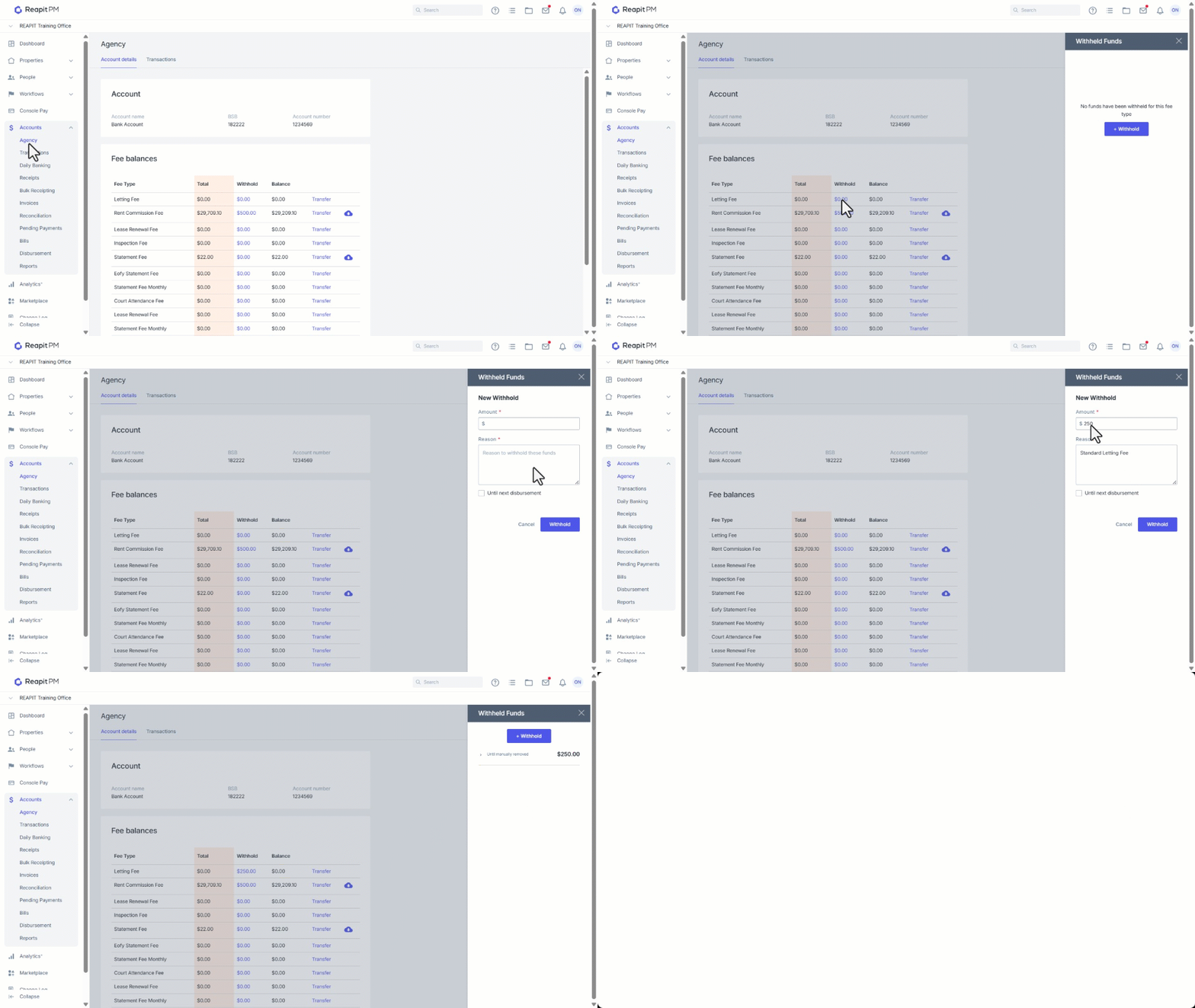
- Click on the Withhold link next to the relevant fee.
- Click + Withhold.
- Enter Amount, Reason and select whether it is to be held until next disbursement. If this option is selected it will withhold from the next disbursement made to the ownership, but will then release for future disbursement.
- Click Withhold.
Editing or Deleting Withholds
Note: this process can also be followed when in the Agency fee Disbursement screen.
- Click on Accounts.
- Click on Agency.
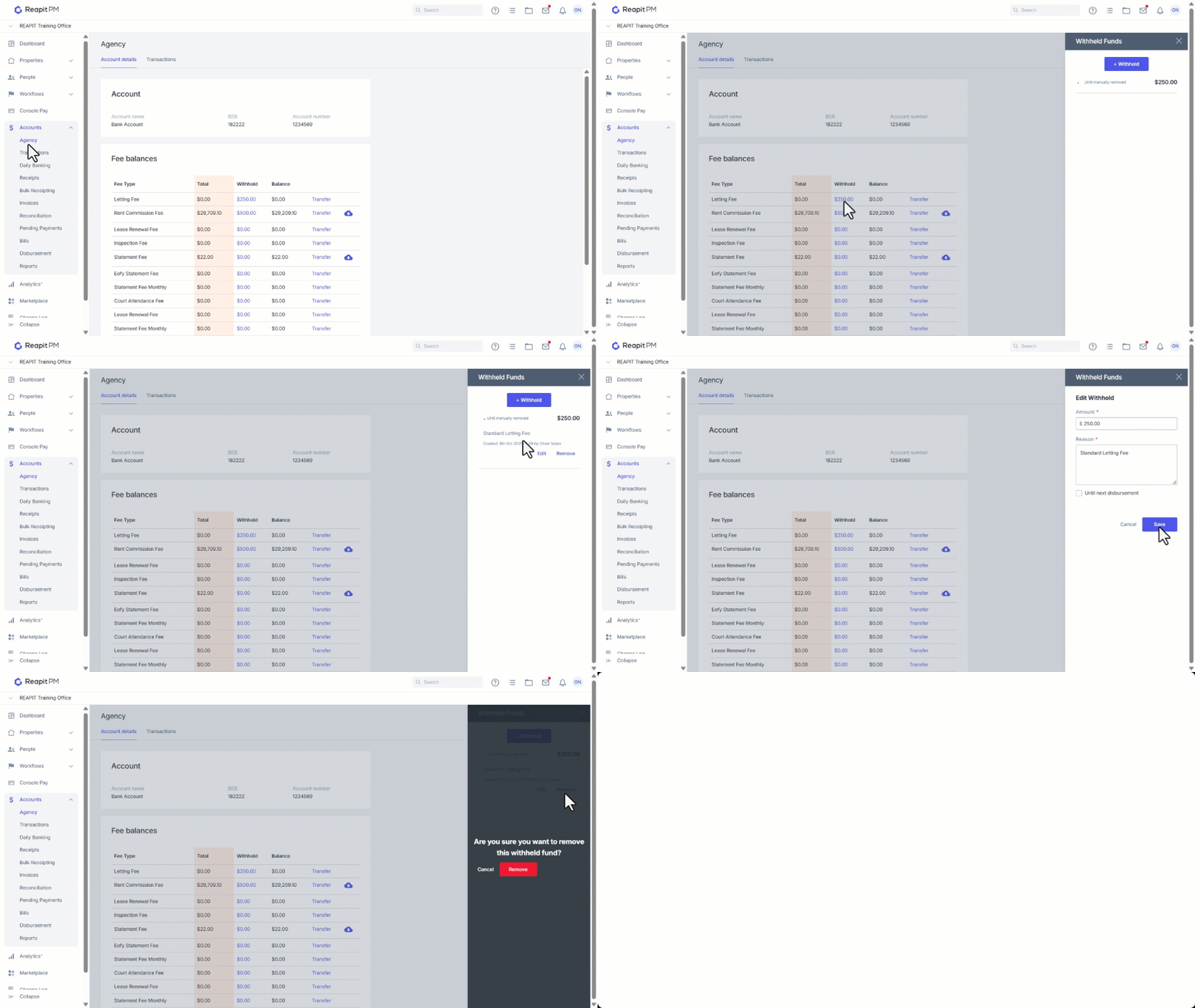
- Click on the relevant withhold amount.
- Select the drop down and click Edit.
- Update amount, reason etc. and click Save.
- Select Remove to delete and then click Remove to confirm.