'%20d='M0%208a8%208%200%200%201%208-8h24a8%208%200%200%201%208%208v24a8%208%200%200%201-8%208H8a8%208%200%200%201-8-8V8Z'/%3e%3cpath%20fill='%23fff'%20d='M8.375%2013v14L20.5%2034l12.124-7v-7.737l-1.687-.975-2.806-1.62-1.082-.624v4.83l-.002%204.83H13.95V16.07l3.275-1.89%202.192-1.265%201.082-.625%203.275%201.877%202.192%201.256%201.083.62V9.782L20.5%206%208.376%2013Z'/%3e%3cdefs%3e%3clinearGradient%20id='reapit-pm__a'%20x1='20.702'%20x2='20.702'%20y1='.351'%20y2='31.228'%20gradientUnits='userSpaceOnUse'%3e%3cstop%20stop-color='%235573FD'/%3e%3cstop%20offset='.575'%20stop-color='%234E56EA'/%3e%3c/linearGradient%3e%3c/defs%3e%3c/svg%3e)
Communication in Reapit PM & Sales
This article will cover the sales communication process in Reapit PM.
Overview
Communication in Reapit PM & Sales
This article will cover the sales communication process in Reapit PM.
The processes in this article include:
- Creating Sales Communication Templates (i.e. Pre-Settlement Templates)
- Sending a Pre-Settlement Communication
Creating Sales Communication Templates (i.e. Pre-Settlement Templates)
You will have the ability to create your own sales templates in Reapit PM.
Note: You will need office administrator permissions to access the Settings.
- Navigate to Settings > Templates.
- Click Add New.
- The create template window will open.
- Select Email as the channel of communication. Select the Recipient type. Enter the template name. Select the template category.
- In the Subject of the email, when you click in the subject field, you have the option to use merge fields. Enter the body of the email, including any merge fields you wish to use. Add any attachments you wish to go out with the email.
- Click Save.
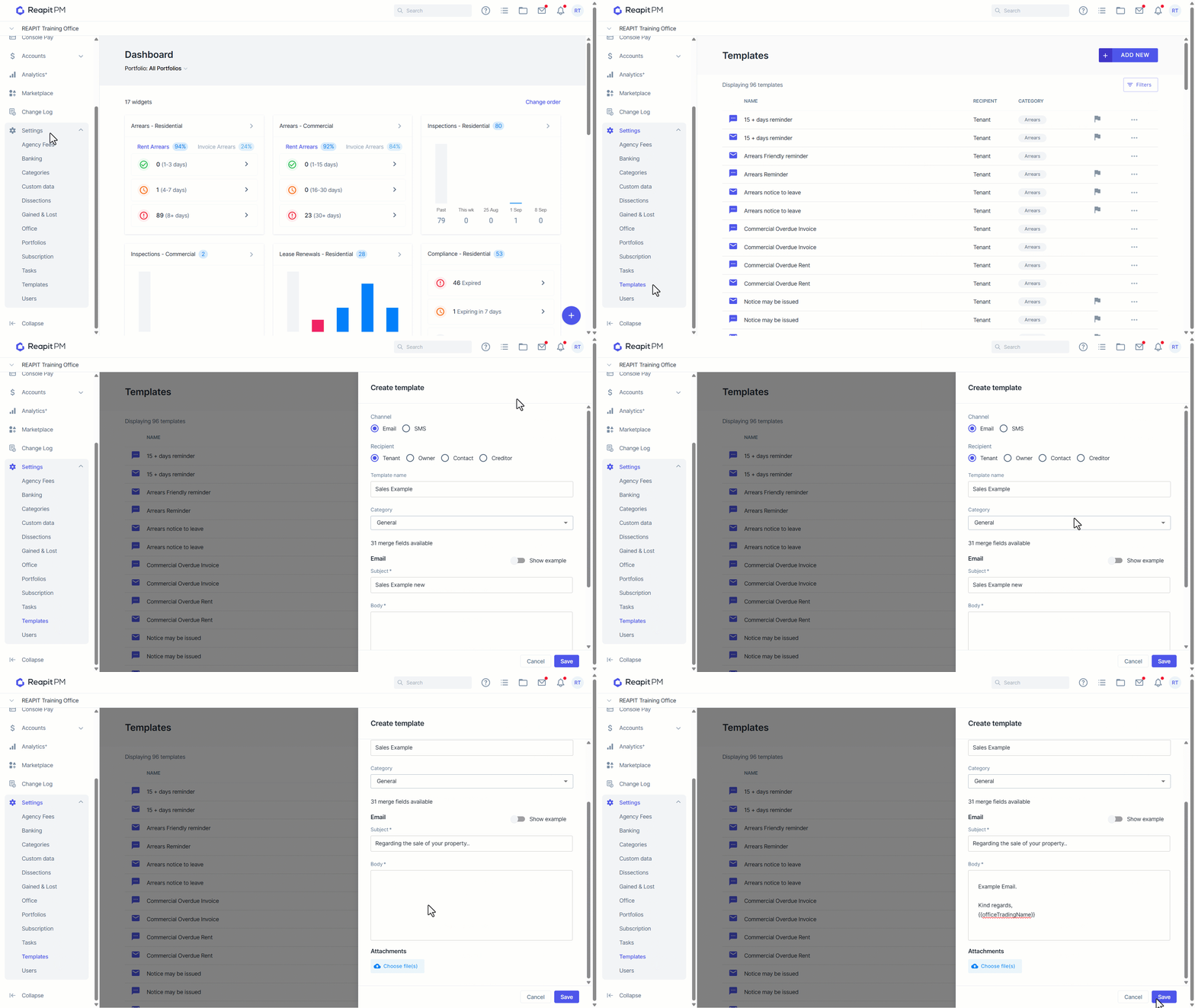
- Your template will now show up in your templates, and you can use it when you message your contacts.
Sending a Pre-Settlement Communication
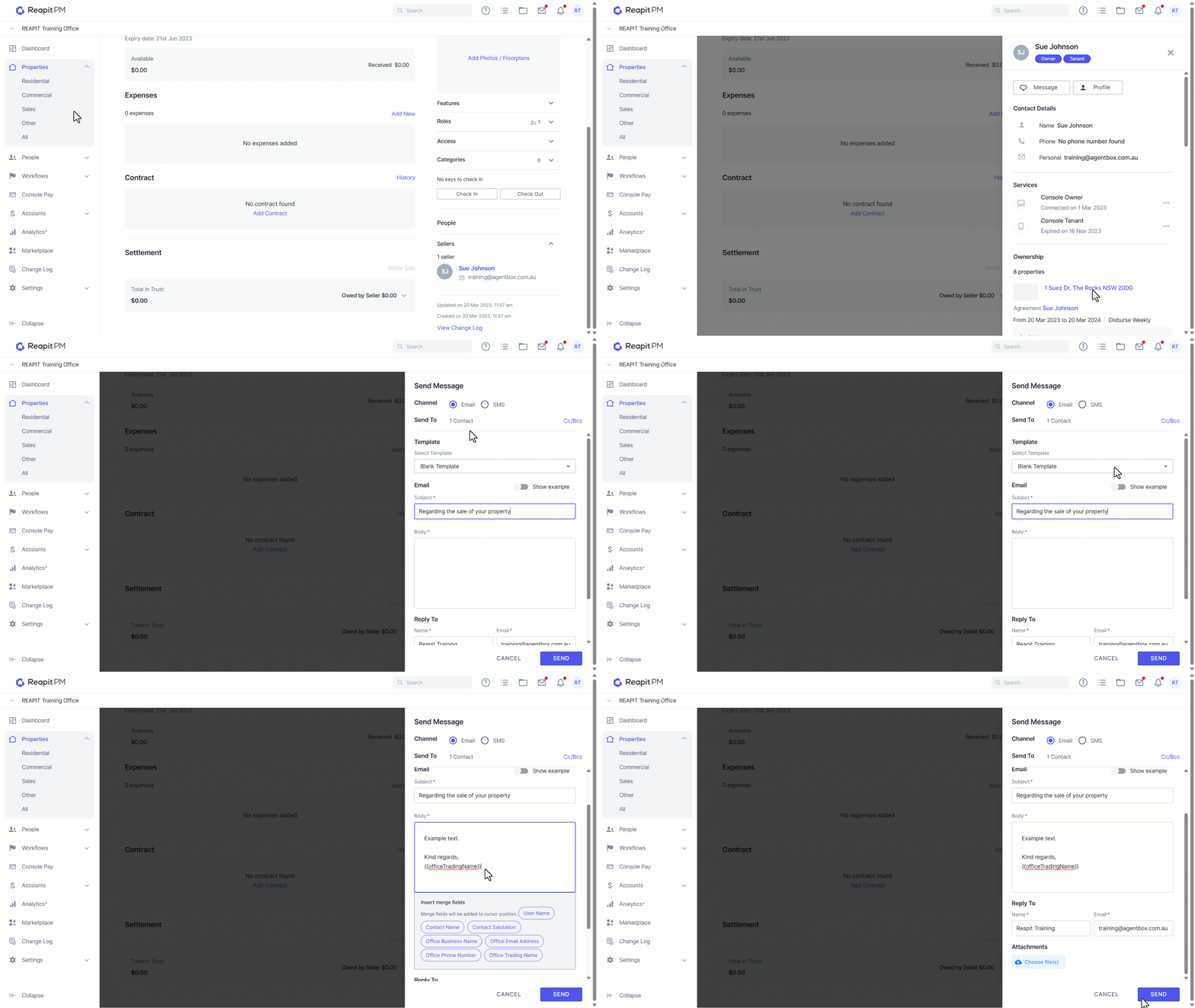
- Click on the Sellers drop-down and click on the seller's name.
- This will bring up the contact drawer. Click Message.
- Enter a Subject and Body for the message.
- Add any attachments and click Send.