'%20d='M0%208a8%208%200%200%201%208-8h24a8%208%200%200%201%208%208v24a8%208%200%200%201-8%208H8a8%208%200%200%201-8-8V8Z'/%3e%3cpath%20fill='%23fff'%20d='M8.375%2013v14L20.5%2034l12.124-7v-7.737l-1.687-.975-2.806-1.62-1.082-.624v4.83l-.002%204.83H13.95V16.07l3.275-1.89%202.192-1.265%201.082-.625%203.275%201.877%202.192%201.256%201.083.62V9.782L20.5%206%208.376%2013Z'/%3e%3cdefs%3e%3clinearGradient%20id='reapit-pm__a'%20x1='20.702'%20x2='20.702'%20y1='.351'%20y2='31.228'%20gradientUnits='userSpaceOnUse'%3e%3cstop%20stop-color='%235573FD'/%3e%3cstop%20offset='.575'%20stop-color='%234E56EA'/%3e%3c/linearGradient%3e%3c/defs%3e%3c/svg%3e)
Withholding Funds for Commercial Buildings
Withholding funds in Reapit PM can be used to arrange for funds to be held back to pay for larger expenses. These expenses might require additional funds to come in before being processed, such as renovation costs or larger invoices. This article will cover withholding funds for commercial owners and buildings. The process in this article include: Withholding Funds for Commercial Buildings Scenario: Managing a Land Tax Bill for a Building with Multiple Properties
Withholding Funds for Commercial Buildings
Withholding funds in Reapit PM can be used to arrange for funds to be held back to pay for larger expenses. These expenses might require additional funds to come in before being processed, such as renovation costs or larger invoices. This article will cover withholding funds for commercial owners and buildings.
The process in this article include:
- Withholding Funds for Commercial Buildings
- Scenario: Managing a Land Tax Bill for a Building with Multiple Properties
For more information regarding Bills being paid with withheld funds or Bill settings, please see:
- https://help.console.com.au/s/article/Bill-Settings
- https://help.console.com.au/s/article/Processing-Bills
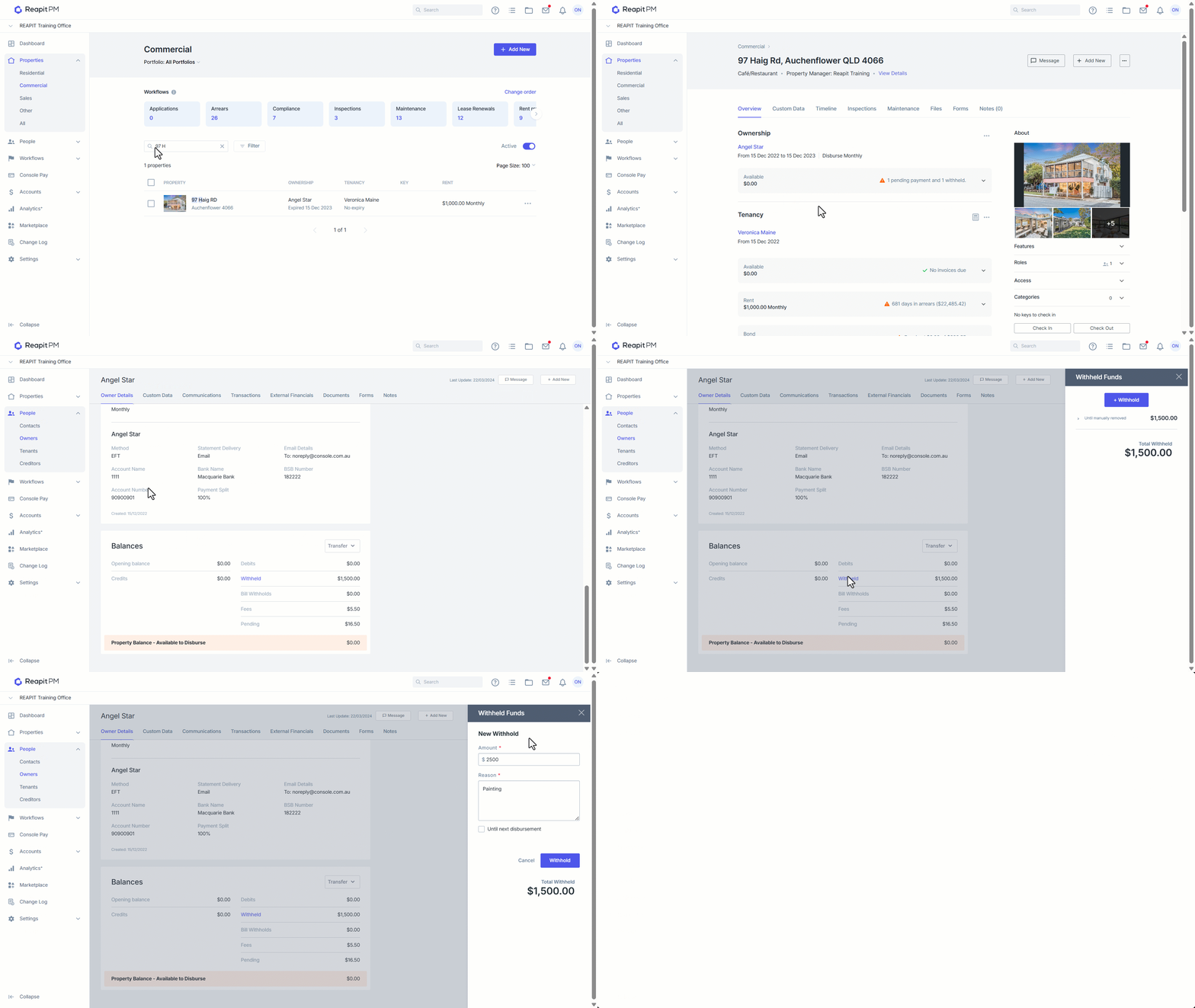
- To create a Withhold for funds on a building, Click on Properties.
- Click on Commercial.
- Search and Select the Building.
- Click on the Ownership name to display the Building Management Agreement.
- Scroll to the bottom of the Building Management Agreement to view the Balances. Click on Withheld.
- Click the +Withhold button to create a withhold.
- Enter in the amount you would like to withhold along with a reason for holding the balance. Click Withhold to save the changes.
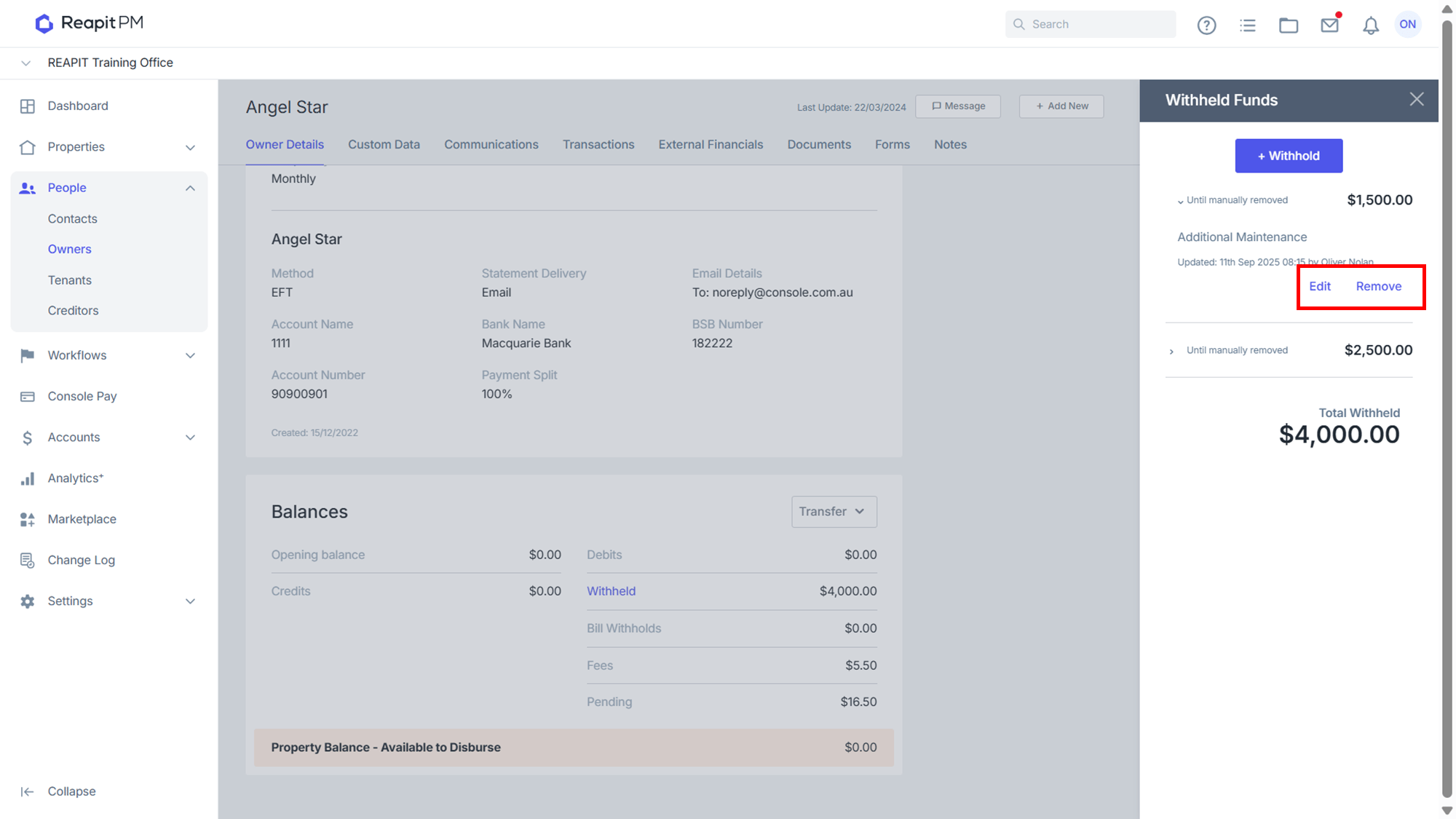
- The Withhold will now appear in the list with the options to Edit or Remove the withhold. Click on the X to return to the Management Agreement.
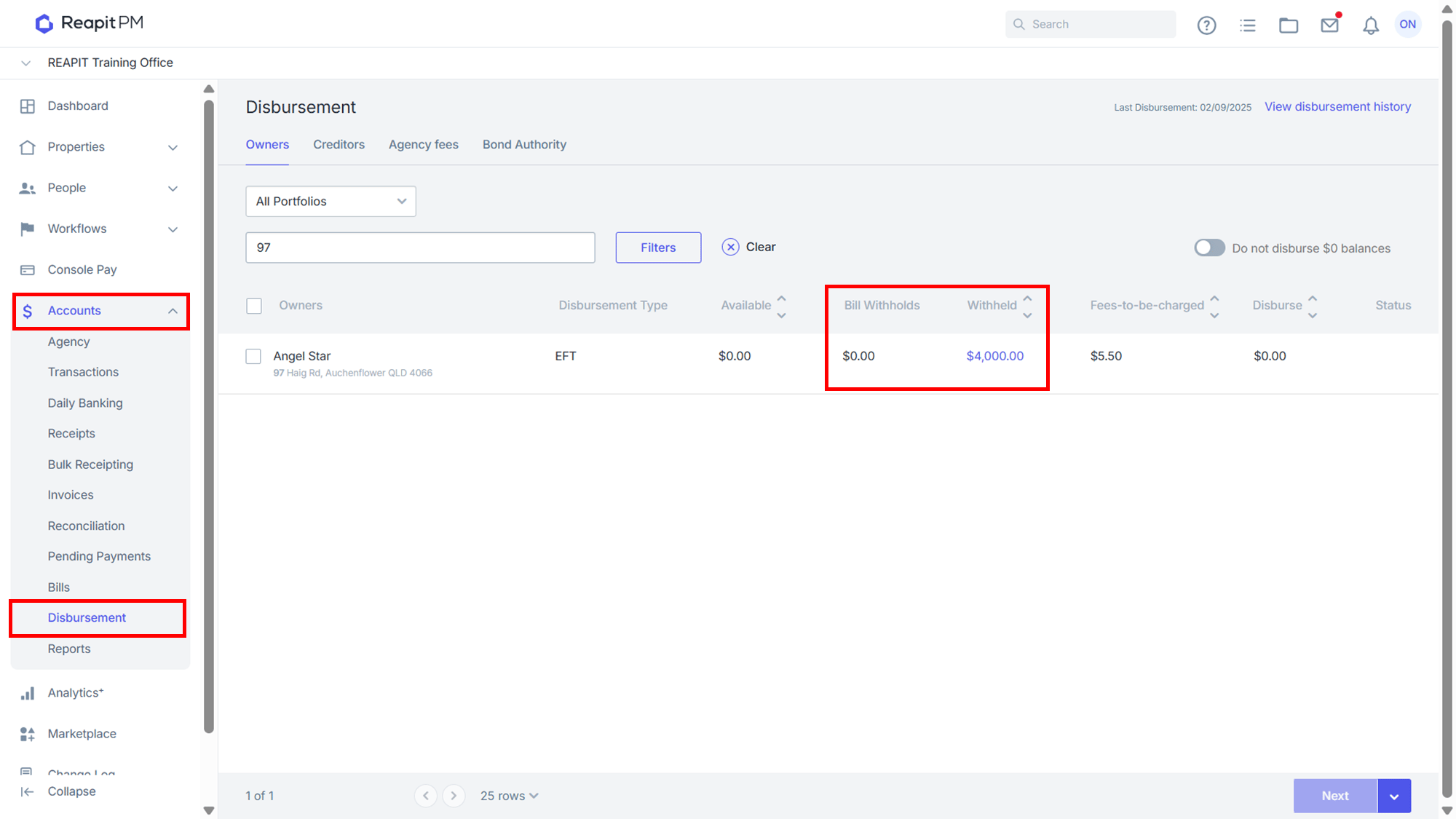
- While viewing the Building Agreement under Accounts > Disbursement, any withholds or bill withholds against the agreement will be displayed here, noting what the system will hold back if the funds are available. If more funds were available than what is currently being withheld the system would allow the difference to be disbursed.
Scenario: Managing a Land Tax Bill for a Building with Multiple Properties
A building with 20 properties under it has an upcoming land tax bill that needs to be paid. To ensure sufficient funds are available, we can set up a withhold from the Building Agreement to collect the required amount from the properties associated with the building.
Once the withhold is in place, we use the Owner to Owner funds transfer feature to move available balances from the commonly owned properties to the building. This ensures that the necessary funds are consolidated and ready for payment. After receiving the invoice, we create it in the Bills screen. At this stage, we can remove the withhold, making the balance available to process the bill.
For more information on transferring funds between agreements, please see - https://help.console.com.au/s/article/Owner-to-Owner-Transfer