'%20d='M0%208a8%208%200%200%201%208-8h24a8%208%200%200%201%208%208v24a8%208%200%200%201-8%208H8a8%208%200%200%201-8-8V8Z'/%3e%3cpath%20fill='%23fff'%20d='M8.375%2013v14L20.5%2034l12.124-7v-7.737l-1.687-.975-2.806-1.62-1.082-.624v4.83l-.002%204.83H13.95V16.07l3.275-1.89%202.192-1.265%201.082-.625%203.275%201.877%202.192%201.256%201.083.62V9.782L20.5%206%208.376%2013Z'/%3e%3cdefs%3e%3clinearGradient%20id='reapit-pm__a'%20x1='20.702'%20x2='20.702'%20y1='.351'%20y2='31.228'%20gradientUnits='userSpaceOnUse'%3e%3cstop%20stop-color='%235573FD'/%3e%3cstop%20offset='.575'%20stop-color='%234E56EA'/%3e%3c/linearGradient%3e%3c/defs%3e%3c/svg%3e)
Tapi Integration
Integrate Reapit PM and Tapi to manage maintenance jobs and related invoicing within Reapit PM. The processes in this article include: Activating the Tapi Integration Creating a Maintenance Request from PM to Tapi Status Updates Invoice Received and Approved in Tapi + Sent to PM for Processing Data Syncing - What is Shared
Overview
Tapi Integration
Integrate Reapit PM and Tapi to manage maintenance jobs and related invoicing within Reapit PM.
The processes in this article include:
- Activating the Tapi Integration
- Creating a Maintenance Request from PM to Tapi
- Status Updates
- Invoice Received and Approved in Tapi + Sent to PM for Processing
- Data Syncing - What is Shared
Activating the Tapi Integration
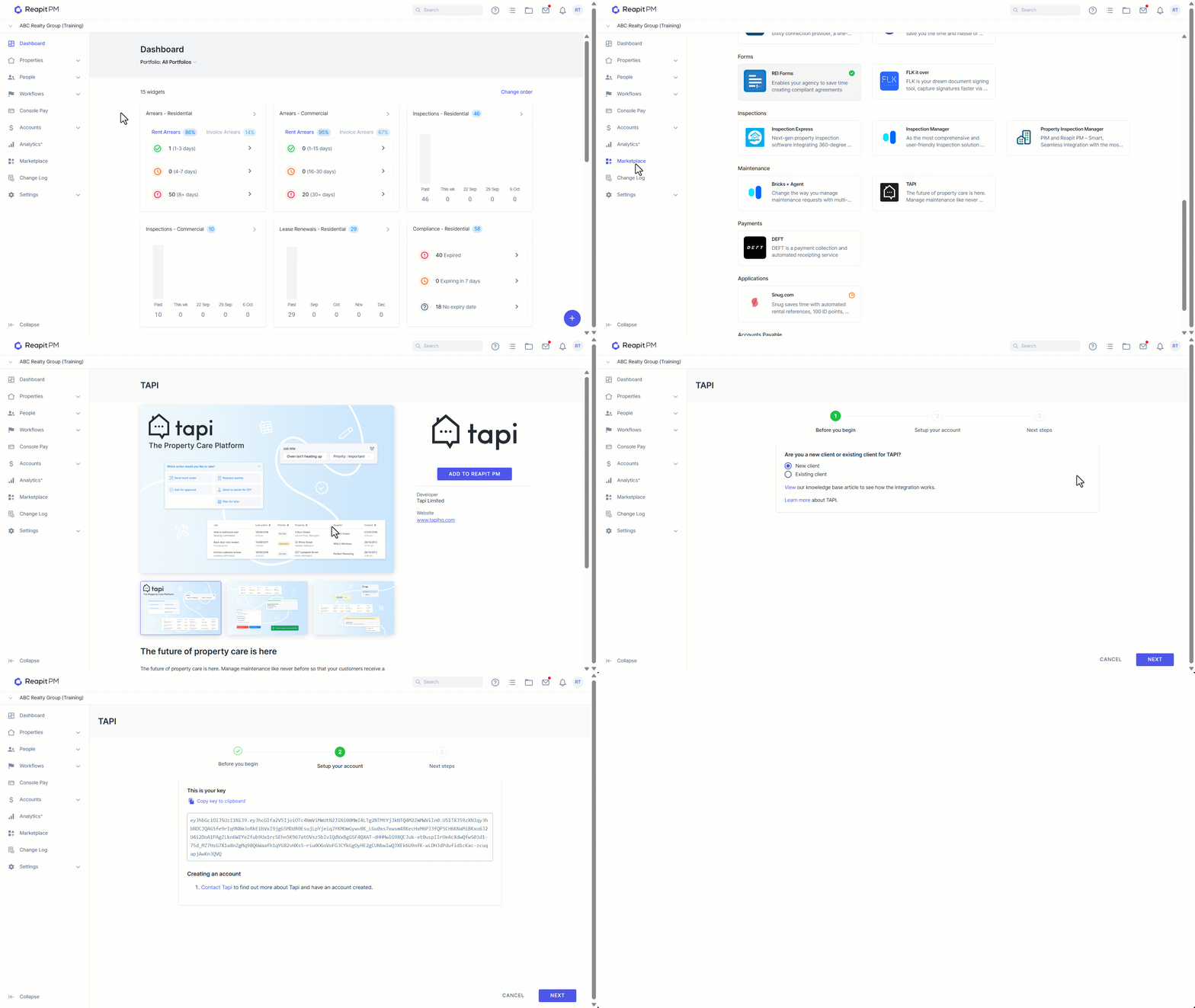
- Click on Marketplace.
- Navigate to Maintenance and select TAPI.
- Click Add to Reapit PM.
- Select if you are a New or Existing Client. Click Next.
- Select Copy key to clipboard. Click Next.
- Wait for a TAPI representative to contact you to enable the activation.
- On successful activation the TAPI tile will show with a green check mark.
Creating a Maintenance Request from PM to Tapi
- Within a new maintenance request, scroll down to the Use TAPI section and OPT in will be already selected by default.
- Click Create request. The request will then feed in TAPI.
Status Updates
The status updates will be shared from both PM and TAPI.
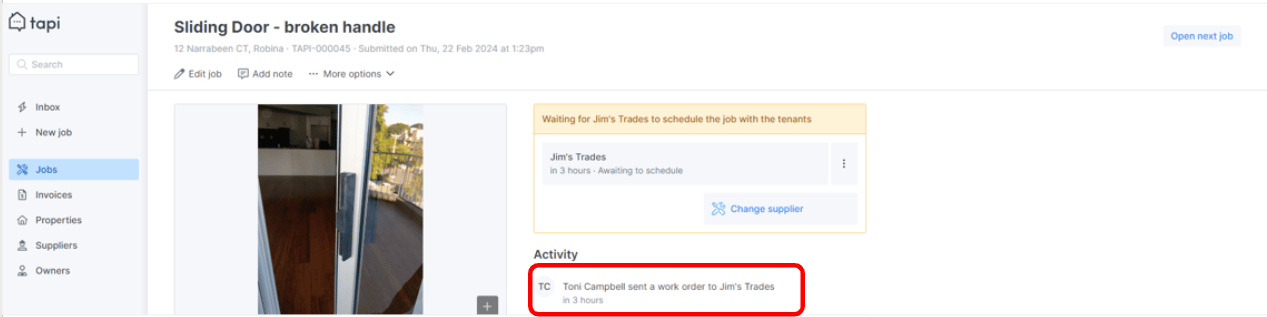
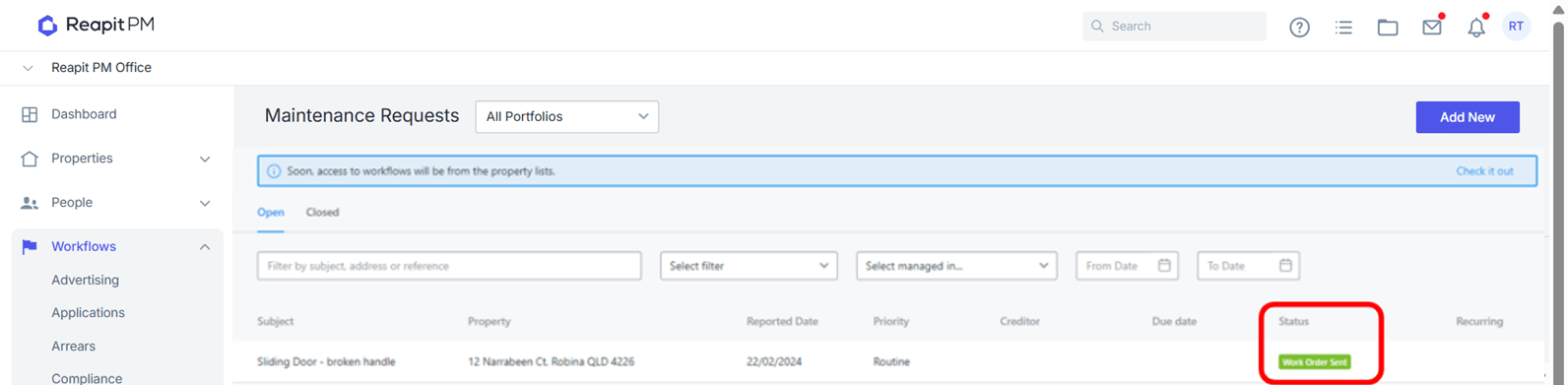
Invoice Received and Approved in Tapi + Sent to PM for Processing.
- Invoice is received in TAPI.
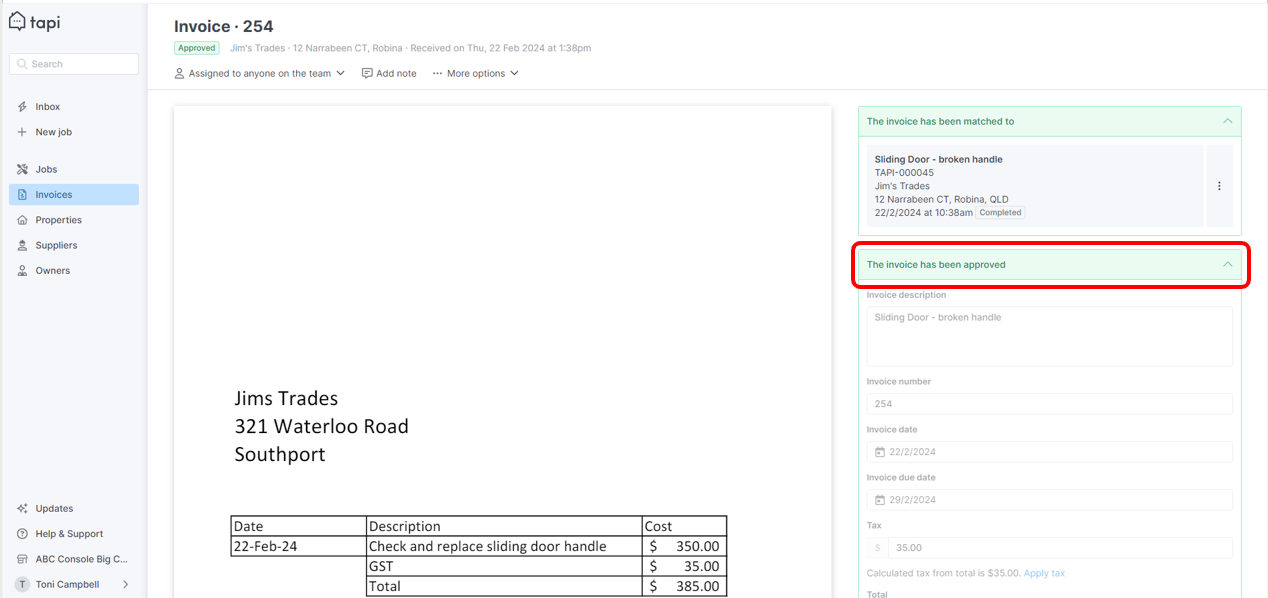
- In PM, navigate to Accounts > Bills. Enter address.
- In the drawer on the right, tick close maintenance request. ****Select process Bill. Note: If your invoice is to be paid by a tenant - it's best practice to charge the owner and recoup it from the tenant in the bills workflow.
Data Syncing - What is Shared
Once activated, the following data will sync using the below flow:
| Sync Flow | Sync Data |
| PM to Tapi | CreditorsOwnersTenantsProperties |
| PM to Tapi / Tapi to PM | New Maintenance Requests |
| Tapi to PM | New Invoices |
Note: Open Maintenance Requests are not synced.