'%20d='M0%208a8%208%200%200%201%208-8h24a8%208%200%200%201%208%208v24a8%208%200%200%201-8%208H8a8%208%200%200%201-8-8V8Z'/%3e%3cpath%20fill='%23fff'%20d='M8.375%2013v14L20.5%2034l12.124-7v-7.737l-1.687-.975-2.806-1.62-1.082-.624v4.83l-.002%204.83H13.95V16.07l3.275-1.89%202.192-1.265%201.082-.625%203.275%201.877%202.192%201.256%201.083.62V9.782L20.5%206%208.376%2013Z'/%3e%3cdefs%3e%3clinearGradient%20id='reapit-pm__a'%20x1='20.702'%20x2='20.702'%20y1='.351'%20y2='31.228'%20gradientUnits='userSpaceOnUse'%3e%3cstop%20stop-color='%235573FD'/%3e%3cstop%20offset='.575'%20stop-color='%234E56EA'/%3e%3c/linearGradient%3e%3c/defs%3e%3c/svg%3e)
Sharing Documents to the Owner Portal
The following article will cover sharing documents through the Owner portal in Reapit PM.
Overview
Sharing Documents to the Owner Portal
The following article will cover sharing documents through the Owner portal in Reapit PM.
Note: The Owner will need to be connected to the Owner Portal for document sharing.
Sharing Documents to the Owner Portal
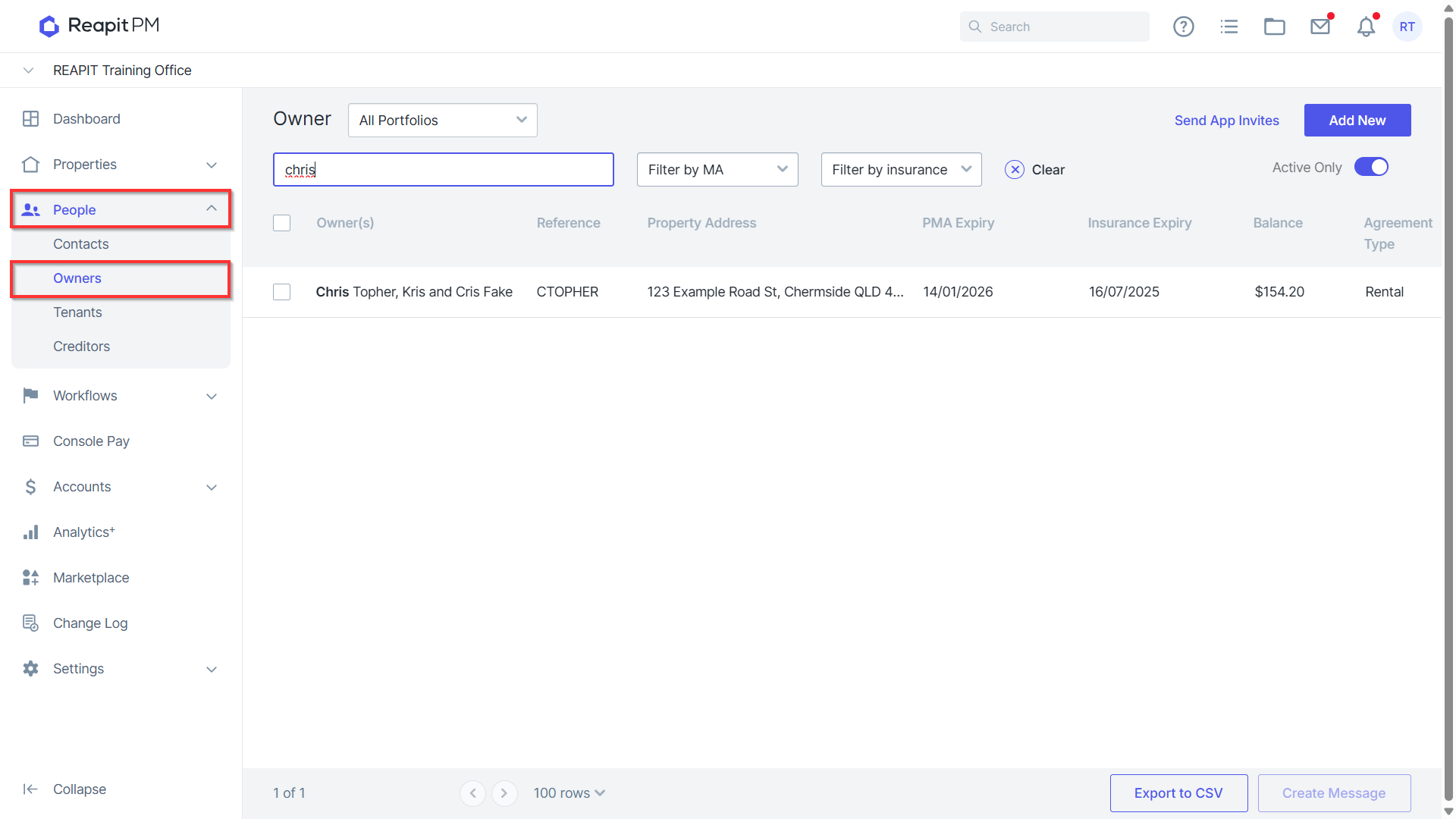
- Navigate to People > Owners and click to open the owner.
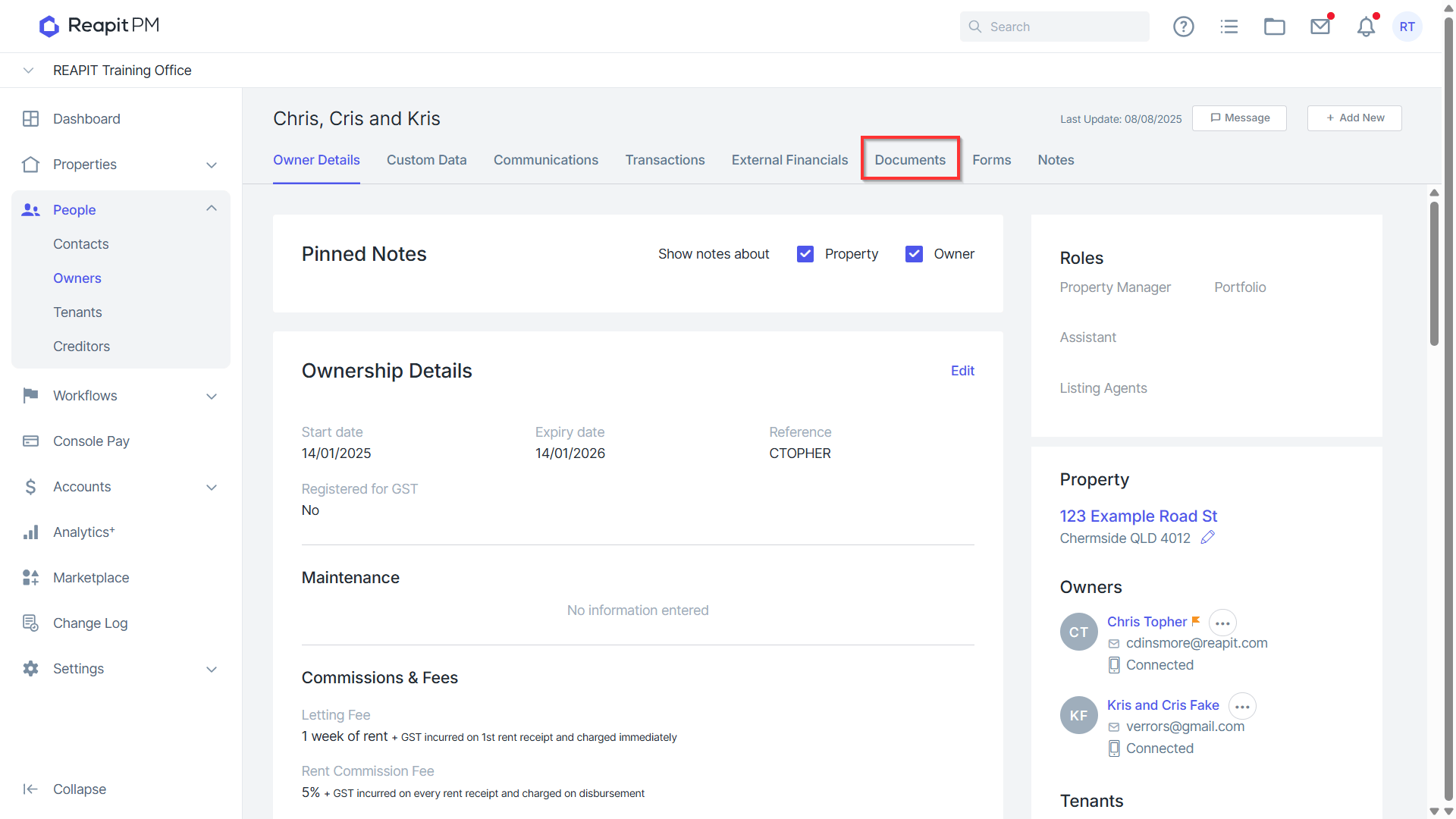
- Click on the Documents tab.
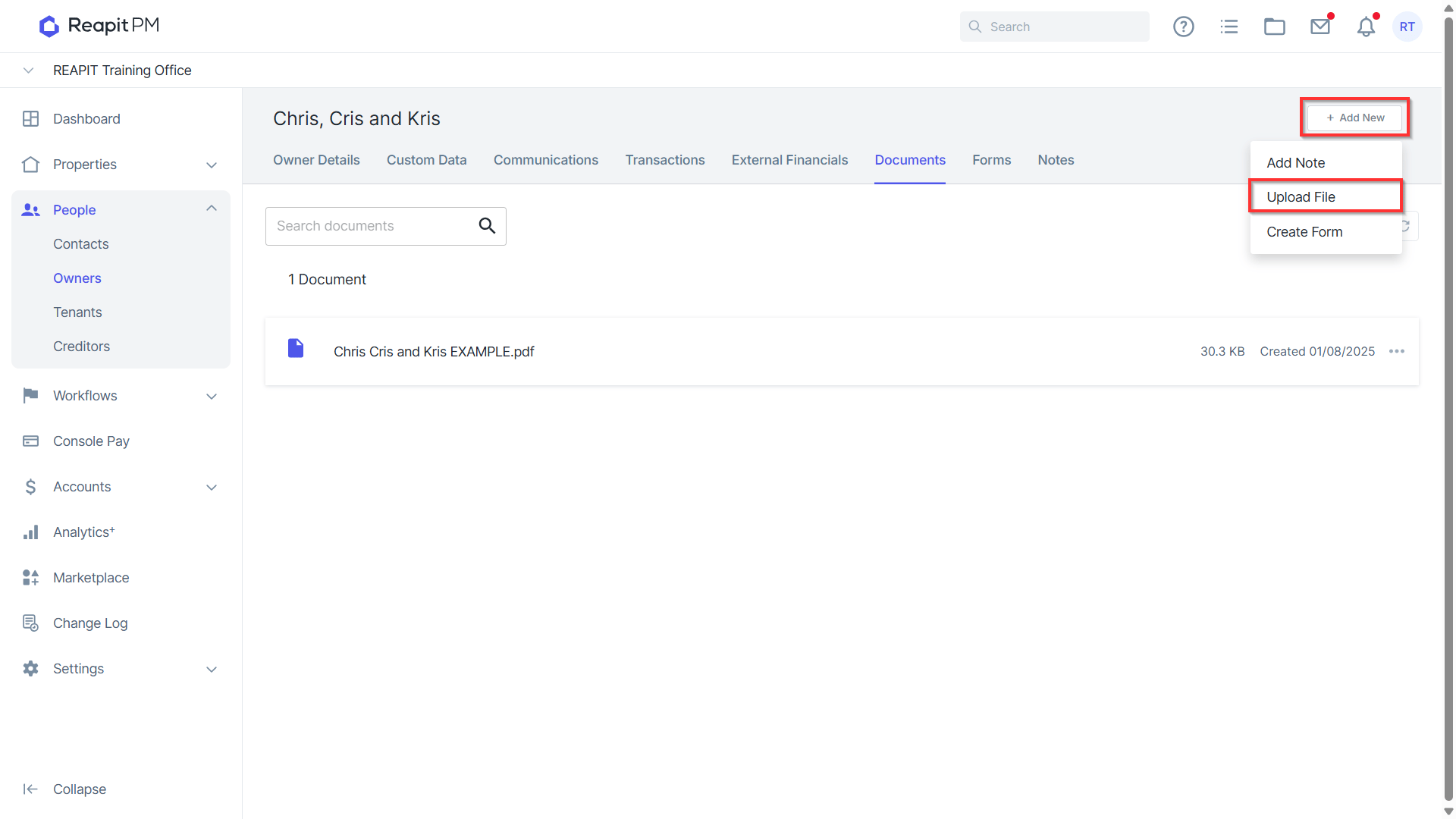
- Click on + Add New and select Upload File.
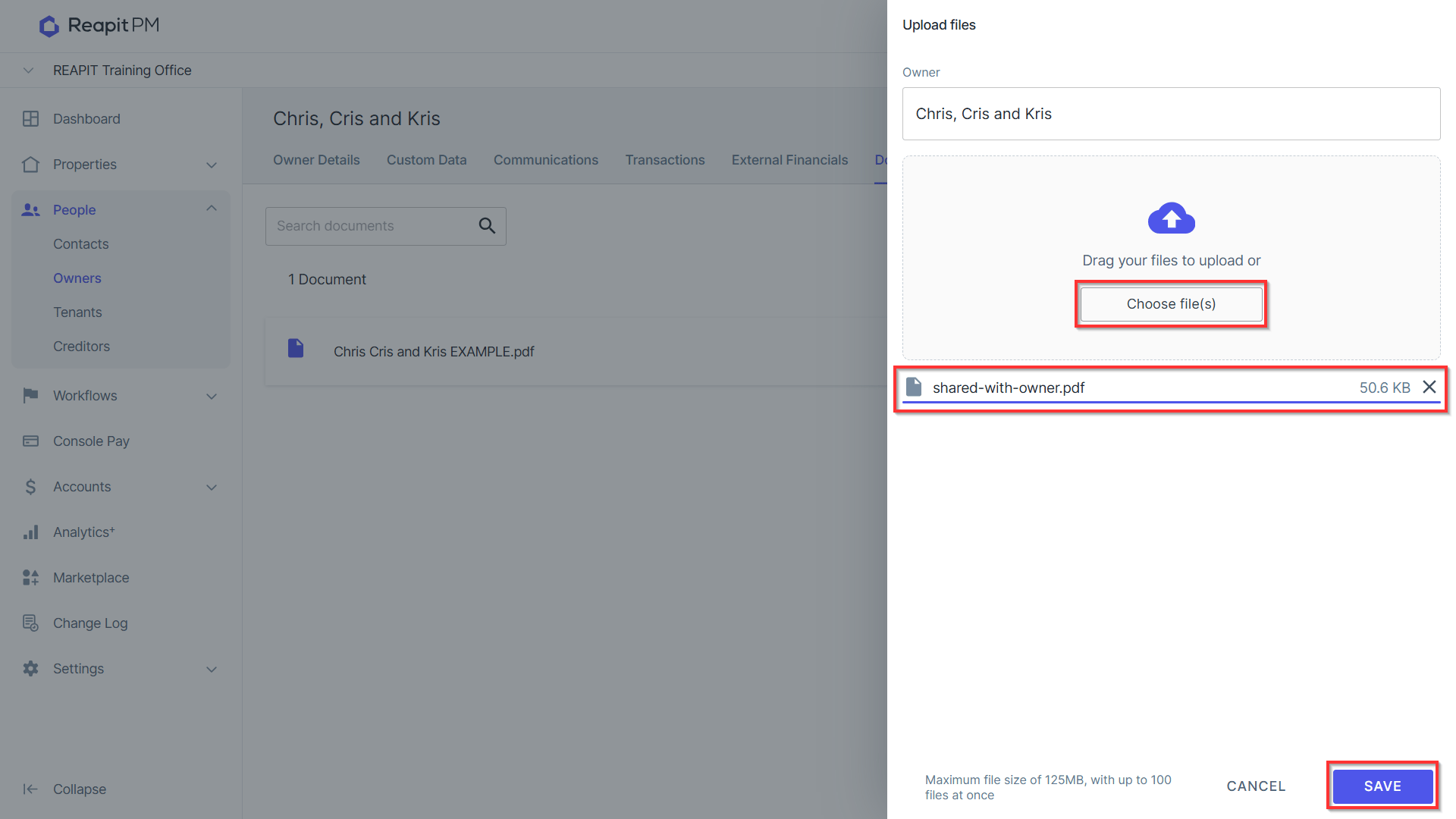
Click Choose file(s) to open the file browser and select the file(s). Click Save to upload the file.
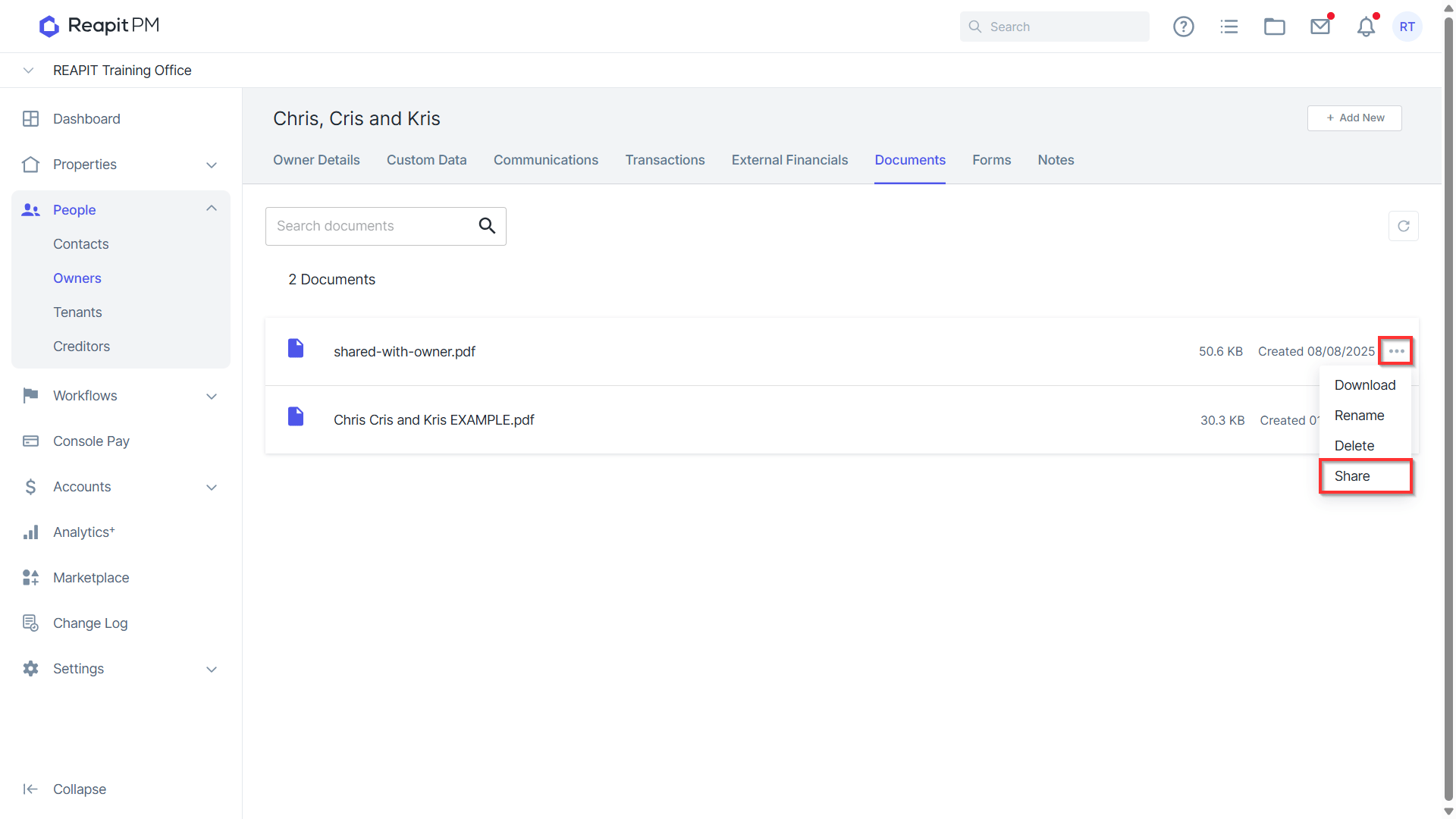
Once uploaded, click on the three dots next to the file, and select Share.
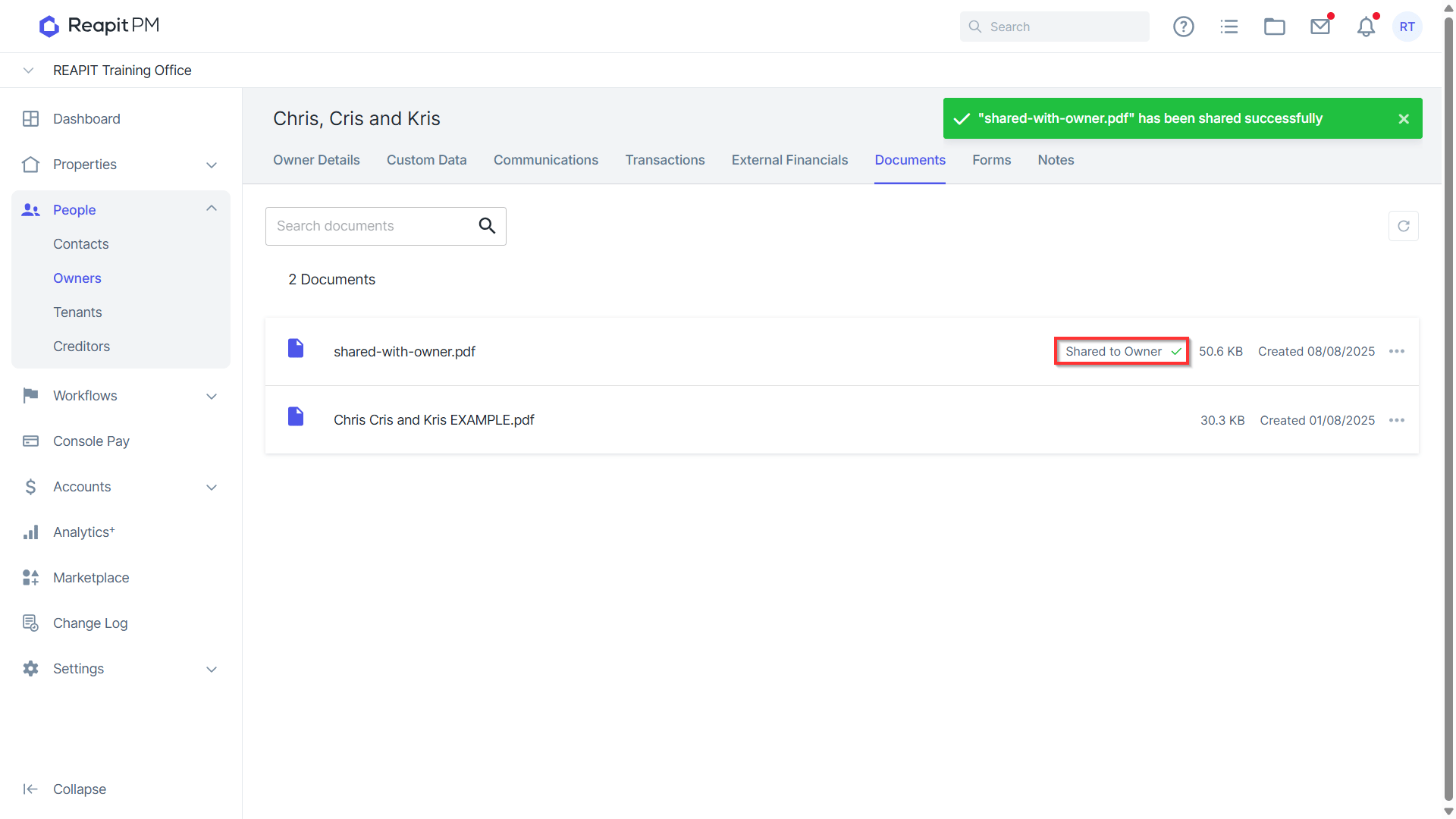
- The file will be added to the documents list and will display the Shared to Owner tick.
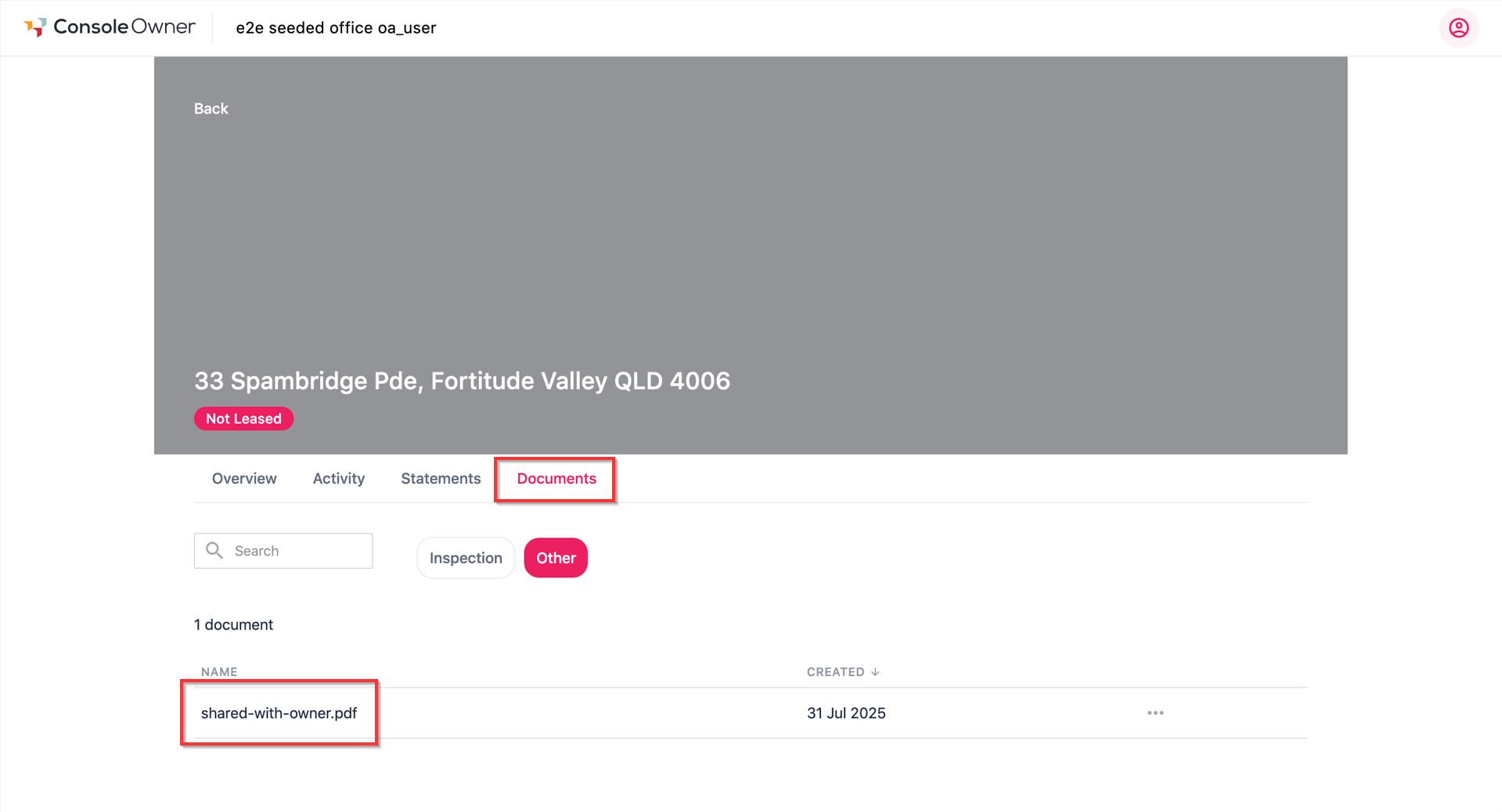
- From the Owner portal, under the Documents tab, the shared document will be available.
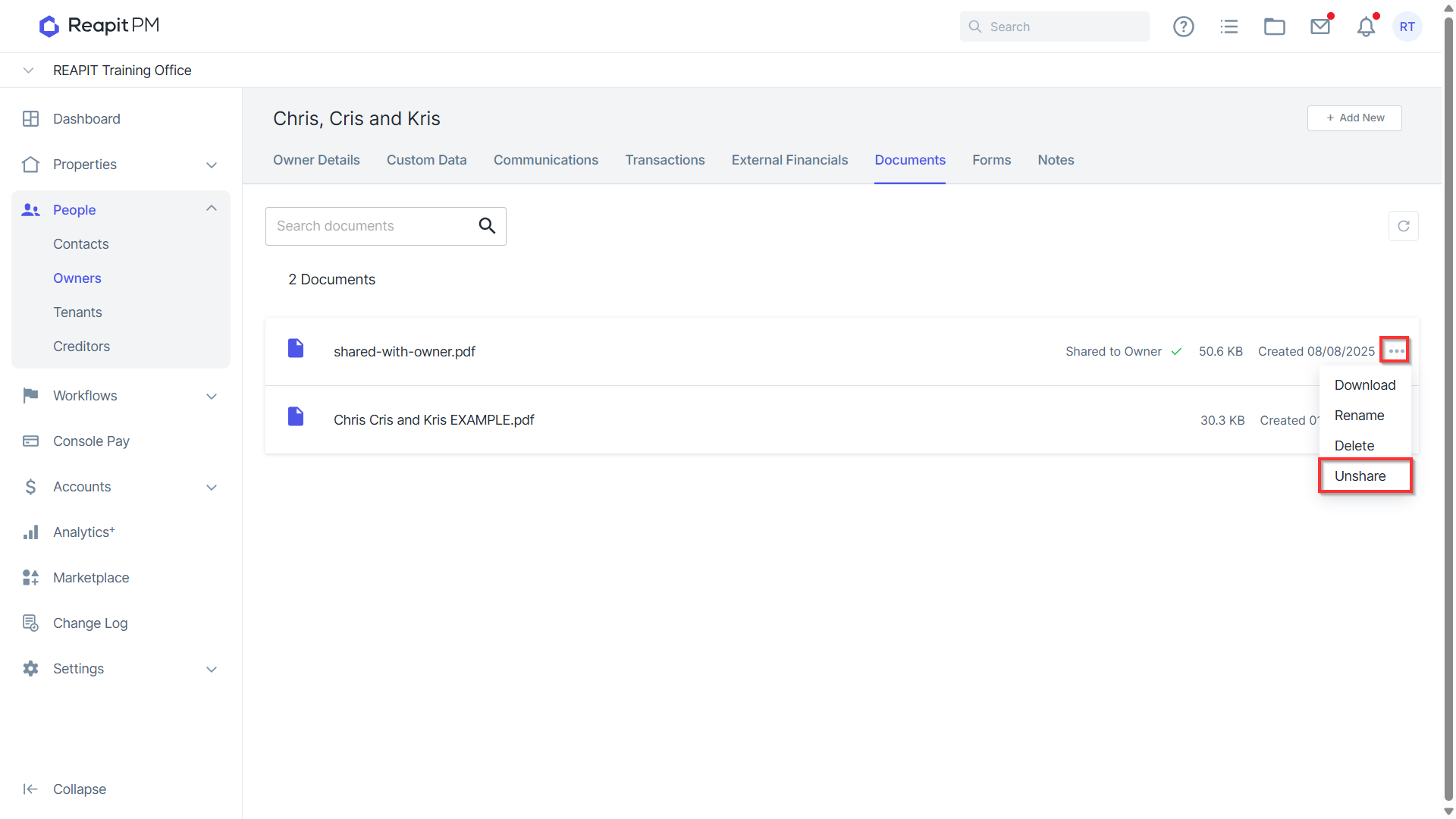
- To remove sharing of a document, click on the three dots to the right of the shared file, and select Unshare.