'%20d='M0%208a8%208%200%200%201%208-8h24a8%208%200%200%201%208%208v24a8%208%200%200%201-8%208H8a8%208%200%200%201-8-8V8Z'/%3e%3cpath%20fill='%23fff'%20d='M8.375%2013v14L20.5%2034l12.124-7v-7.737l-1.687-.975-2.806-1.62-1.082-.624v4.83l-.002%204.83H13.95V16.07l3.275-1.89%202.192-1.265%201.082-.625%203.275%201.877%202.192%201.256%201.083.62V9.782L20.5%206%208.376%2013Z'/%3e%3cdefs%3e%3clinearGradient%20id='reapit-pm__a'%20x1='20.702'%20x2='20.702'%20y1='.351'%20y2='31.228'%20gradientUnits='userSpaceOnUse'%3e%3cstop%20stop-color='%235573FD'/%3e%3cstop%20offset='.575'%20stop-color='%234E56EA'/%3e%3c/linearGradient%3e%3c/defs%3e%3c/svg%3e)
Commercial Options
This article will show how you can add your Commercial tenancies lease options to each individual tenancy agreement. This enables you to store and report on these options, along with other related tenancy information, all from within Reapit PM. It includes the ability to record multiple options of varied periods, the type of associated review, critical open/close dates and the ability to mark as Exercised once a corresponding rent review has been actioned. The processes in this article include: Commercial Renewal Options Accessing the Commercial Lease Options Report
Overview
Commercial Options
This article will show how you can add your Commercial tenancies lease options to each individual tenancy agreement.
This enables you to store and report on these options, along with other related tenancy information, all from within Reapit PM. It includes the ability to record multiple options of varied periods, the type of associated review, critical open/close dates and the ability to mark as Exercised once a corresponding rent review has been actioned.
The processes in this article include:
- Commercial Renewal Options
- Accessing the Commercial Lease Options Report
Commercial Renewal Options
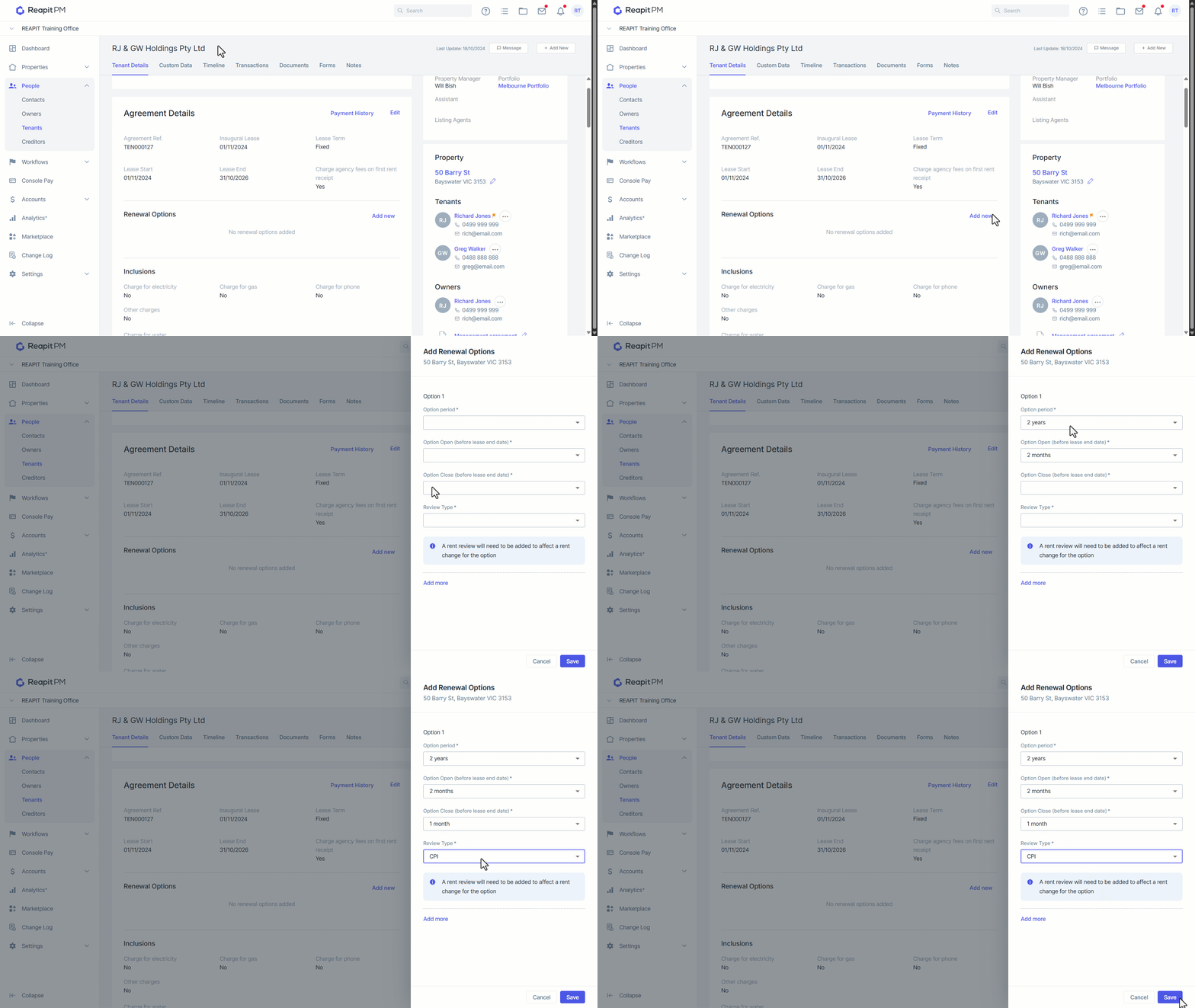
- Navigate to the Tenancy Agreement.
- Navigate to Renewal options.
- Click Add New.
- Select the option period, option open, option close and review type.
- You can add additional options by clicking Add More.
- Click Save.
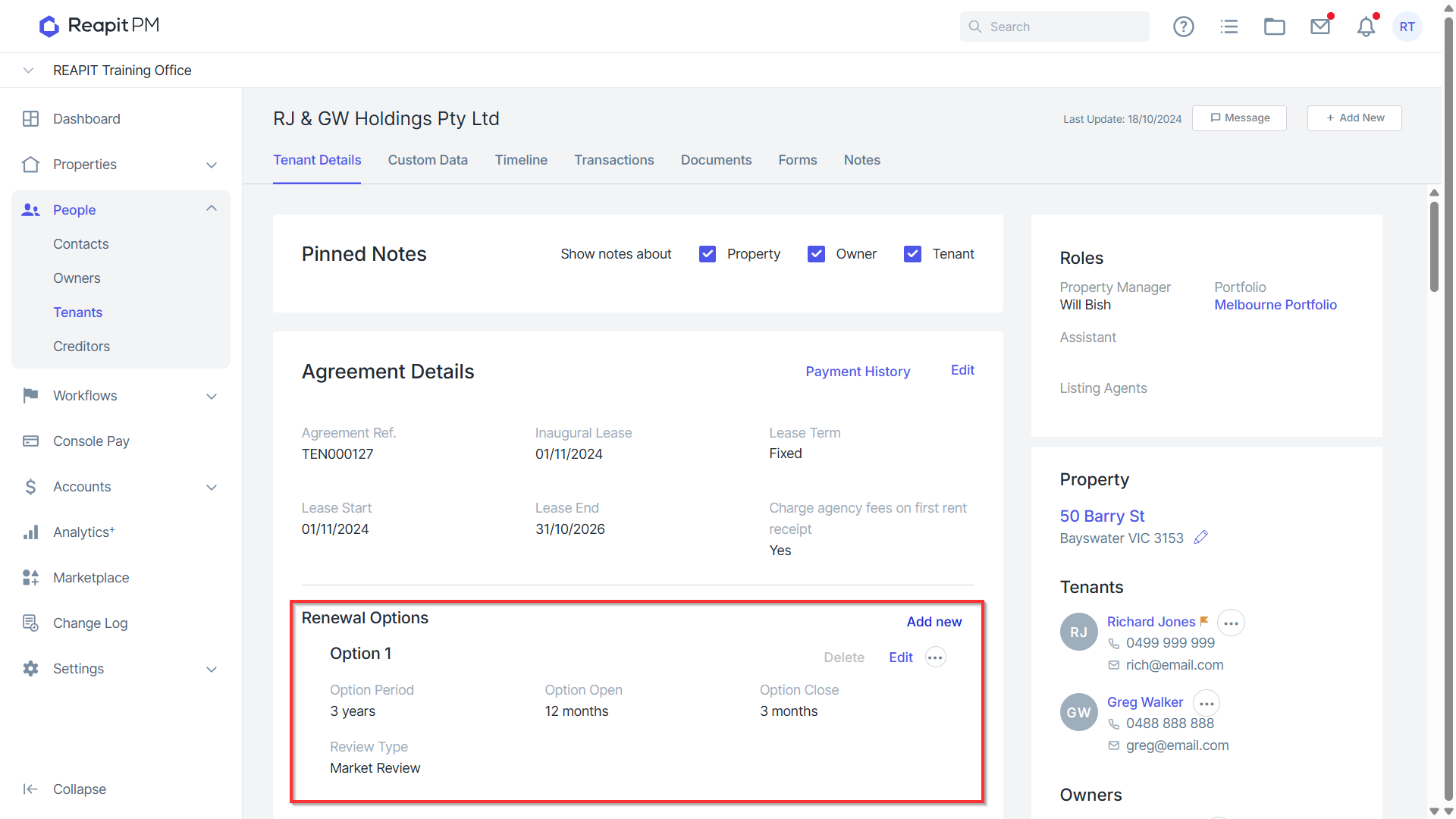
- The Renewal Options will appear under the Agreement Details section. Select Delete or Edit to amend if necessary.
Accessing the Commercial Lease Options Report
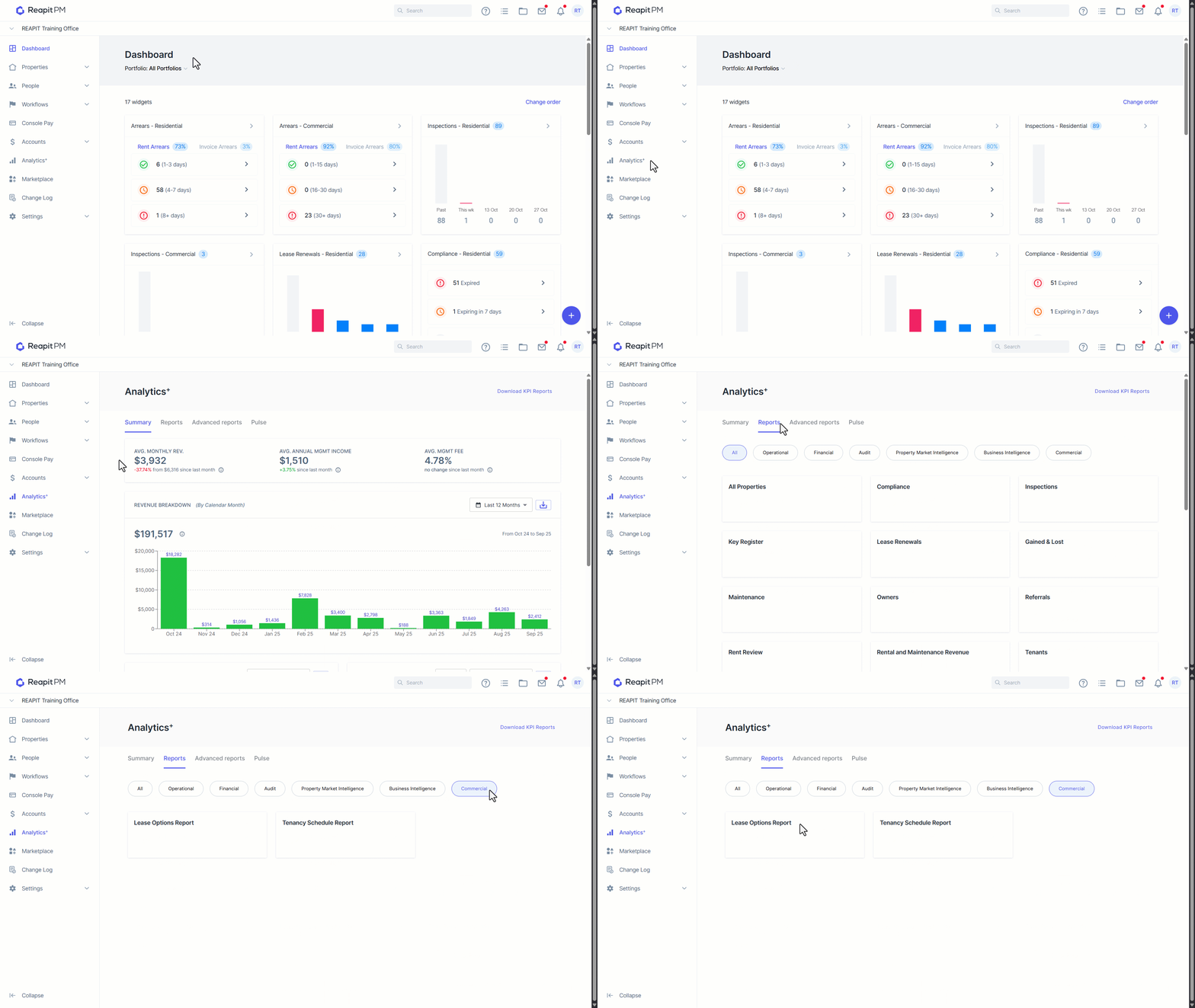
- Navigate to Analytics+
- Navigate to Reports.
- Navigate to Commercial.
- Click on Lease Options Report.
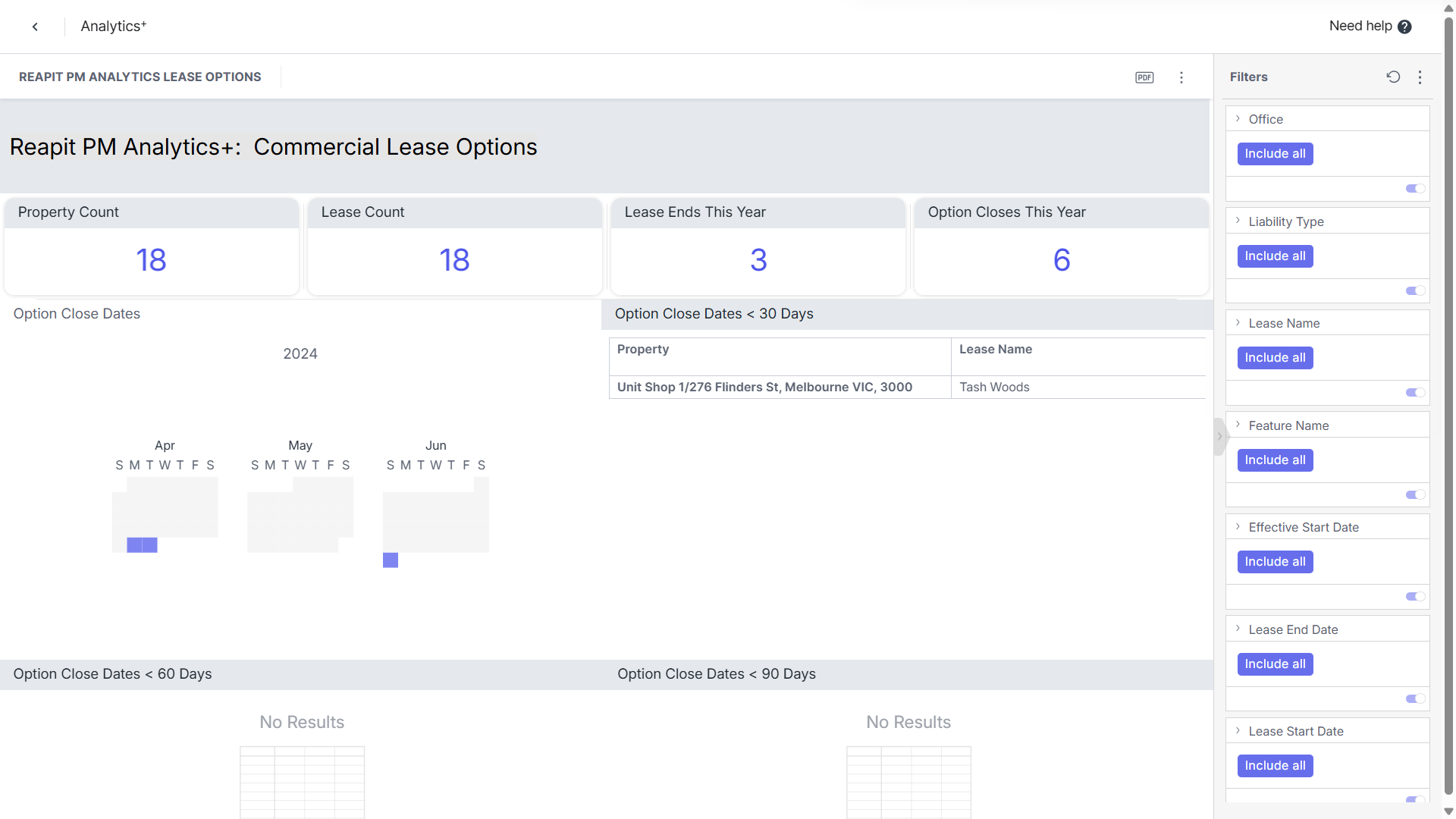
The Commercial Lease Options Report will display.