'%20d='M0%208a8%208%200%200%201%208-8h24a8%208%200%200%201%208%208v24a8%208%200%200%201-8%208H8a8%208%200%200%201-8-8V8Z'/%3e%3cpath%20fill='%23fff'%20d='M8.375%2013v14L20.5%2034l12.124-7v-7.737l-1.687-.975-2.806-1.62-1.082-.624v4.83l-.002%204.83H13.95V16.07l3.275-1.89%202.192-1.265%201.082-.625%203.275%201.877%202.192%201.256%201.083.62V9.782L20.5%206%208.376%2013Z'/%3e%3cdefs%3e%3clinearGradient%20id='reapit-pm__a'%20x1='20.702'%20x2='20.702'%20y1='.351'%20y2='31.228'%20gradientUnits='userSpaceOnUse'%3e%3cstop%20stop-color='%235573FD'/%3e%3cstop%20offset='.575'%20stop-color='%234E56EA'/%3e%3c/linearGradient%3e%3c/defs%3e%3c/svg%3e)
Categories
Learn how to setup and apply categories in Reapit PM.
Overview
Categories
The Categories feature in Reapit PM allows you to group, organise and filter Property or People data by assigning user-defined categories.
This article will run through how to set up and apply categories in Reapit PM
The processes in this article include:
- Setting up Categories
- Assigning Categories
- Filtering by Categories
Setting up Categories
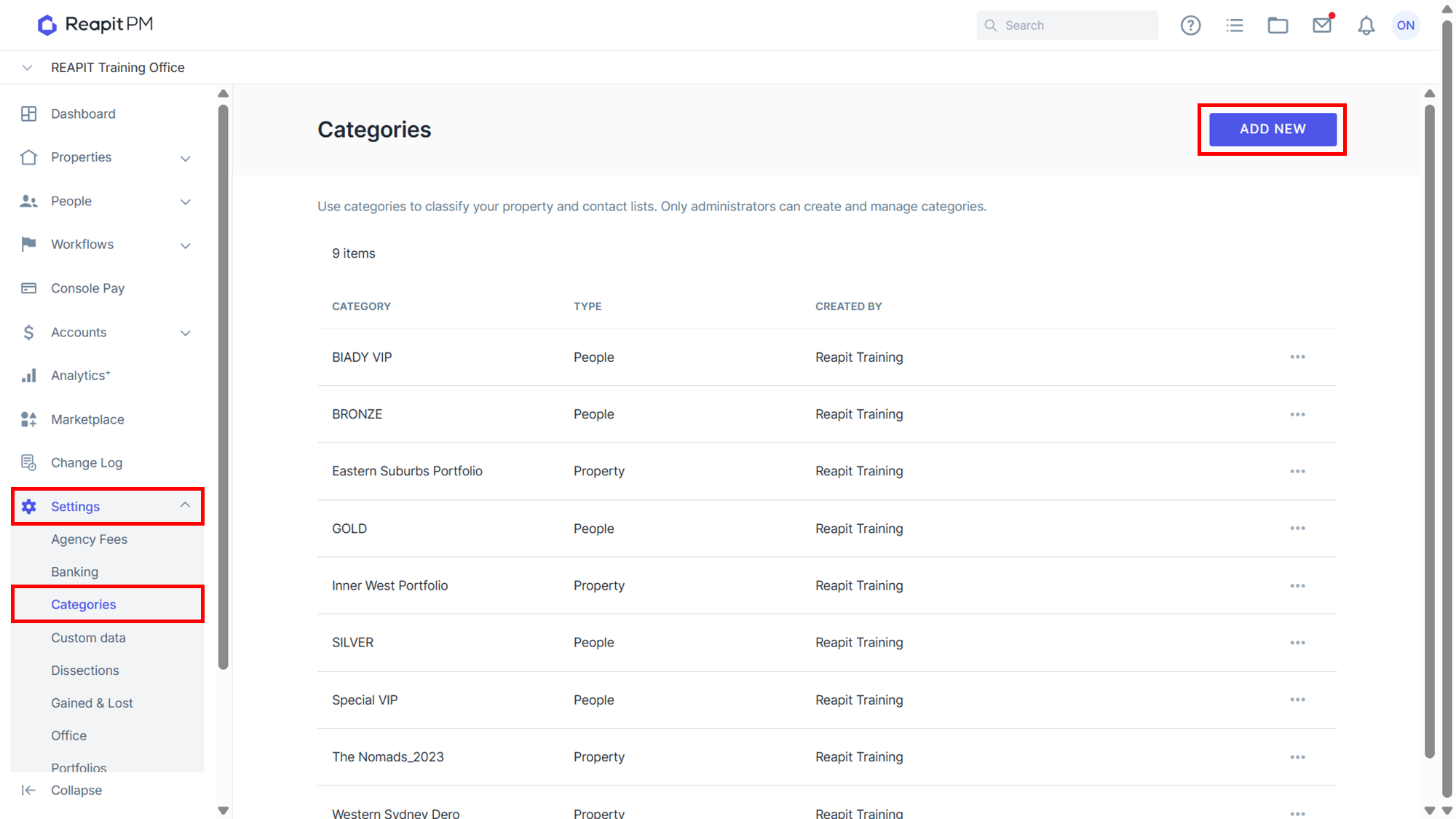
- Navigate to Settings > Categories* and click Add New**.
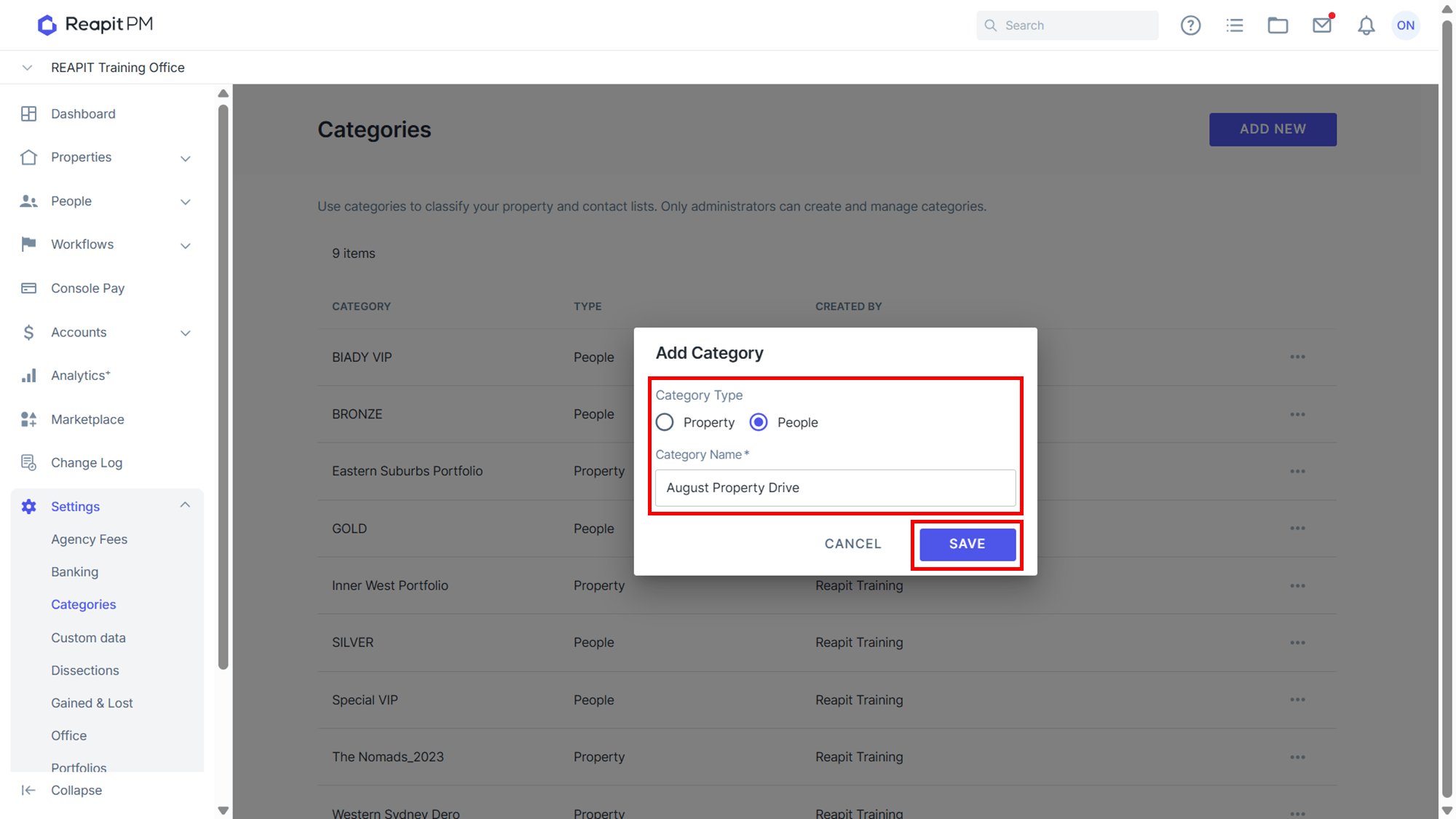
- Select either Property or People and enter a Category Name. Click Save** to finish.
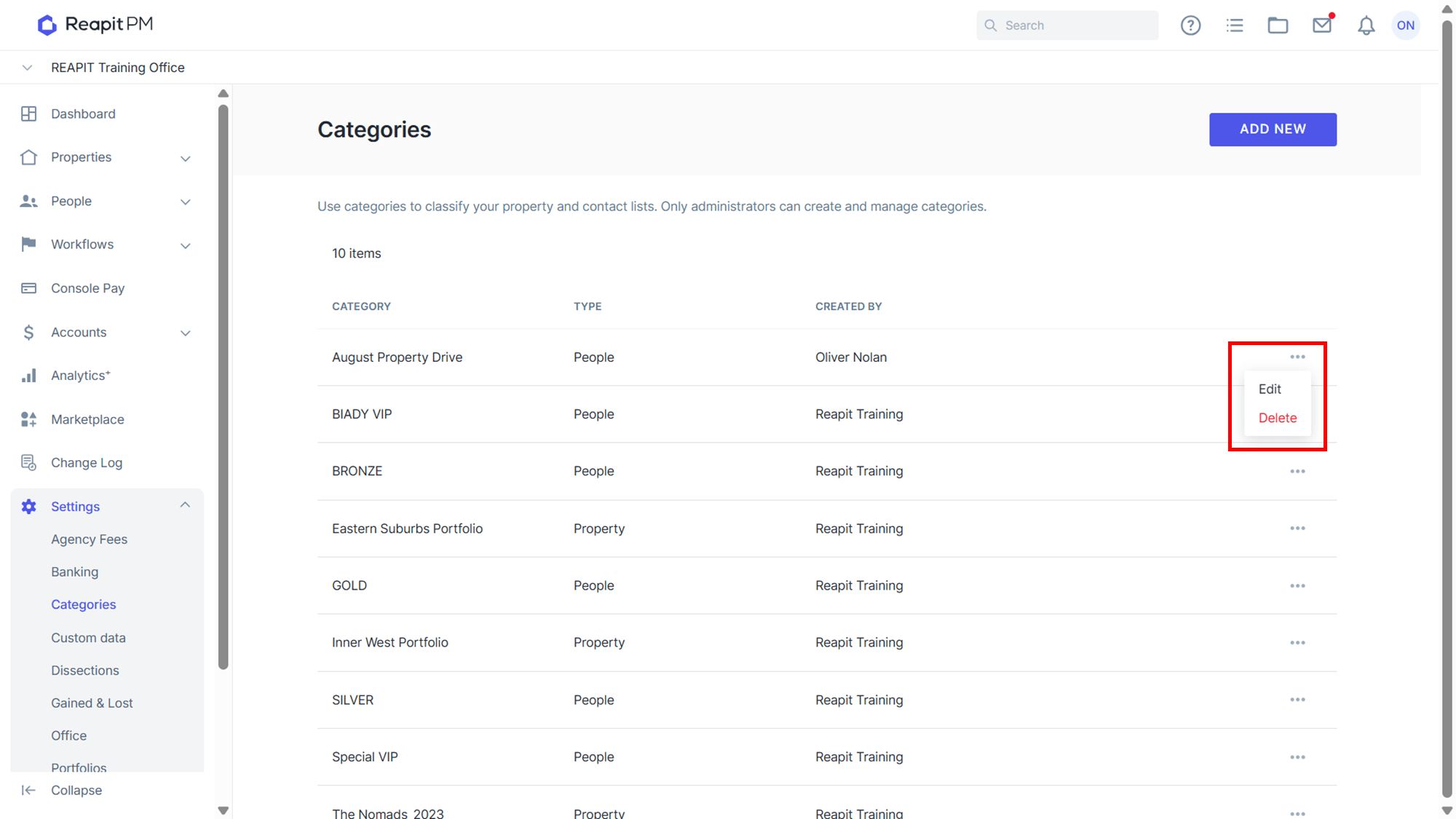
- To Edit or Delete a Category click the 3-dot icon to the right of the Category.
Assigning Categories
Categories can be assigned to both People and Properties under the About their respective sections. The below example will run through adding a Category to a property.
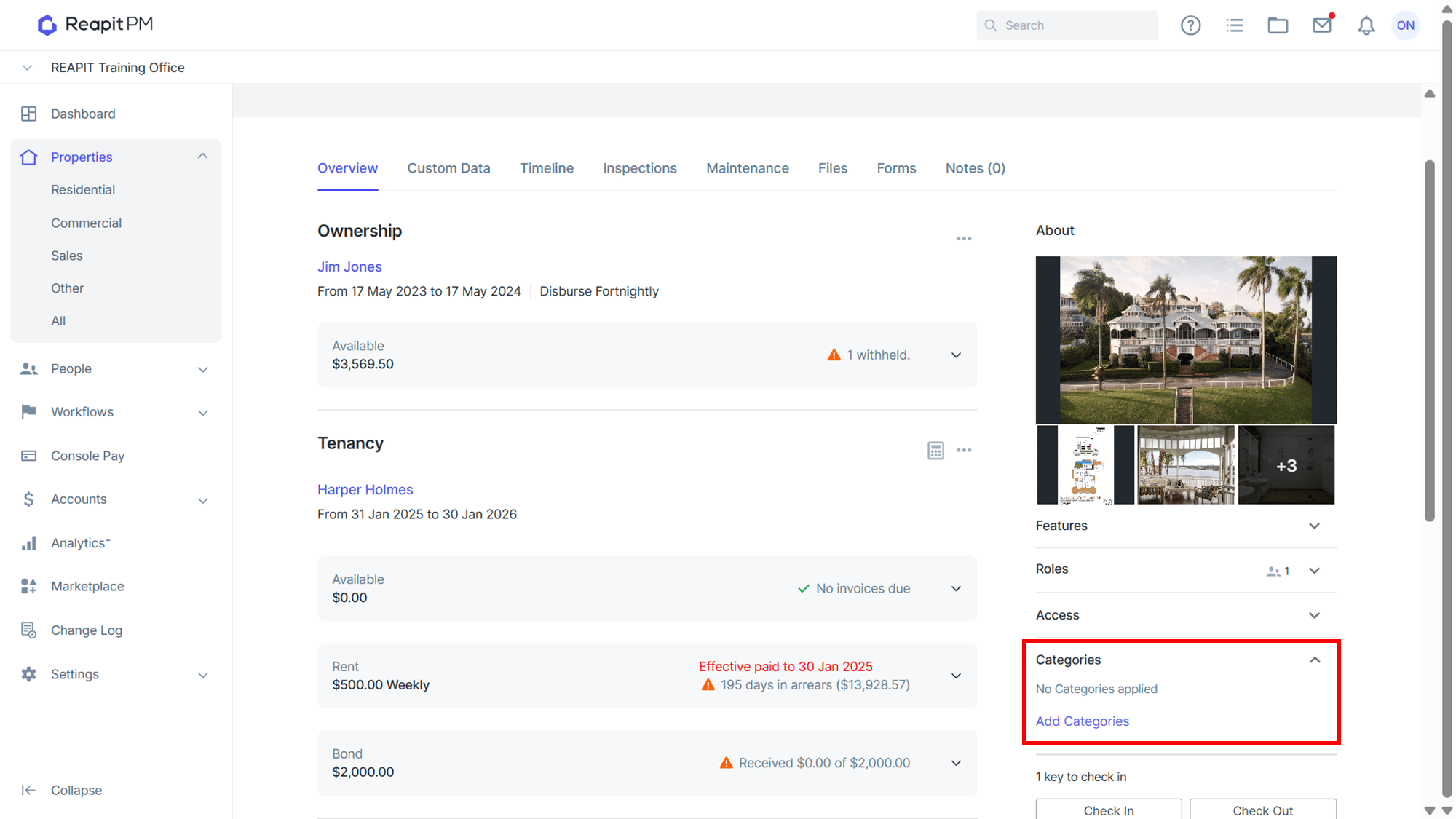
- Open a property and click Categories from the About section to open the drop-down. Click Add Categories to open the Categories drawer on the right side of the screen.
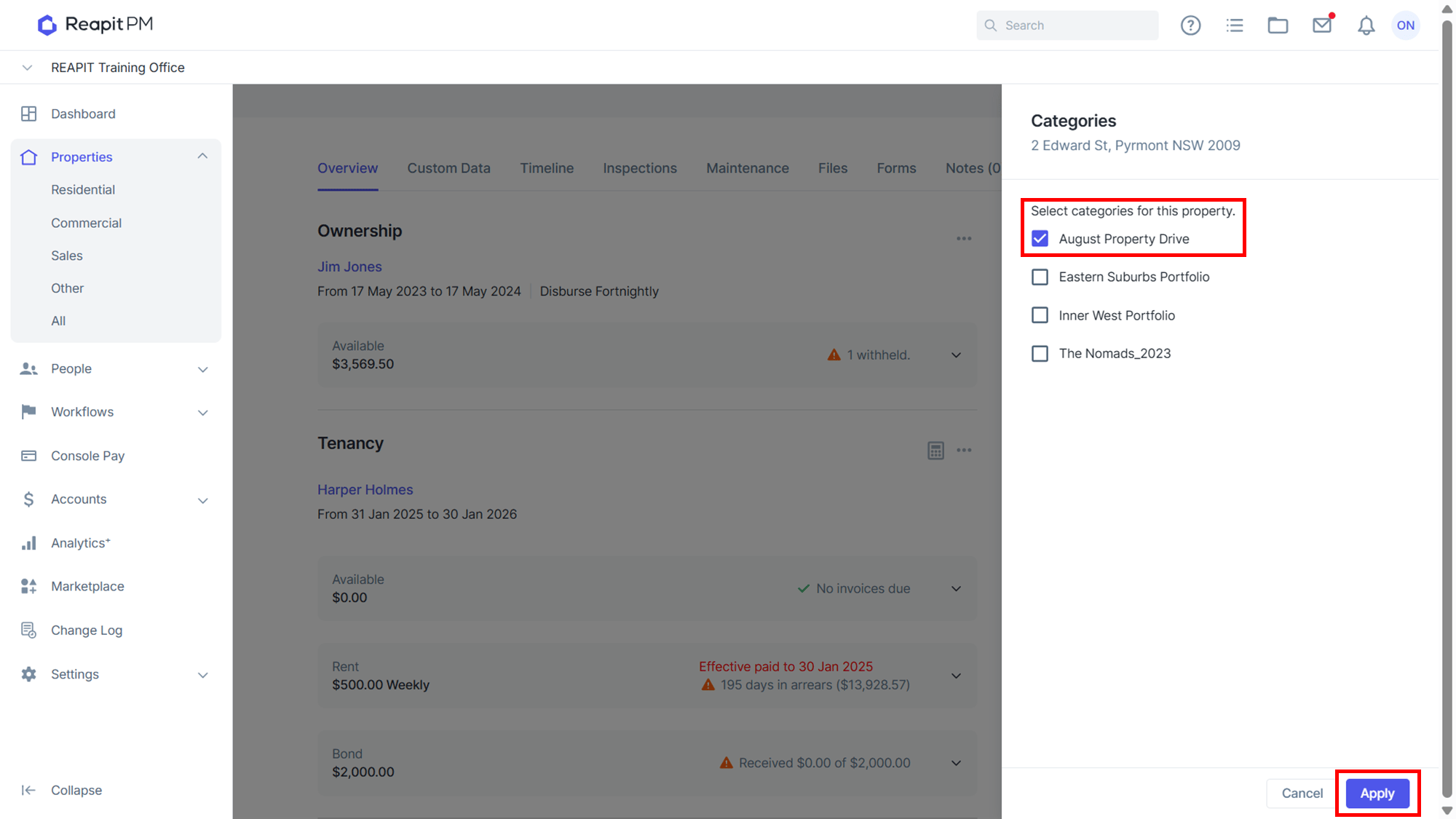
- From the drawer, select the categories you wish to assign to the Property or People(Contact) and click Apply.
- You will now see the selected Categories listed under the About section.
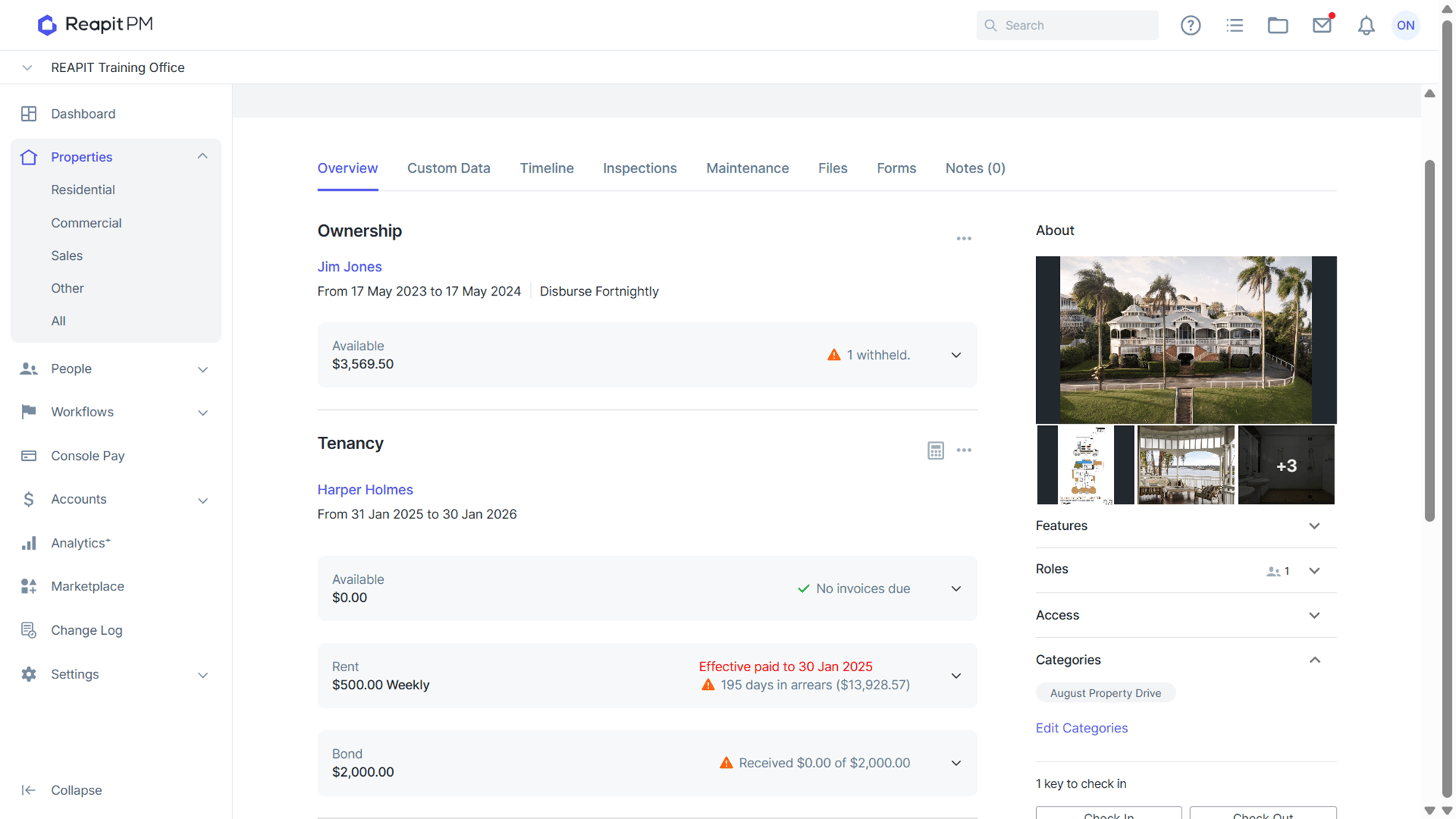
Note: To remove a category from properties or people, simply click Edit Categories under the about section, untick the selected category and apply.
Filtering by Categories
Both Properties and People can be filtered using the same method.
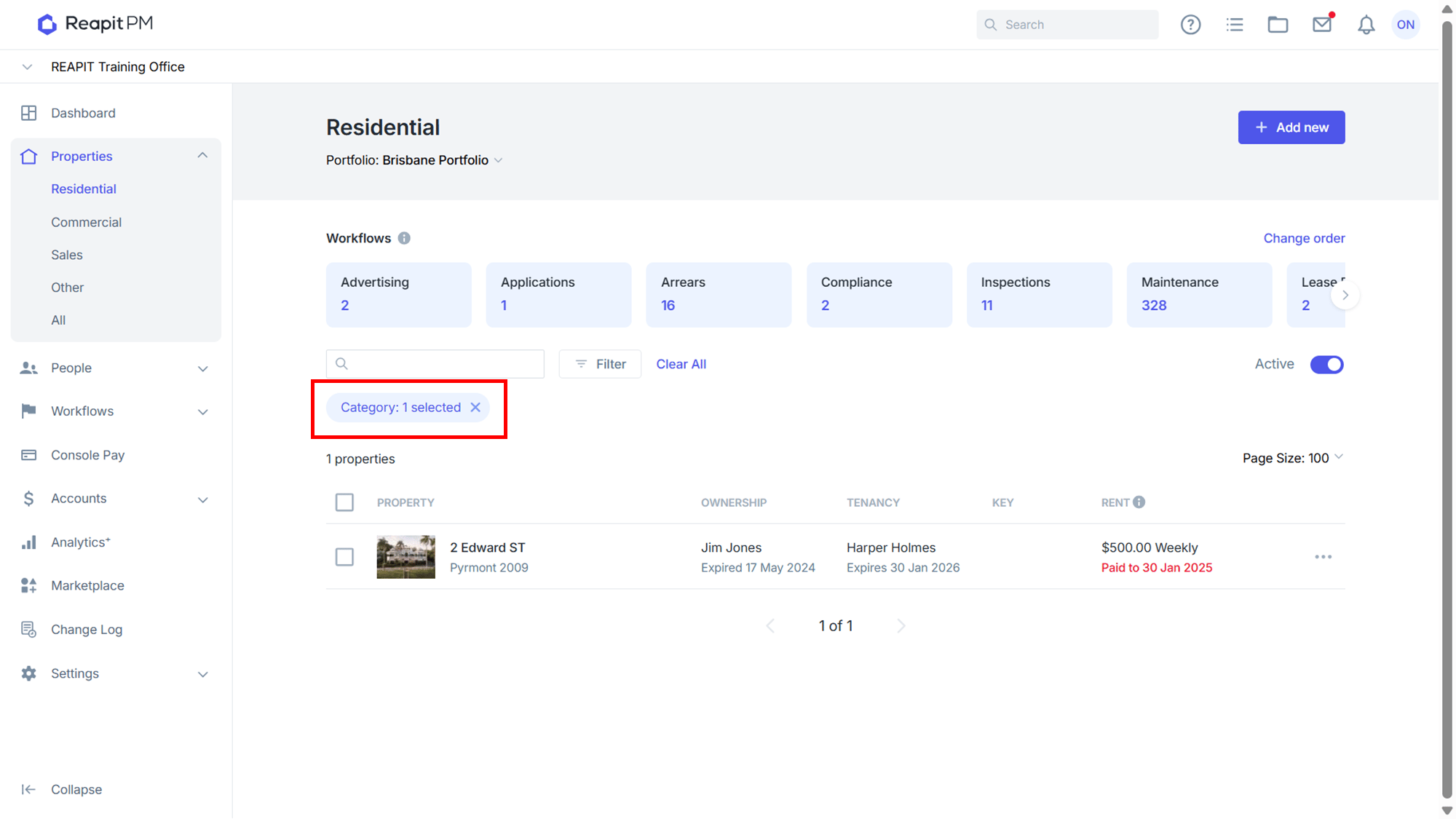
- Navigate to Properties and select a Property Type. Click on the Filter button to open the right side drawer.
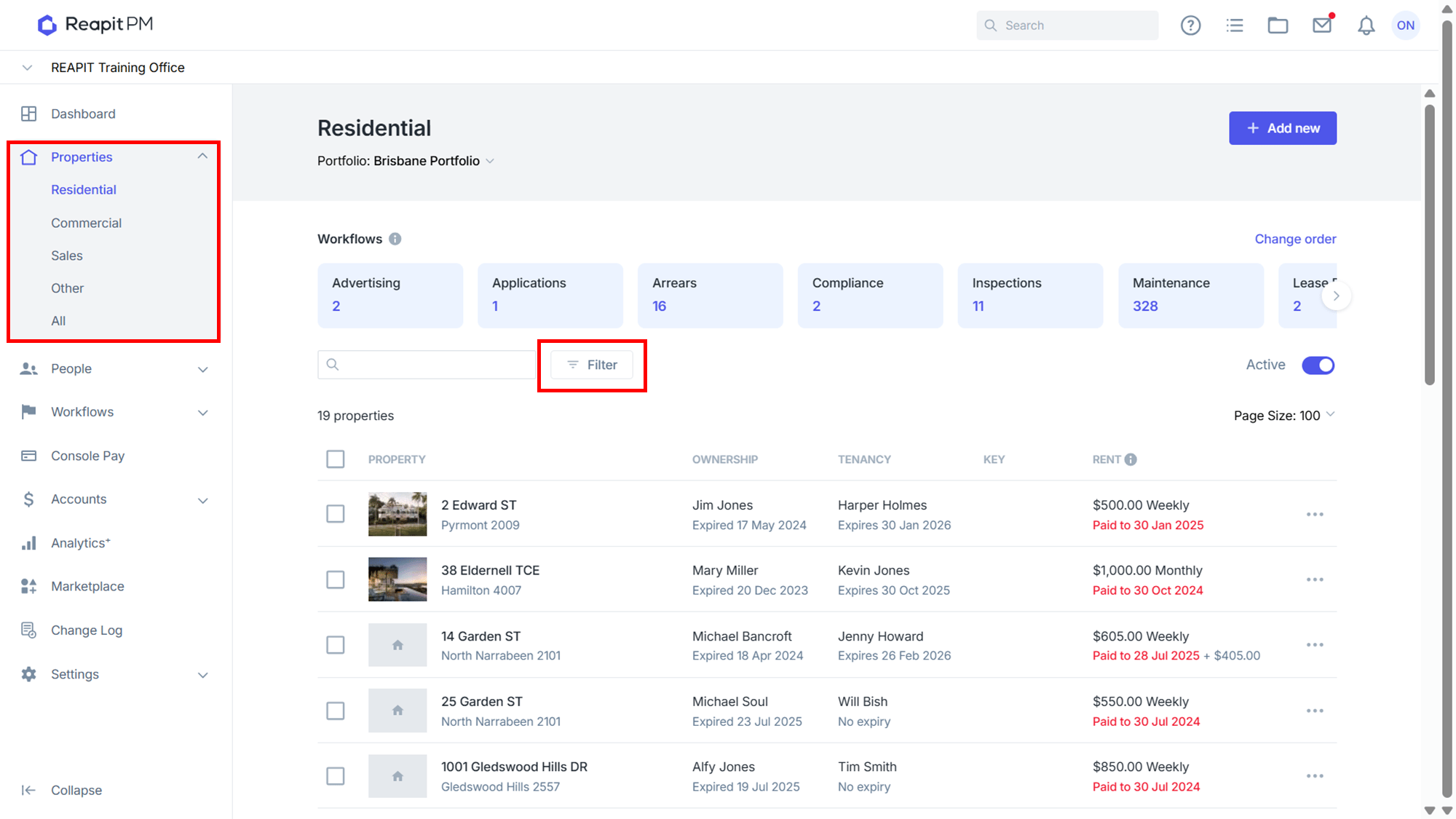
- From the right side drawer, select the Categories drop-down and tick the categories you wish to filter by. Click Apply to finish.
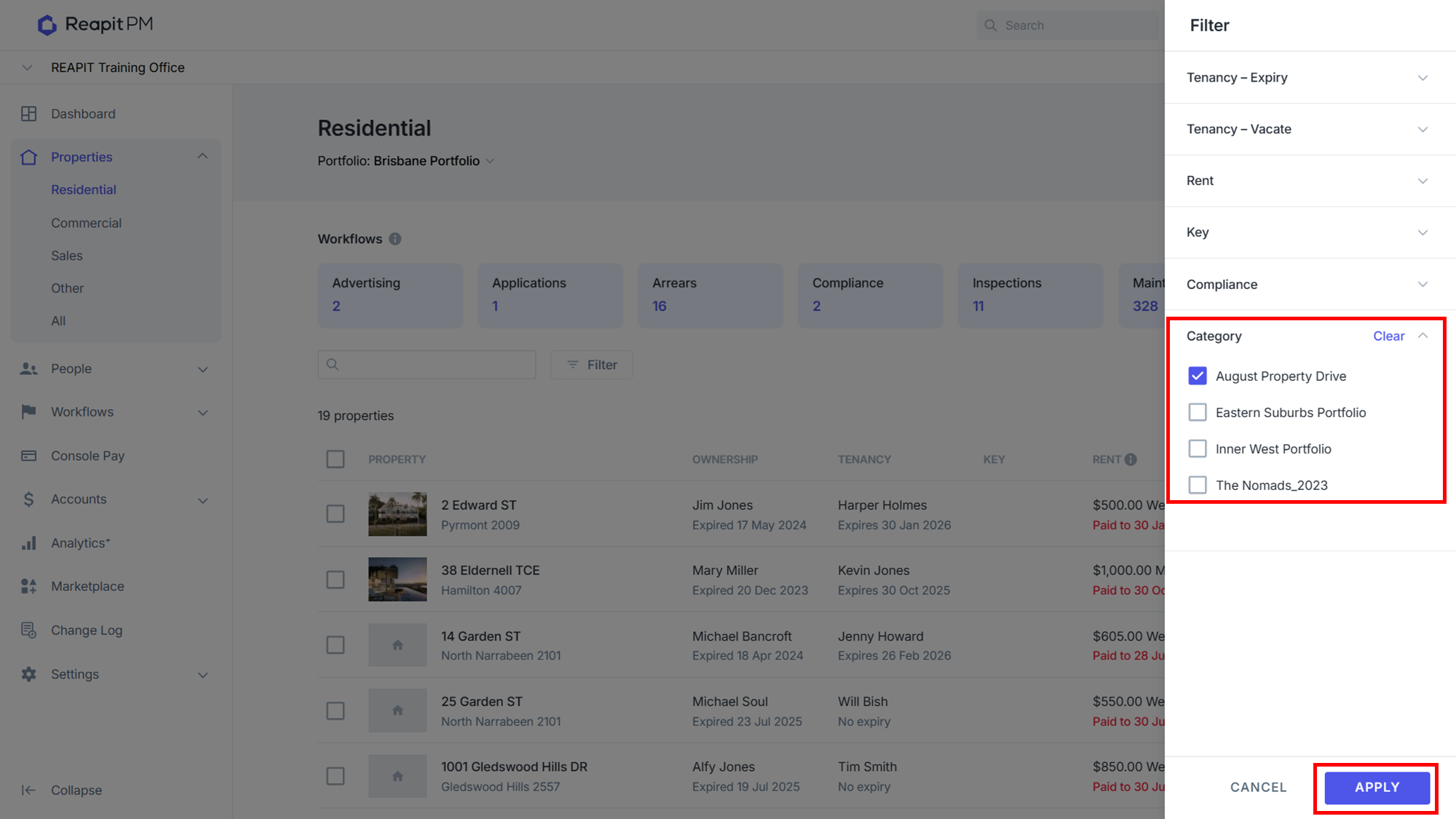
- Your results are now filtered down to only those with the selected category assigned. To remove the category filter click the X.