'%20d='M0%208a8%208%200%200%201%208-8h24a8%208%200%200%201%208%208v24a8%208%200%200%201-8%208H8a8%208%200%200%201-8-8V8Z'/%3e%3cpath%20fill='%23fff'%20d='M8.375%2013v14L20.5%2034l12.124-7v-7.737l-1.687-.975-2.806-1.62-1.082-.624v4.83l-.002%204.83H13.95V16.07l3.275-1.89%202.192-1.265%201.082-.625%203.275%201.877%202.192%201.256%201.083.62V9.782L20.5%206%208.376%2013Z'/%3e%3cdefs%3e%3clinearGradient%20id='reapit-pm__a'%20x1='20.702'%20x2='20.702'%20y1='.351'%20y2='31.228'%20gradientUnits='userSpaceOnUse'%3e%3cstop%20stop-color='%235573FD'/%3e%3cstop%20offset='.575'%20stop-color='%234E56EA'/%3e%3c/linearGradient%3e%3c/defs%3e%3c/svg%3e)
Commercial Tenancy Outgoings On-Chargeable
This article will show you how to set up and manage commercial tenancy outgoings on-chargeable in Reapit PM.
Overview
Commercial Tenancy Outgoings On-Chargeable
This article will show you how to set up and manage commercial tenancy outgoings on-chargeable in Reapit PM.
Setting up on-chargeable outgoing items
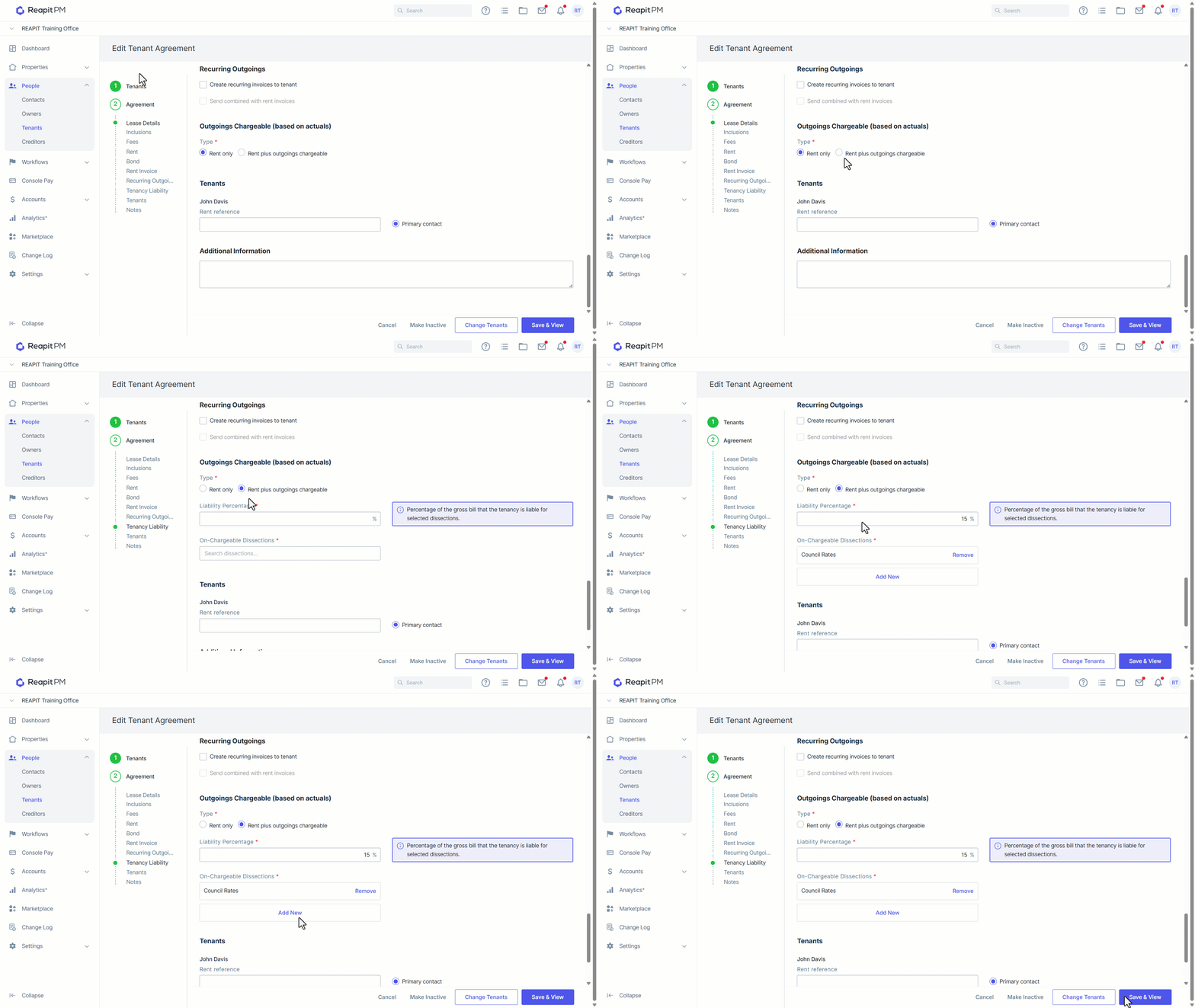
From the Edit Tenancy screen, you can now select as per below:
By Selecting: Rent Plus Outgoings - You can now record the tenancy liability percentage and which types (dissections) of owners bills they are due to be on-charged (the corresponding percentage) for.
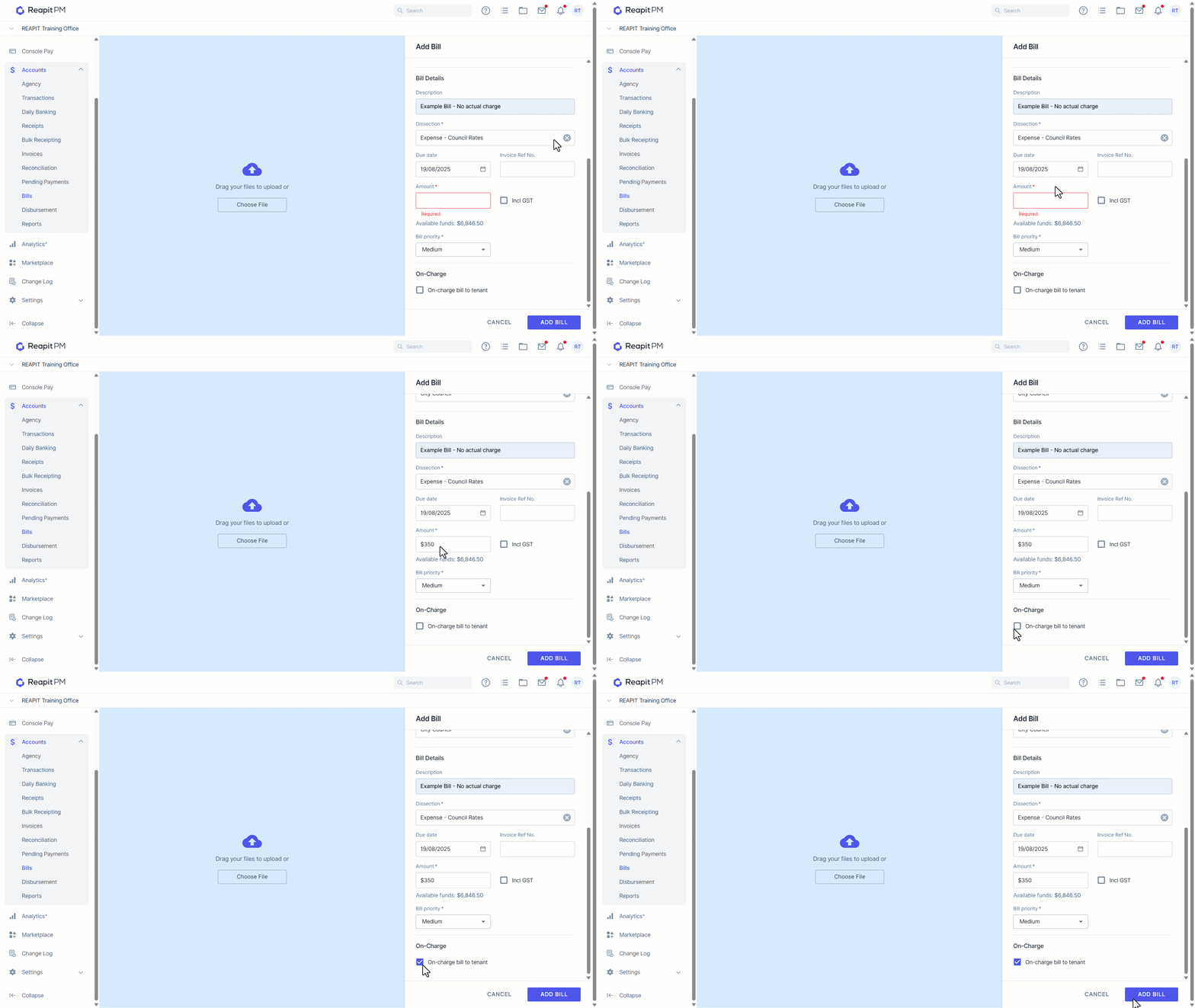
Adding a bill for a tenant with on-chargeable items
Once these details have been entered and saved. Each time you enter a Bill for an owner using one of the above dissections, the system will prompt you to on-charge the percentage of the bill to the associated tenancy. Upon choosing: On-Charge bill to tenant;
You will be given the option to either Auto or Manually on-charge.
Note: Auto on-charge uses the tenancy liability percentage, creates values in the next screen for invoice setup, but can still be cancelled prior to invoice creation. The manual option is where the user enters all the values for the tenancy invoices.
Note: when entering a bill against a BUILDING to be amortised across any liable tenancies, the only option is auto-on charge. If you wish to do these invoices manually, you will need to create individual tenancy invoices.
Once the tenancy liability values have been set you will also get an updated view of the associated tenancies in the Building view screen.