'%20d='M0%208a8%208%200%200%201%208-8h24a8%208%200%200%201%208%208v24a8%208%200%200%201-8%208H8a8%208%200%200%201-8-8V8Z'/%3e%3cpath%20fill='%23fff'%20d='M8.375%2013v14L20.5%2034l12.124-7v-7.737l-1.687-.975-2.806-1.62-1.082-.624v4.83l-.002%204.83H13.95V16.07l3.275-1.89%202.192-1.265%201.082-.625%203.275%201.877%202.192%201.256%201.083.62V9.782L20.5%206%208.376%2013Z'/%3e%3cdefs%3e%3clinearGradient%20id='reapit-pm__a'%20x1='20.702'%20x2='20.702'%20y1='.351'%20y2='31.228'%20gradientUnits='userSpaceOnUse'%3e%3cstop%20stop-color='%235573FD'/%3e%3cstop%20offset='.575'%20stop-color='%234E56EA'/%3e%3c/linearGradient%3e%3c/defs%3e%3c/svg%3e)
Set Communication Preferences
This article will take you through how to set a contacts communication preferences.
Overview
Set Communication Preferences for Contaacts
Contacts can have communication preferences set against their profiles, for email or print preferences. When sending email or SMS communications, PM will automatically create documents to print for contacts who have print preferences.
The process in this article include:
- Set Communication Preferences
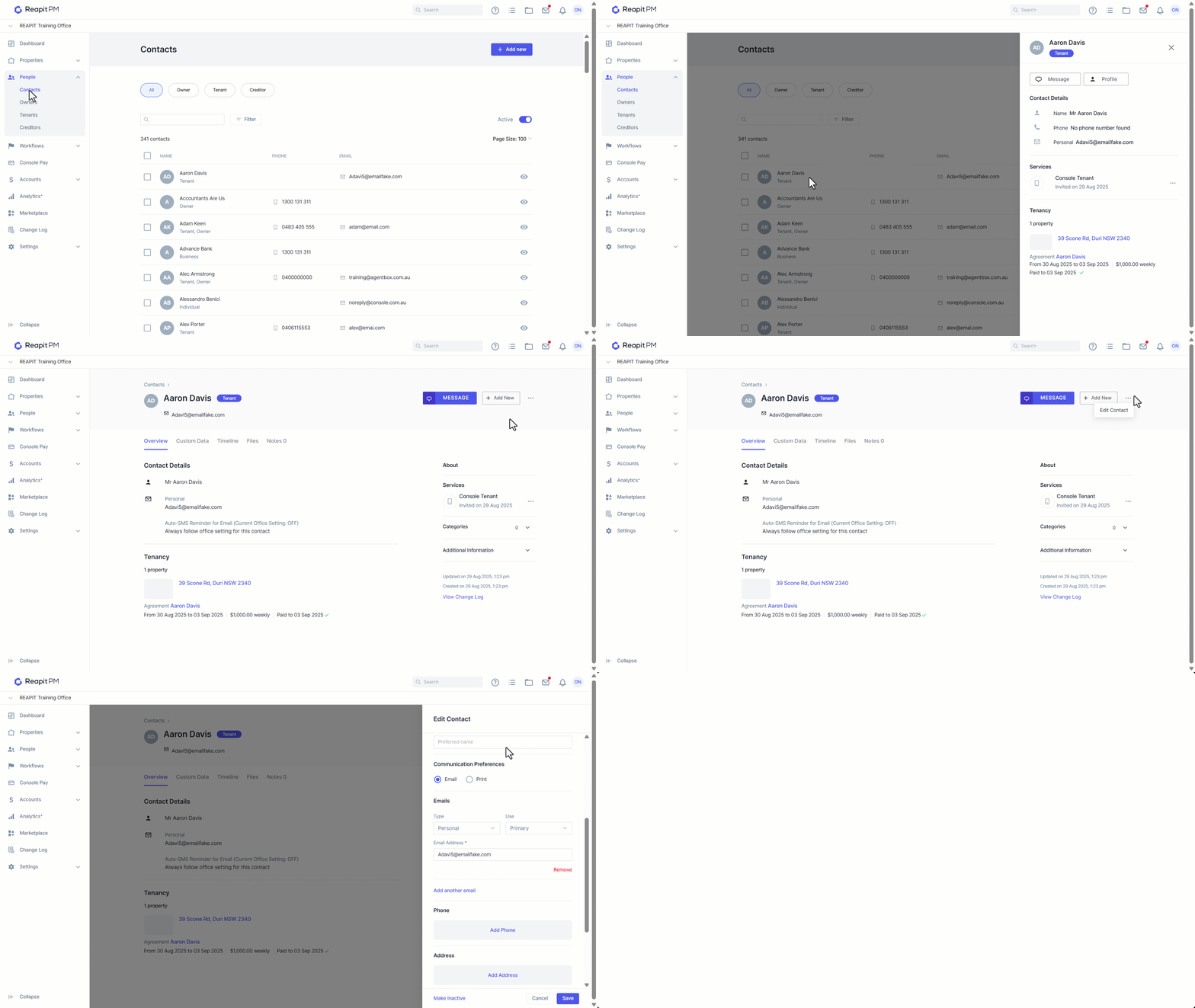
- Click on People.
- Click on Contacts.
- Search and select the relevant Contact.
- Click on Profile
- Click on the 3-dots, then Edit Contact.
- Scroll to Communication Preferences and make changes as required.
- Click on Save.