'%20d='M0%208a8%208%200%200%201%208-8h24a8%208%200%200%201%208%208v24a8%208%200%200%201-8%208H8a8%208%200%200%201-8-8V8Z'/%3e%3cpath%20fill='%23fff'%20d='M8.375%2013v14L20.5%2034l12.124-7v-7.737l-1.687-.975-2.806-1.62-1.082-.624v4.83l-.002%204.83H13.95V16.07l3.275-1.89%202.192-1.265%201.082-.625%203.275%201.877%202.192%201.256%201.083.62V9.782L20.5%206%208.376%2013Z'/%3e%3cdefs%3e%3clinearGradient%20id='reapit-pm__a'%20x1='20.702'%20x2='20.702'%20y1='.351'%20y2='31.228'%20gradientUnits='userSpaceOnUse'%3e%3cstop%20stop-color='%235573FD'/%3e%3cstop%20offset='.575'%20stop-color='%234E56EA'/%3e%3c/linearGradient%3e%3c/defs%3e%3c/svg%3e)
Console Pay in the Vacate Workflow
This article will walk you through how to deal with tenants console pay schedules when vacating
Overview
Managing Console Pay in the Vacate Workflow
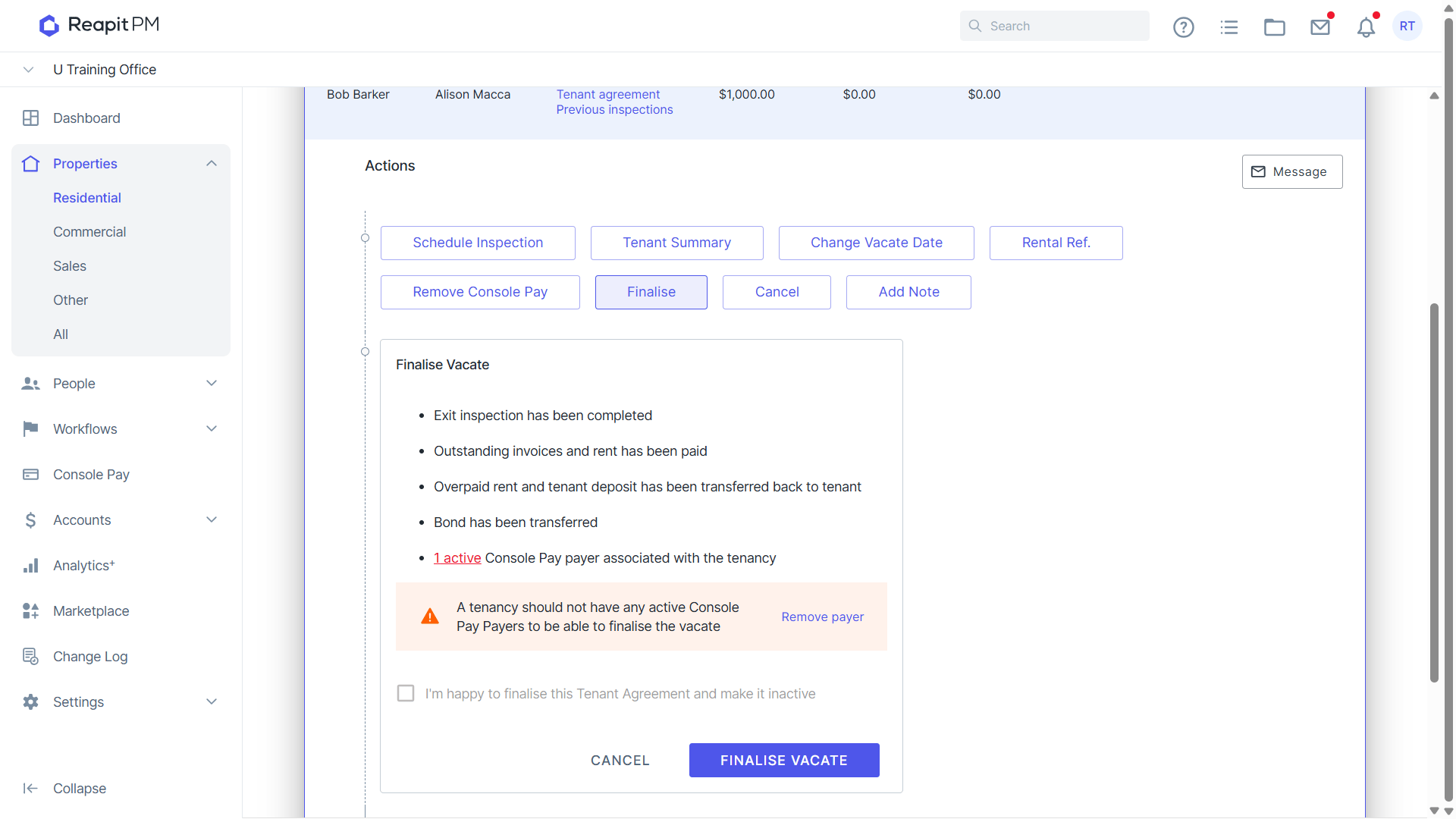
When a tenancy is vacating, Console Pay will appear in the vacate workflow to ensure that a Tenant's Console Pay account is removed and any scheduled payments past the vacate date are cancelled.
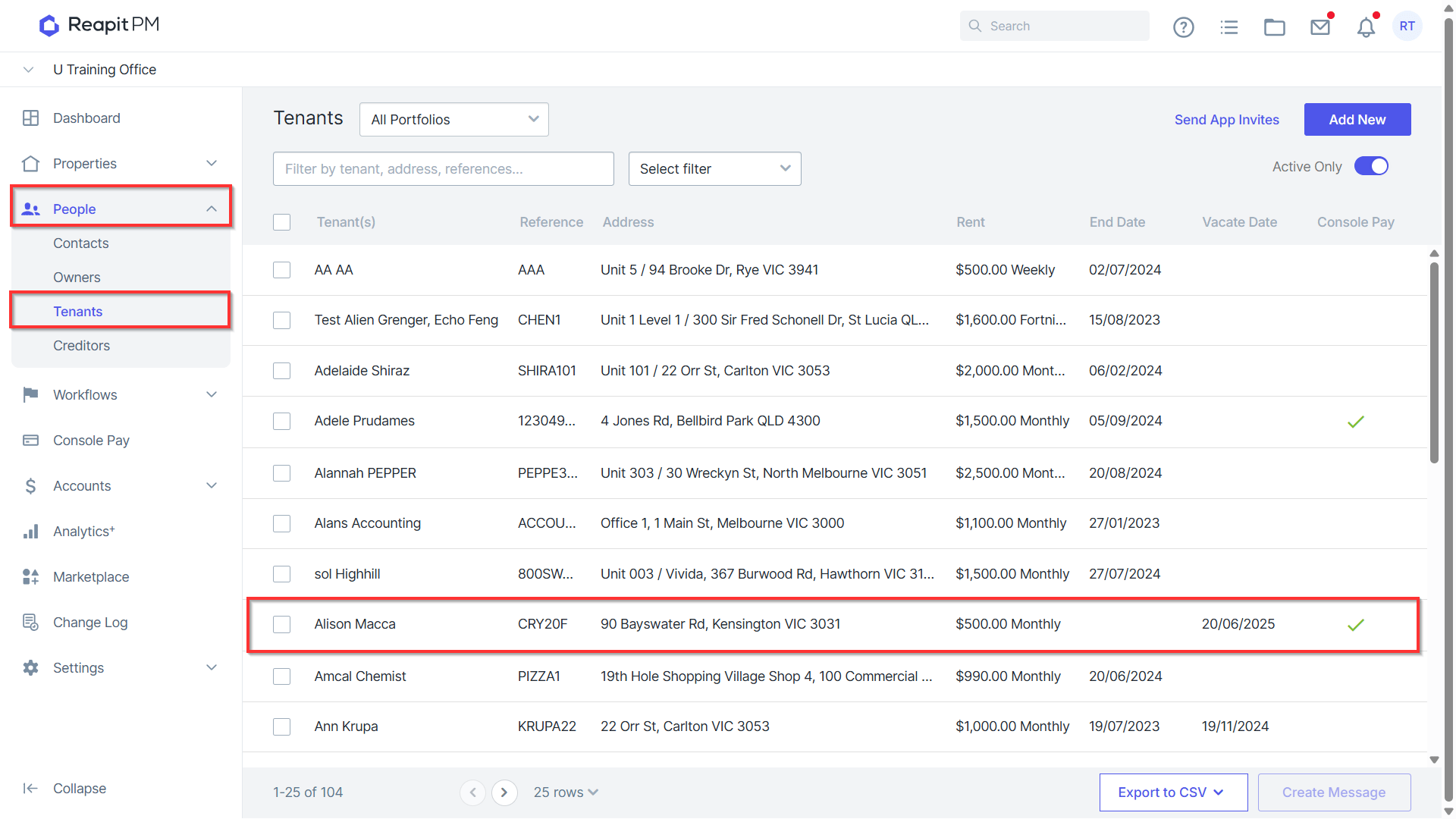
- Navigate to People > Tenants and open the Tenant file.
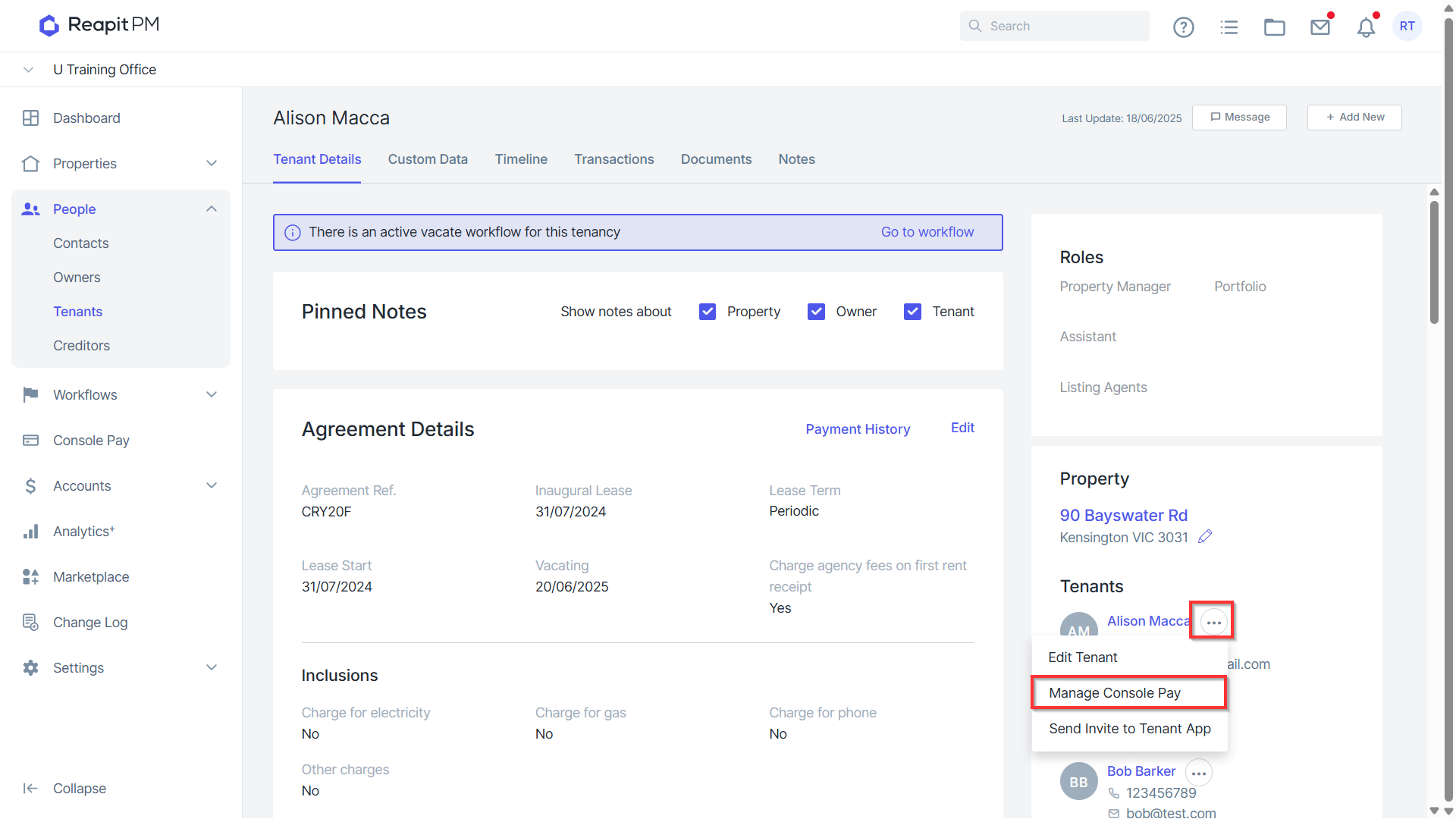
- With the Vacate date set and the amount owing to vacate displaying, click on the three dots to the right of the contact and select Manage Console Pay.
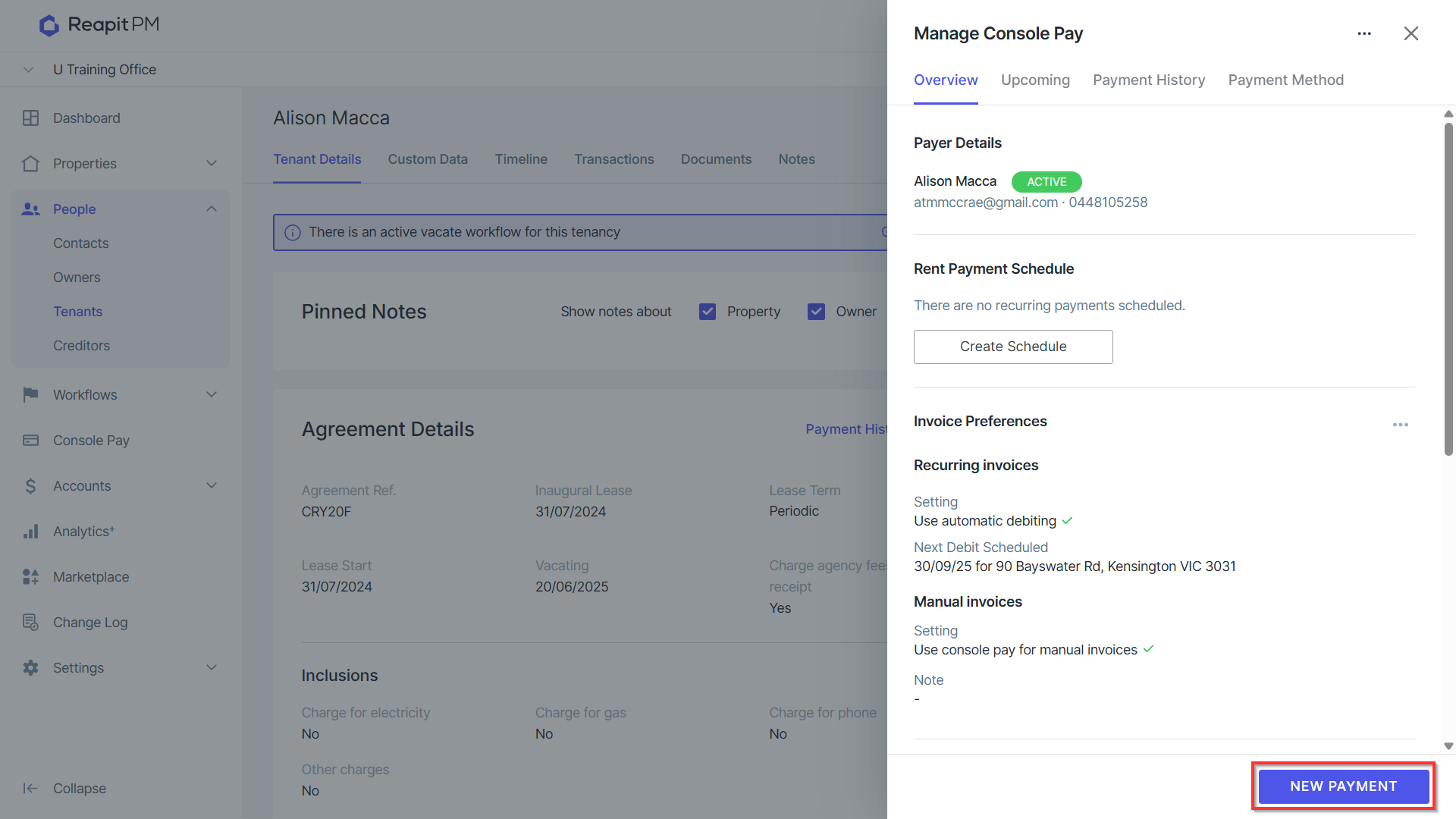
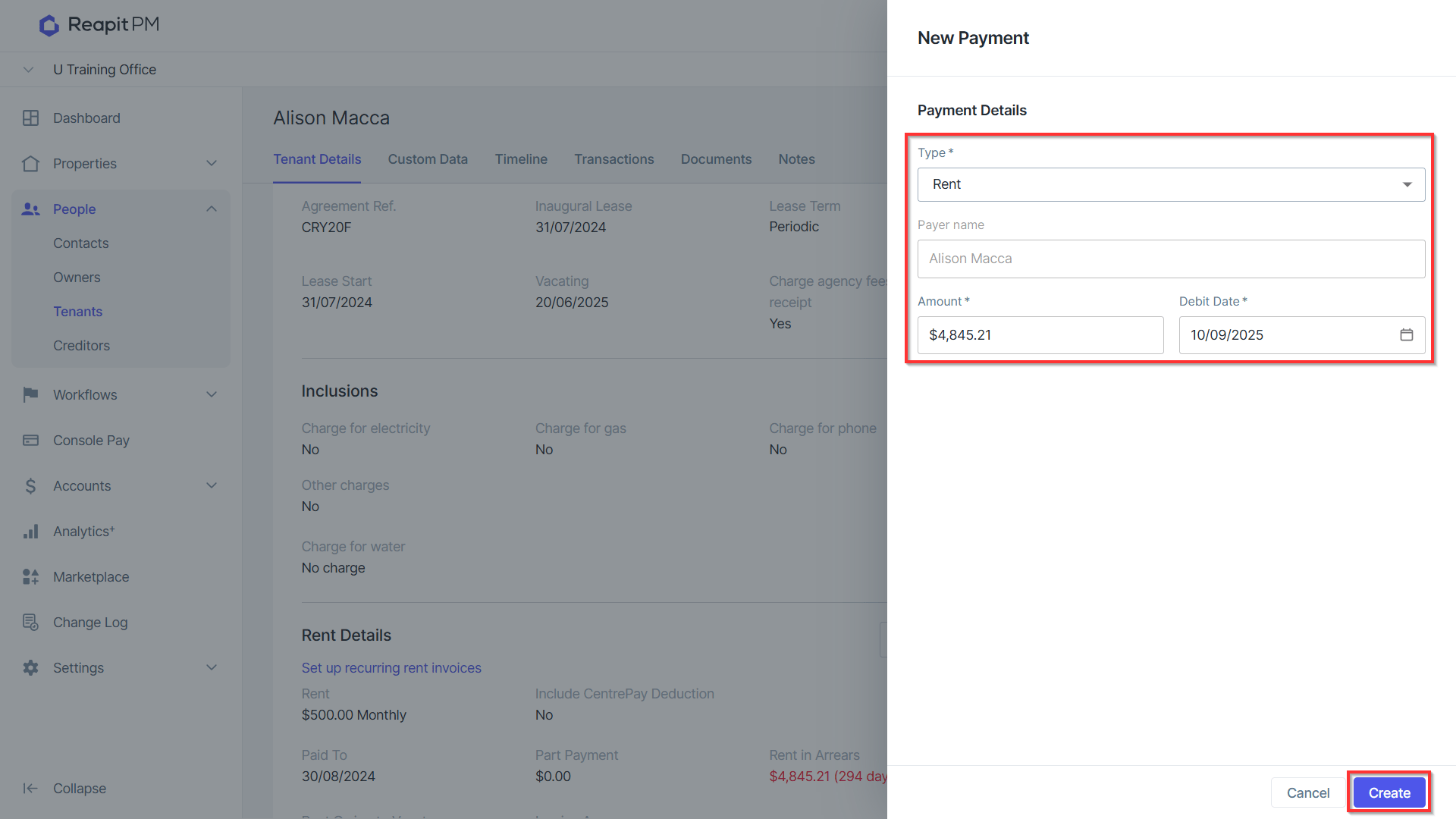
- With a vacate in place that will take place before the next scheduled Rent Debit, click on New Payment to set up the final rent debit.
- Select the type of debit to charge, the amount and the debit date. Click Create to set up the new payment.
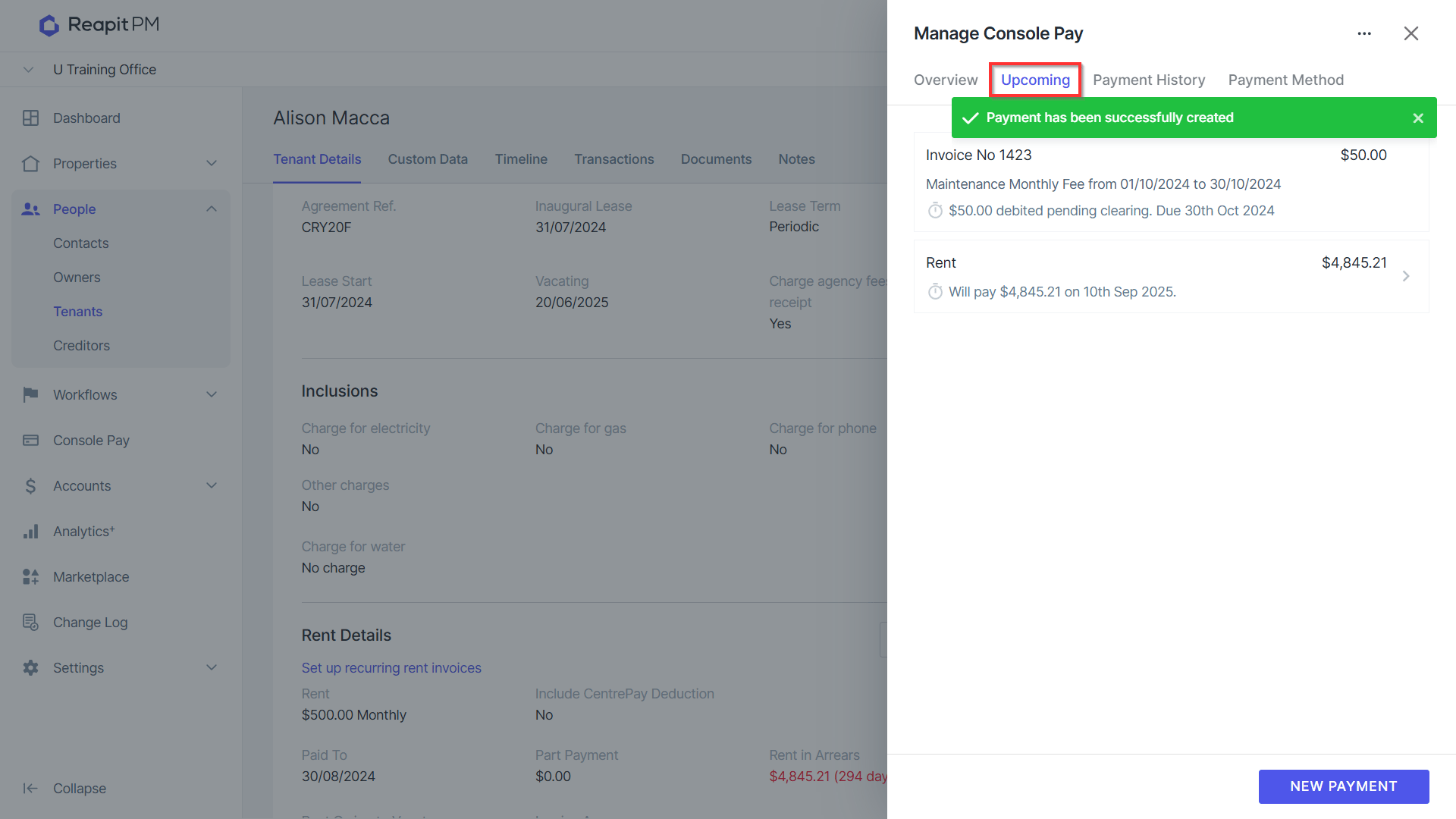
- A confirmation banner will display, and the payment will appear under the upcoming tab.
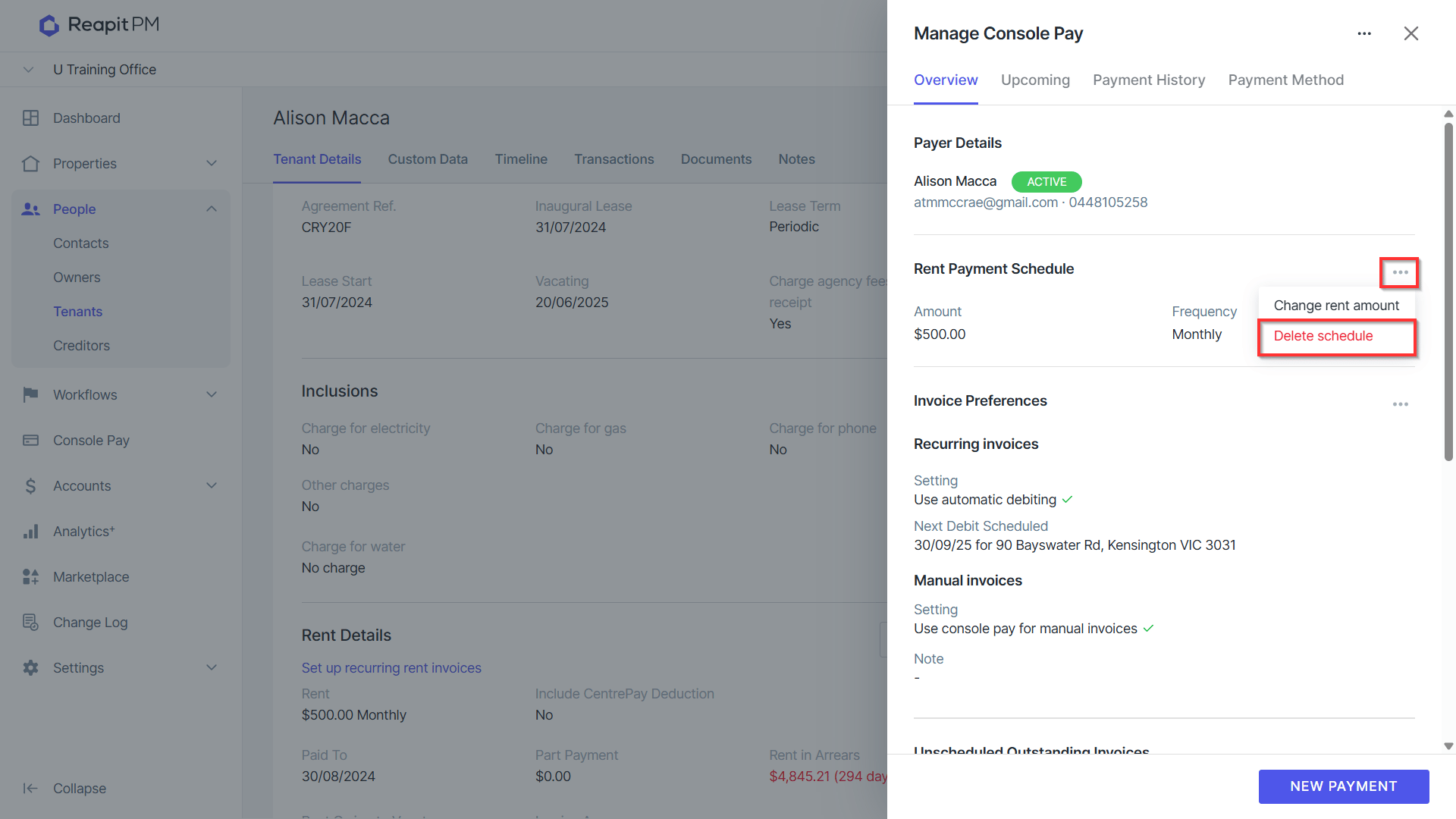
- From the Overview tab of Manage Console Pay, click the three action dots to delete the Rent Payment Schedule.
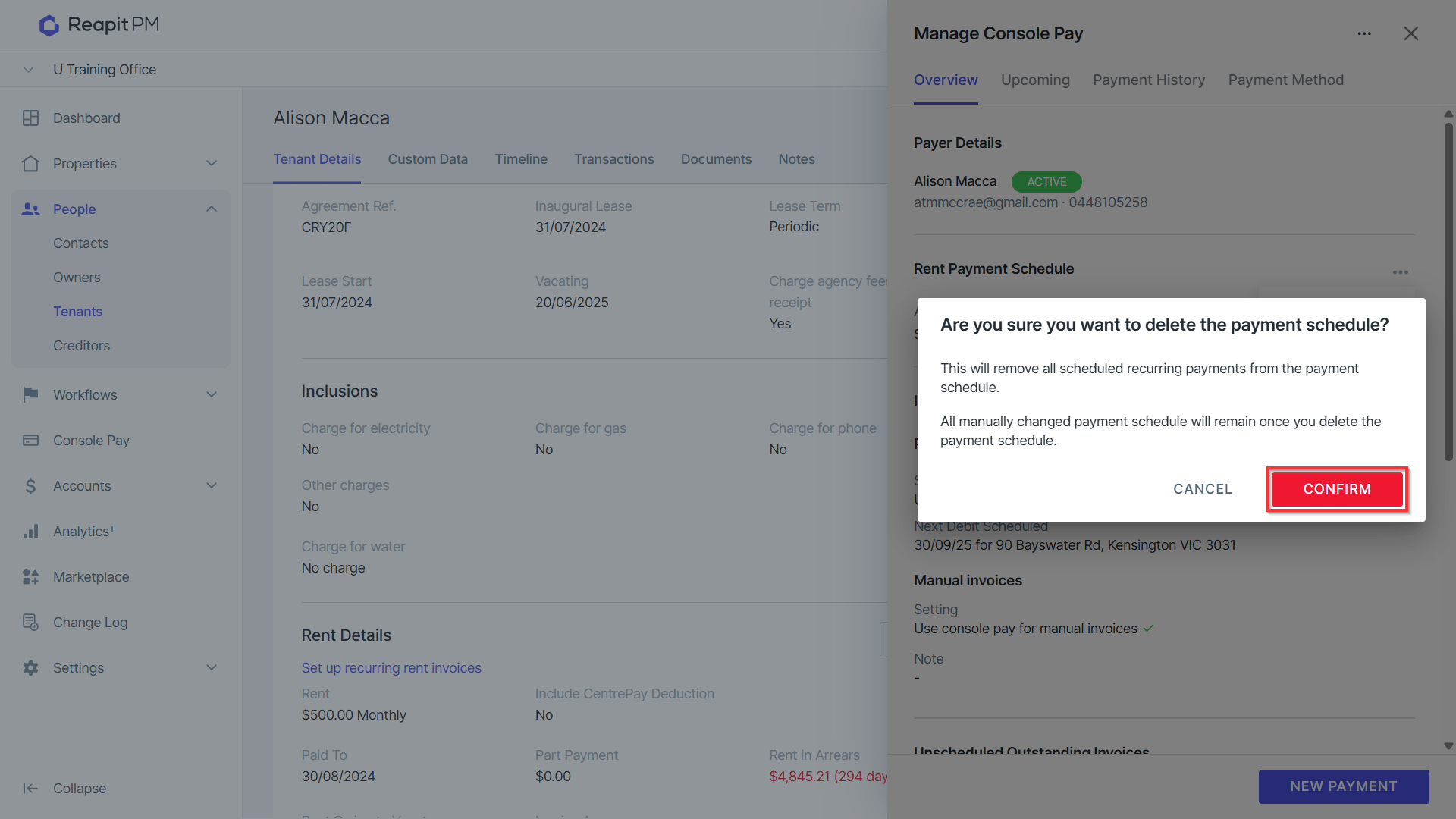
7. A confirmation prompt will appear asking if you are sure that you wish to delete the payment schedule. Click Confirm to proceed.
8. Navigate Confirmation of the schedule being removed will appear. The remaining manual payment will be displayed from the Upcoming tab.
9. Once it is time to vacate the tenancy, and the final payment has been debited, navigate to Properties > Vacate Workflow and select the relevant Tenancy.
10. Click Remove Console Pay. Tick the box next to the tenant and select Remove.
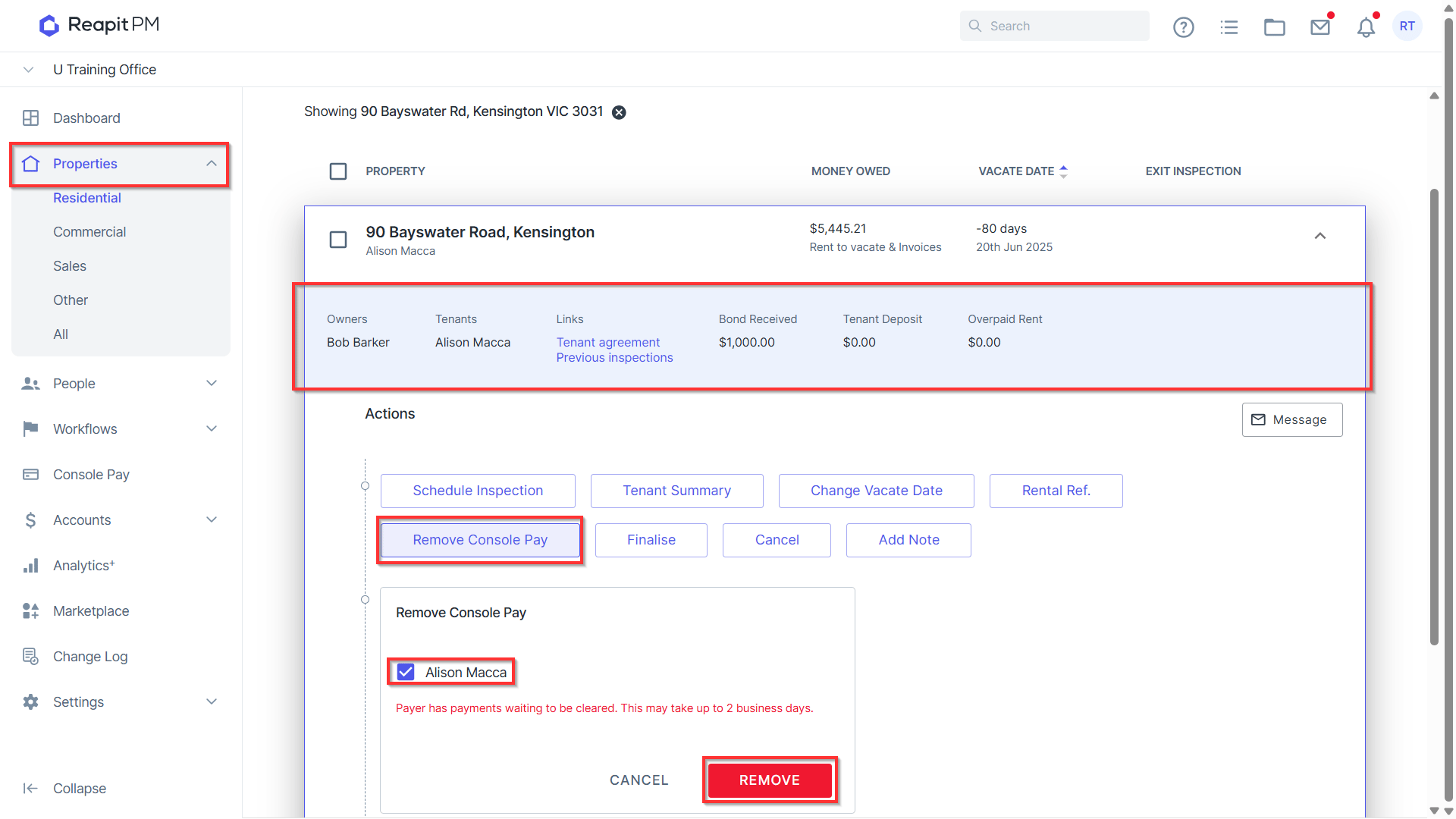
11. The confirmation banner will display confirming if you wish to remove Console Pay. Any payment schedules or upcoming payments for selected payers will be cancelled. Click Confirm.
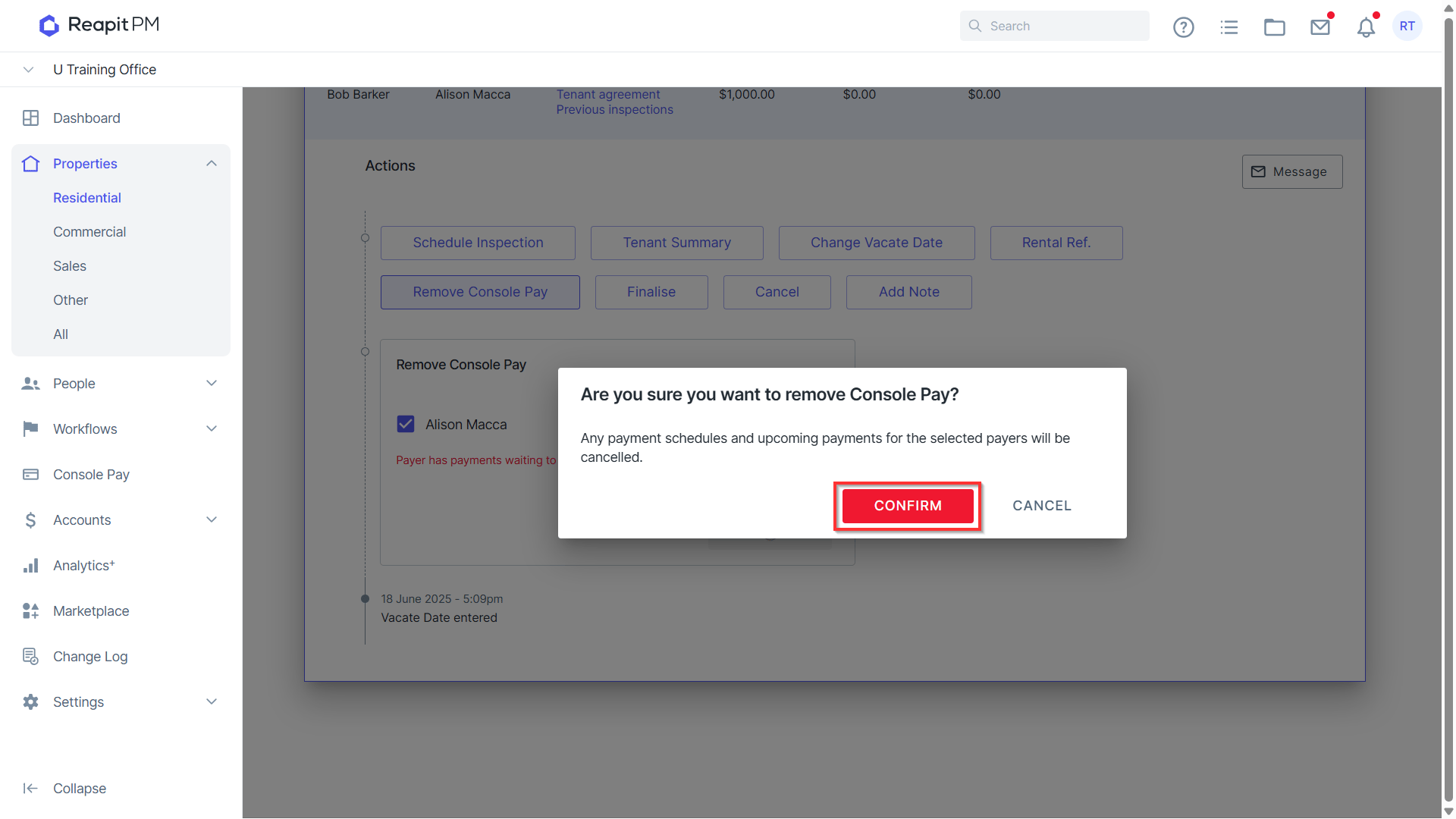
Note: It is best to proceed with removing Console Pay once you have received the final rent debit.
- Repeat the process for any additional contacts as required.
Console Pay accounts must be removed prior to finalising the vacate. Console will prevent you from finalising a vacate should this not be completed.