'%20d='M0%208a8%208%200%200%201%208-8h24a8%208%200%200%201%208%208v24a8%208%200%200%201-8%208H8a8%208%200%200%201-8-8V8Z'/%3e%3cpath%20fill='%23fff'%20d='M8.375%2013v14L20.5%2034l12.124-7v-7.737l-1.687-.975-2.806-1.62-1.082-.624v4.83l-.002%204.83H13.95V16.07l3.275-1.89%202.192-1.265%201.082-.625%203.275%201.877%202.192%201.256%201.083.62V9.782L20.5%206%208.376%2013Z'/%3e%3cdefs%3e%3clinearGradient%20id='reapit-pm__a'%20x1='20.702'%20x2='20.702'%20y1='.351'%20y2='31.228'%20gradientUnits='userSpaceOnUse'%3e%3cstop%20stop-color='%235573FD'/%3e%3cstop%20offset='.575'%20stop-color='%234E56EA'/%3e%3c/linearGradient%3e%3c/defs%3e%3c/svg%3e)
Bill Settings
This article will show you how to manage bill settings in Reapit PM.
Overview
Bill Settings
Bills are a list of all owner expense invoices that need to be processed and disbursed (paid to a creditor).
Admin and Trust Account users can access and configure Bills settings in the Bills page and the Banking Settings page.
For further information on Bills, please see our articles on adding bills, processing bills and editing, writing off and deleting bills.
Bill settings can be configured by users with relevant permissions.
- Navigate to Accounts.
- Click on Bills.
- Click on Bill Settings.
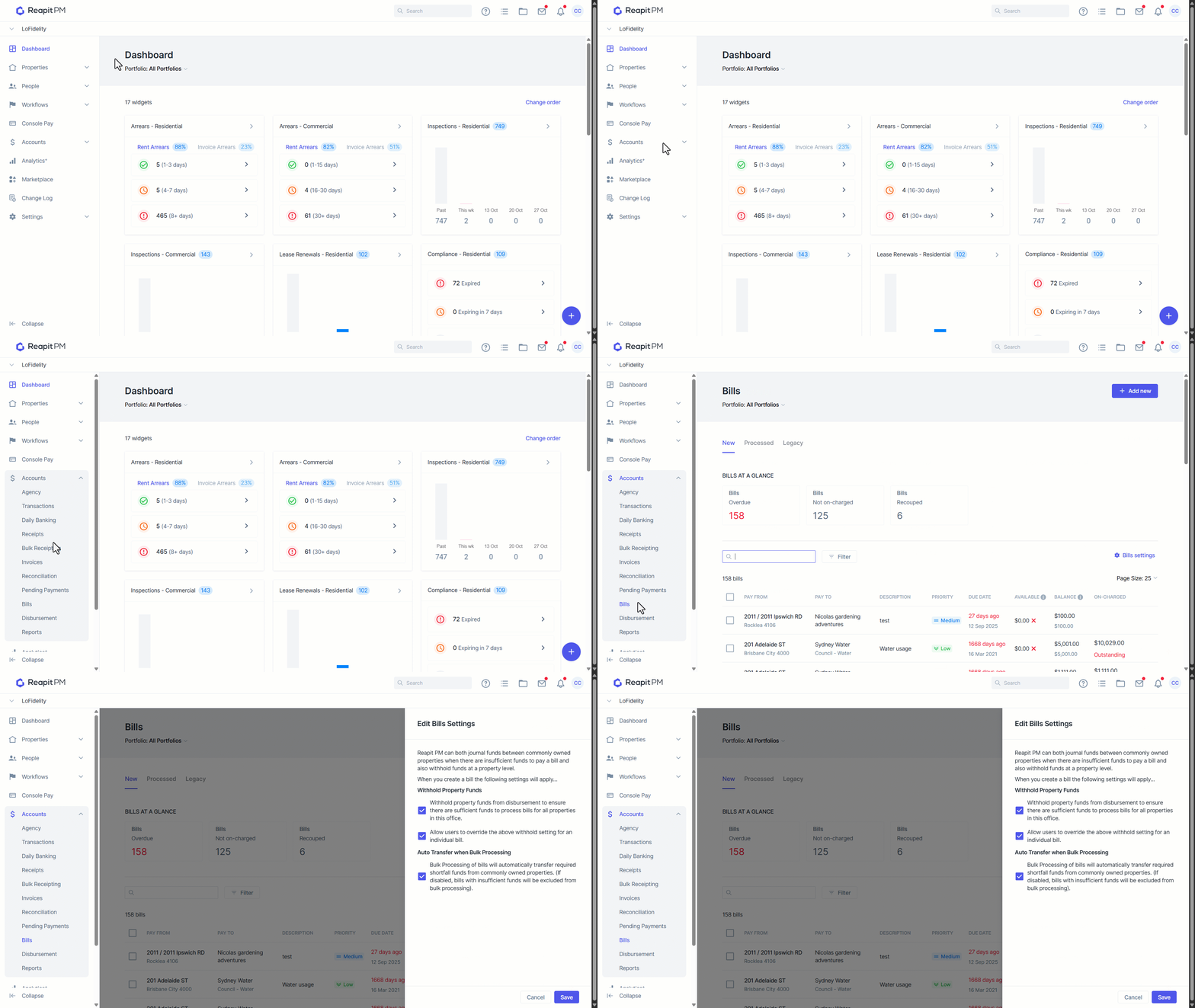
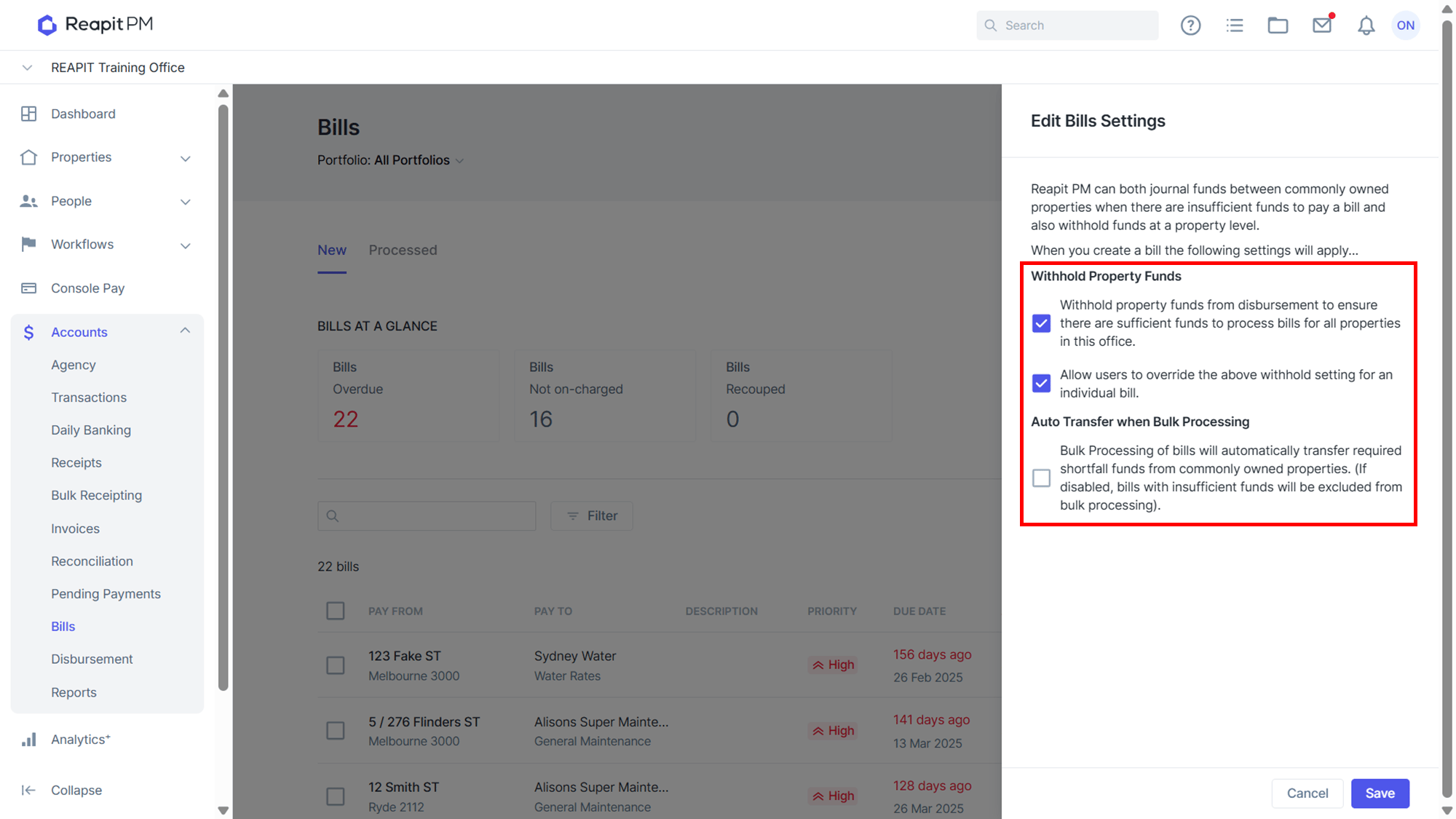
- Reapit PM can both journal funds between commonly owned properties when there are insufficient funds to pay a bill and also withhold funds at a property level.
You can configure Reapit PM for the following rules:
- To automatically Withhold property funds from disbursement to ensure there are sufficient funds to process bills for all properties in this office.
- To allow users to override withholds on properties for the purpose of paying an individual bill and to auto transfer funds between properties with common owners if there is insufficient funds to process an invoice.
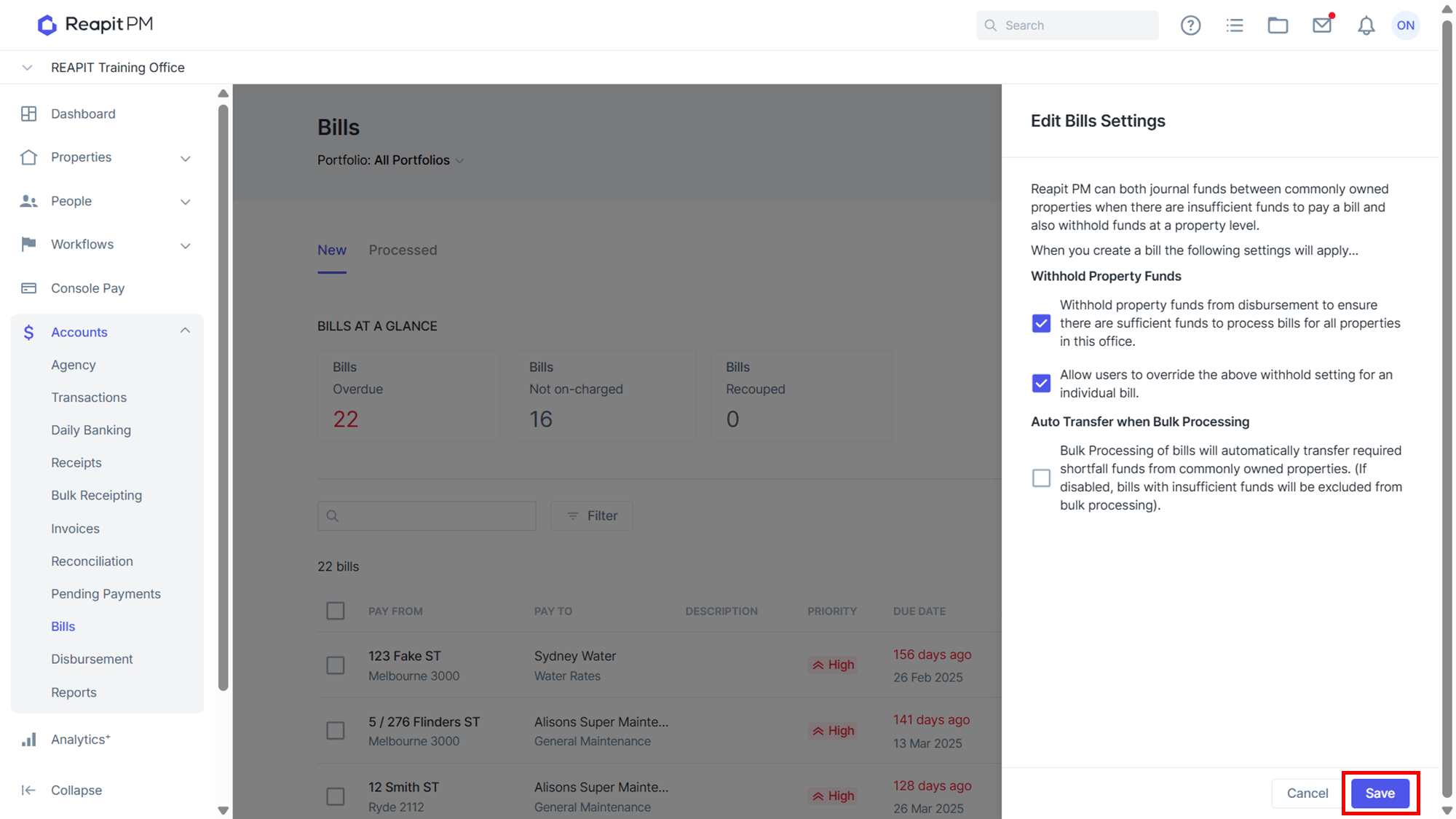
- Once settings are selected, click Save.