'%20d='M0%208a8%208%200%200%201%208-8h24a8%208%200%200%201%208%208v24a8%208%200%200%201-8%208H8a8%208%200%200%201-8-8V8Z'/%3e%3cpath%20fill='%23fff'%20d='M8.375%2013v14L20.5%2034l12.124-7v-7.737l-1.687-.975-2.806-1.62-1.082-.624v4.83l-.002%204.83H13.95V16.07l3.275-1.89%202.192-1.265%201.082-.625%203.275%201.877%202.192%201.256%201.083.62V9.782L20.5%206%208.376%2013Z'/%3e%3cdefs%3e%3clinearGradient%20id='reapit-pm__a'%20x1='20.702'%20x2='20.702'%20y1='.351'%20y2='31.228'%20gradientUnits='userSpaceOnUse'%3e%3cstop%20stop-color='%235573FD'/%3e%3cstop%20offset='.575'%20stop-color='%234E56EA'/%3e%3c/linearGradient%3e%3c/defs%3e%3c/svg%3e)
Cyclic Maintenance Integration
This integration allows automation of your compliance requests from Reapit PM to Cyclic Maintenance. It will also automatically receive the compliance certificate back into Reapit PM. Processes in this article include: • Activating the Cyclic Maintenance Integration • Assigning Compliance to a Partner - New Compliance • Assigning Compliance to a Partner - Existing Compliance • Invoices • Receiving Updates from Cyclic Maintenance • Integration Activity Log • Bulk Assignment • Deactivating the Cyclic Maintenance Integration
Overview
Cyclic Maintenance Integration
This integration allows automation of your compliance requests from Reapit PM to Cyclic Maintenance. It will also automatically receive the compliance certificate back into Reapit PM.
It will automate 3 different lead types
- New Tenancy Leads
- Vacating Leads
- Lease Renewal Leads
Cyclic Maintenance is an independently owned company that offers compliance services.
Note: Cyclic Maintenance will only complete services that are required as per legislation.
Processes in this article include:
- Activating the Cyclic Maintenance Integration
- Assigning Compliance to a Partner - New Compliance
- Assigning Compliance to a Partner - Existing Compliance
- Invoices
- Receiving Updates from Cyclic Maintenance
- Integration Activity Log
- Bulk Assignment
- Deactivating the Cyclic Maintenance Integration
Activating the Cyclic Maintenance Integration
Note: Only users with the Office Administrator permission level can enable Integrations.
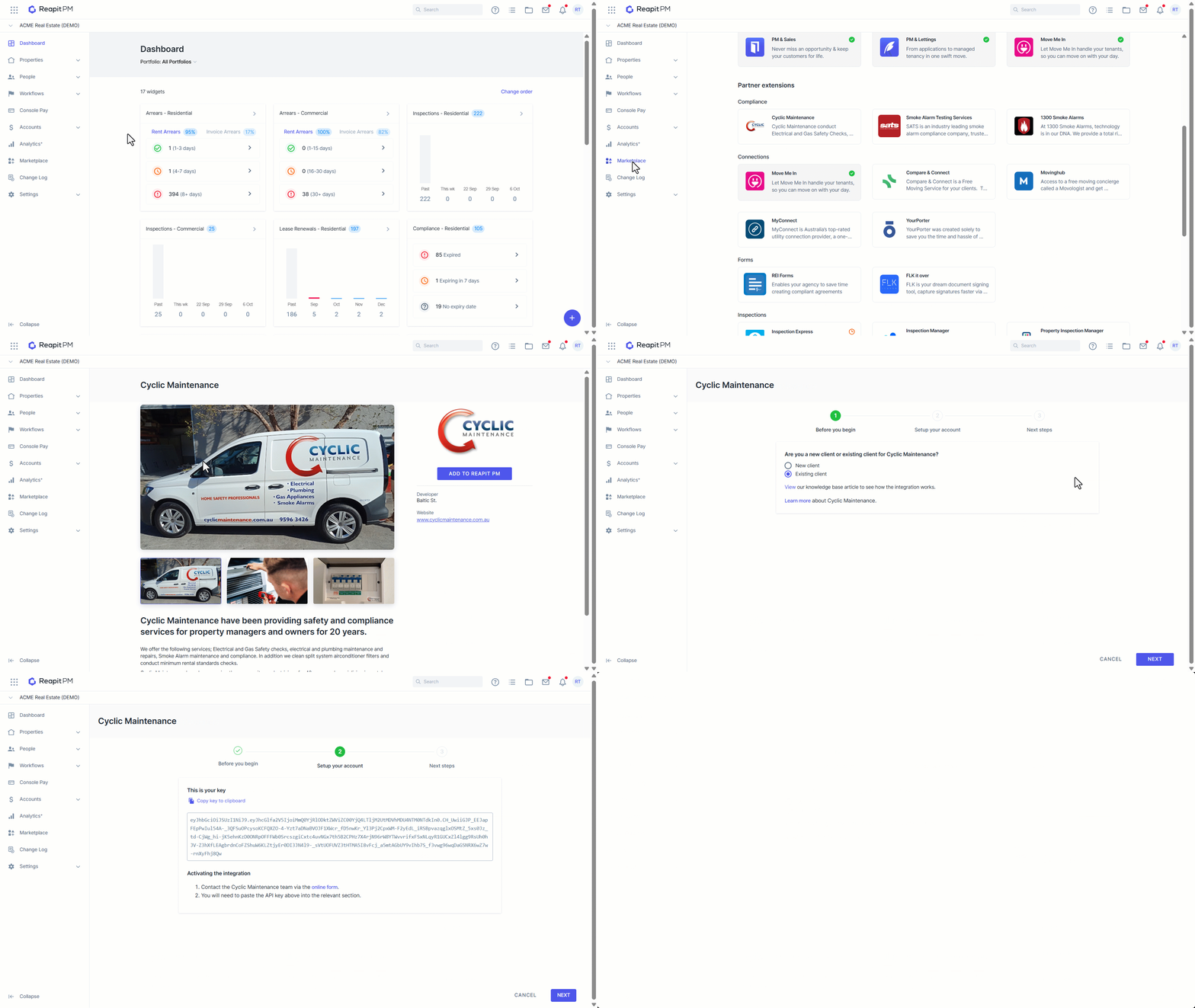
To activate the Cyclic Maintenance integration
- Click on Marketplace.
- Navigate to Compliance and click on Cyclic Maintenance.
- Click Add to Reapit PM.
- You will now be guided through the integration setup via the activation wizard
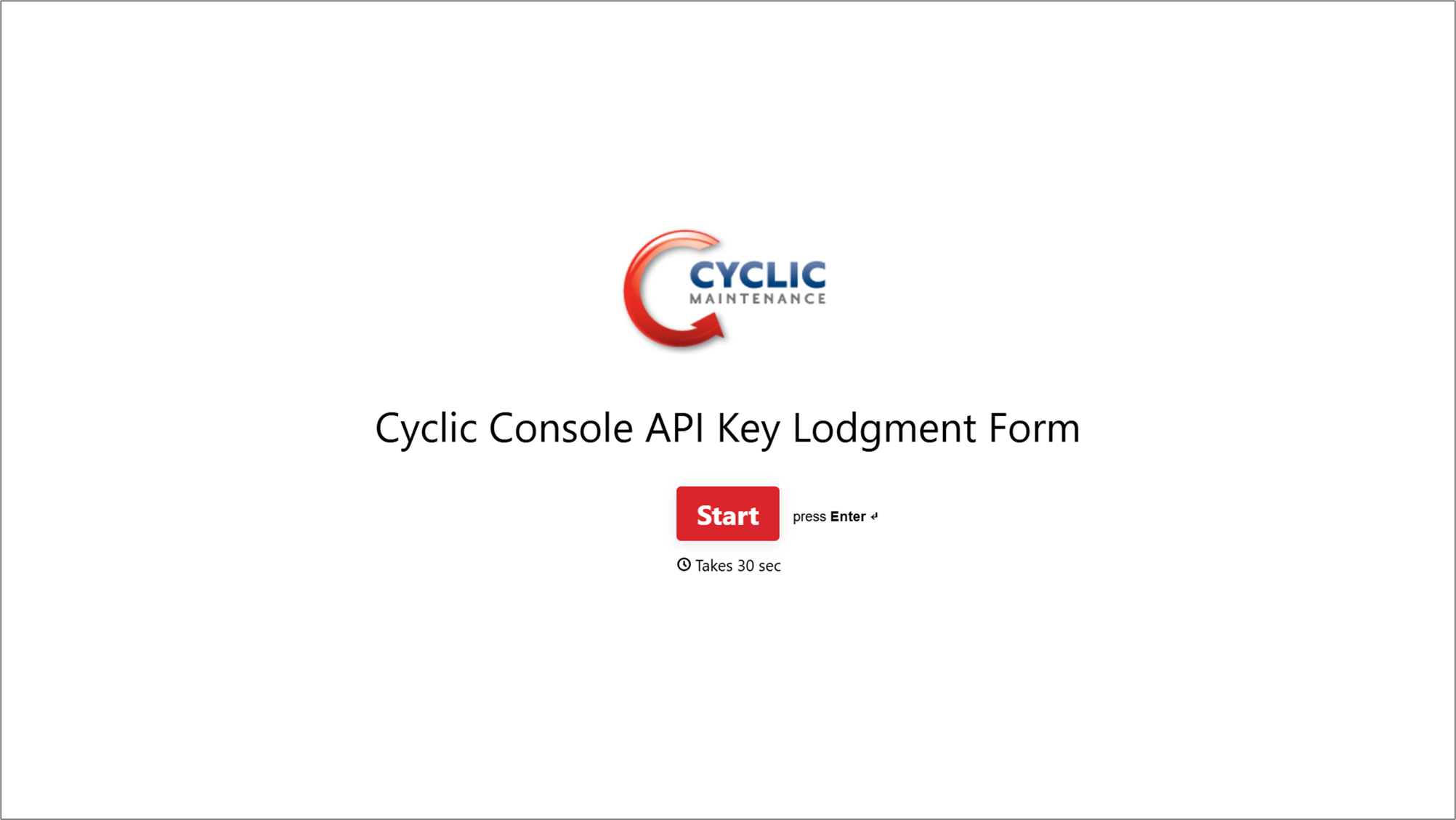
- Complete the Cyclic Maintenance Lodgement Form.The form will request the following information. A) Email address B) Your Agency's name C) The API key copied from the above step.
Once the form request has been received by the Cyclic Maintenance team, the integration will be activated, and you will receive a confirmation email.
Assigning Compliance to a Partner - New Compliance
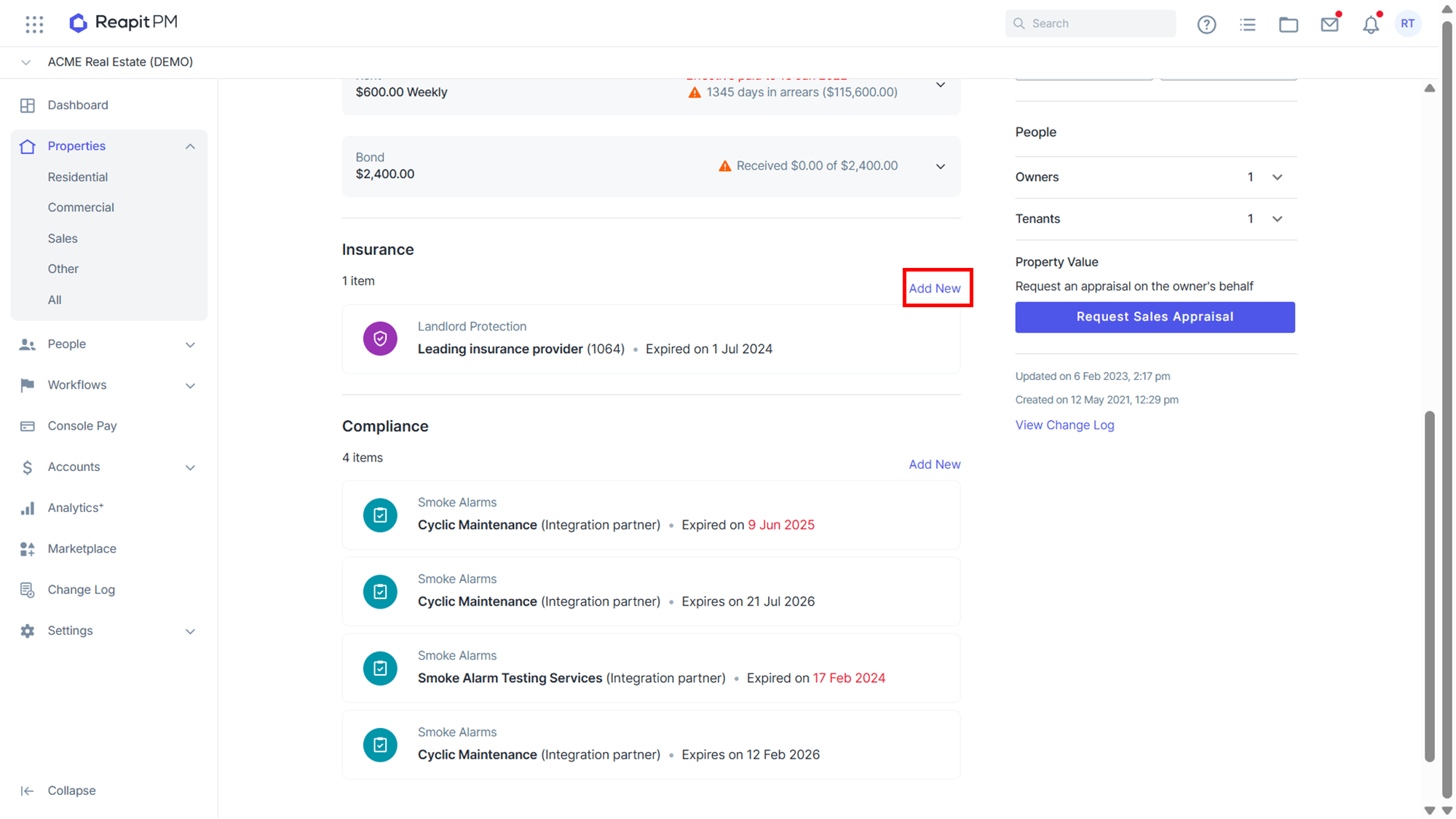
Go to the Property's compliance items located at the bottom of the Property page and click **'**Add New'.
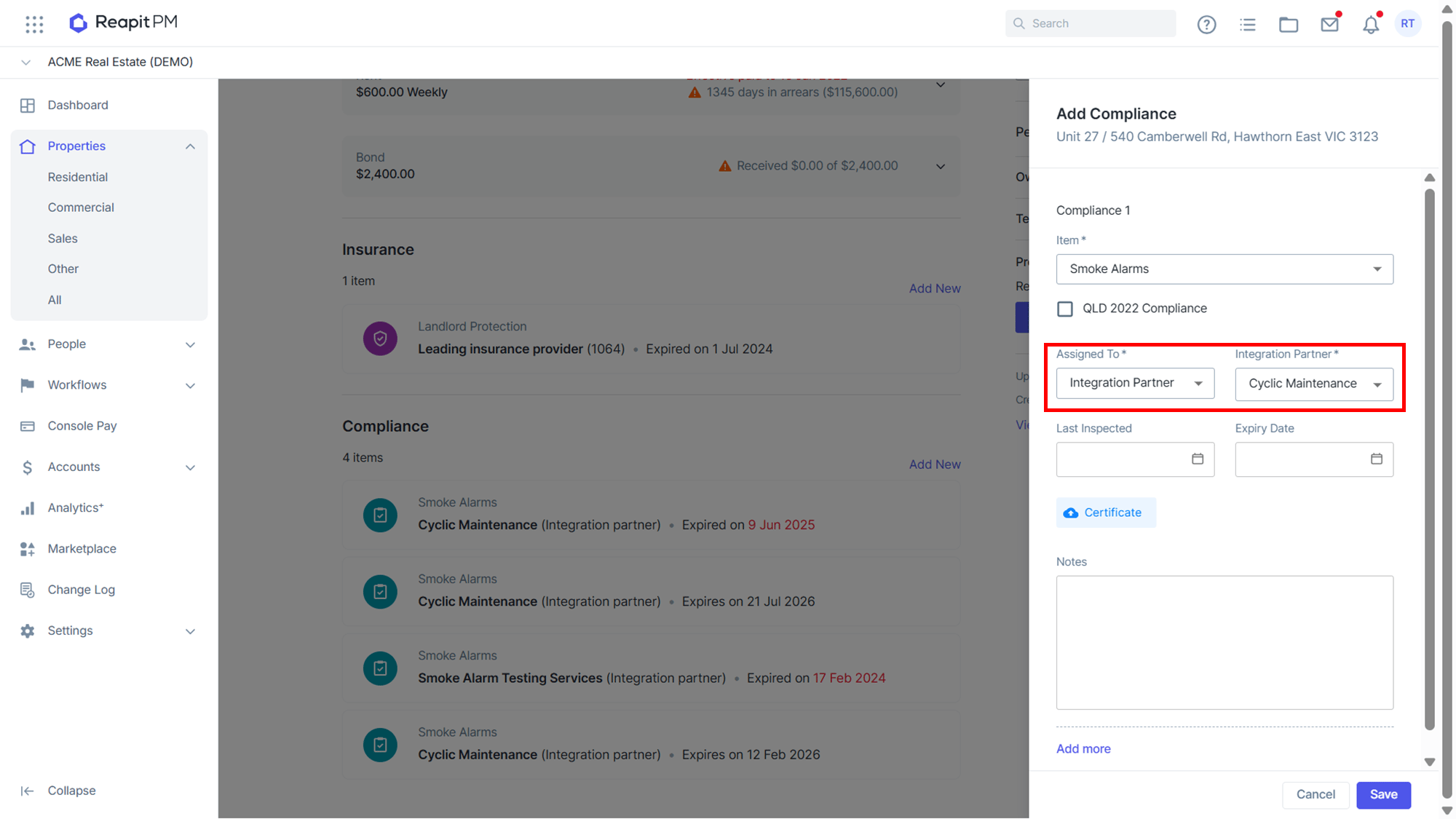
Add the item as Smoke Alarms.
Under Assigned To, click Integration Partner then select Cyclic Maintenance as the integration partner.
Once you click Save, you will be able to track and manage the compliance item using the Compliance Workflow (Accessible through the 'Workflows' tab in PM and select 'Compliance')
The Compliance instruction is automatically sent to Cyclic Maintenance, they will now manage the compliance item. When a compliance certificate is issued, it will automatically be added to the compliance item with the last inspected and expiry dates updated. It is then ready to be finalised. (Go to the 'Workflows' tab in PM and select 'Compliance').
Assigning Compliance to a Partner - Existing Compliance
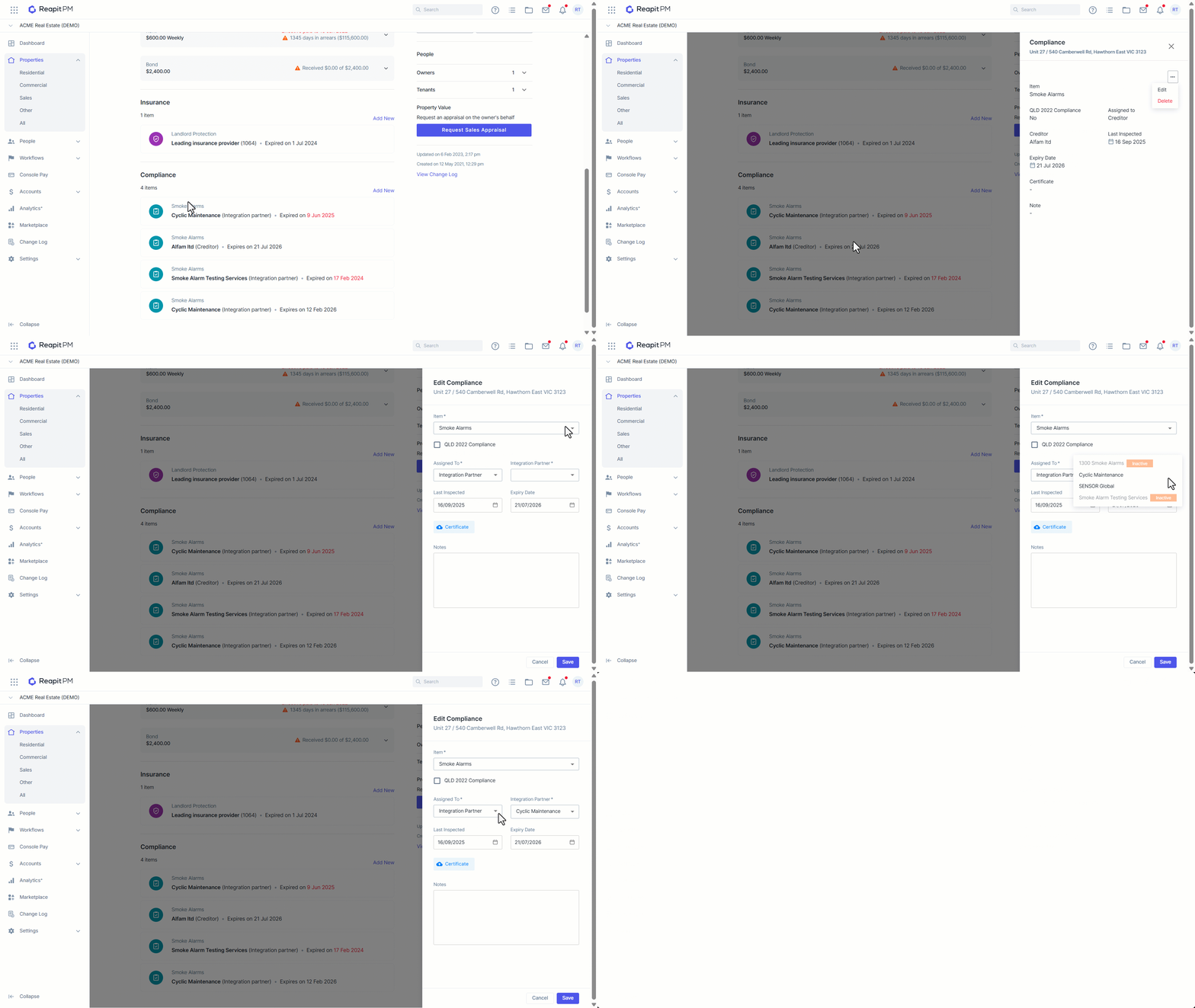
Go to the property's compliance items located at the bottom of the property page and click on the existing compliance item you would like to reassign.
Click the 3-dots and select Edit.
Under Assigned To, click Integration Partner then select Cyclic Maintenance as the integration partner. Reassign to Integration Partner when the property comes up for renewal.
Once Saved you will be able to track the Compliance using the Compliance Workflow. (Go to the ‘Workflows’ tab in PM and select ‘Compliance’).
The Compliance instruction is automatically sent to Cyclic Maintenance and they will now manage the Compliance item.
When a compliance certificate is issued, it will automatically be added to the compliance with the last inspected and expiry dates updated. It is then ready to be finalised in the compliance workflow. (Go to the ‘Workflows’ tab in PM and select ‘Compliance’).
Invoices
Please note that invoices will not be sent back into the Reapit PM by Cyclic Maintenance.
Receiving updates from Cyclic Maintenance
For each compliance item assigned to Cyclic Maintenance, they can update the following compliance item details.
- Last inspected
- Expiry date
- Add a compliance certificate
- Add a related file e.g. photos, non-compliant report, etc
- Post back notes to add to the item
Integration Activity Log
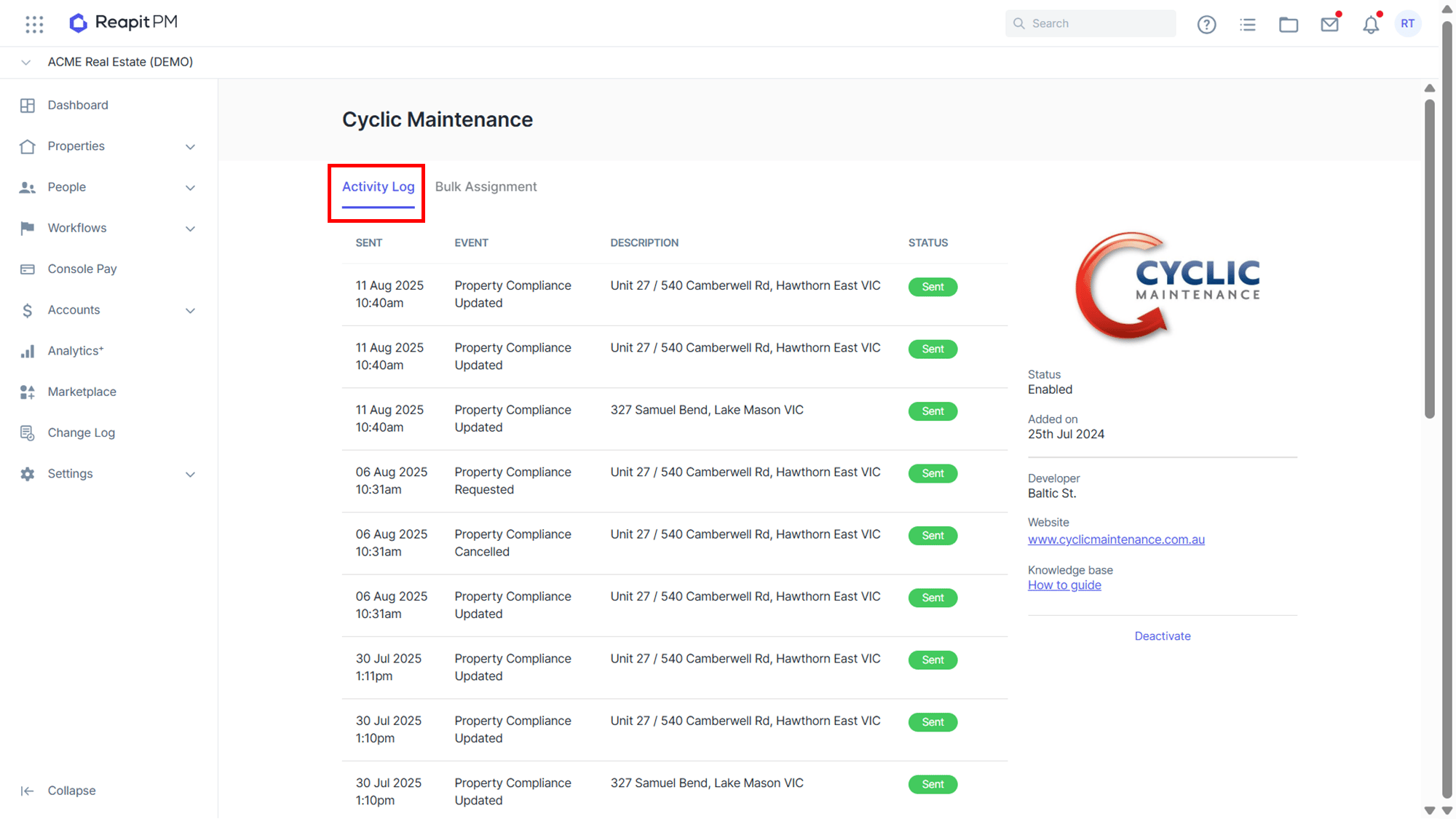
To view the integration activity log, go to the marketplace section in Reapit PM and click on the ‘Cyclic Maintenance’ tile. You will then see an activity log of information sent to and received by Cyclic Maintenance.
Bulk Assignment
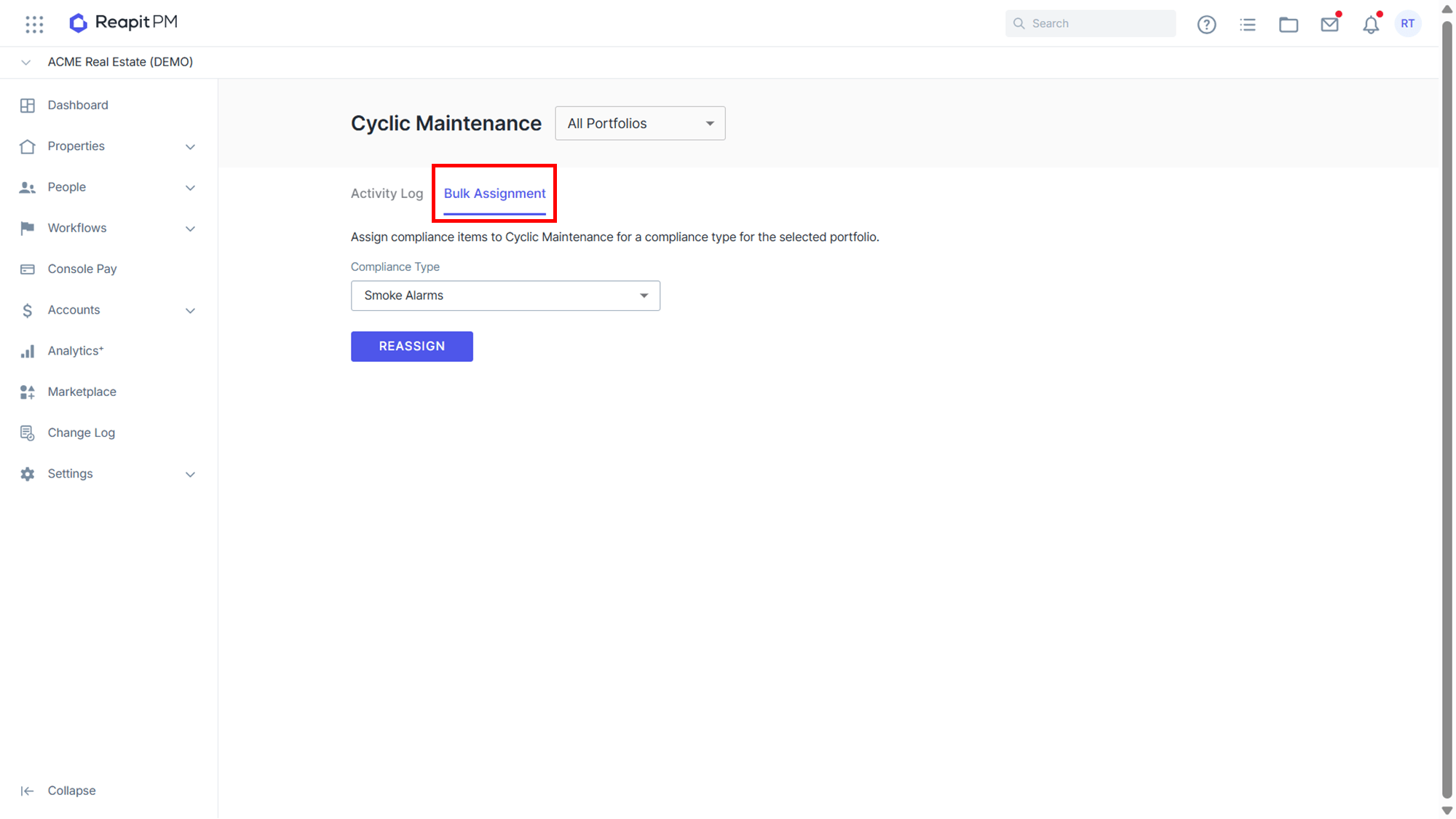
To bulk assign a compliance type to your integrated Compliance Partner, go to the marketplace section and click on the ‘Cyclic Maintenance’ tile. Select the tab labeled ‘Bulk Assignment’. Select the compliance type and reassign.
Note: This will bulk assign all of your compliance items for the selected portfolio that have the compliance type you are requesting to change. Current providers (including Creditors, Owners and Body Corporate) will not be notified of this change.
Deactivating the Cyclic Maintenance Integration
Note: Only users with the Office Administrator permission level can deactivate the integration
- Click on Marketplace.
- Navigate to Compliance and click on Cyclic Maintenance.
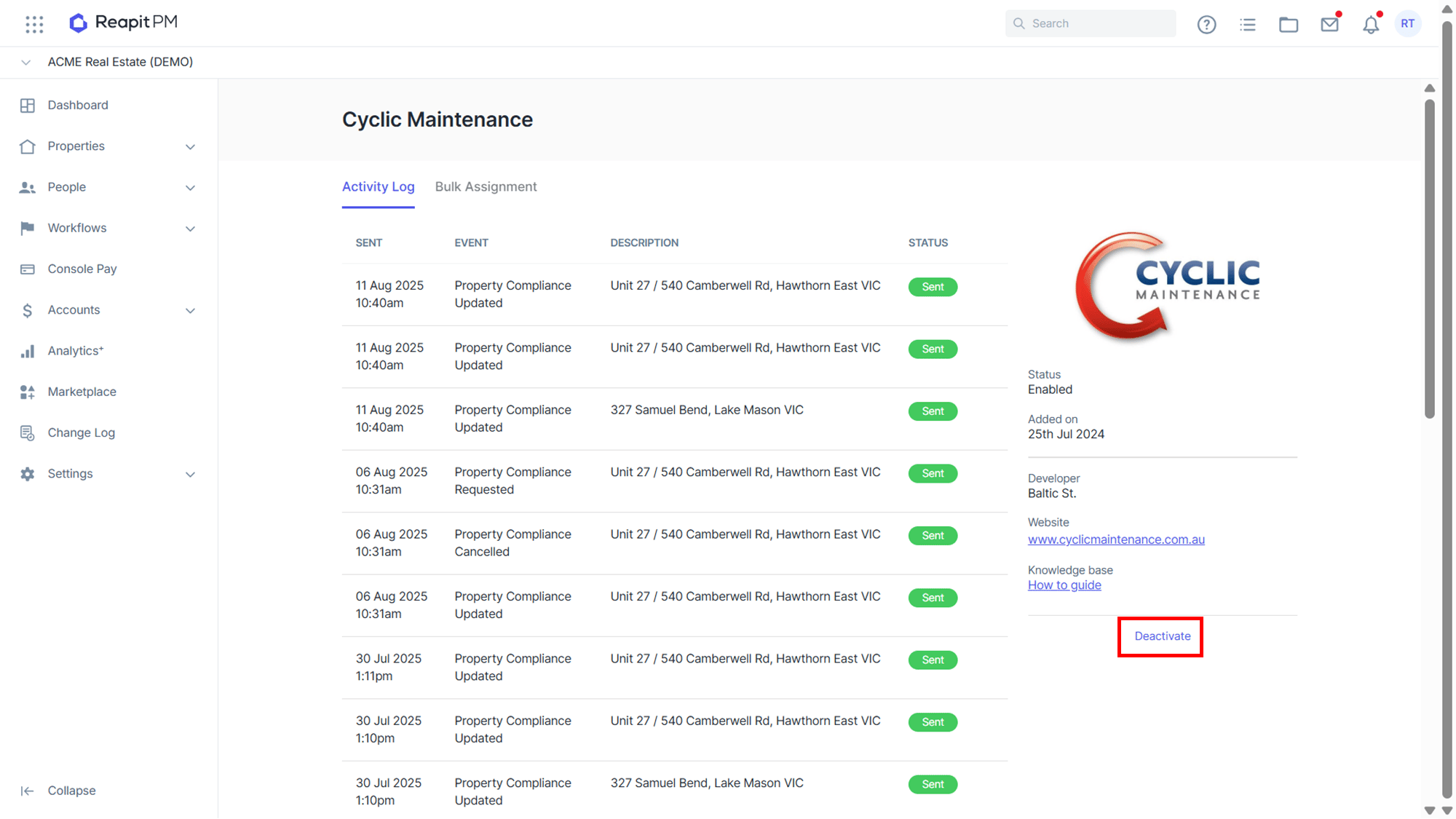
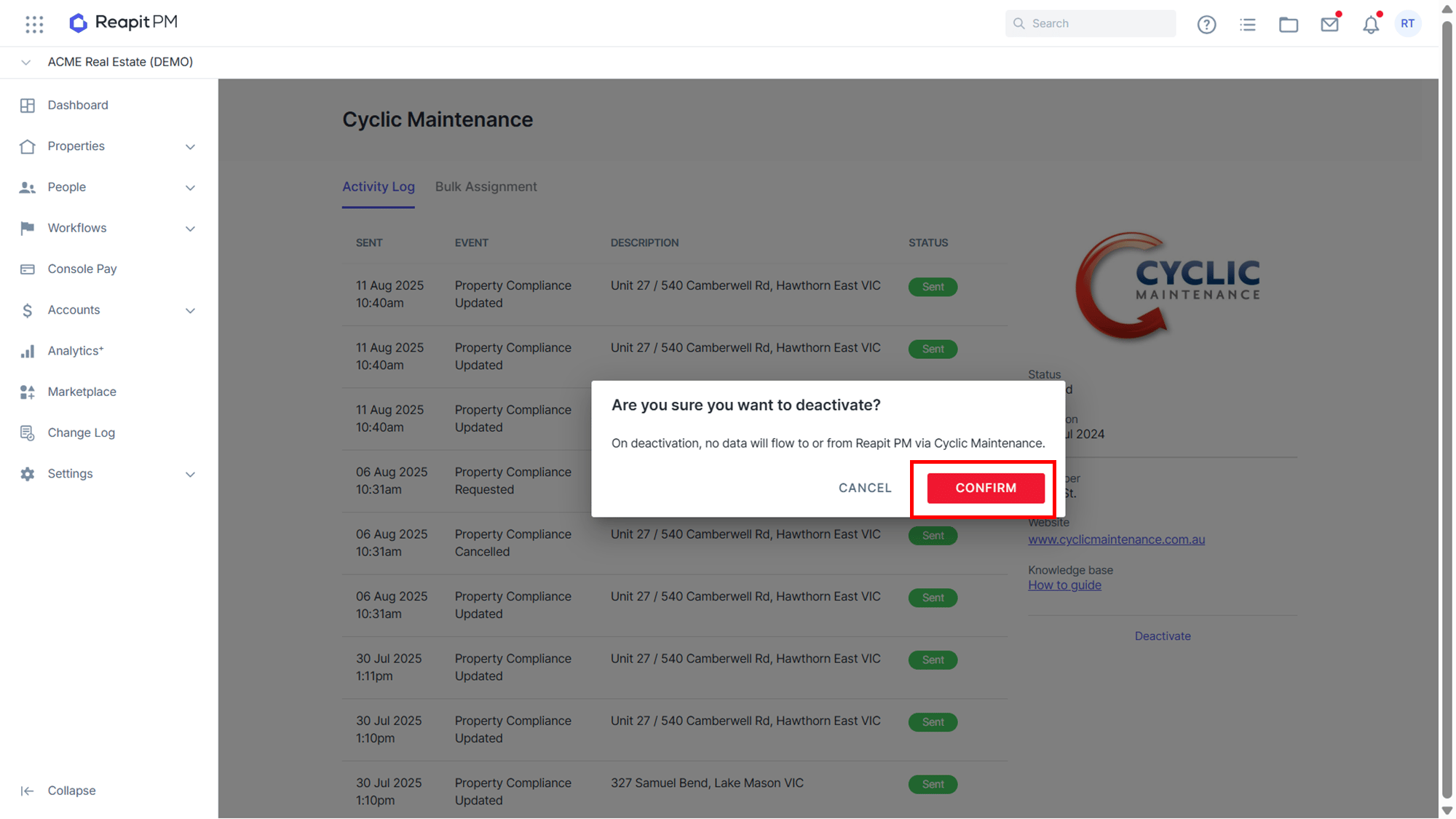
- Click Deactivate.
- Confirm you wish to deactivate the integration. Once deactivated no further information will pass between the systems.
You will need to reassign any compliance items assigned to the partner to another partner or creditor in Reapit PM.
You may also need to instruct Cyclic Maintenance on how to proceed with each compliance item.
To find out more on “How to set up Compliance Workflow automation” please refer to the following knowledge base article - Compliance Management