'%20d='M0%208a8%208%200%200%201%208-8h24a8%208%200%200%201%208%208v24a8%208%200%200%201-8%208H8a8%208%200%200%201-8-8V8Z'/%3e%3cpath%20fill='%23fff'%20d='M8.375%2013v14L20.5%2034l12.124-7v-7.737l-1.687-.975-2.806-1.62-1.082-.624v4.83l-.002%204.83H13.95V16.07l3.275-1.89%202.192-1.265%201.082-.625%203.275%201.877%202.192%201.256%201.083.62V9.782L20.5%206%208.376%2013Z'/%3e%3cdefs%3e%3clinearGradient%20id='reapit-pm__a'%20x1='20.702'%20x2='20.702'%20y1='.351'%20y2='31.228'%20gradientUnits='userSpaceOnUse'%3e%3cstop%20stop-color='%235573FD'/%3e%3cstop%20offset='.575'%20stop-color='%234E56EA'/%3e%3c/linearGradient%3e%3c/defs%3e%3c/svg%3e)
Changing Commercial Rent Alignments for New Tenancies
This article is for clients that are creating new commercial tenancy agreements in Reapit PM where the rent is due on the first of the month and the tenancy starts on another date in the month.
Overview
Changing Commercial Rent Alignments for New Tenancies
This article is for clients that are creating new commercial tenancy agreements in Reapit PM where the rent is due on the first of the month and the tenancy starts on another date in the month.
Click Here to access the Creating a Commercial Tenancy Agreement.
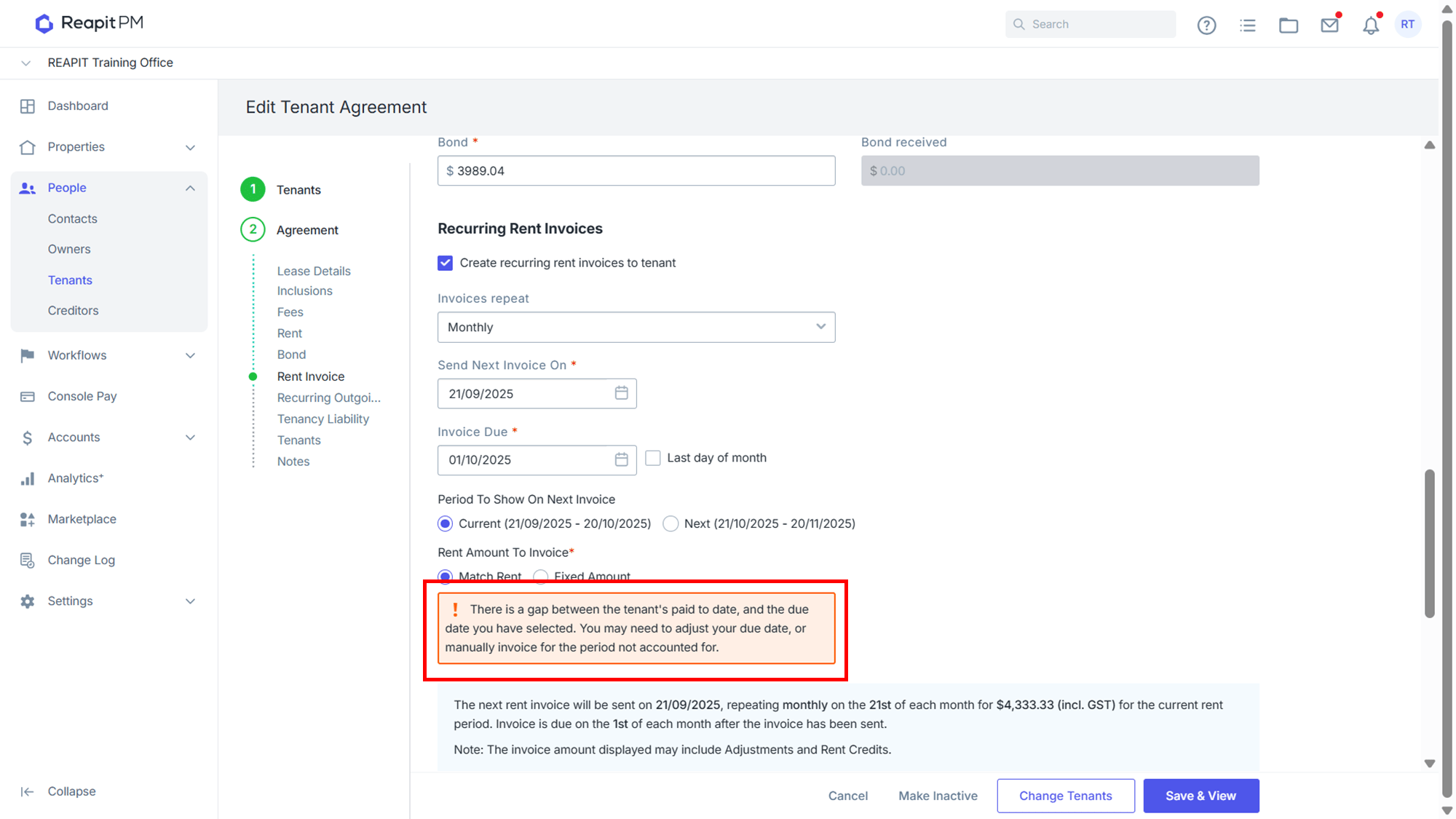
*Note: If you are seeing this warning regarding the gap in rent between the first invoice and the rent start date, this guide will show you the process of invoicing the difference, receipting the rent and changing the rent schedule to the first of the month.
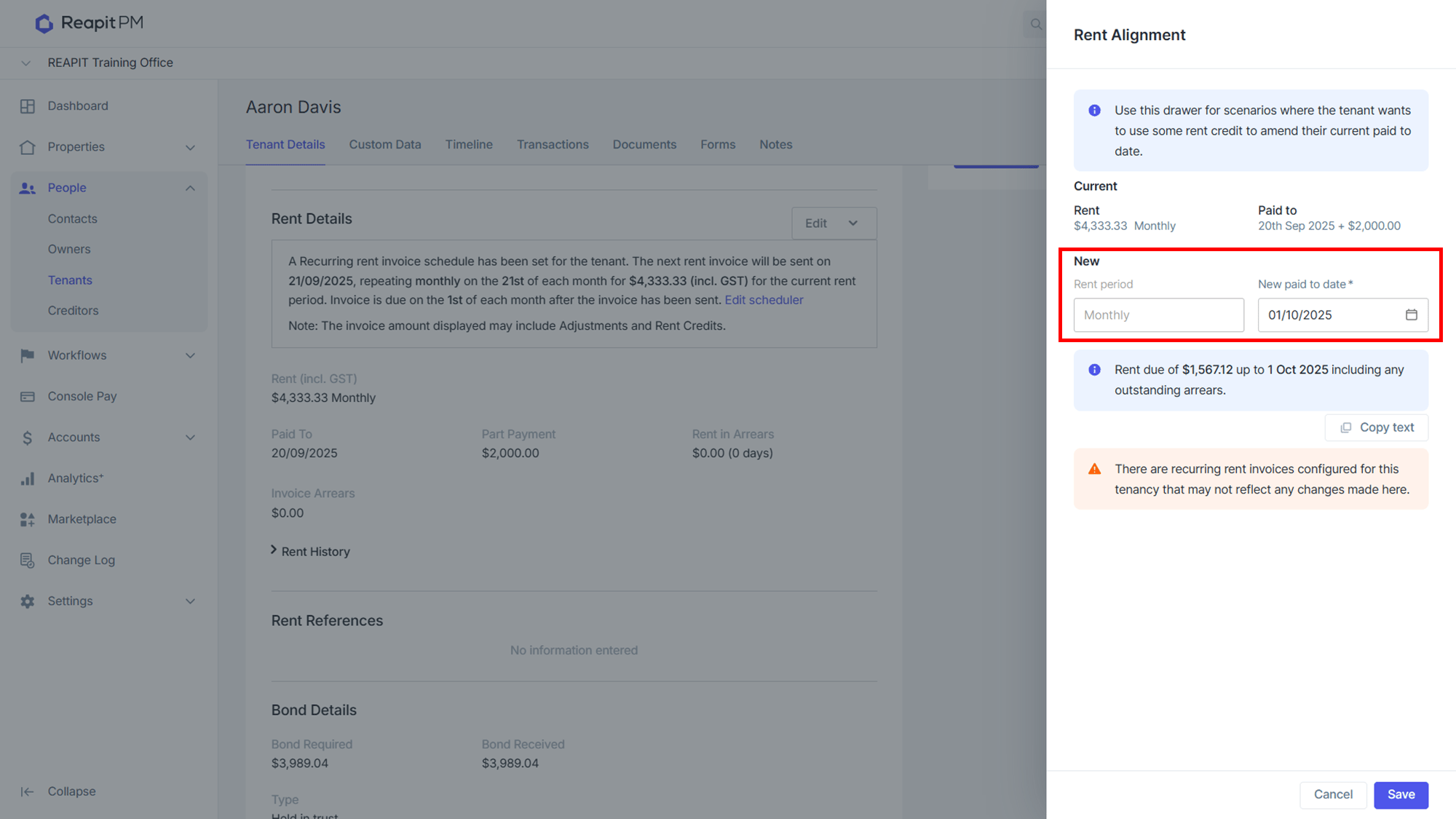
- Once your tenancy agreement has been saved, from the tenancy agreement, navigate to the Rent Details section, click Edit then Rent Alignment and the side panel will appear.
- Select new paid to date. The system will tell you how much rent needs to be invoiced to the tenant to get the paid to date to the first.
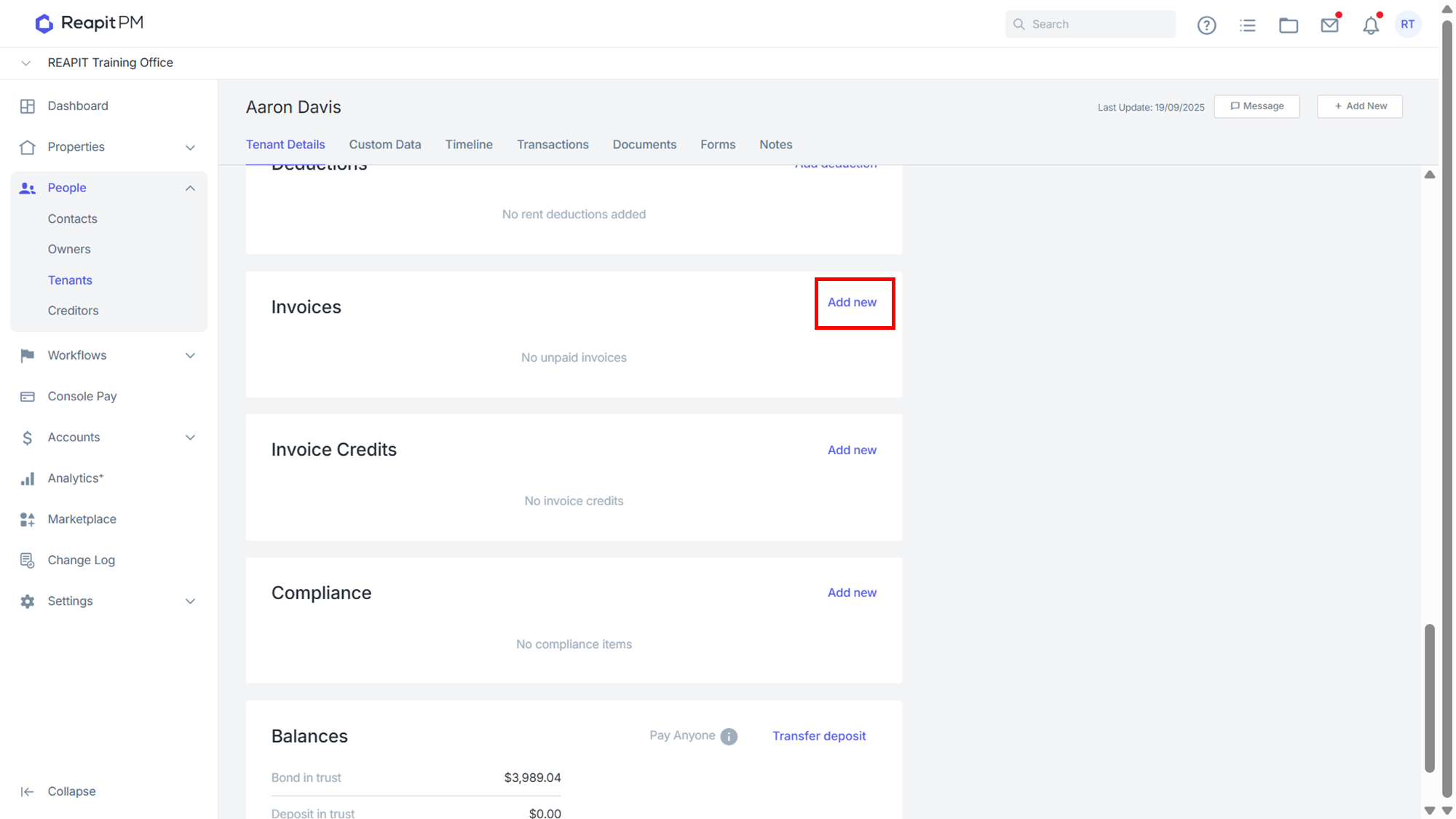
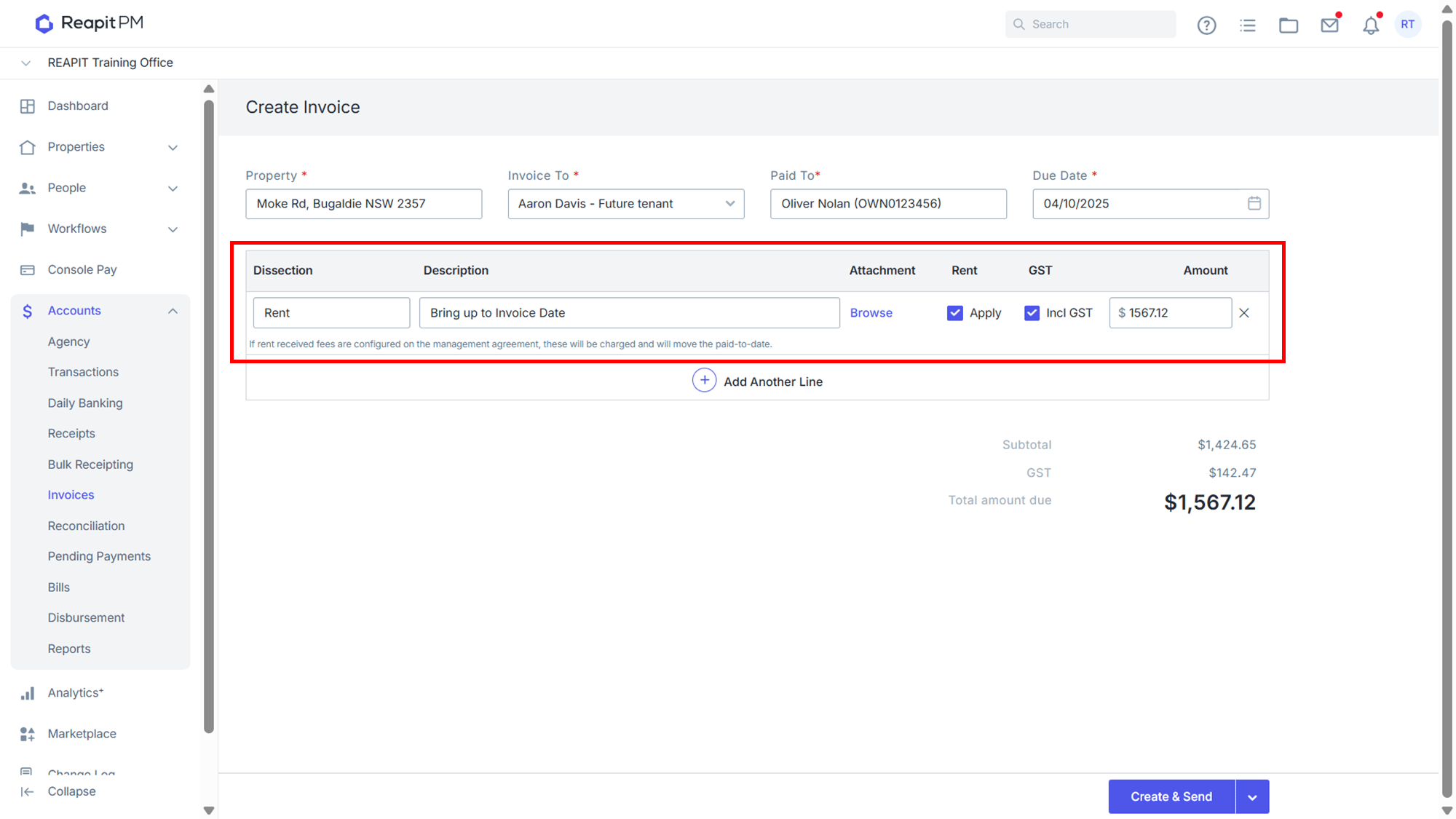
- Raise an invoice for rent. Navigate to the Invoices sub heading within the tenancy agreement, click Add New.
- Type Rent as the Dissection. Enter an appropriate Description. Enter the amount as per what was show in step 2. Click Create & Send.
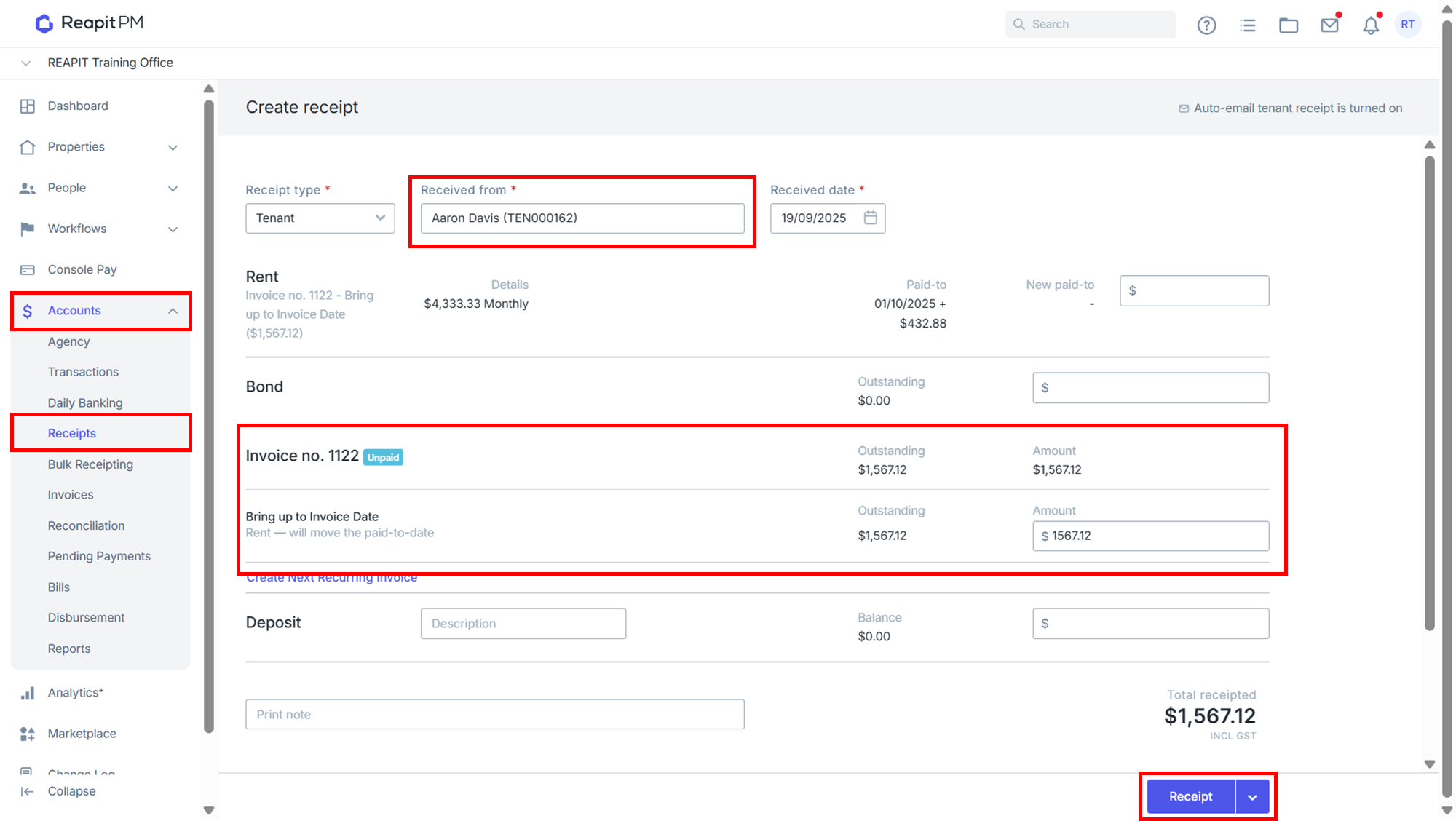
- Navigate to Accounts > Receipts. Select Tenant. Receipt against the raised invoice and click Receipt.