'%20d='M0%208a8%208%200%200%201%208-8h24a8%208%200%200%201%208%208v24a8%208%200%200%201-8%208H8a8%208%200%200%201-8-8V8Z'/%3e%3cpath%20fill='%23fff'%20d='M8.375%2013v14L20.5%2034l12.124-7v-7.737l-1.687-.975-2.806-1.62-1.082-.624v4.83l-.002%204.83H13.95V16.07l3.275-1.89%202.192-1.265%201.082-.625%203.275%201.877%202.192%201.256%201.083.62V9.782L20.5%206%208.376%2013Z'/%3e%3cdefs%3e%3clinearGradient%20id='reapit-pm__a'%20x1='20.702'%20x2='20.702'%20y1='.351'%20y2='31.228'%20gradientUnits='userSpaceOnUse'%3e%3cstop%20stop-color='%235573FD'/%3e%3cstop%20offset='.575'%20stop-color='%234E56EA'/%3e%3c/linearGradient%3e%3c/defs%3e%3c/svg%3e)
Console Pay Cancelling a Payer
This article will walk you through how to can cancel a payer.
Overview
Cancelling a Tenant using Console Pay
Follow this article for managing the process of cancelling a Tenant using Console Pay. Once cancelled a Tenant will not be able to re-sign up for Console Pay and future payments will be cancelled. If there is a chance the tenant may want to use Console Pay in their tenancy in the future, delete the tenant’s payment schedule rather than cancelling the Tentant.
N.B. You will not be able to cancel a payer when they have payments clearing.
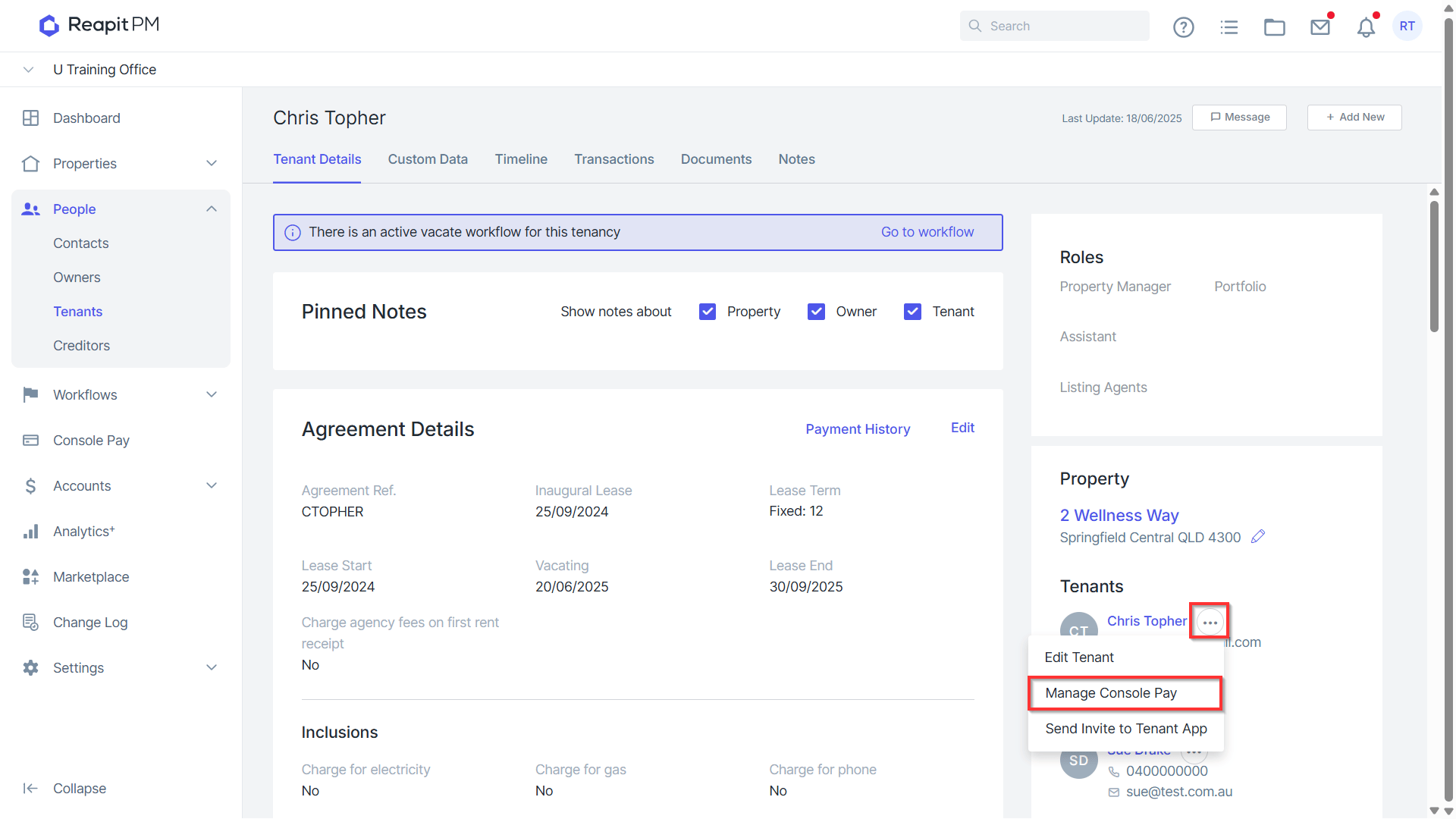
- Within the relevant tenancy agreement, navigate to the three dots and click Manage Console Pay.
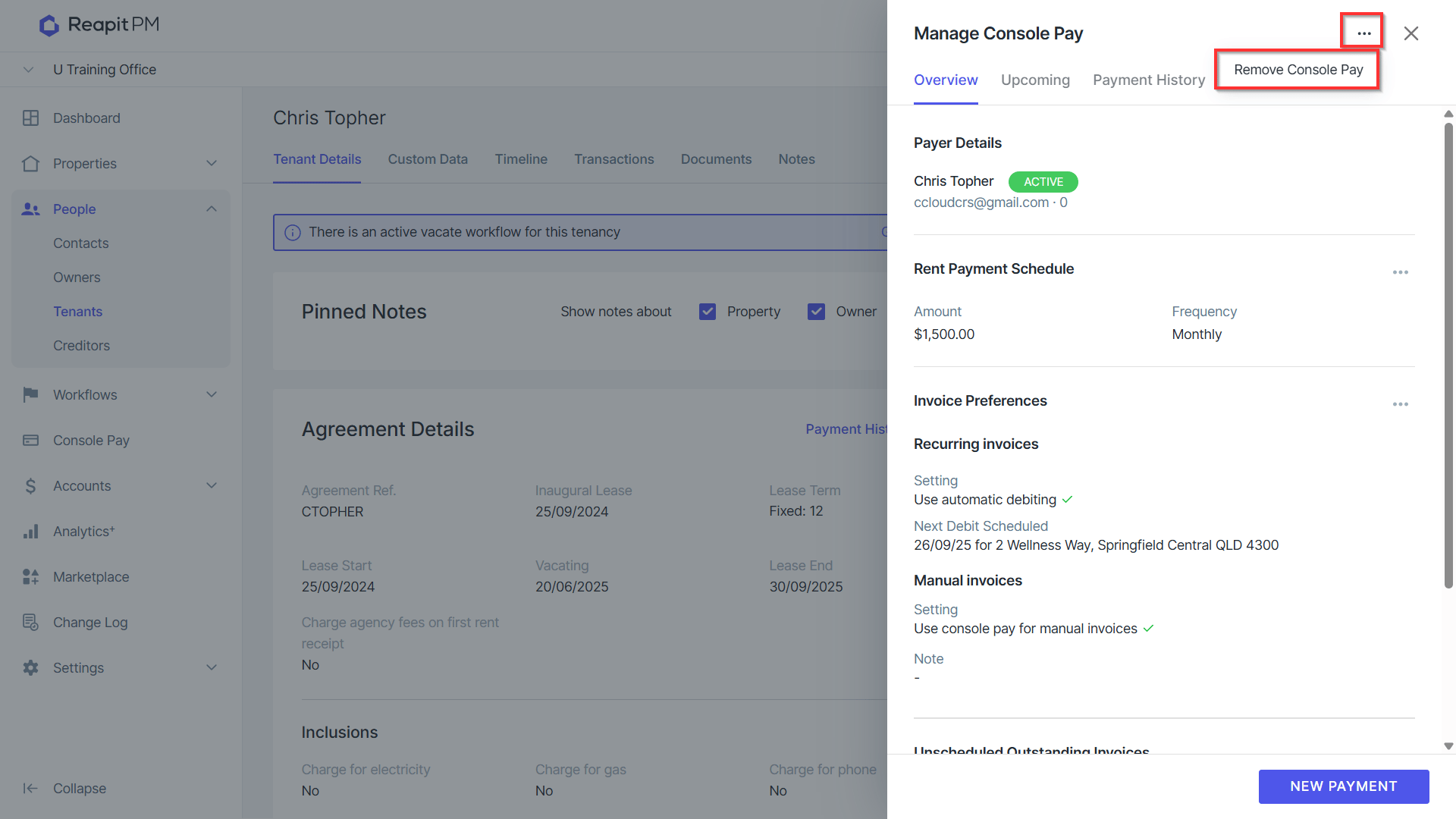
- Click on the three dots > Remove Console Pay.
- Click Confirm.
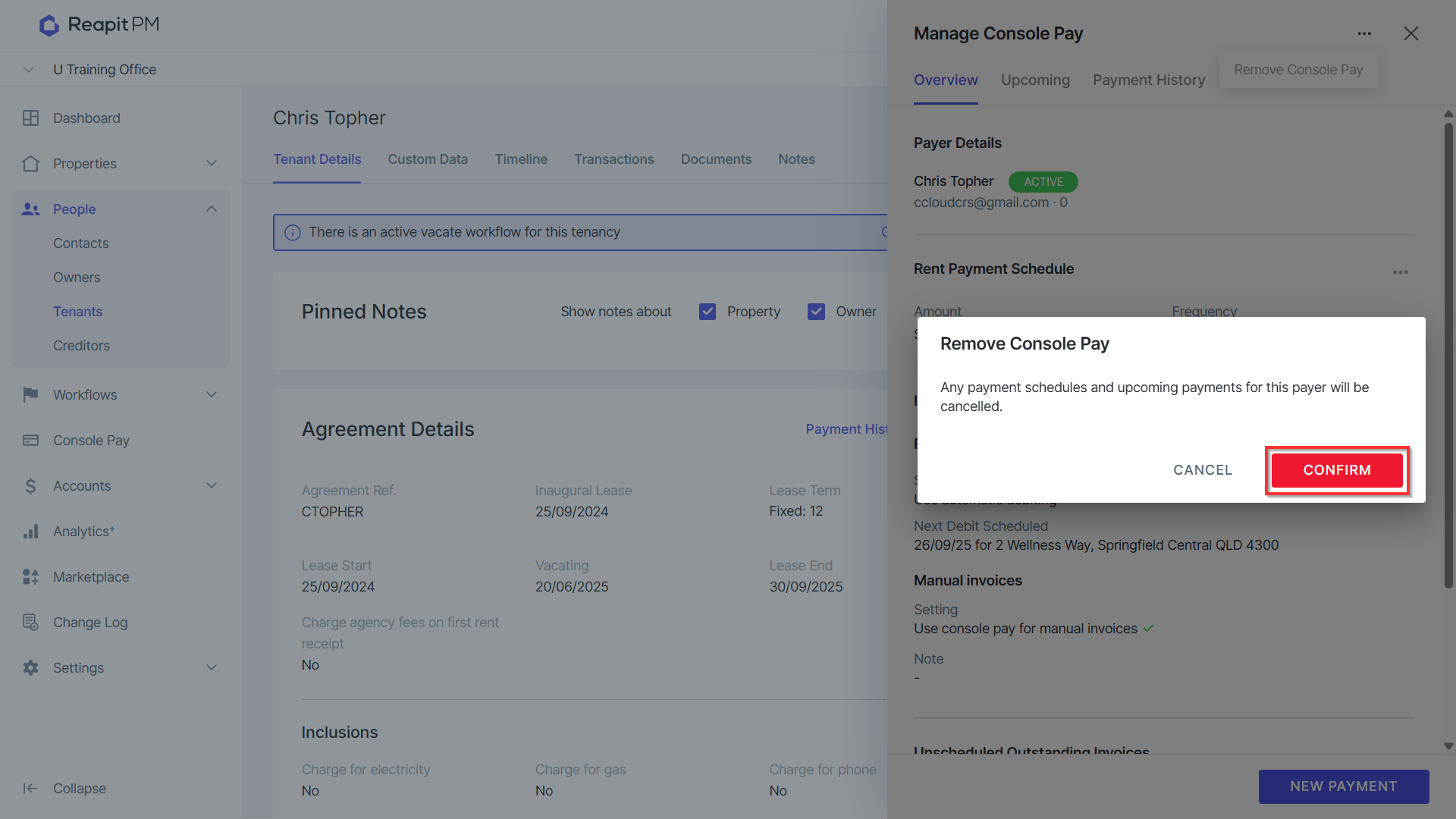
All scheduled payments, both recurring and one payments that have not been debited will be cancelled and the tenants Console Pay agreement will end immediately.
You will still be able to see the Console Pay payment history for the tenant. If a tenant wishes to use Console Pay again after it has been cancelled, a new contact will need to be set up, and then the contacts on the tenancy agreement will need to be changed.