'%20d='M0%208a8%208%200%200%201%208-8h24a8%208%200%200%201%208%208v24a8%208%200%200%201-8%208H8a8%208%200%200%201-8-8V8Z'/%3e%3cpath%20fill='%23fff'%20d='M8.375%2013v14L20.5%2034l12.124-7v-7.737l-1.687-.975-2.806-1.62-1.082-.624v4.83l-.002%204.83H13.95V16.07l3.275-1.89%202.192-1.265%201.082-.625%203.275%201.877%202.192%201.256%201.083.62V9.782L20.5%206%208.376%2013Z'/%3e%3cdefs%3e%3clinearGradient%20id='reapit-pm__a'%20x1='20.702'%20x2='20.702'%20y1='.351'%20y2='31.228'%20gradientUnits='userSpaceOnUse'%3e%3cstop%20stop-color='%235573FD'/%3e%3cstop%20offset='.575'%20stop-color='%234E56EA'/%3e%3c/linearGradient%3e%3c/defs%3e%3c/svg%3e)
Mid Month Disbursements in Reapit PM
This guide will walk you through a simple checklist to follow to ensure you have completed everything before completing your mid-month disbursement. The processes in this article include: Prior to Disbursement Mid Month Disbursement
Overview
Mid Month Disbursements in Reapit PM
This guide will walk you through a simple checklist to follow to ensure you have completed everything before completing your mid-month disbursement.
The processes in this article include:
- Prior to Disbursement
- Mid Month Disbursement
Prior to Disbursement
Follow these steps to prepare for your mid-month disbursement.
- Receipt all incoming funds in your trust account. This includes rent, tenant invoice payments, bonds, owner & creditor deposits.
- Process & match funds in bulk receipting if applicable.
- Process bills and payments as applicable.
- Process daily banking if applicable.
- Audit any Withholds applied against Ownerships, Creditor or Agency.
- Complete a Bank Reconciliation.
Mid-Month Disbursement
- Navigate to Accounts.
- Navigate to Disbursement.
- From the Owners tab, click Filters.
- Select the disbursement frequency, i.e. Monthly.
- Click Apply.
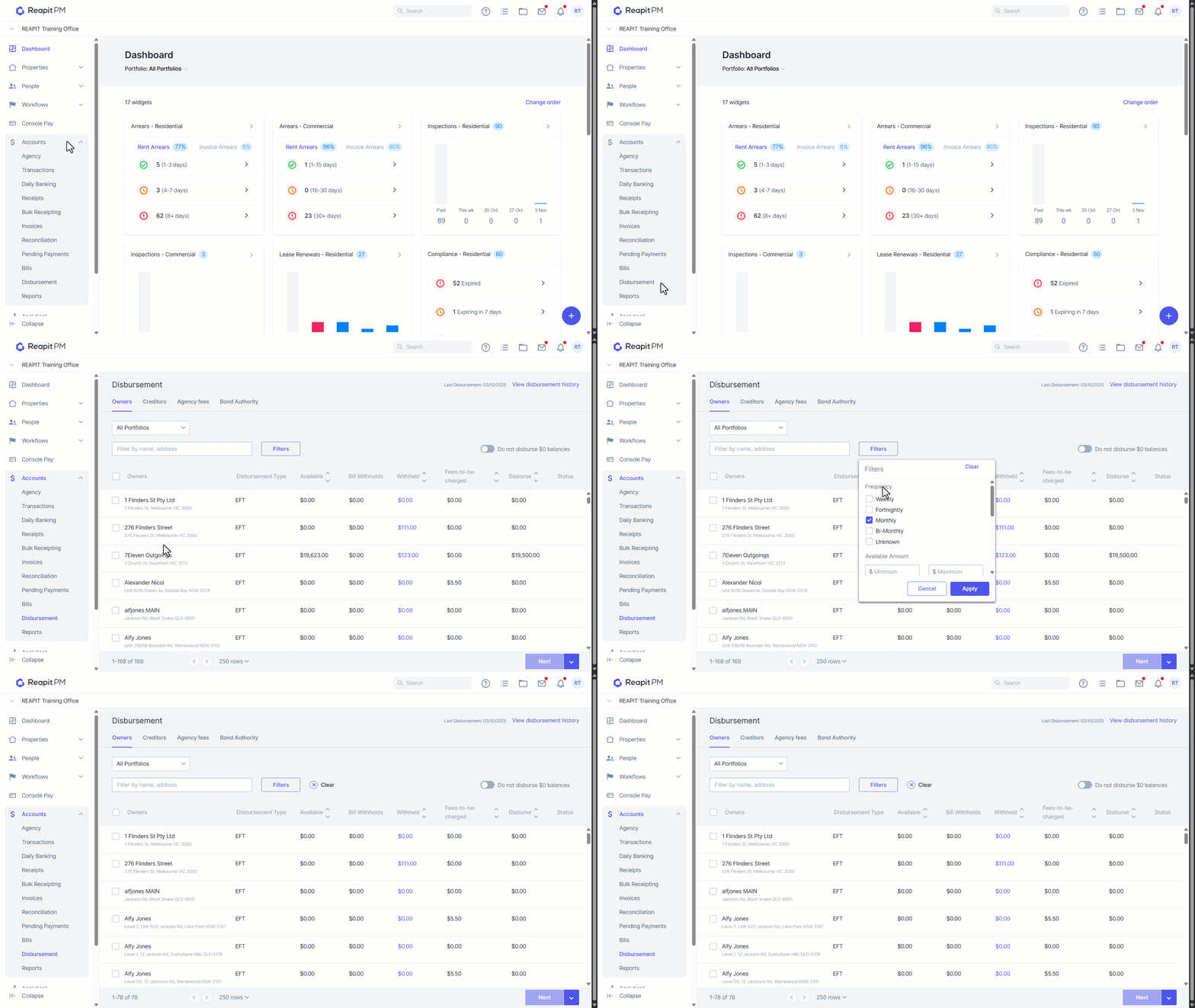
Note: You must select the filter before selecting owners to ensure that only owners who are due for the disbursement are selected. Once you disburse this can not be undone.
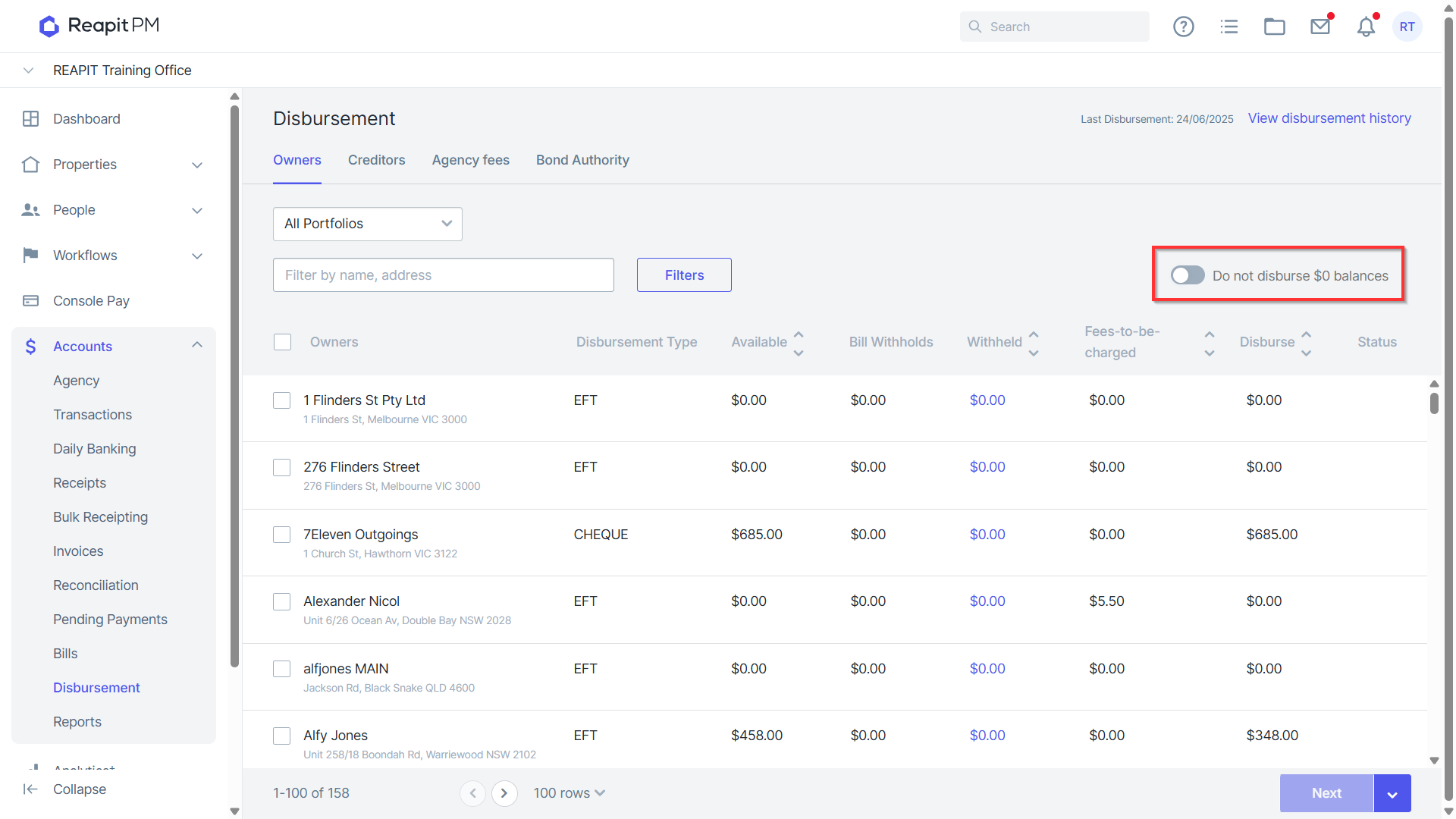
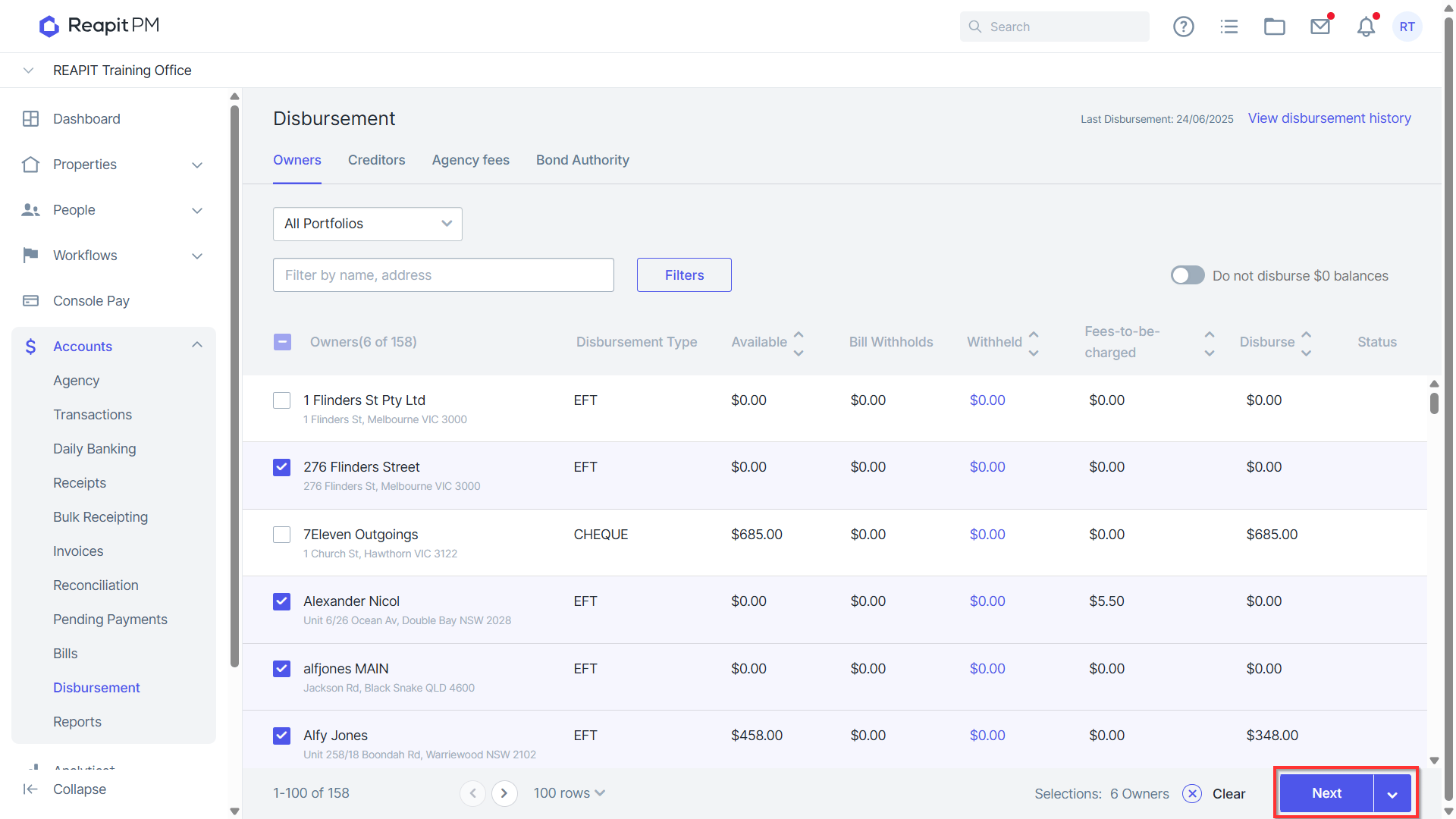
- Select whether to disburse $0 balance ownerships.
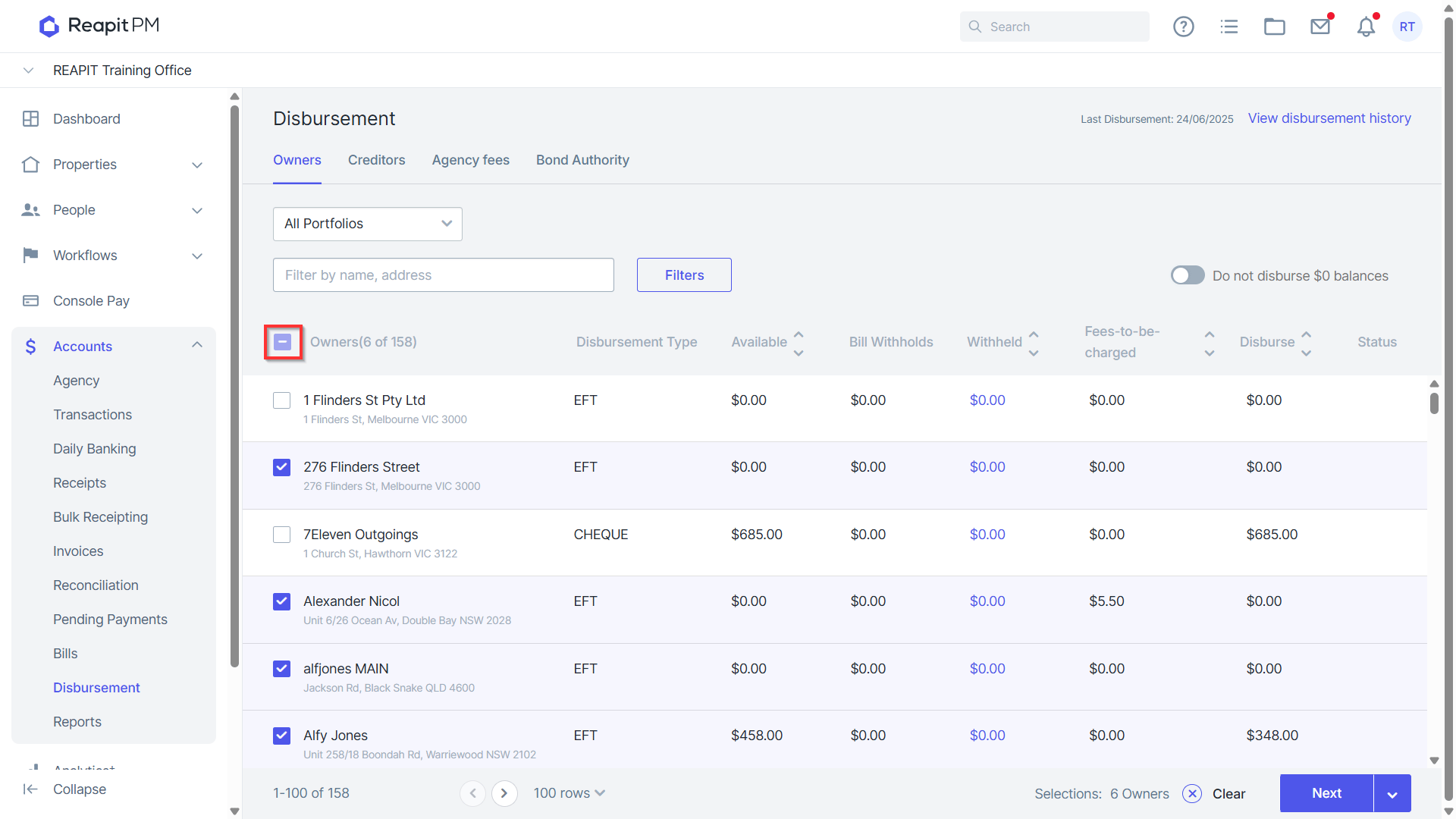
- Search and select the required Owners, or click the bulk button to bulk select owner payments.
- Click the Arrow to export to CSV or Preview the payments.
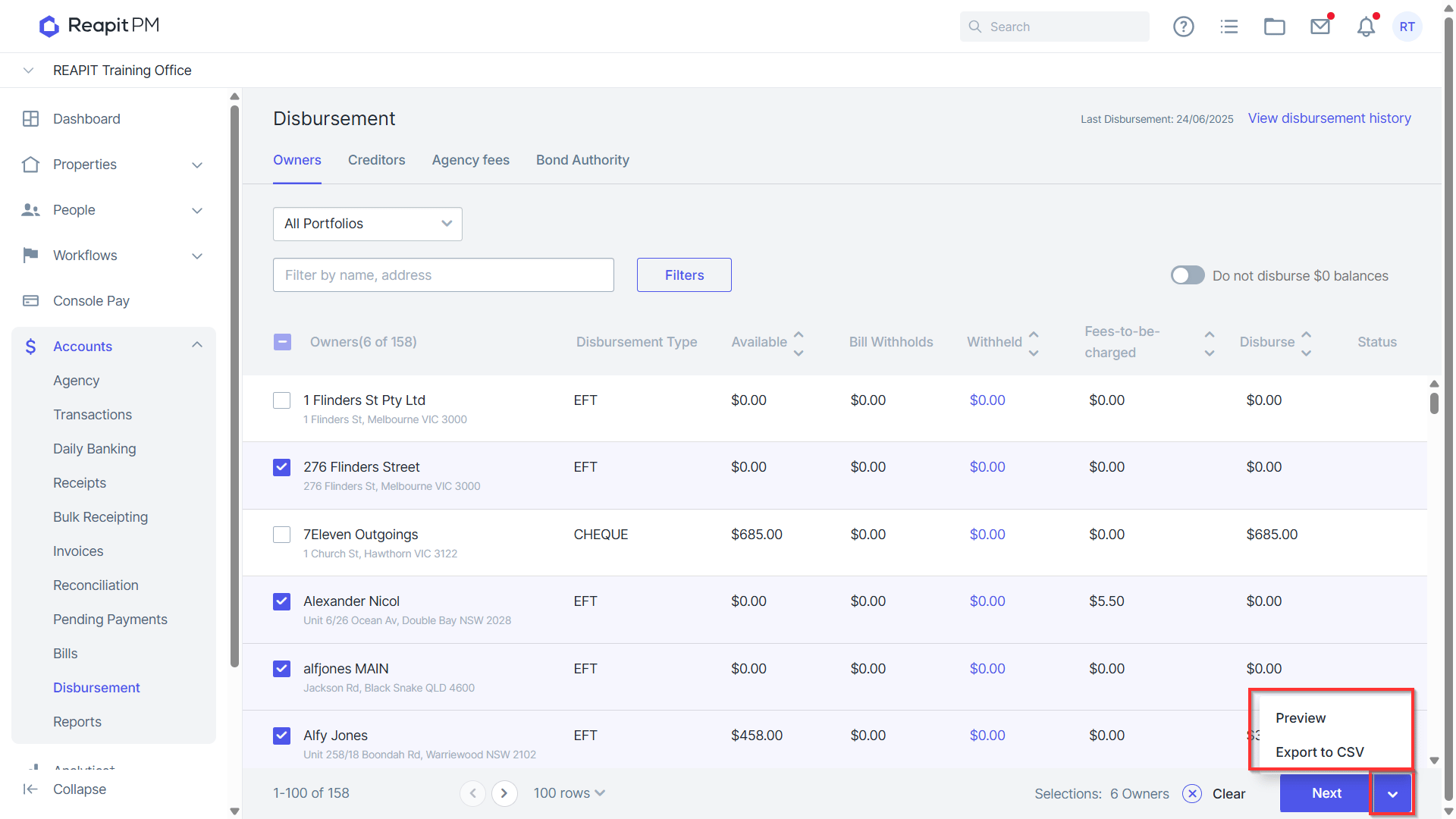
- Click Next.
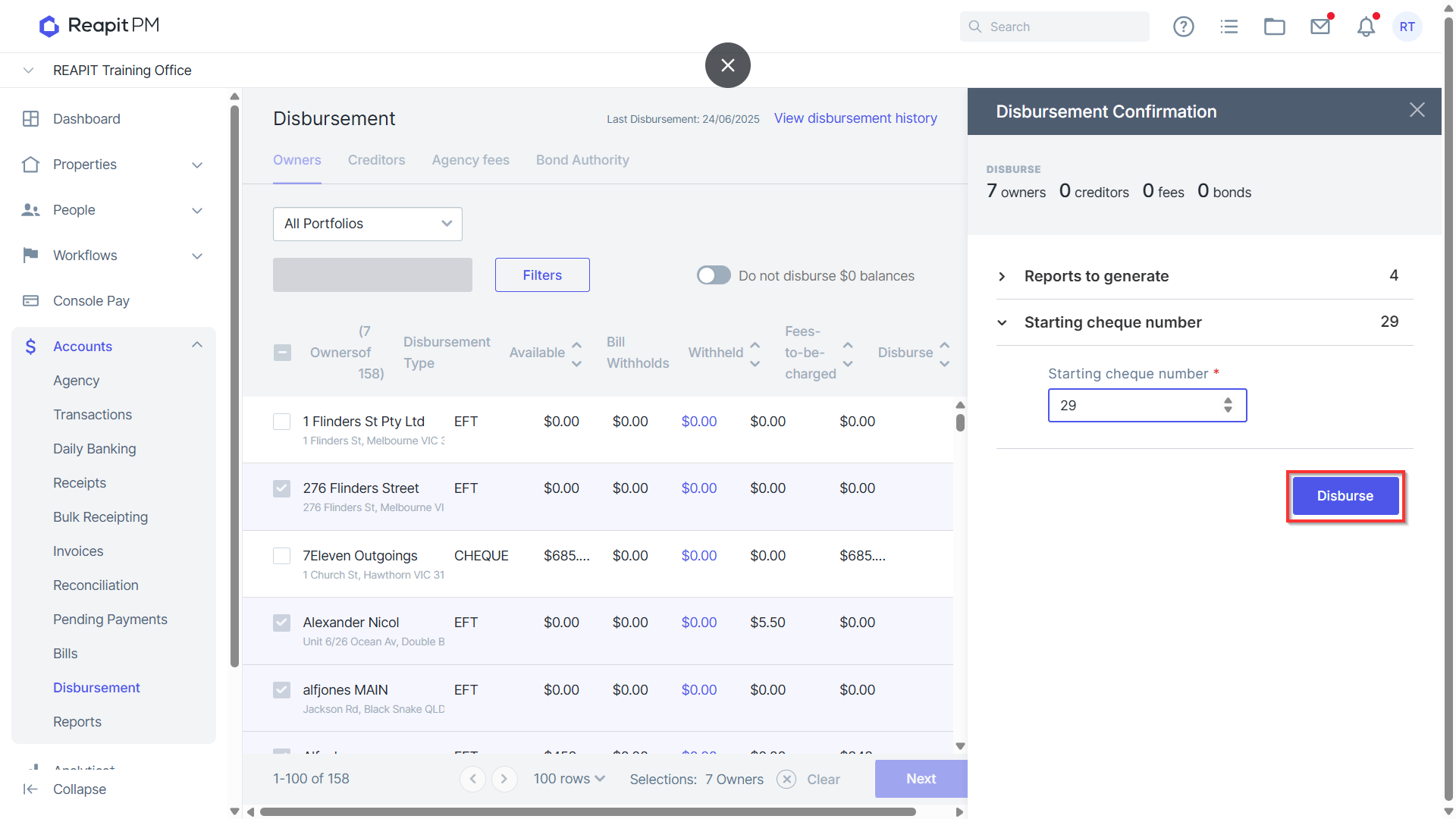
- Click Disburse.
Continue with Creditor, Agency and Bond Disbursements according to your office process for mid month disbursements. For further information on the above steps access our Disbursements Article.