'%20d='M0%208a8%208%200%200%201%208-8h24a8%208%200%200%201%208%208v24a8%208%200%200%201-8%208H8a8%208%200%200%201-8-8V8Z'/%3e%3cpath%20fill='%23fff'%20d='M8.375%2013v14L20.5%2034l12.124-7v-7.737l-1.687-.975-2.806-1.62-1.082-.624v4.83l-.002%204.83H13.95V16.07l3.275-1.89%202.192-1.265%201.082-.625%203.275%201.877%202.192%201.256%201.083.62V9.782L20.5%206%208.376%2013Z'/%3e%3cdefs%3e%3clinearGradient%20id='reapit-pm__a'%20x1='20.702'%20x2='20.702'%20y1='.351'%20y2='31.228'%20gradientUnits='userSpaceOnUse'%3e%3cstop%20stop-color='%235573FD'/%3e%3cstop%20offset='.575'%20stop-color='%234E56EA'/%3e%3c/linearGradient%3e%3c/defs%3e%3c/svg%3e)
Printing and Print Options
Printing in Reapit PM gives you the ability to print ad hoc and workflow written communication. The process in this article include: Contact Communication Preferences Creating the Print Document – Individual and Bulk Communications Print Notifications Downloading and Printing Print Only Communications Attachments on Printed Messages Communications not included in this experience
Printing in Reapit PM gives you the ability to print ad hoc and workflow written communication.
You also now have the ability to print communications for those that have requested printed copies at the end of your day rather than each time you complete tasks.
It is important to note that using email and SMS communications is still the most efficient method to communicate with tenants and owners. Electronic communication also provides a clear and accurate audit trail for your business.
The process in this article include:
- Contact Communication Preferences
- Creating the Print Document – Individual and Bulk Communications
- Print Notifications
- Downloading and Printing Print Only Communications
- Attachments on Printed Messages
- Communications not included in this experience
Contact Communication Preferences
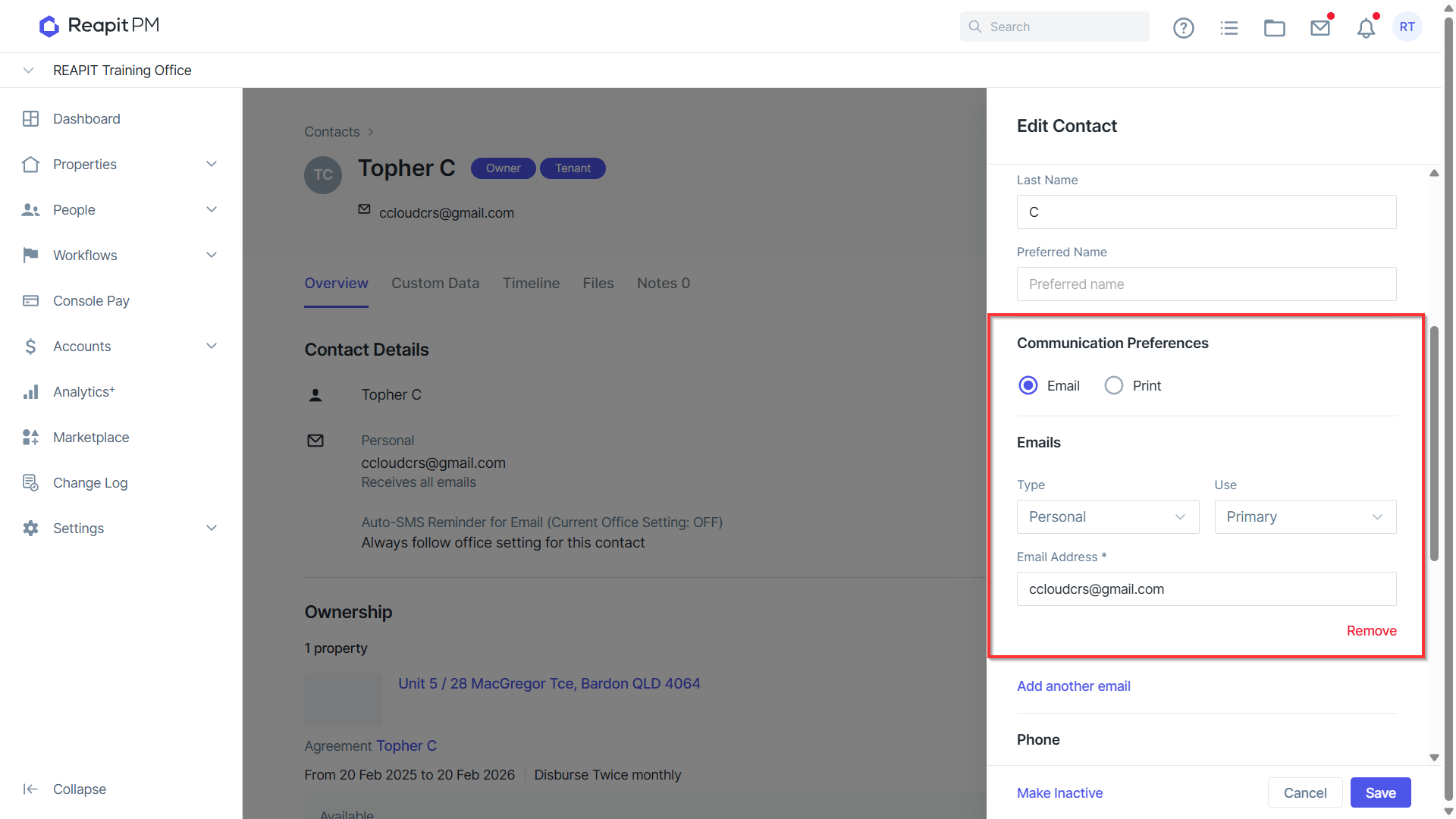
Each contact (tenants, owners & creditors) will need to have their communication preferences set up in their contact. You will have the option to select email or print for all written communication.
When Adding or Editing a contact, you will need to select the communication preference
- Select Email if your contact prefers electronic communication
- Select Print if your contact prefers printed communication
- Click Save to remember this preference
Important Note: This does not refer to owner statements as owners have a separate statement preference option when creating the ownership. See creating a management agreement here
Creating the Print Document – Individual and Bulk Communications
When a contact has Print selected as their communication preference, Reapit PM will automatically create a document for you to download.
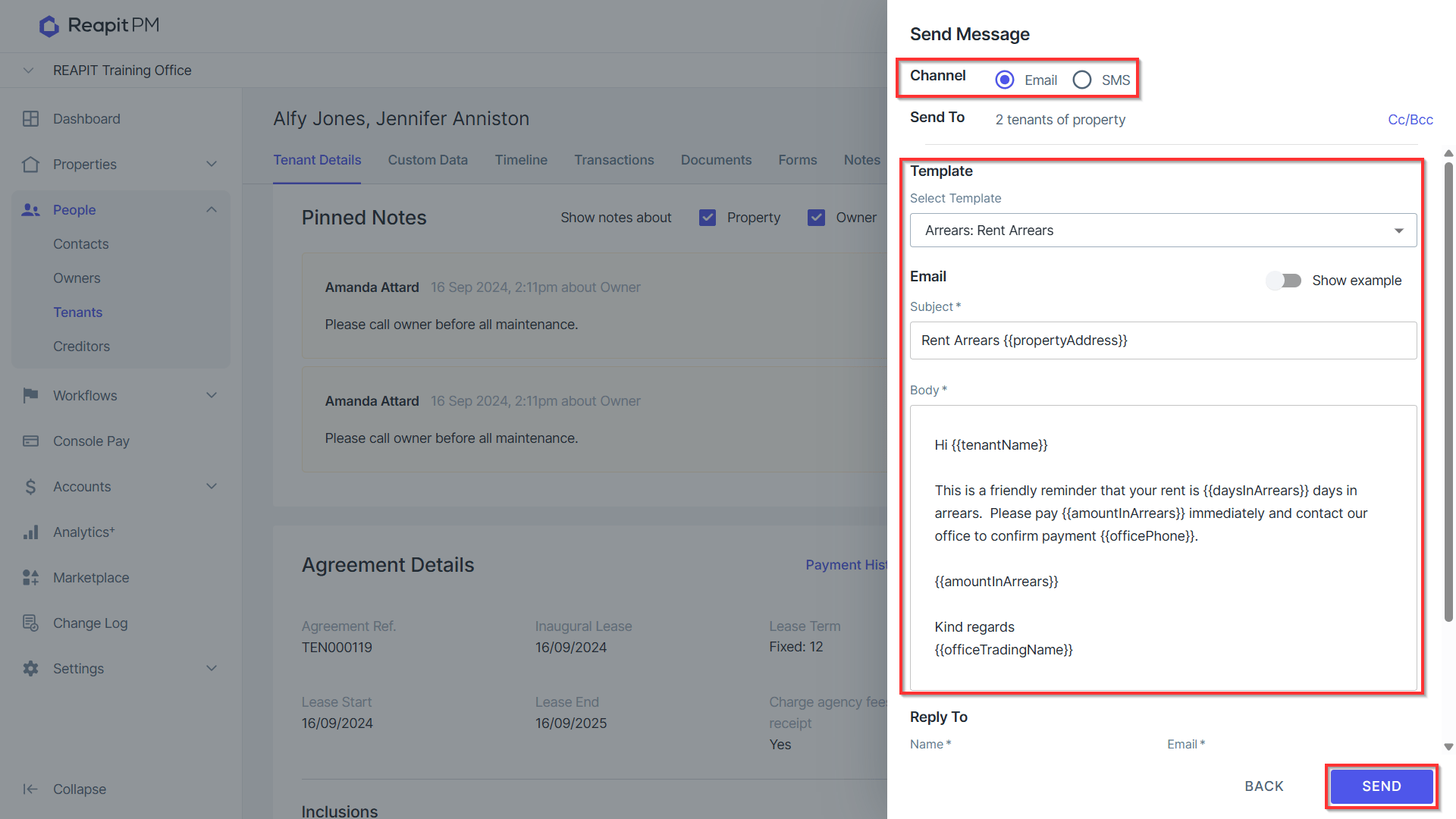
- Select the recipients of the written communication as per your usual process. Either selecting individual or bulk recipients from the list (eg tenant list), individual recipients (tenant agreement), or from a workflow such as arrears workflow.
- The channel of communication needs to be set to email
- Select the relevant template and complete as per your usual process
- Click Send
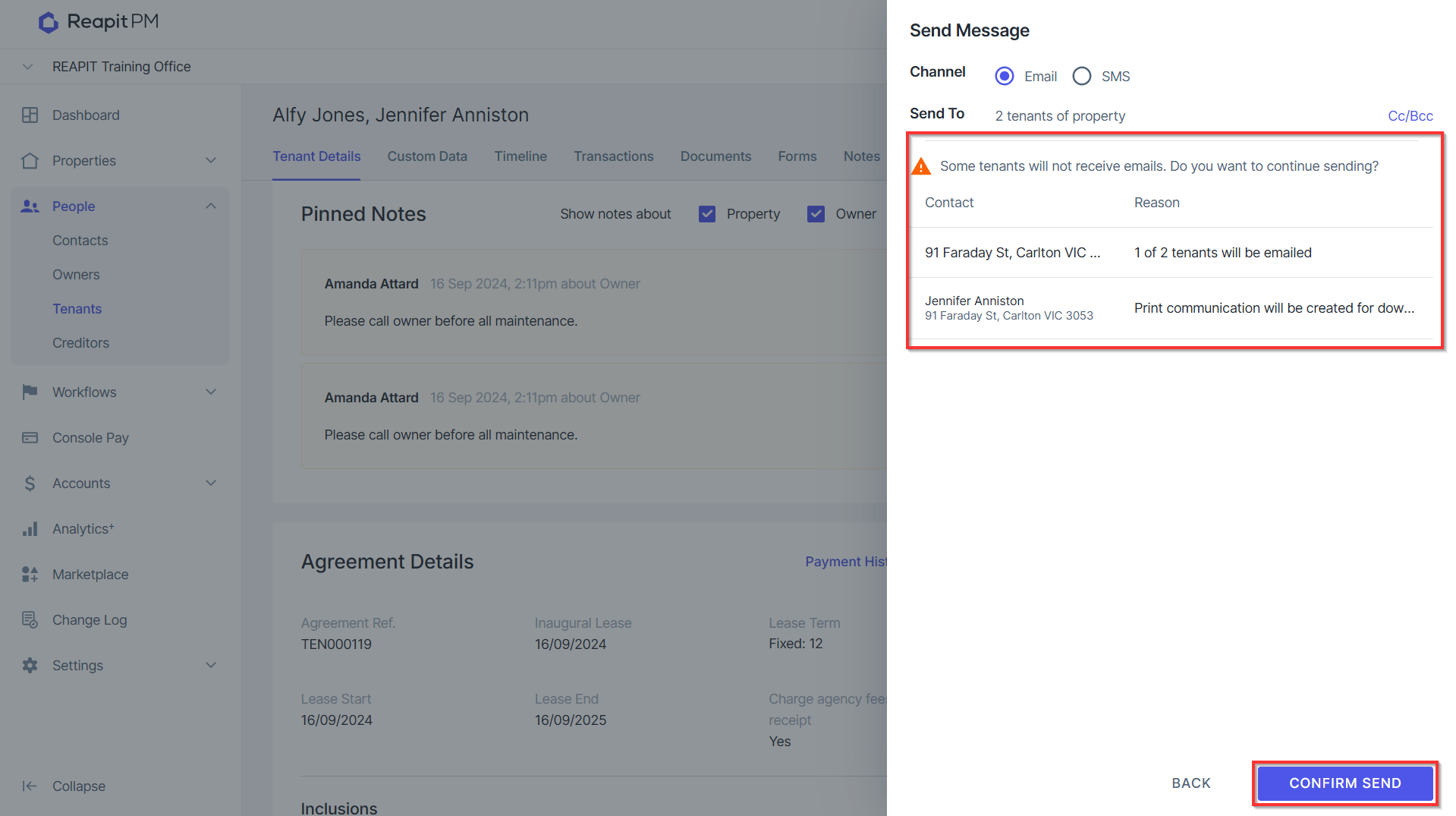
- Reapit PM will automatically detect that there is a contact who has communication preferences are set to print and display a message saying Some tenants will not receive messages. Do you want to continue sending?
- If the reason states Letter will be created for download, you will need to confirm send for this letter to be created
- Click CONFIRM SEND
- You will see a confirmation message display if your message has been successfully sent to the tenant.
Note: This successful message is for email messages only.

- Printed messages will be stored on the Communications page. You will be able to print these immediately if required or print these in bulk at any time.
Print Notifications
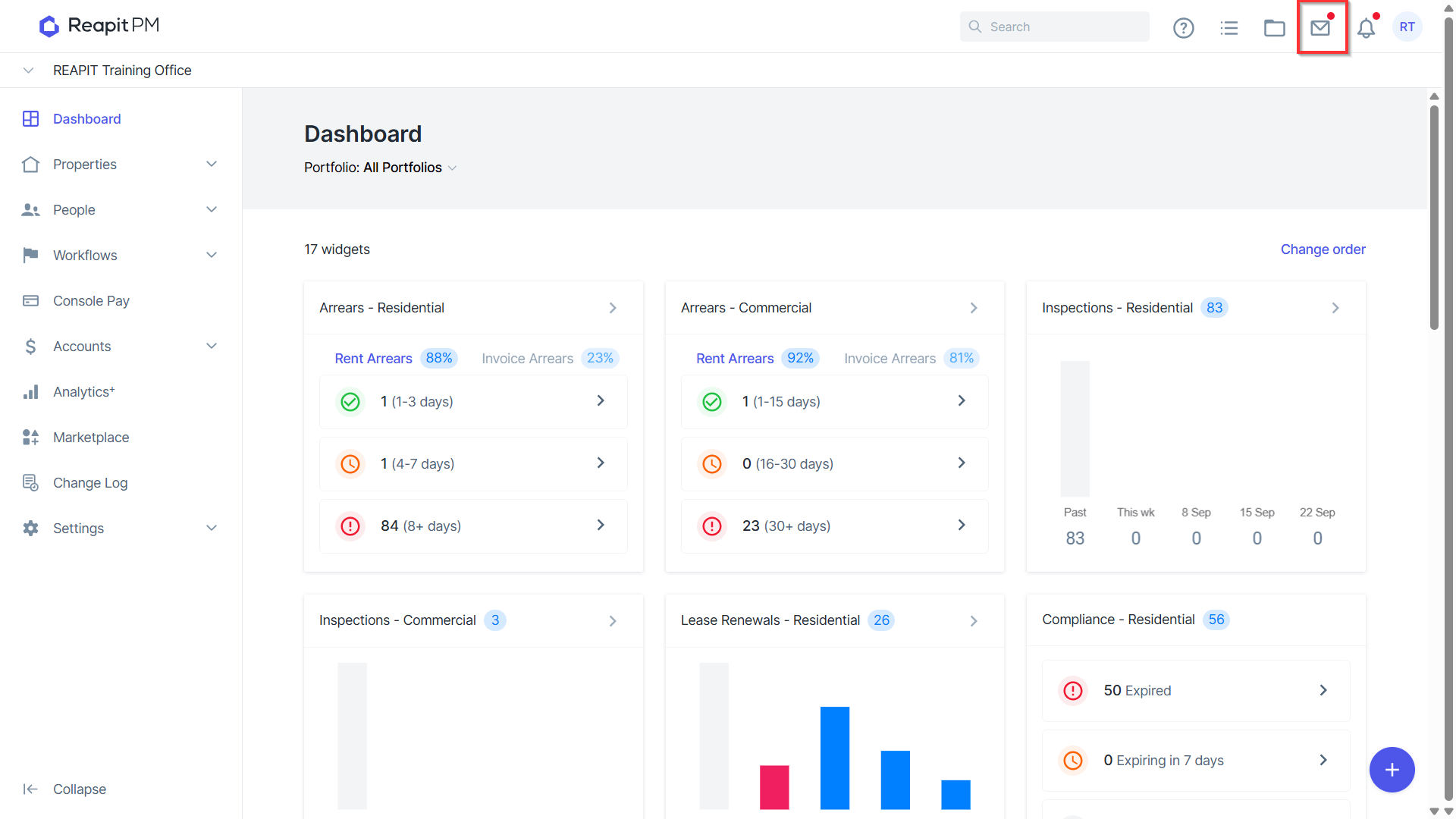
- Once you confirm printed communication, you will see a red dot on the envelop icon at the top right of your screen. The red dot will remain there until all users in your office have opened communications.
Downloading and Printing Print Only Communications
Once you confirm send on communications Printed messages will be stored on the Communications page.
You will be able to print these immediately if required or print these in bulk at any time.
- Click the envelope (Conversations) icon
- Navigate to the Print tab
- If you have print messages available to print, click view.
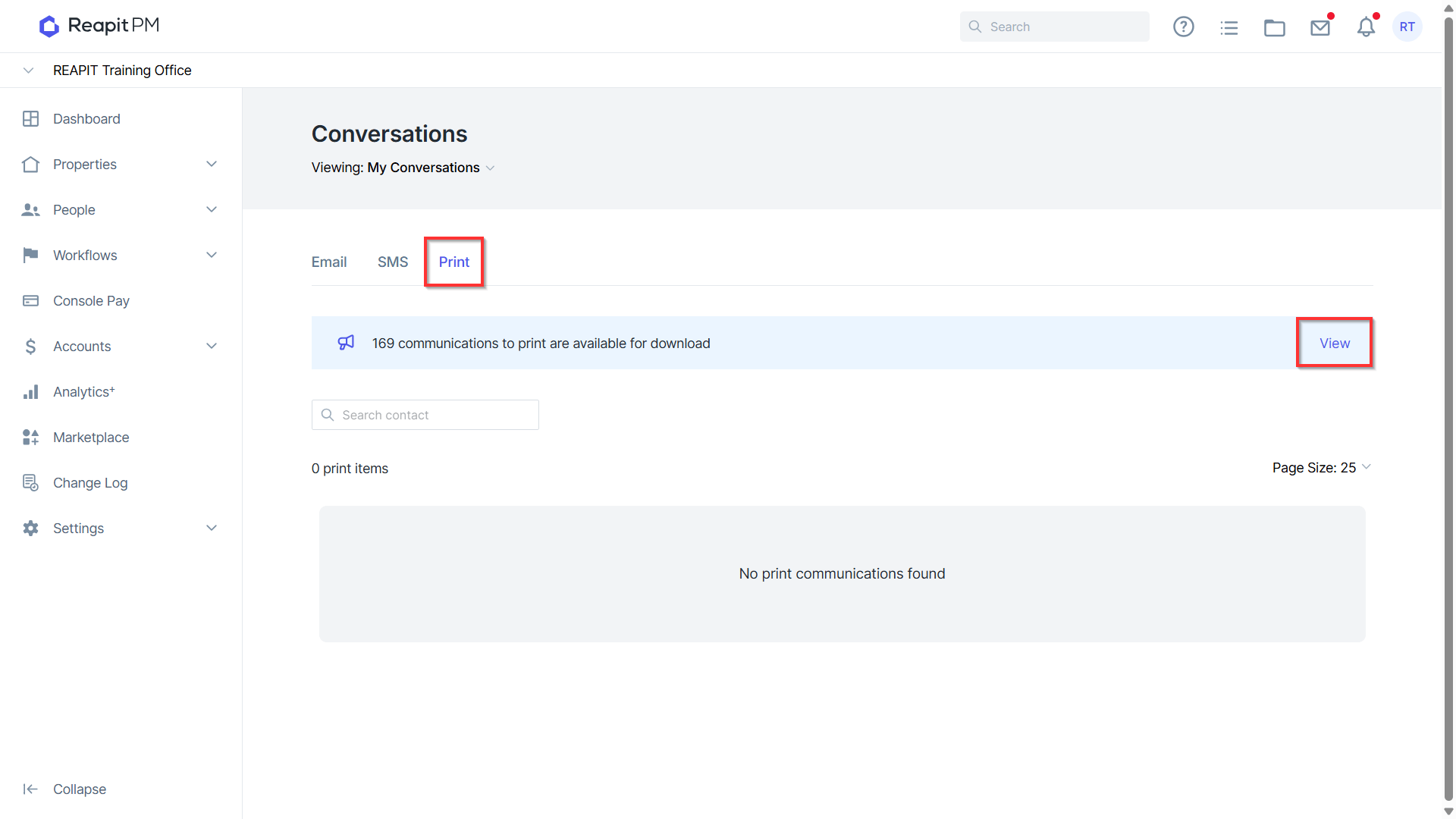
- The Communications To Print drawer will appear on the right.
- Click Download on and individual item to download a specific item OR click Download All do download all print messages.
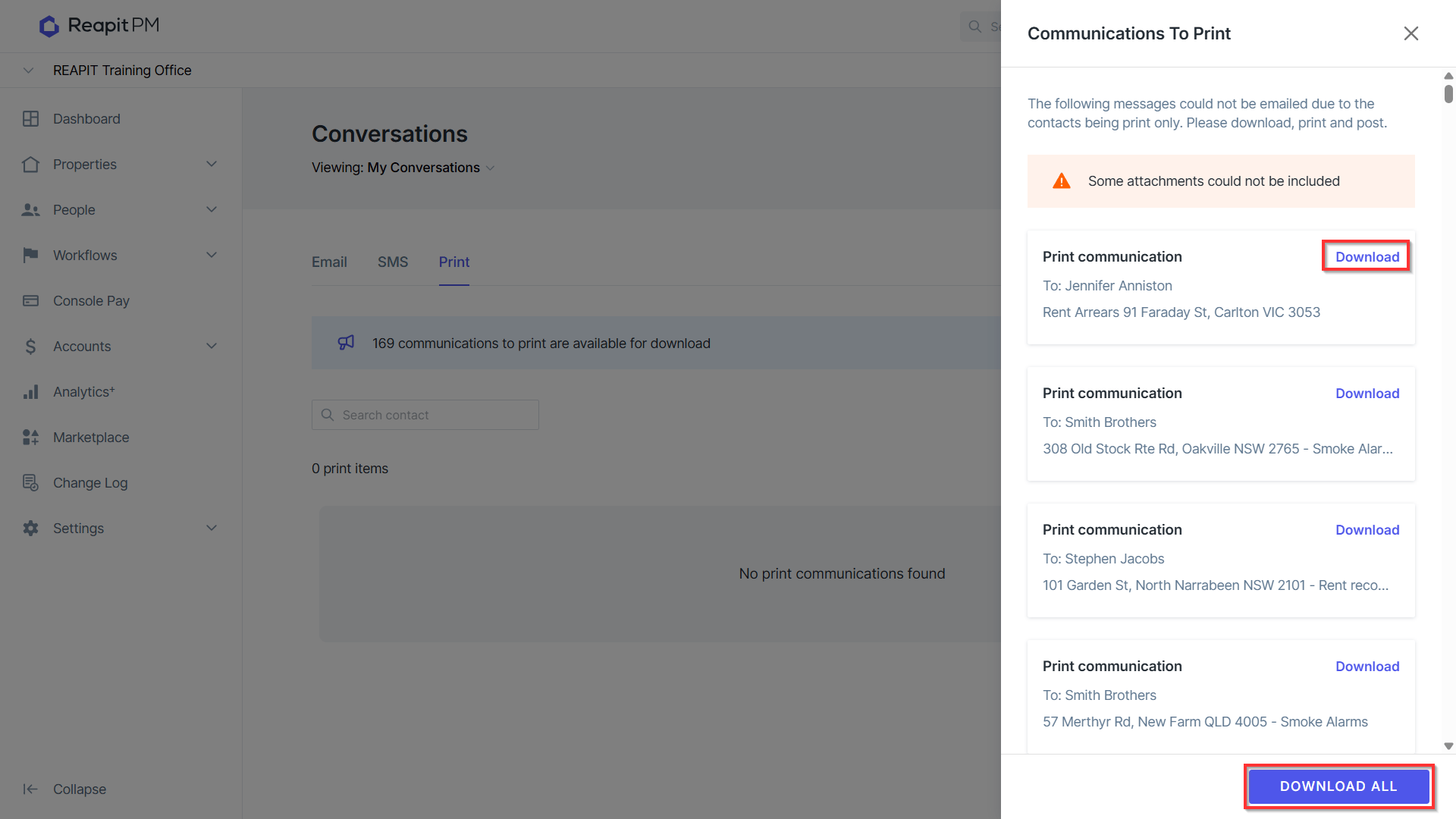
- Your message will download and open as a word document.
- From the word document, you will be able to edit and print the document.
- Your message will now be displayed as Downloaded in the Communications To Print window.
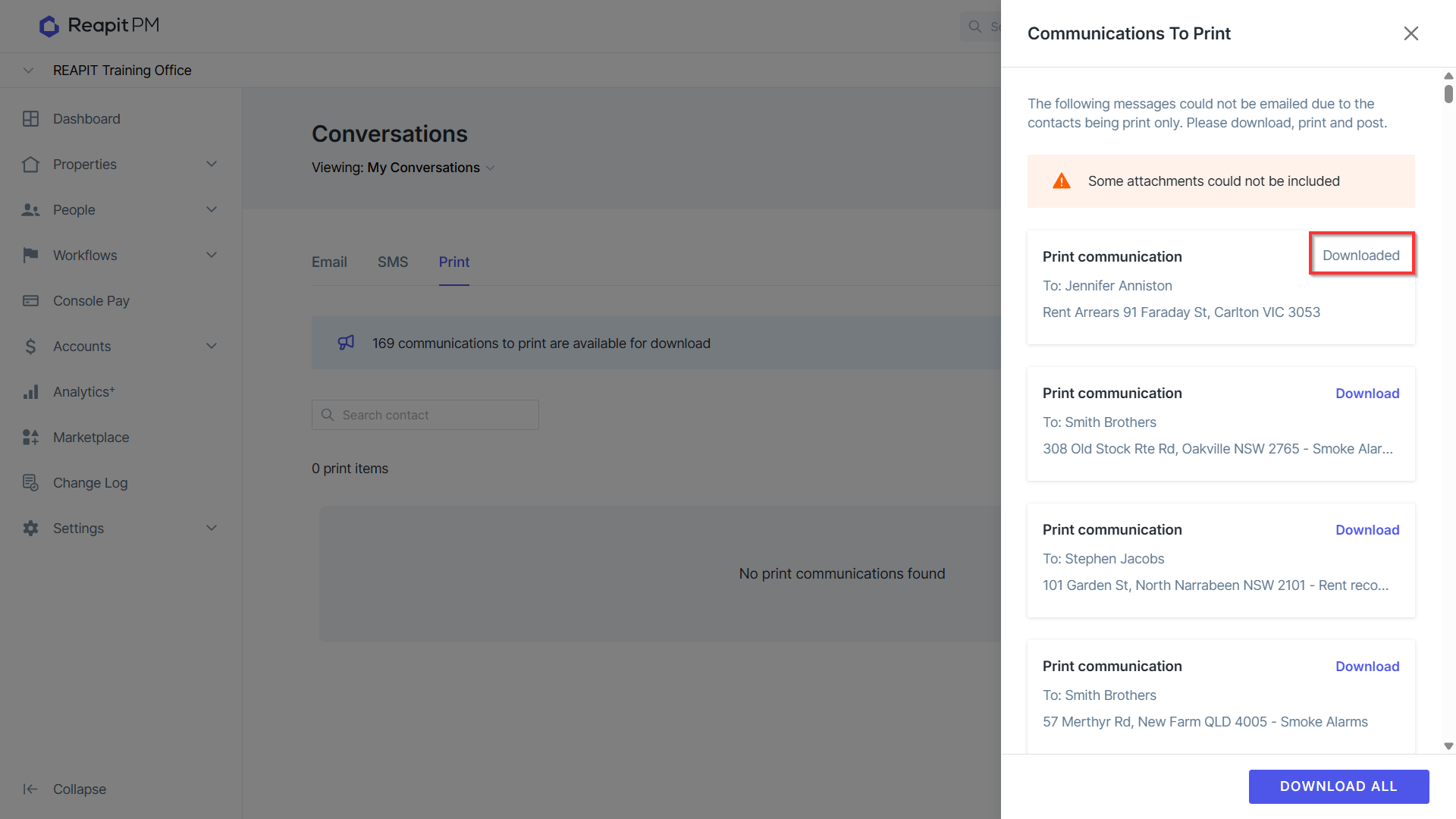
- Click close to return to the communications window.
- Your print communication will now display in the communications list.
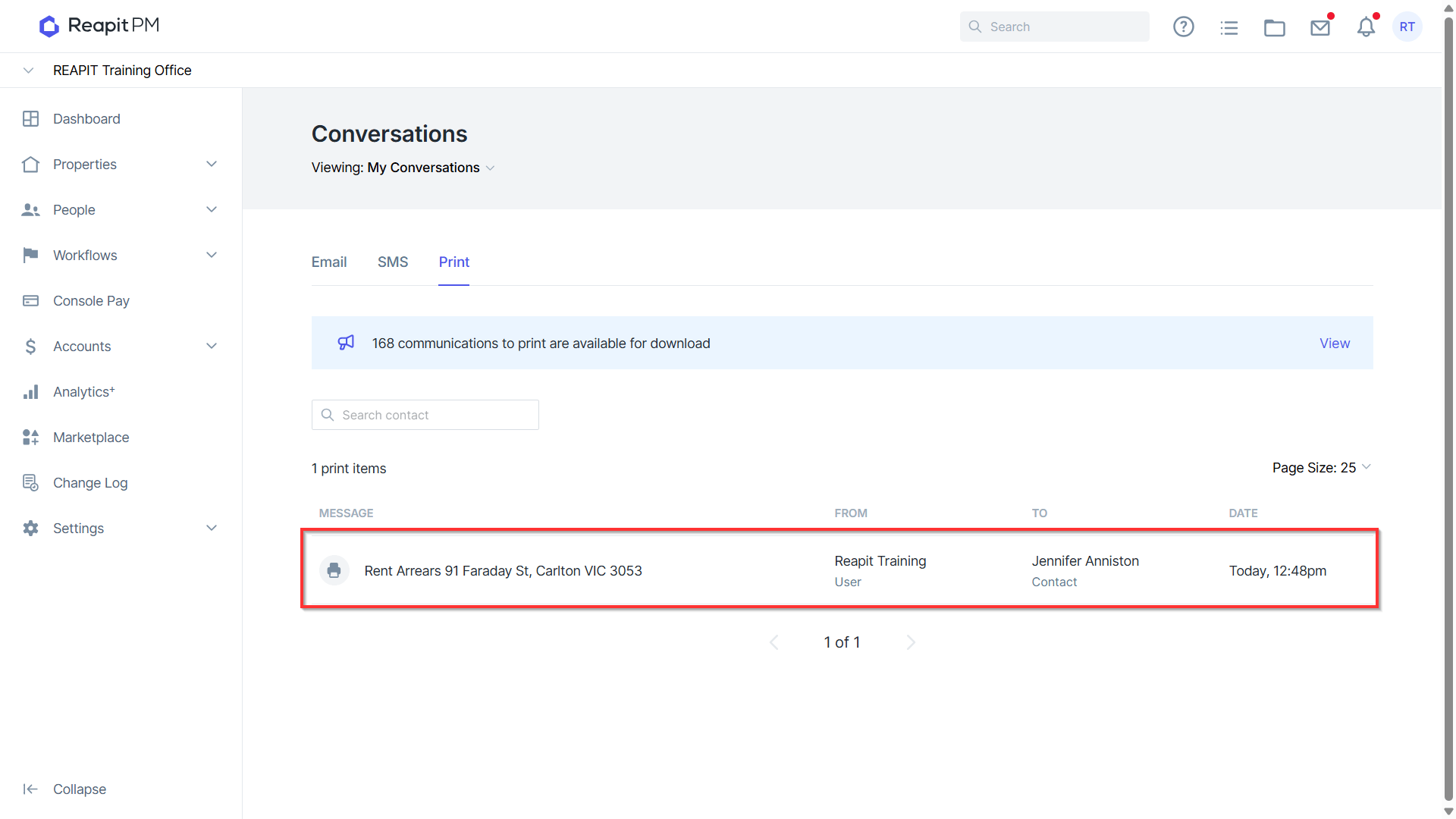
- To re-print the original communication, click on the communication
- Click Download File
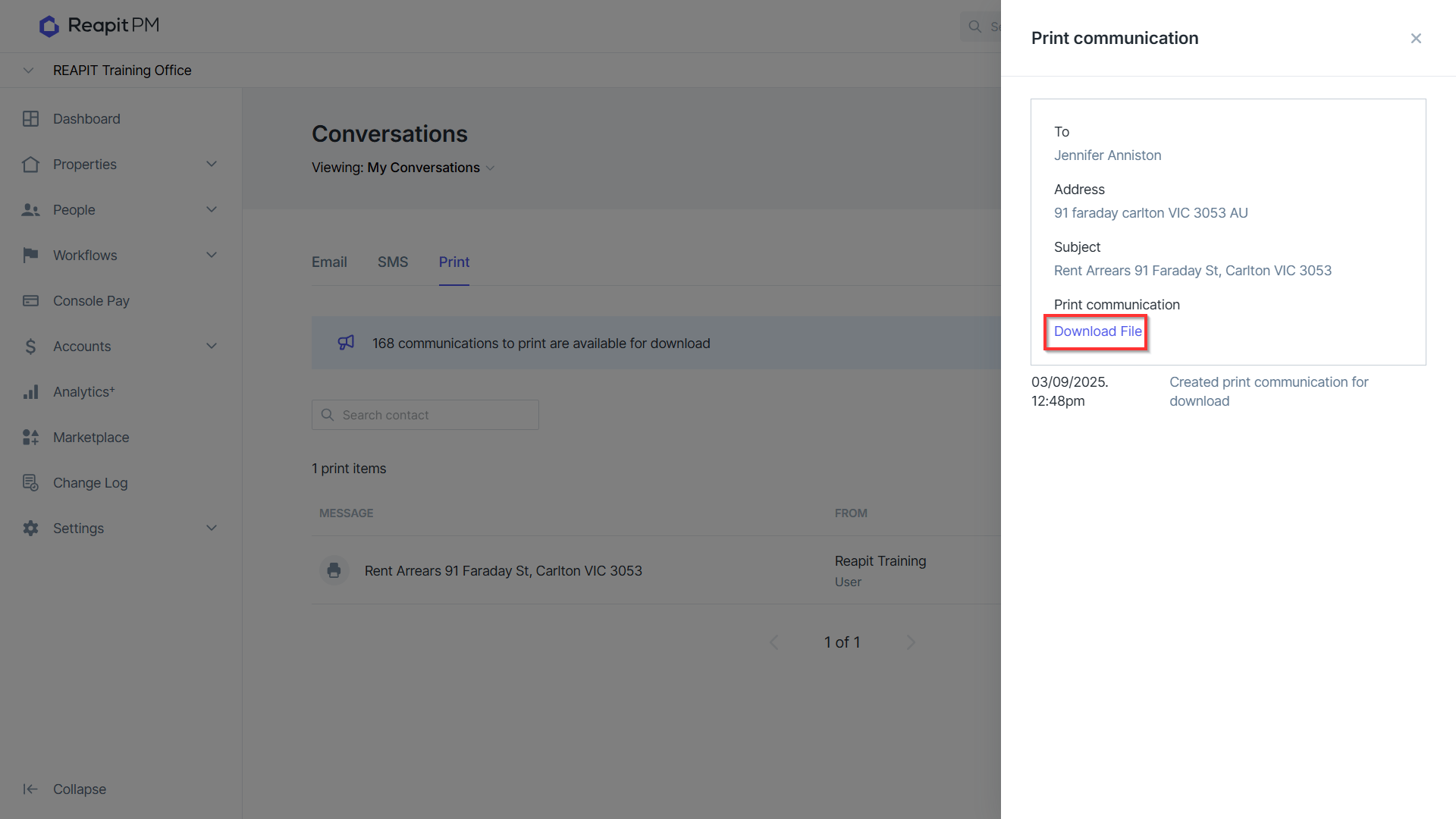
Attachments on Printed Messages
If there is an attachment to the template and/or communication created, the attachment will not be available for download to print.
You will need to download and print the attachment separately.
Communications not included in this experience
There are a number of documents and communications in Reapit PM that can already be printed or sent via a specific process and therefor are not included in the above experience.
These include;
Owner statements
Currently printed based on the owner statement preference set up in the owner agreement. These statements are downloaded into a zip file automatically on either owner disbursement or at close of month.
Tenant receipts
These can be downloaded and printed at the time of send or later on demand
Tenant invoices
These can be downloaded and printed at the time of send or later on demand.
Maintenance communications
These can be downloaded and printed at the time of send or later on demand.
Inspection Notice to tenant
Currently, you can download the inspection notice (with Entry Notice if applicable) and print and send. There will be an update to this in the near future to allow this to be part of the print capability.