'%20d='M0%208a8%208%200%200%201%208-8h24a8%208%200%200%201%208%208v24a8%208%200%200%201-8%208H8a8%208%200%200%201-8-8V8Z'/%3e%3cpath%20fill='%23fff'%20d='M10.41%206v3.779h15.048v19.537h4.132V6H10.41Z'/%3e%3cpath%20fill='%23fff'%20d='M20.967%2034V13.837L10.41%209.78v20.166L20.967%2034Z'/%3e%3cdefs%3e%3clinearGradient%20id='reapit-sales__a'%20x1='20.702'%20x2='20.702'%20y1='.351'%20y2='31.228'%20gradientUnits='userSpaceOnUse'%3e%3cstop%20stop-color='%235573FD'/%3e%3cstop%20offset='.575'%20stop-color='%234E56EA'/%3e%3c/linearGradient%3e%3c/defs%3e%3c/svg%3e)
View Contact Notes History
This article runs through how to view contact notes history in Reapit Sales.
View Contact Notes History
This article runs through how to view contact notes history in Reapit Sales.
- Search for your Contact open their Contact Card

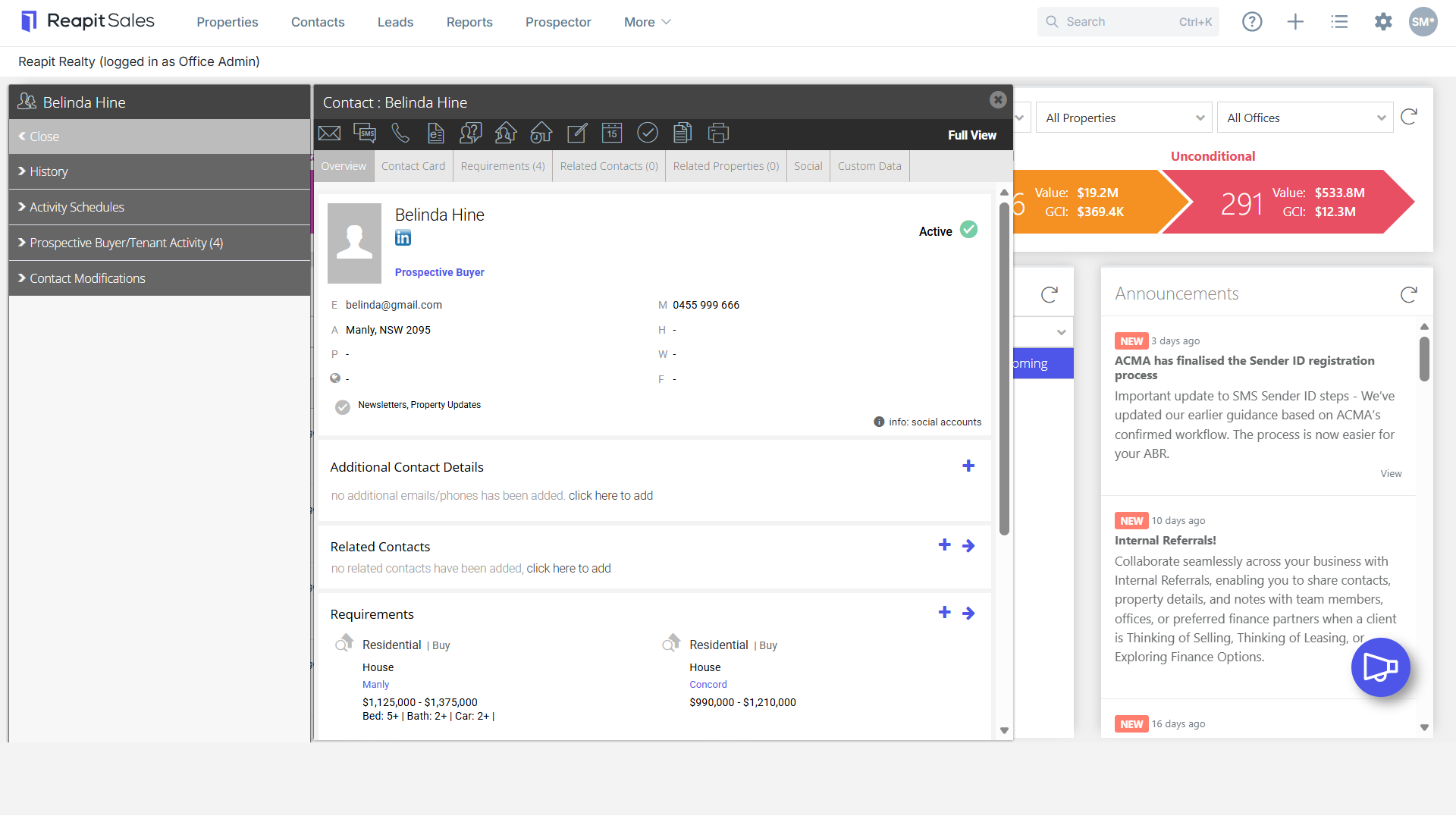
- On the left panel click History (If the matching left panel is not visible, click Full View in the top right-hand corner of the contact card)
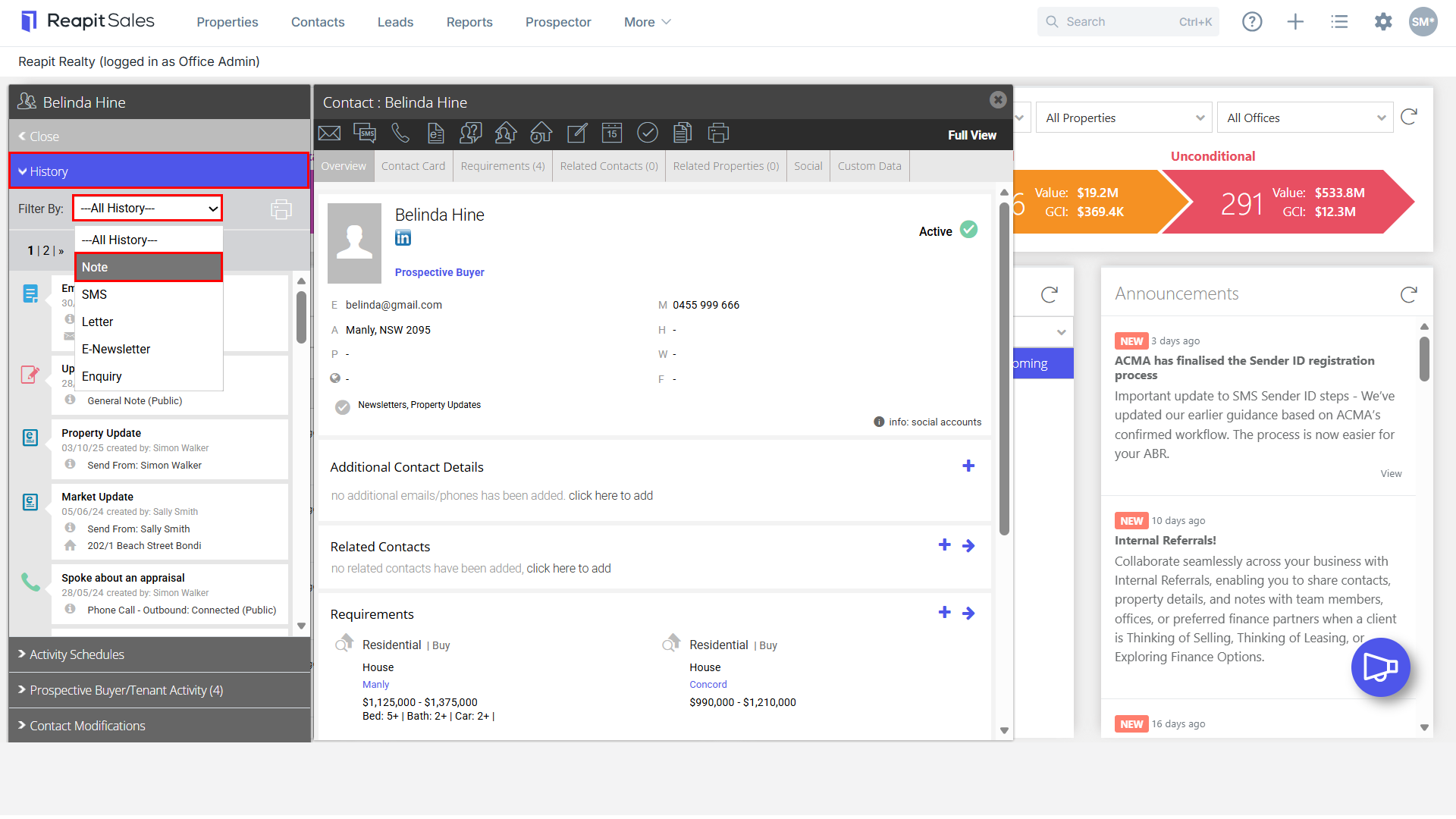
- Select to Filter By: Notes if you would like to only see notes logged against the contact, the contact comments entered on the Contact Card will always appear first followed by the most recent notes logged using the Add Note action Icon.

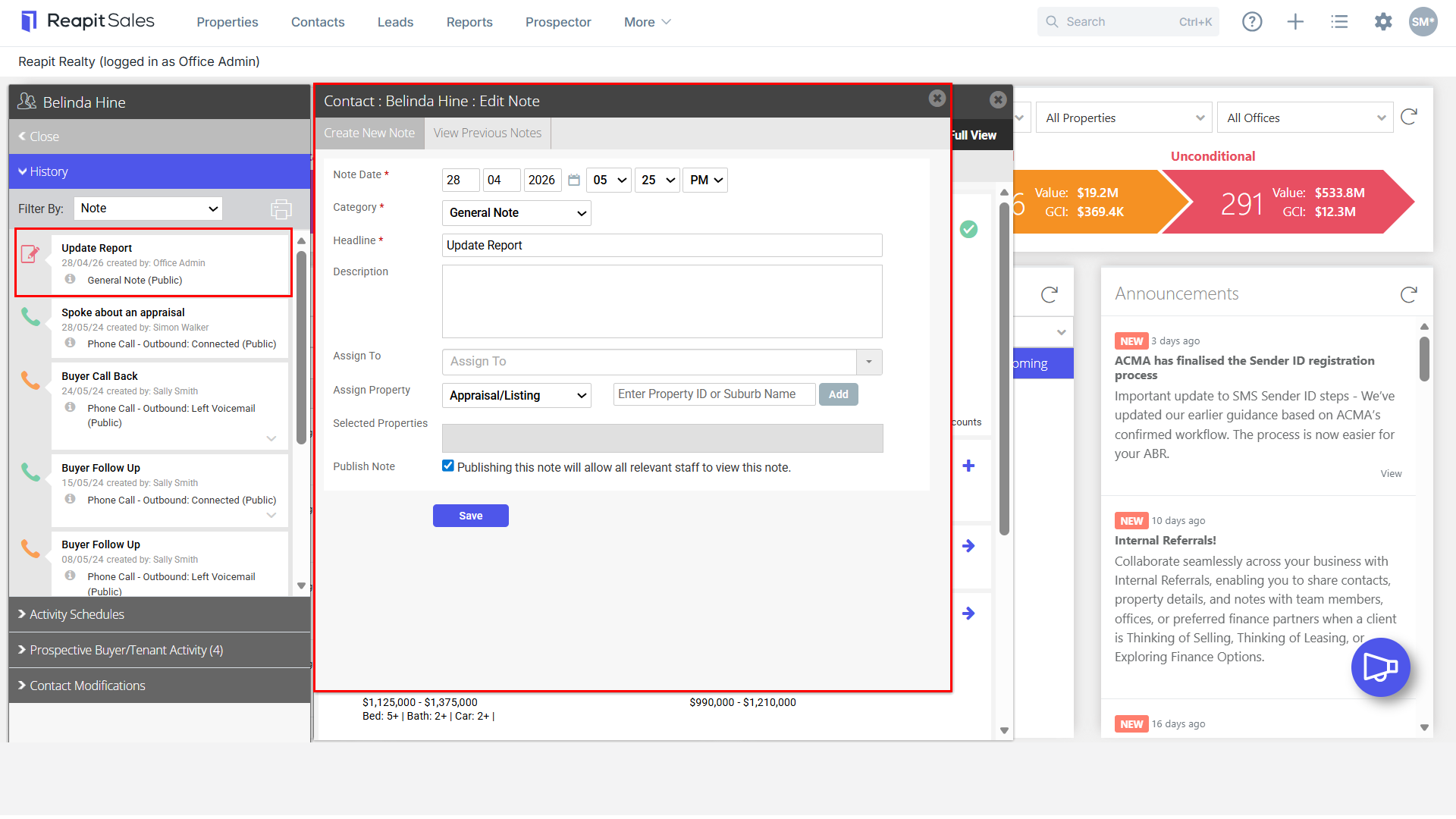
- By click the note, you can view more details.