'%20d='M0%208a8%208%200%200%201%208-8h24a8%208%200%200%201%208%208v24a8%208%200%200%201-8%208H8a8%208%200%200%201-8-8V8Z'/%3e%3cpath%20fill='%23fff'%20d='M10.41%206v3.779h15.048v19.537h4.132V6H10.41Z'/%3e%3cpath%20fill='%23fff'%20d='M20.967%2034V13.837L10.41%209.78v20.166L20.967%2034Z'/%3e%3cdefs%3e%3clinearGradient%20id='reapit-sales__a'%20x1='20.702'%20x2='20.702'%20y1='.351'%20y2='31.228'%20gradientUnits='userSpaceOnUse'%3e%3cstop%20stop-color='%235573FD'/%3e%3cstop%20offset='.575'%20stop-color='%234E56EA'/%3e%3c/linearGradient%3e%3c/defs%3e%3c/svg%3e)
Custom Banner for General eNewsletters
This article shows how to add custom banner for general e-Newsletter in Reapit Sales.
Custom Banner for General E-Newsletters
This article shows how to add custom banner for general e-Newsletter in Reapit Sales.
Within the general e-Newsletter, you can add a custom banner to further personalise your agency's marketing, for example, adding a touch of Christmas for your final newsletter of the year.
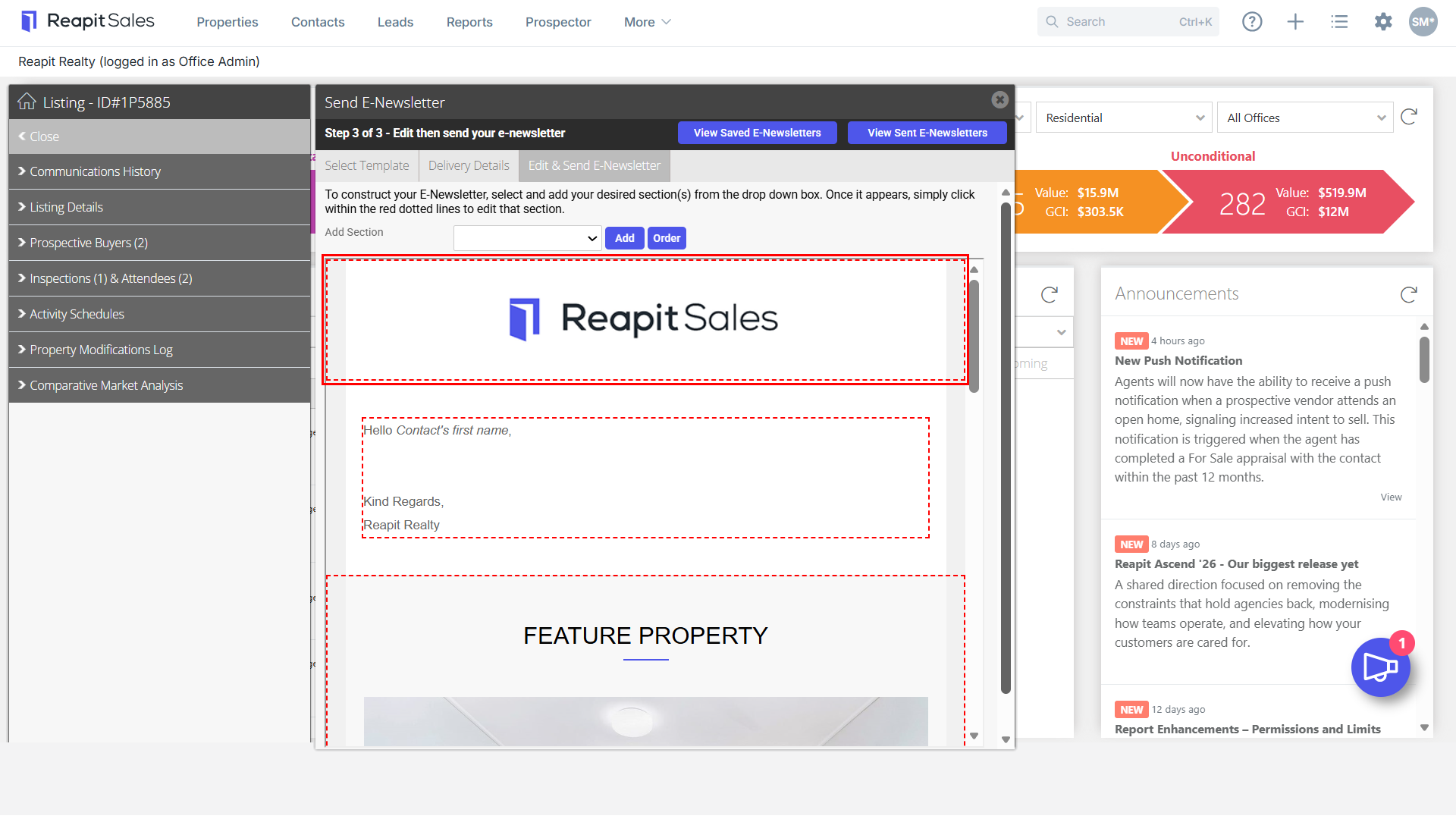
- Firstly, click within the red box at the top of the e-Newsletter.
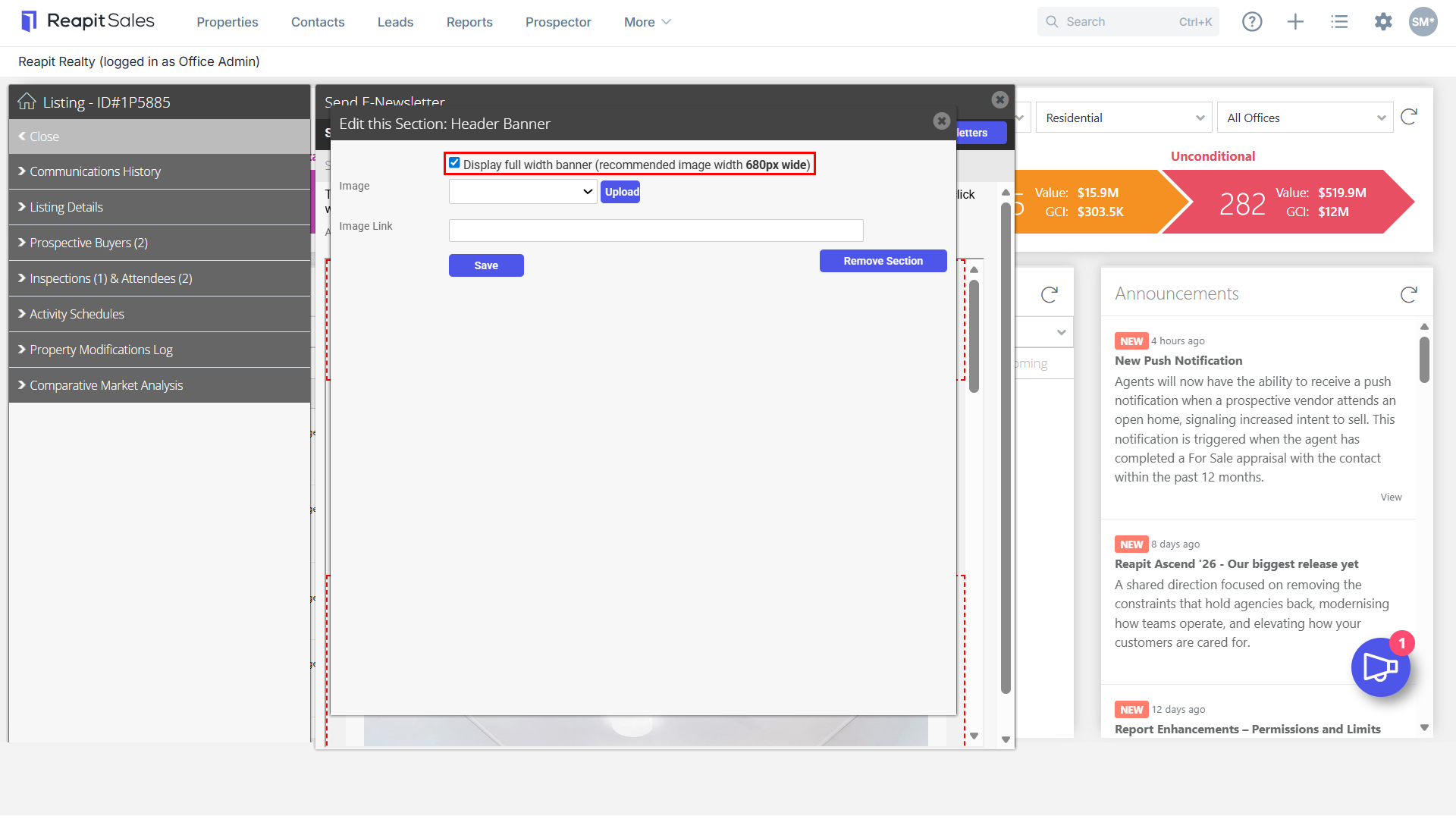
- If you would like to display the full width, select the checkbox. The Recommended image width is 680px wide.
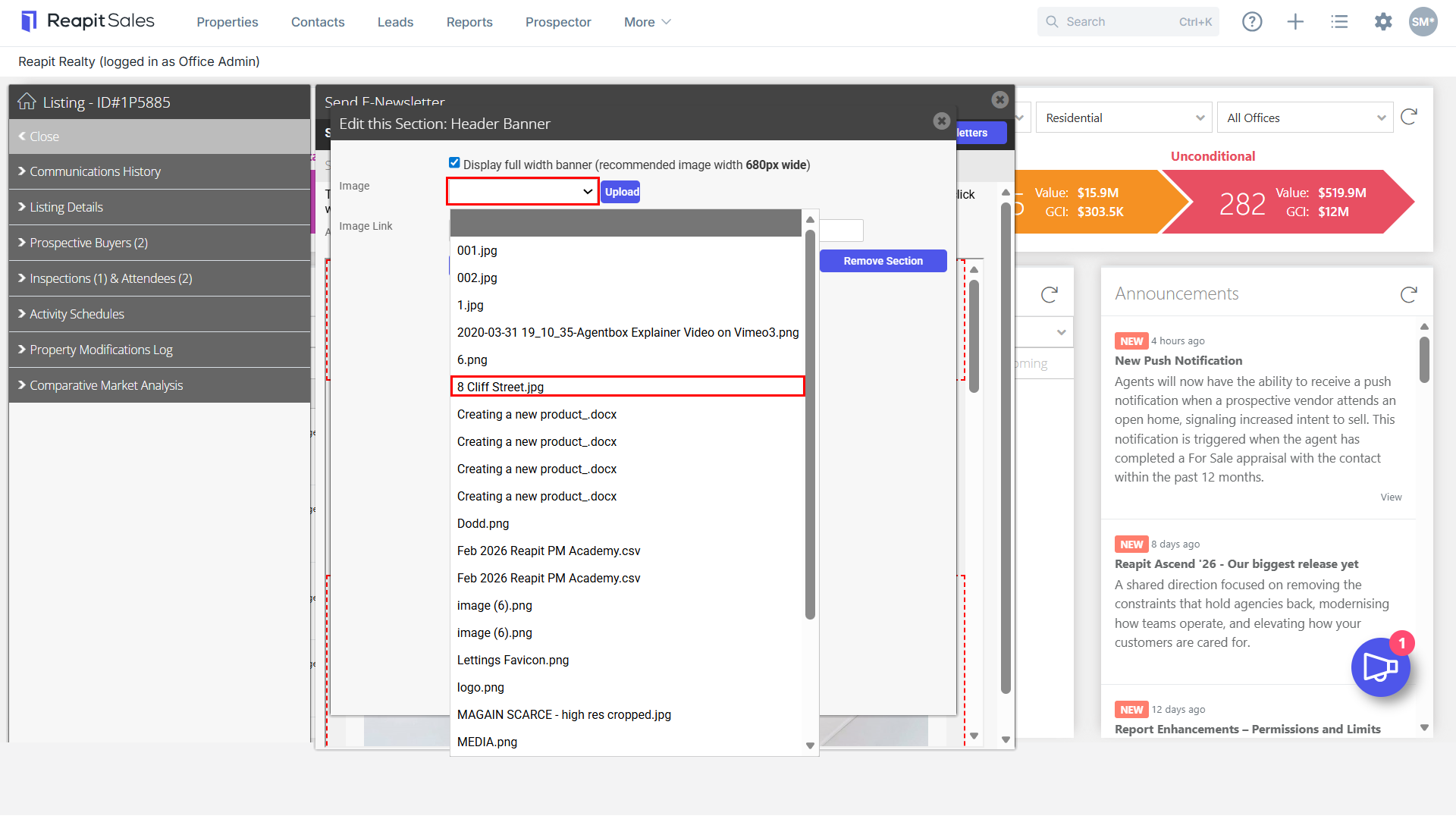
- Click the upload box to select the image.
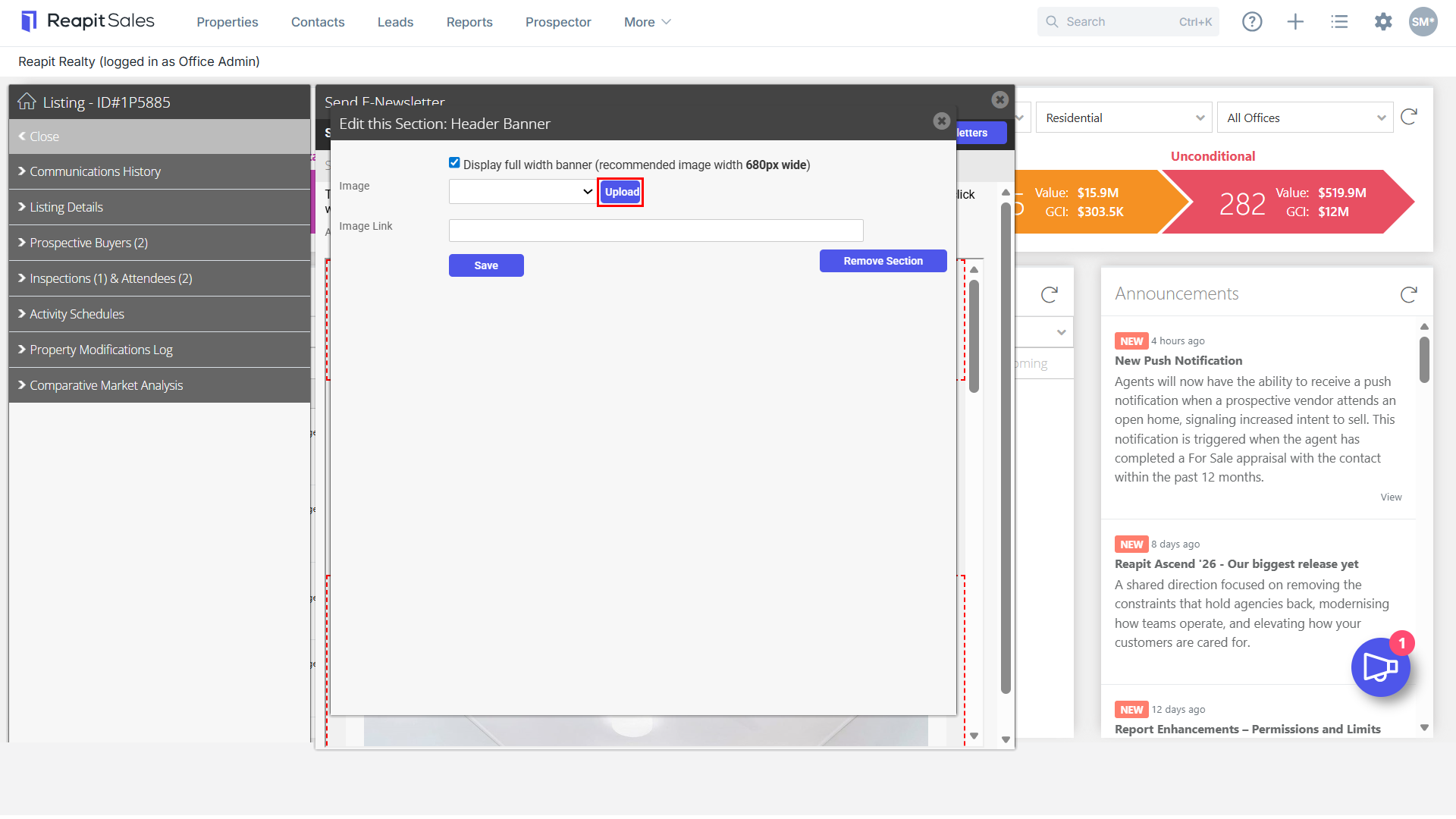
- From the drop-down, select your image.
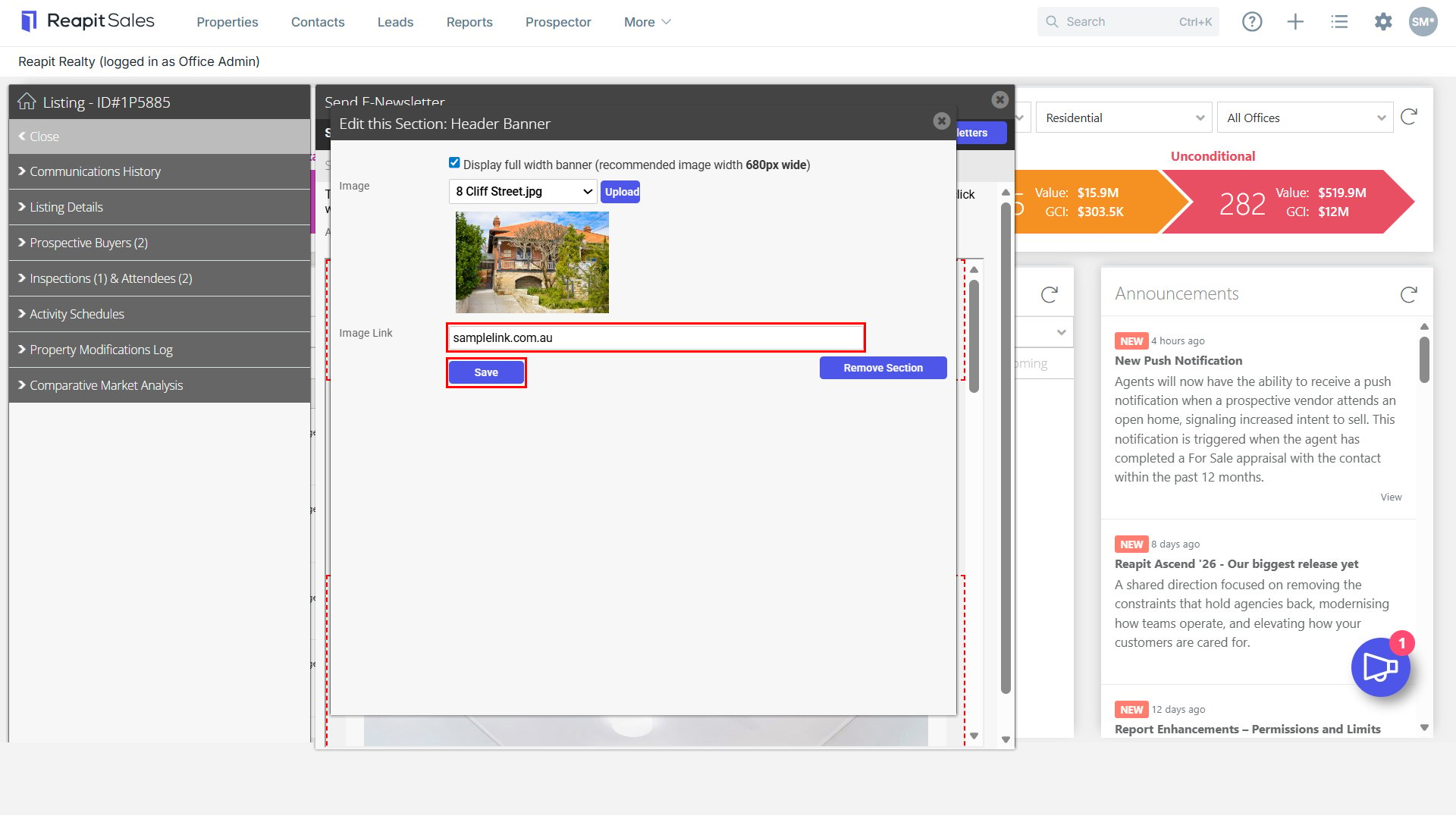
- Insert your image link, this will allow the viewer to click on the banner which will take them to the website. Click Save.
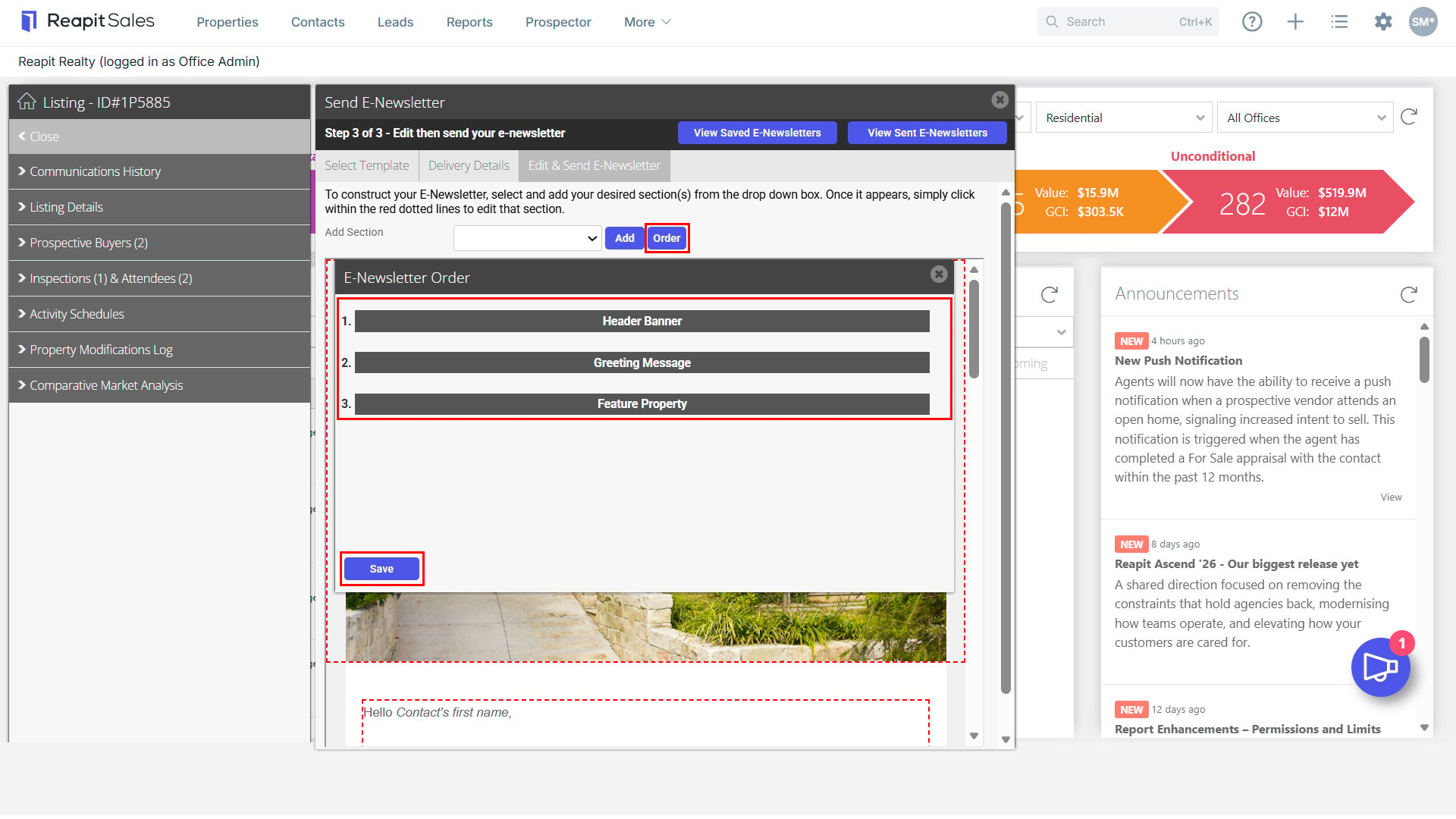
- If you would like to reorder the banner, select the order button. Drag and drop the preferred order. Click Save.
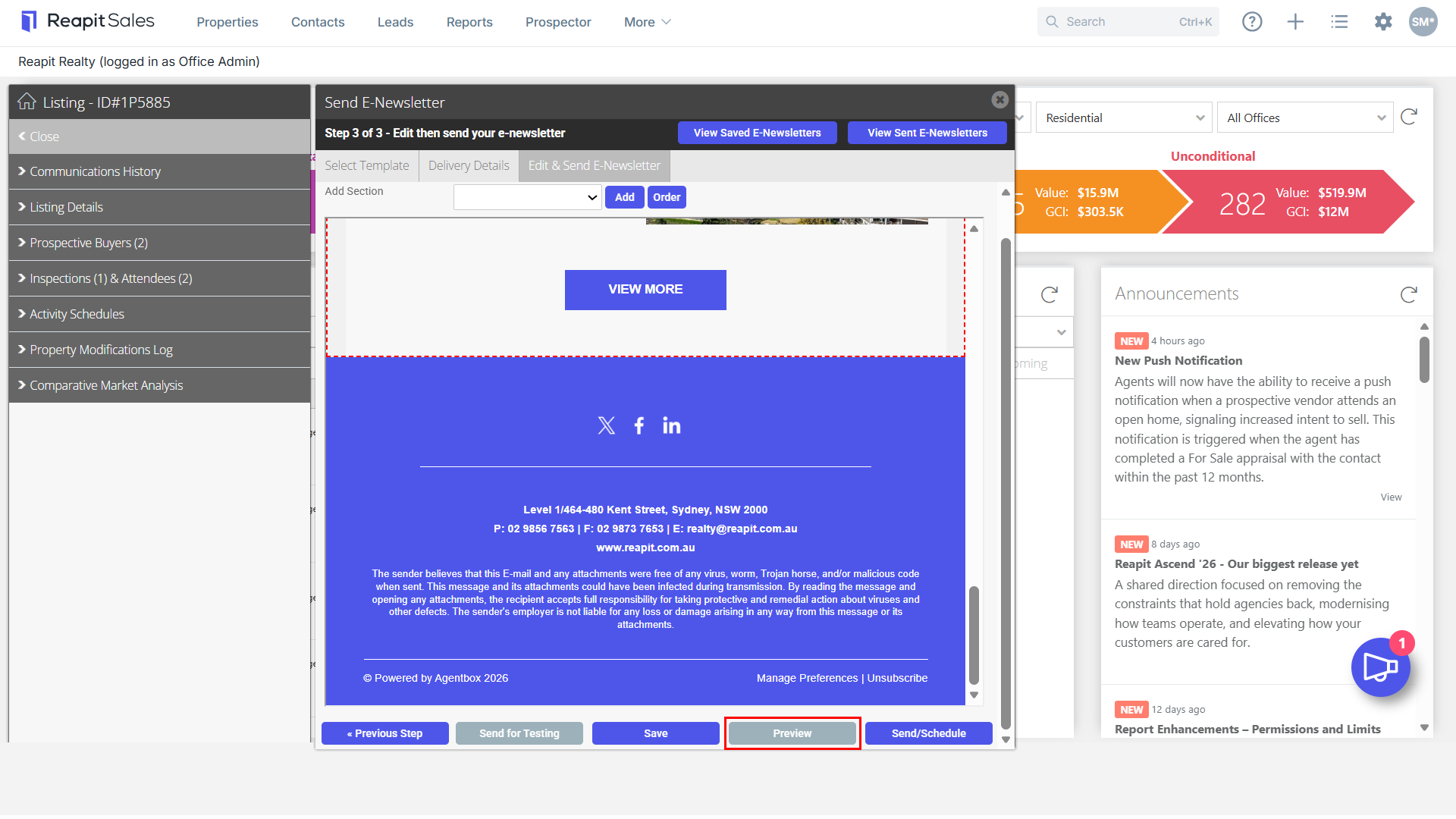
- If you would like to review your e-Newsletter before you send it out, click preview.
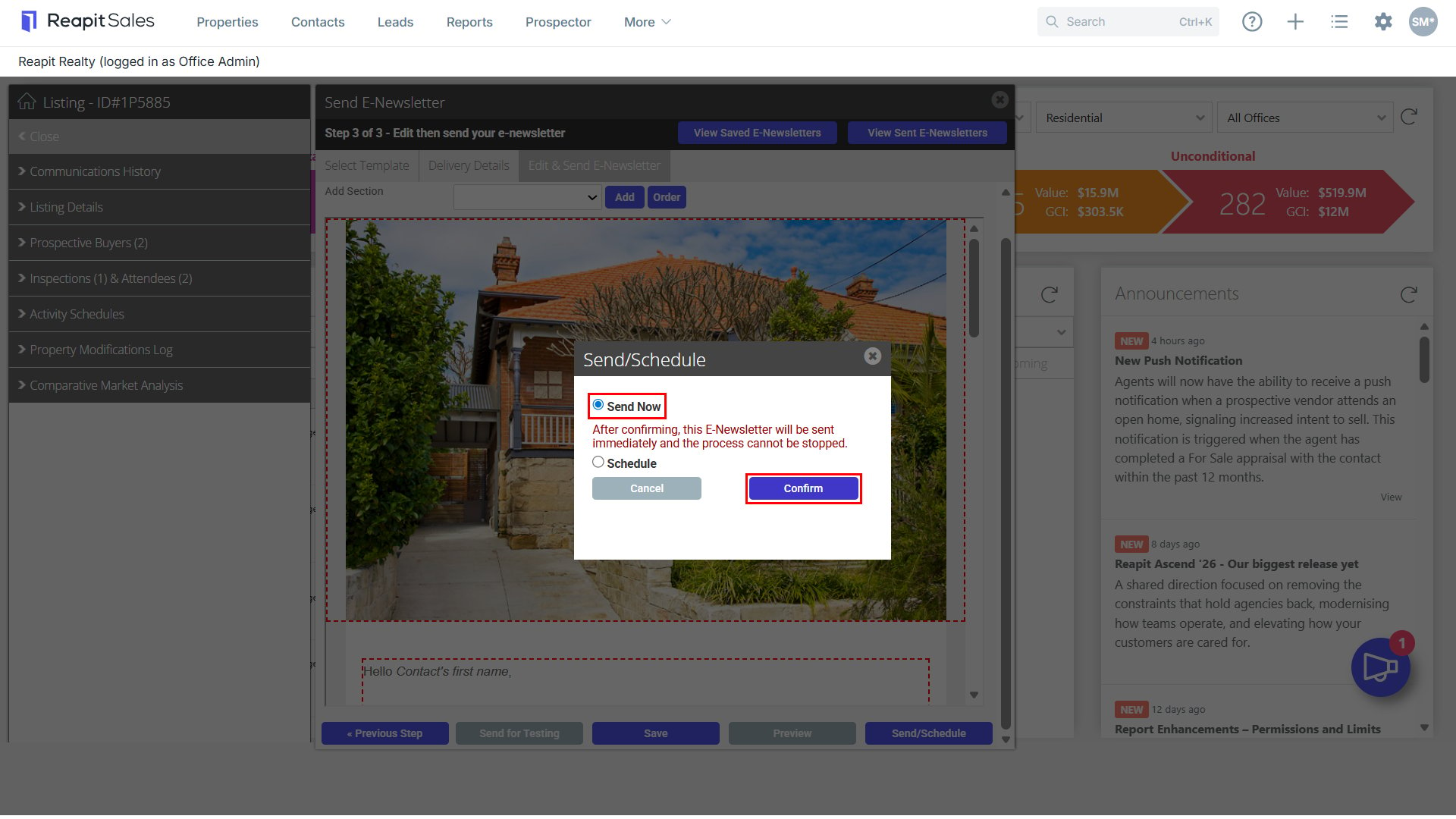
- When you are ready to send out, click Send/ Schedule and select Confirm.