'%20d='M0%208a8%208%200%200%201%208-8h24a8%208%200%200%201%208%208v24a8%208%200%200%201-8%208H8a8%208%200%200%201-8-8V8Z'/%3e%3cpath%20fill='%23fff'%20d='M10.41%206v3.779h15.048v19.537h4.132V6H10.41Z'/%3e%3cpath%20fill='%23fff'%20d='M20.967%2034V13.837L10.41%209.78v20.166L20.967%2034Z'/%3e%3cdefs%3e%3clinearGradient%20id='reapit-sales__a'%20x1='20.702'%20x2='20.702'%20y1='.351'%20y2='31.228'%20gradientUnits='userSpaceOnUse'%3e%3cstop%20stop-color='%235573FD'/%3e%3cstop%20offset='.575'%20stop-color='%234E56EA'/%3e%3c/linearGradient%3e%3c/defs%3e%3c/svg%3e)
Property Photo Watermarking
This article covers the property photo watermarking settings in Reapit Sales.
Property Photo Watermarking
This article covers the property photo watermarking settings in Reapit Sales.
*Note: Only Master Users can access this configuration location.
*** Note:** this is an add-on feature - Request more information via our client change request form.
The system has the ability to upload a standard watermark image to be superimposed on property images which are fed to portals/websites.
Once this feature has been activated, all property images will need to be re-uploaded with the watermarking option ticked to have the watermark applied to the photo.
To set/edit your Watermark Options, please follow the steps below.
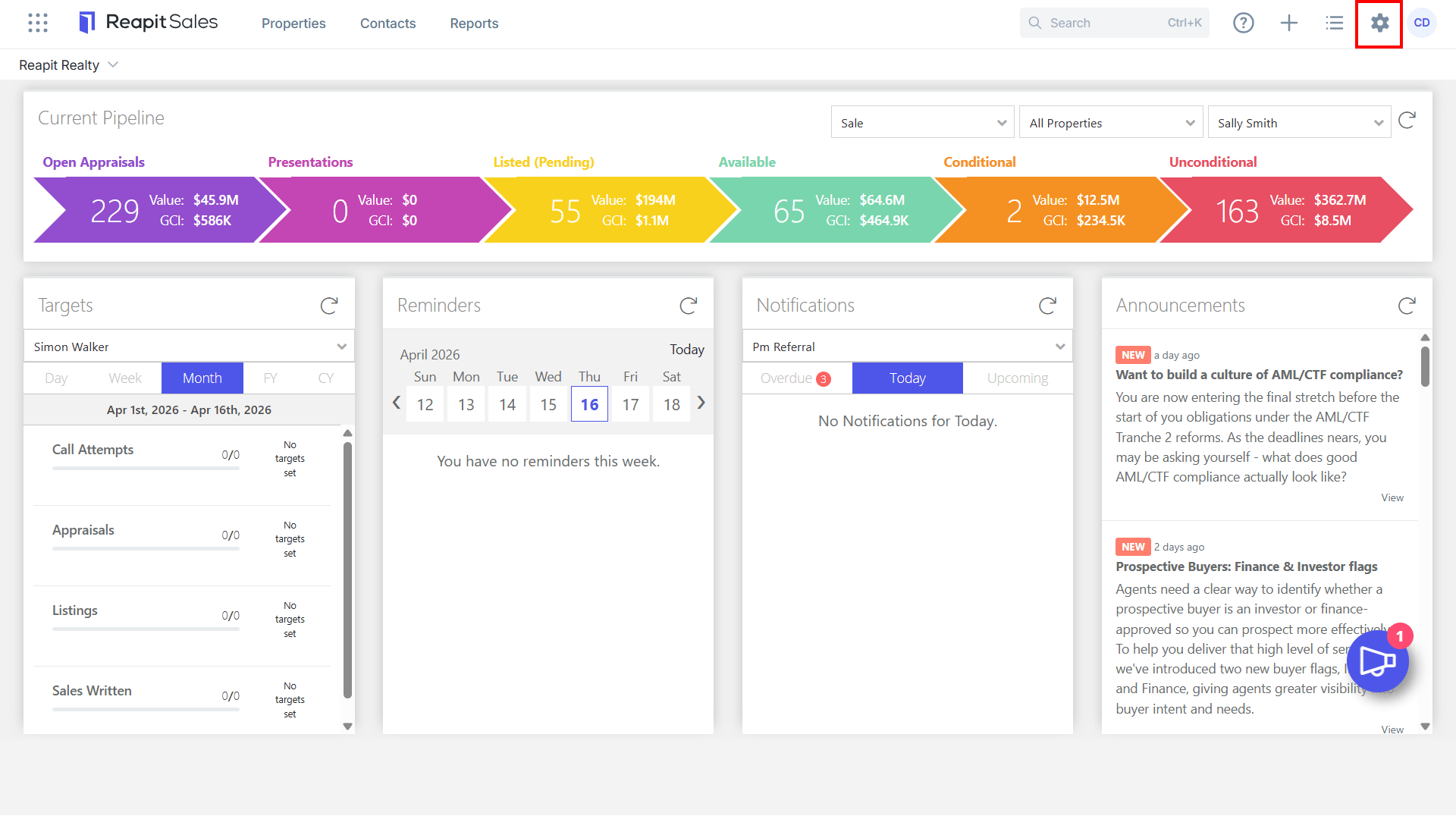
- Click My Office on the main menu.
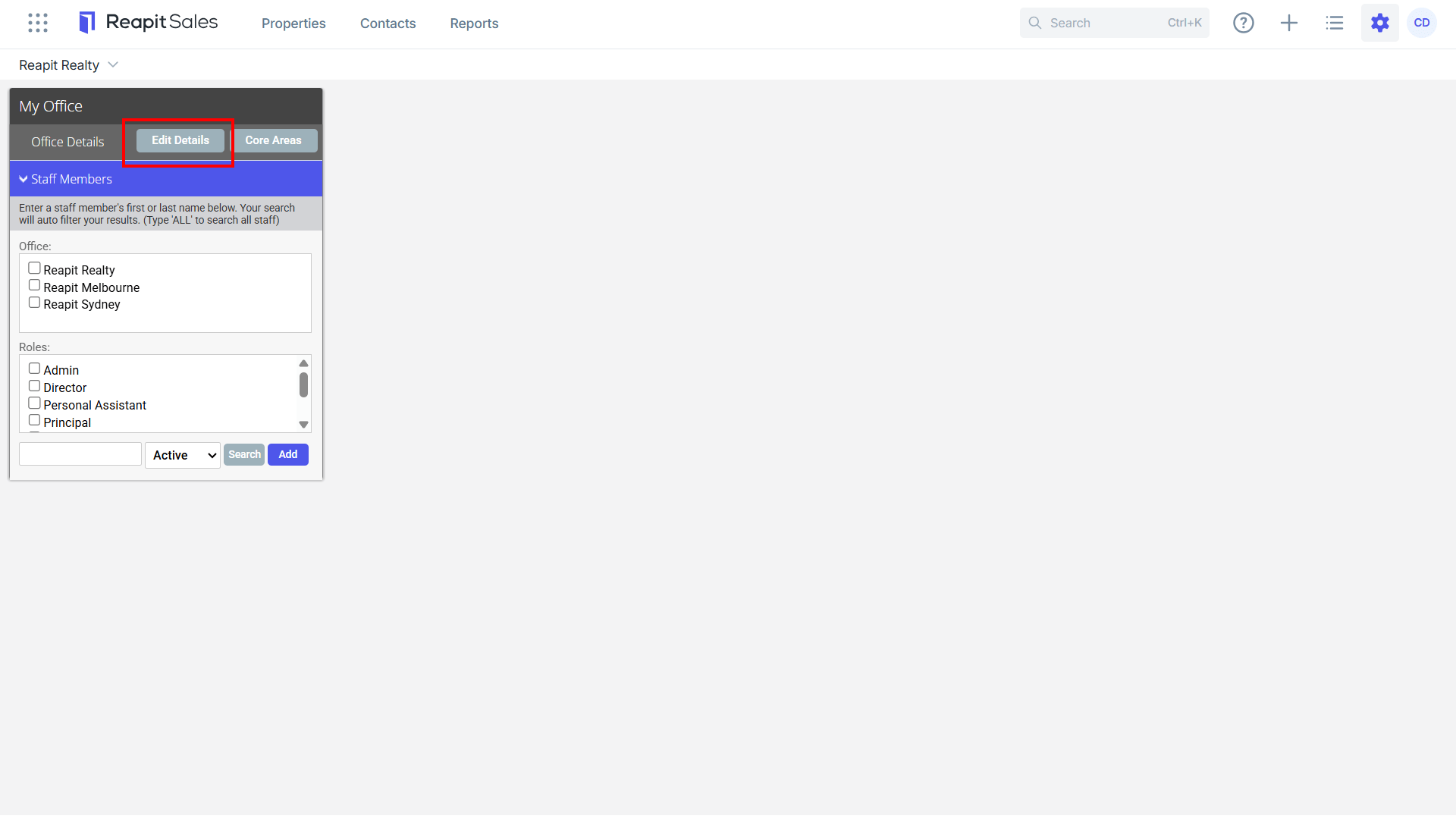
- Click Edit Details on the left panel.
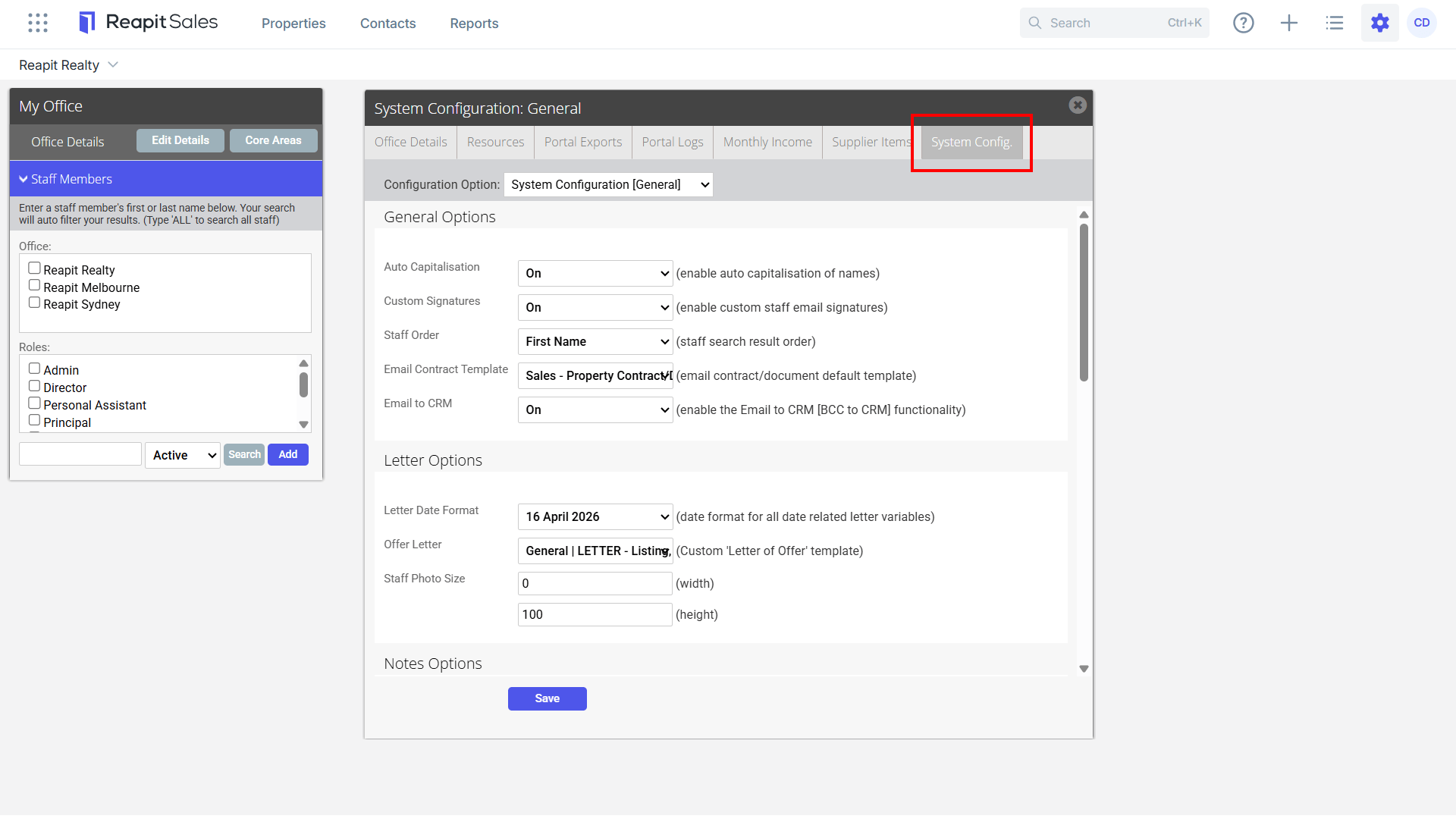
- Click the System Configuration tab.
- Select Property Photo Watermarking ****from the Configuration Option drop-down
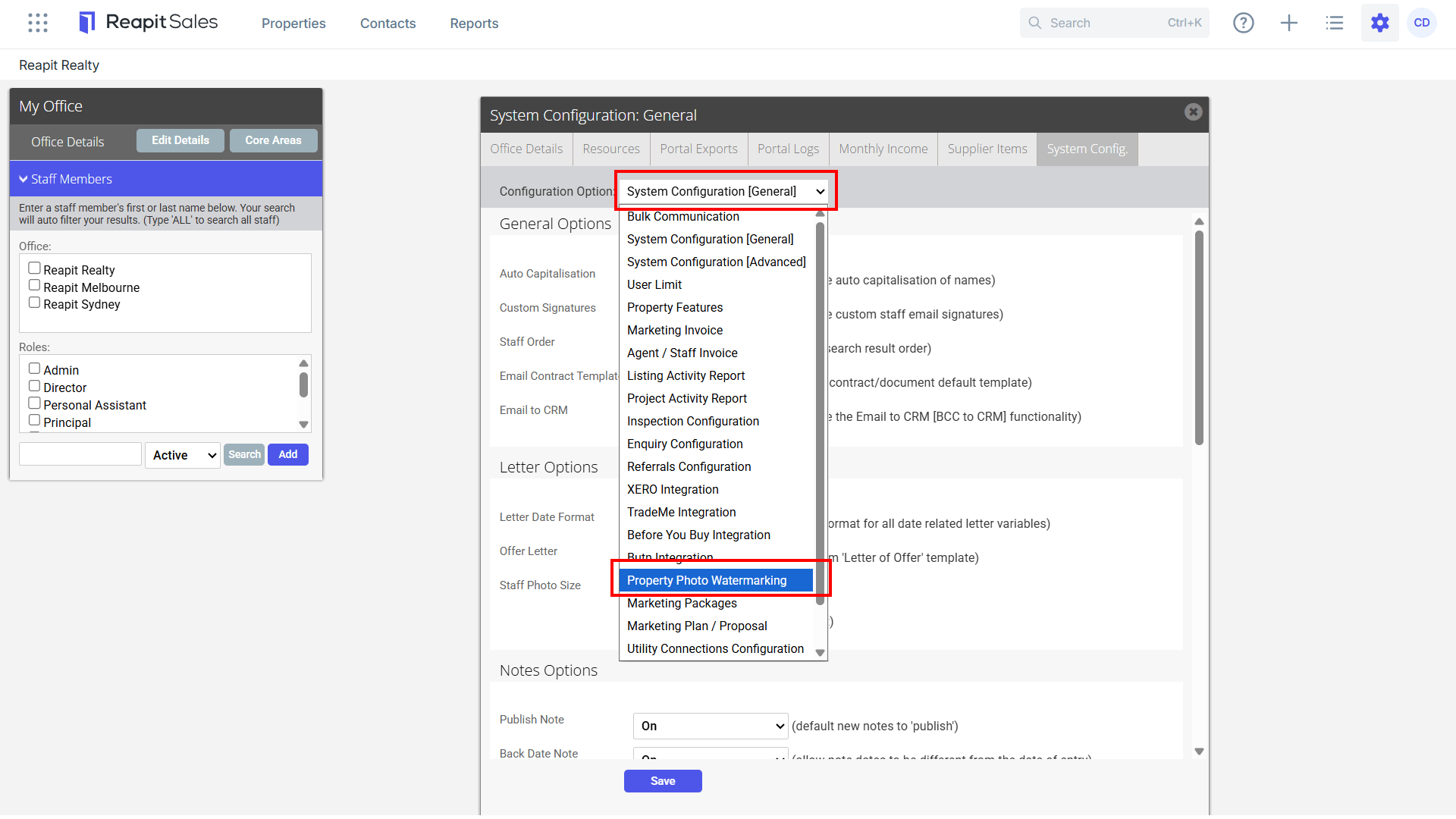
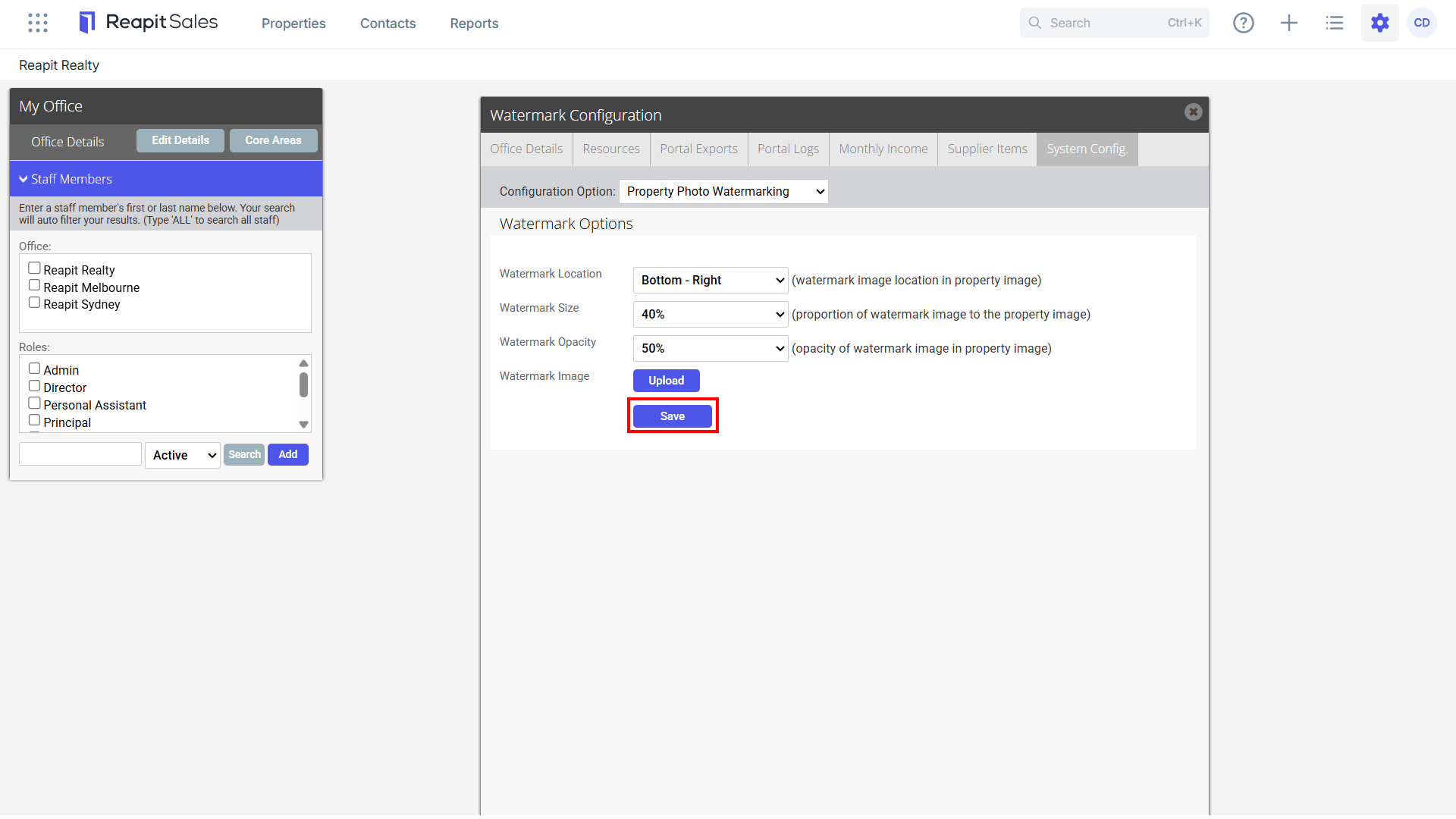
- Watermark Configuration Options
Watermark Location - ability to set watermark image location
Watermark Size - ability to configure size of watermark in 1% increments
Watermark Opacity - ability to define the transparency of the watermark image
Watermark Image - option to upload a new watermark image
- Click Save to finish.