'%20d='M0%208a8%208%200%200%201%208-8h24a8%208%200%200%201%208%208v24a8%208%200%200%201-8%208H8a8%208%200%200%201-8-8V8Z'/%3e%3cpath%20fill='%23fff'%20d='M10.41%206v3.779h15.048v19.537h4.132V6H10.41Z'/%3e%3cpath%20fill='%23fff'%20d='M20.967%2034V13.837L10.41%209.78v20.166L20.967%2034Z'/%3e%3cdefs%3e%3clinearGradient%20id='reapit-sales__a'%20x1='20.702'%20x2='20.702'%20y1='.351'%20y2='31.228'%20gradientUnits='userSpaceOnUse'%3e%3cstop%20stop-color='%235573FD'/%3e%3cstop%20offset='.575'%20stop-color='%234E56EA'/%3e%3c/linearGradient%3e%3c/defs%3e%3c/svg%3e)
Property Alert Report
This article will cover viewing the property alert report in Reapit Sales.
Property Alert Report
This article will cover viewing the property alert report in Reapit Sales.
*Note: Only Master Users can view this report
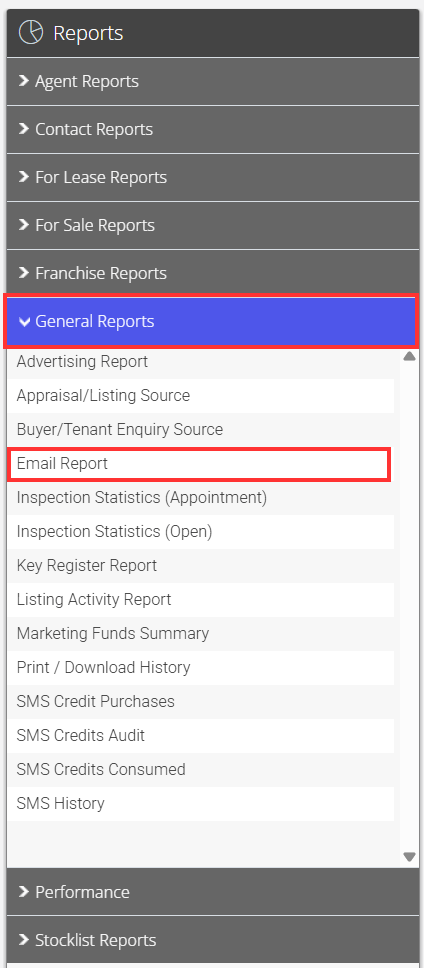
- Click Reports from the Main Menu


- Click the General Reports tab, then click on Email Report

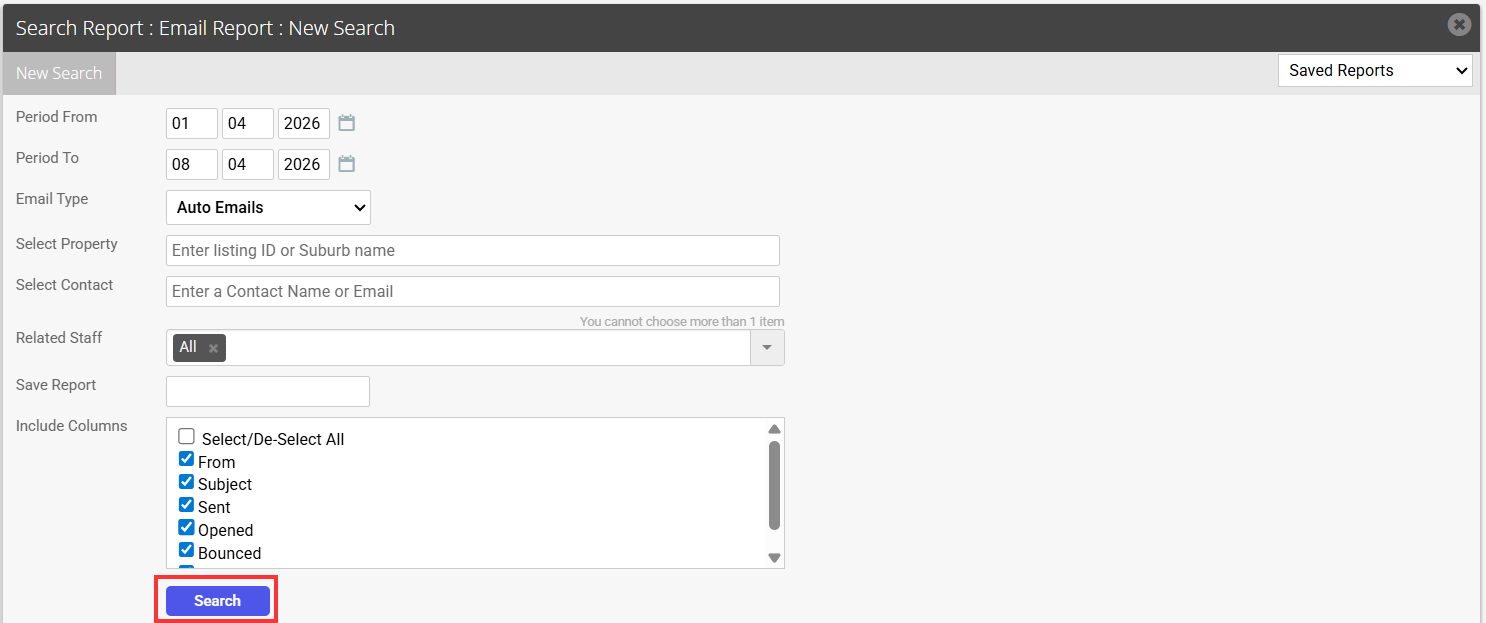
- Enter a Date Range
- Select Auto Emails from the Email Type drop-down
- Click Search
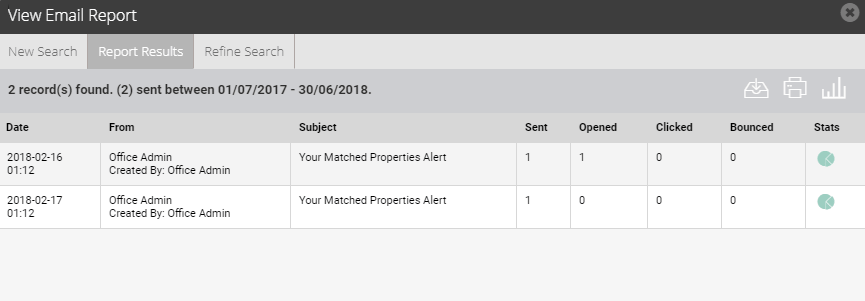
 to download a CSV file or
  to print a report or
  to take you back to the graph above.
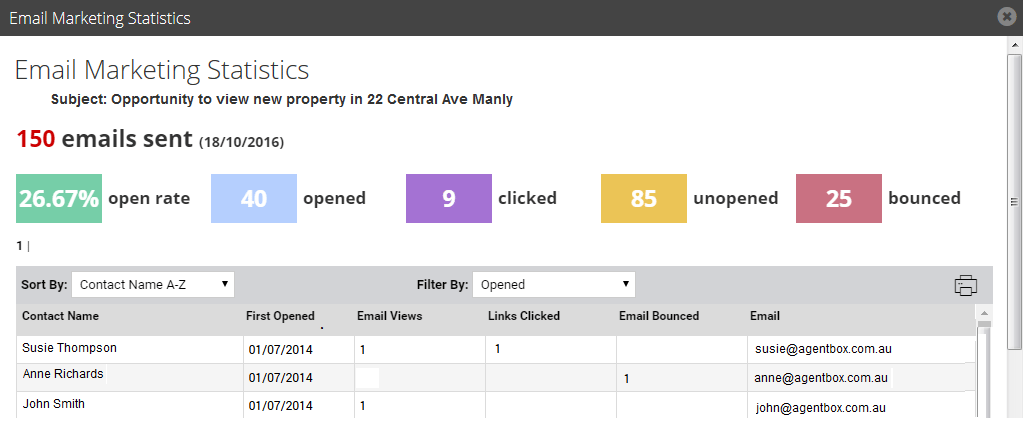
8. Click on the Pie Chart icon next to the corresponding report to view the open rate statistics
to take you back to the graph above.
8. Click on the Pie Chart icon next to the corresponding report to view the open rate statistics
You can filter results by Opened, Clicked, Unopened and Bounced
Click on the contacts name to quickly view/edit their contact details
To assist with managing bounced emails;
Bounced email addresses are highlighted in red if the contact’s email address has not been changed/updated since the email was sent.
Contacts that have had their email address updated after the email was sent are displayed with an asterisk prefixing their new/current email address.