'%20d='M0%208a8%208%200%200%201%208-8h24a8%208%200%200%201%208%208v24a8%208%200%200%201-8%208H8a8%208%200%200%201-8-8V8Z'/%3e%3cpath%20fill='%23fff'%20d='M10.41%206v3.779h15.048v19.537h4.132V6H10.41Z'/%3e%3cpath%20fill='%23fff'%20d='M20.967%2034V13.837L10.41%209.78v20.166L20.967%2034Z'/%3e%3cdefs%3e%3clinearGradient%20id='reapit-sales__a'%20x1='20.702'%20x2='20.702'%20y1='.351'%20y2='31.228'%20gradientUnits='userSpaceOnUse'%3e%3cstop%20stop-color='%235573FD'/%3e%3cstop%20offset='.575'%20stop-color='%234E56EA'/%3e%3c/linearGradient%3e%3c/defs%3e%3c/svg%3e)
Print an Open Home Report
This article outlines how to generate an Open Home Report in Reapit Sales.
Overview
Print an Open Home Report
This article outlines how to generate an Open Home Report in Reapit Sales.
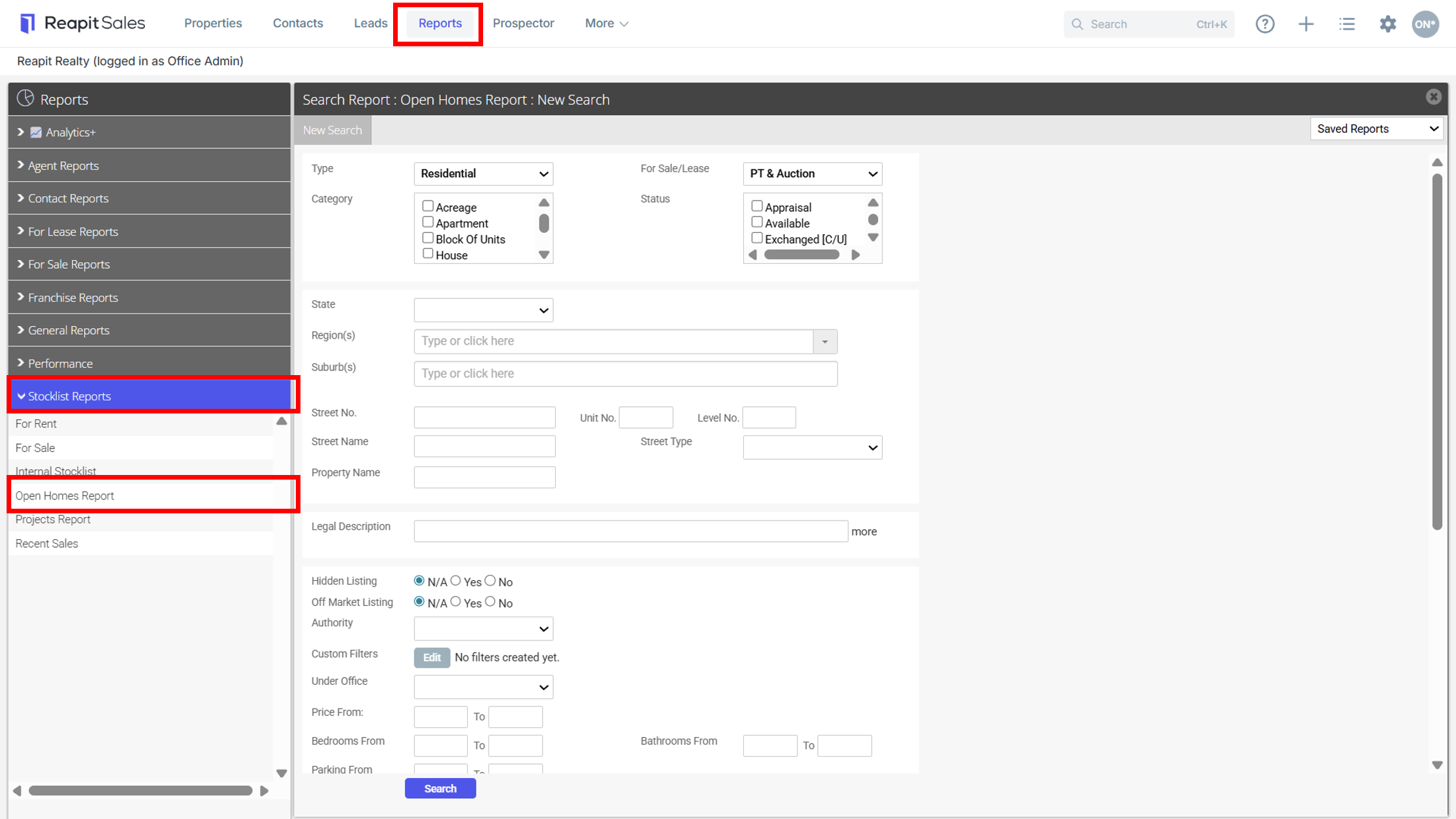
- Click the Reports icon from the Main Menu
- Click the Stocklist Reports category
- Select the report Open Homes Report
- Enter Search Requirements to refine your Stocklist. Eg, by Agent or office.
- You can also Filter by Period - Next 7, 14, 21 ,28 days Inspections or Last 7, 14 ,21, 28 days Inspections.
- Click Search - The results will appear.
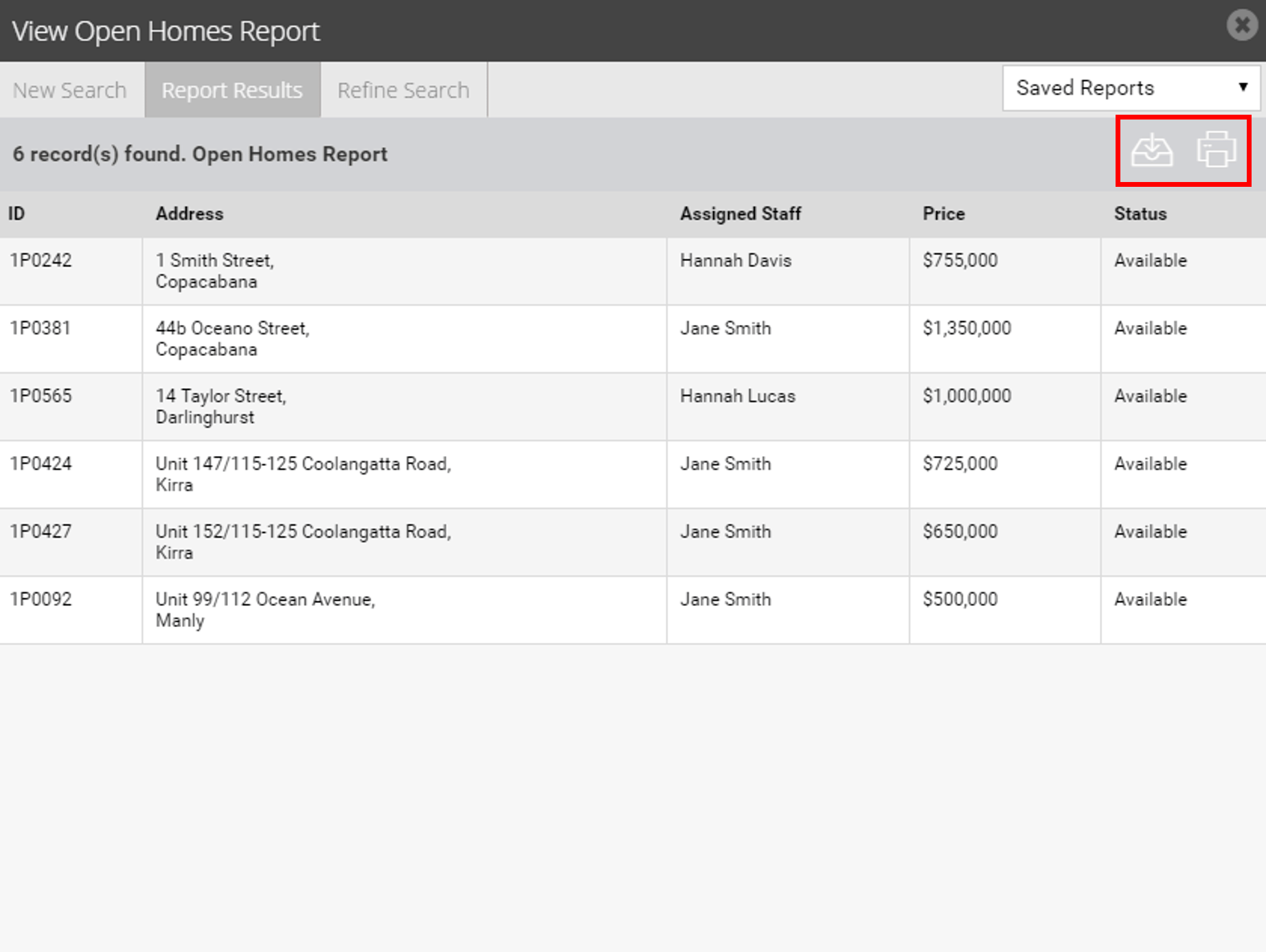
- You can now use the action icons
 to export your report as a CSV or Print as HTML.