'%20d='M0%208a8%208%200%200%201%208-8h24a8%208%200%200%201%208%208v24a8%208%200%200%201-8%208H8a8%208%200%200%201-8-8V8Z'/%3e%3cpath%20fill='%23fff'%20d='M10.41%206v3.779h15.048v19.537h4.132V6H10.41Z'/%3e%3cpath%20fill='%23fff'%20d='M20.967%2034V13.837L10.41%209.78v20.166L20.967%2034Z'/%3e%3cdefs%3e%3clinearGradient%20id='reapit-sales__a'%20x1='20.702'%20x2='20.702'%20y1='.351'%20y2='31.228'%20gradientUnits='userSpaceOnUse'%3e%3cstop%20stop-color='%235573FD'/%3e%3cstop%20offset='.575'%20stop-color='%234E56EA'/%3e%3c/linearGradient%3e%3c/defs%3e%3c/svg%3e)
Generate Marketing Plan/Proposal
This article will cover applying marketing expenses to a property in Reapit Sales.
Generate Marketing Plan/Proposal
This article will cover applying marketing expenses to a property in Reapit Sales.
Reapit Sales has the ability to generate a PDF Marketing Plan/Campaign Proposal document for an Appraisal/Listing that includes a table of the marketing/expense items applied with various layout options.
Offices are able to configure the header, colour scheme, default table layout and include additional pages of custom content such as payment options, vendor sign off, terms/conditions/disclosures, etc. via System Configurations
- Search for your Property
- Click the Marketing Funds tab.
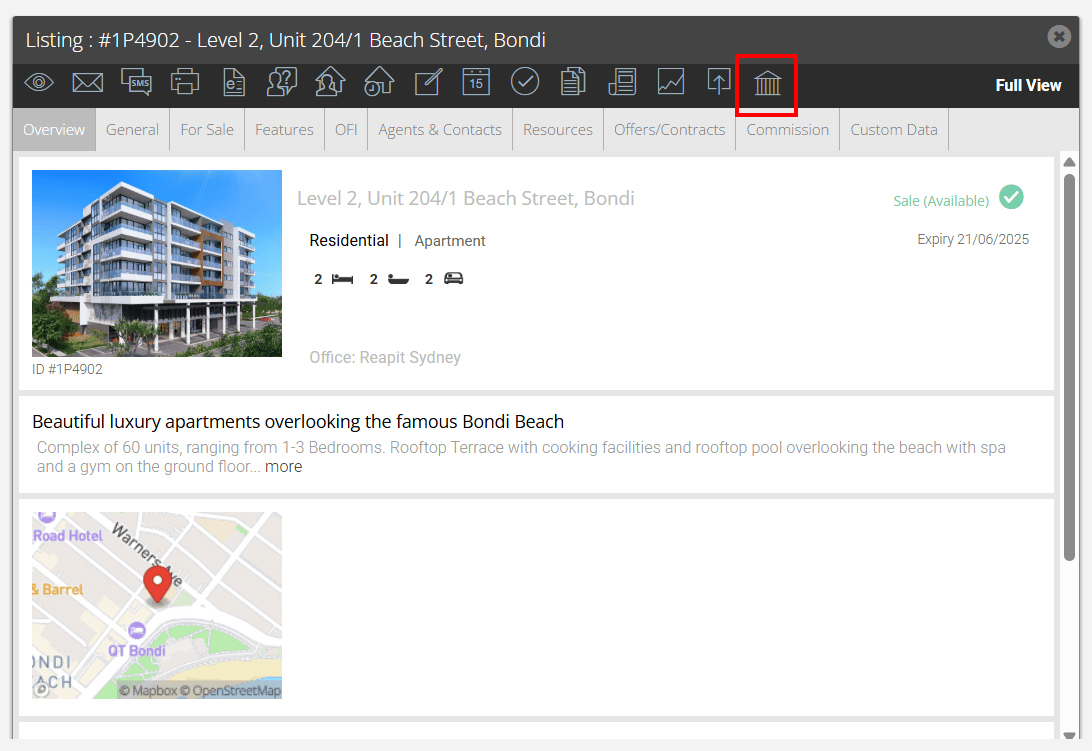
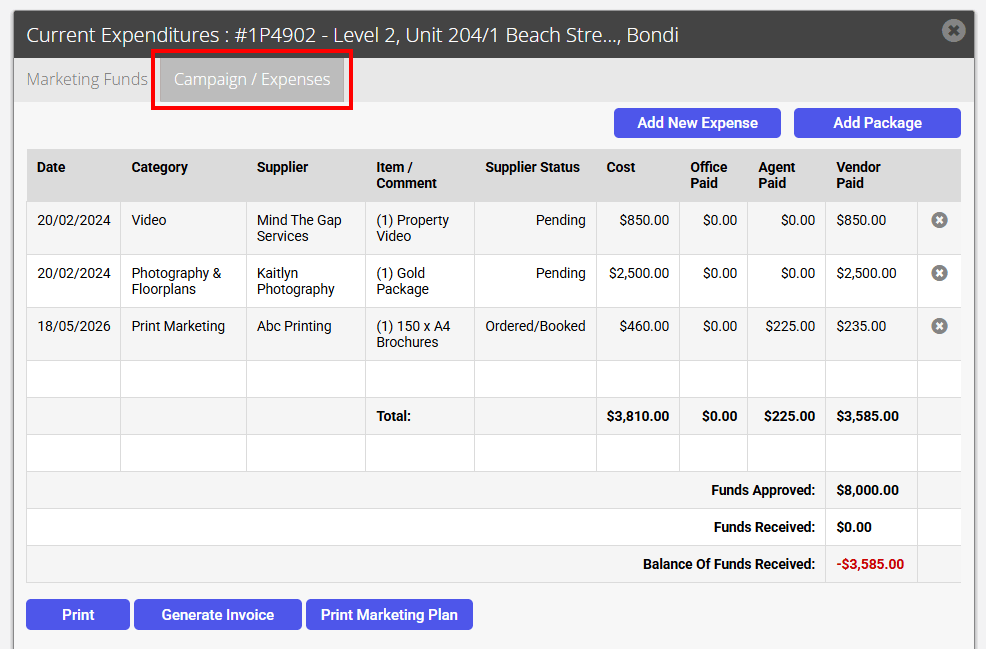
- Click the Current / Expenses Tab.
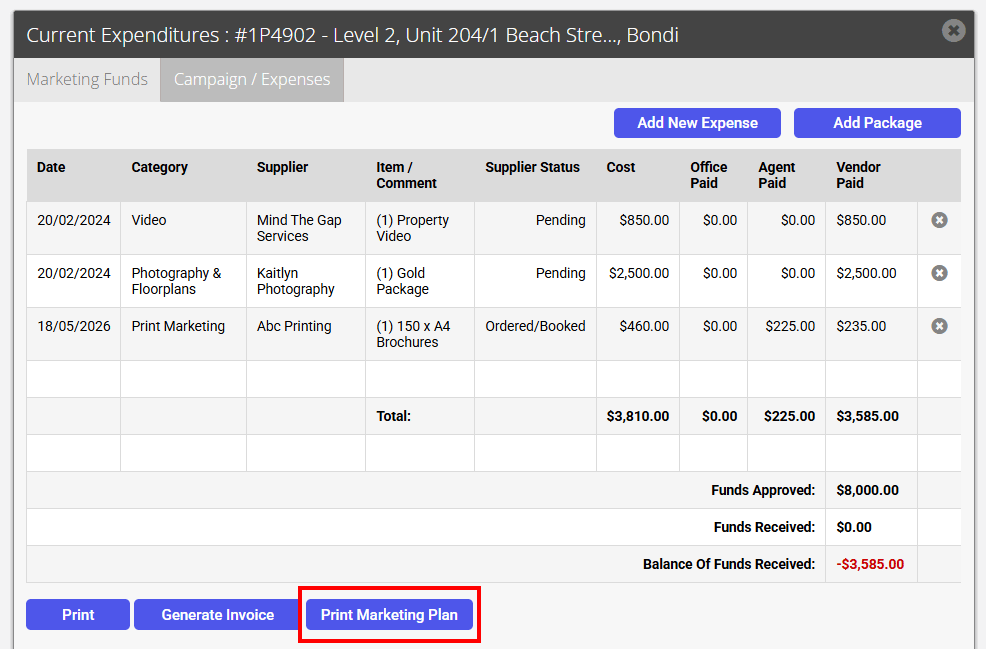
- Select Print Marketing Plan.
- Select to how you would like the data to be grouped by and select what data is to appear using the checkboxes
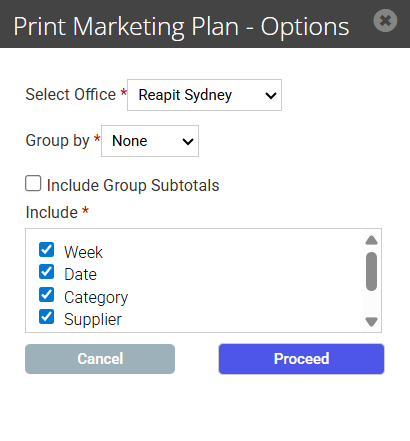
- Select Proceed the report will generate. Master Users can customise the template and add/edit custom pages to the report via System Configurations
- Click Print or Download the PDF