'%20d='M0%208a8%208%200%200%201%208-8h24a8%208%200%200%201%208%208v24a8%208%200%200%201-8%208H8a8%208%200%200%201-8-8V8Z'/%3e%3cpath%20fill='%23fff'%20d='M10.41%206v3.779h15.048v19.537h4.132V6H10.41Z'/%3e%3cpath%20fill='%23fff'%20d='M20.967%2034V13.837L10.41%209.78v20.166L20.967%2034Z'/%3e%3cdefs%3e%3clinearGradient%20id='reapit-sales__a'%20x1='20.702'%20x2='20.702'%20y1='.351'%20y2='31.228'%20gradientUnits='userSpaceOnUse'%3e%3cstop%20stop-color='%235573FD'/%3e%3cstop%20offset='.575'%20stop-color='%234E56EA'/%3e%3c/linearGradient%3e%3c/defs%3e%3c/svg%3e)
Moving Listings to Under Contract
This article explains how to mark a property as Under Contract within Reapit Sales.
Overview
Moving Listings to Under Contract
This article explains how to mark a property as Under Contract within Reapit Sales.
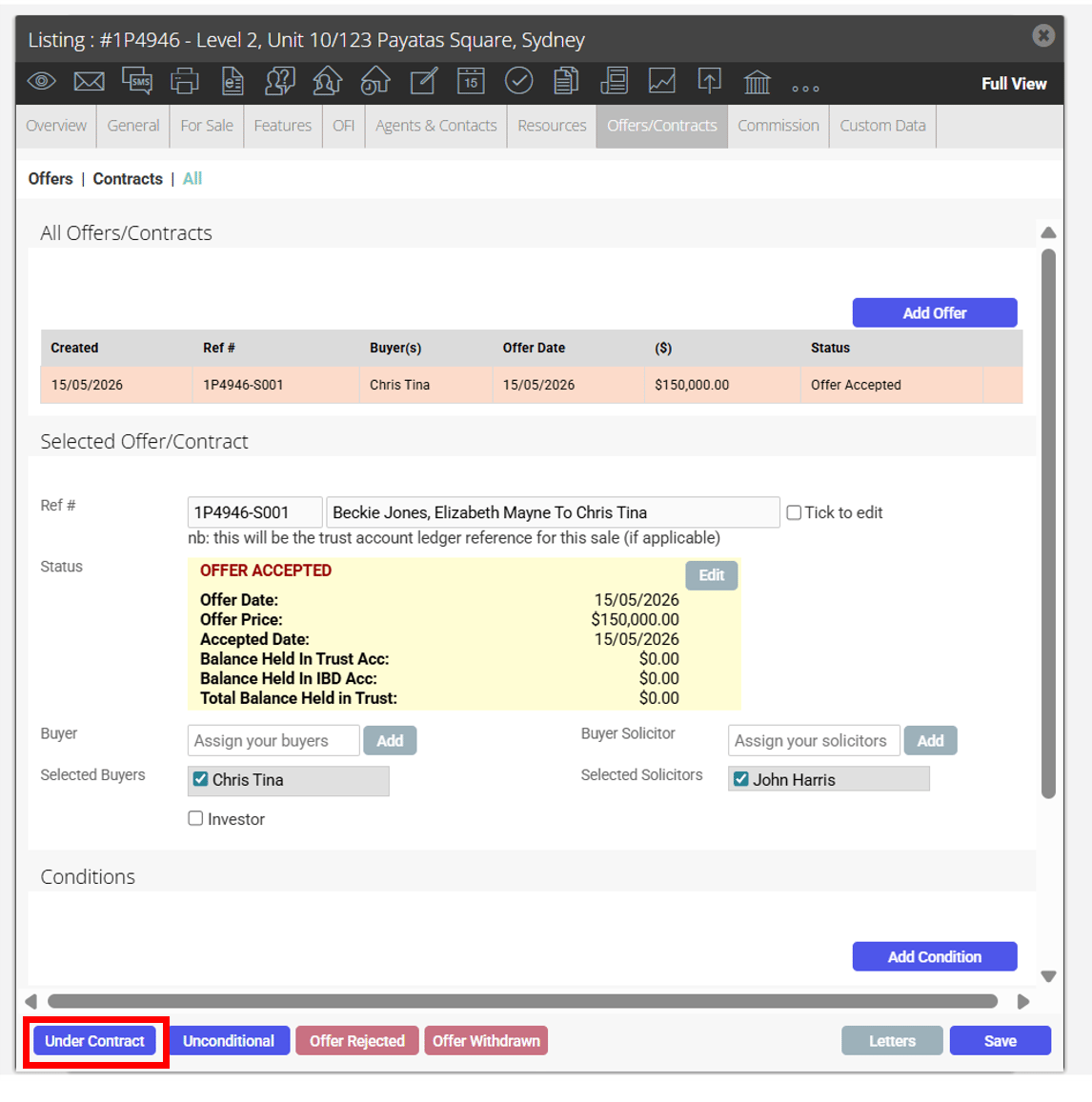
- Convert the offer to a contract by clicking under contract and fill out the mandatory information
Once an offer has been converted to a contract it cannot be deleted. You will need to mark the contract as fallen over in order to re-list or sell the property to another party.
*Note: This step may be skipped if the property was sold at Auction, no cooling-off period was required or no conditions existed upon signing - simply click unconditional instead of under contract.
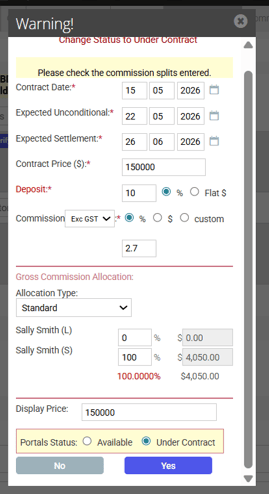
Properties Under Contract but not yet Unconditional can appear on the portals as either Available or Under Contract.
Contract Conditions can also be added via the offer and contracts tab and managed accordingly.