'%20d='M0%208a8%208%200%200%201%208-8h24a8%208%200%200%201%208%208v24a8%208%200%200%201-8%208H8a8%208%200%200%201-8-8V8Z'/%3e%3cpath%20fill='%23fff'%20d='M10.41%206v3.779h15.048v19.537h4.132V6H10.41Z'/%3e%3cpath%20fill='%23fff'%20d='M20.967%2034V13.837L10.41%209.78v20.166L20.967%2034Z'/%3e%3cdefs%3e%3clinearGradient%20id='reapit-sales__a'%20x1='20.702'%20x2='20.702'%20y1='.351'%20y2='31.228'%20gradientUnits='userSpaceOnUse'%3e%3cstop%20stop-color='%235573FD'/%3e%3cstop%20offset='.575'%20stop-color='%234E56EA'/%3e%3c/linearGradient%3e%3c/defs%3e%3c/svg%3e)
Manage Preferences and Unsubscribe E-Newsletter
This article runs through how to manage preferences and unsubscribe e-Newsletter in Reapit Sales. Note: These buttons do not work on test (send for testing) emails.
Manage Preferences and Unsubscribe E-Newsletter
This article runs through how to manage preferences and unsubscribe e-Newsletter in Reapit Sales.
Note: These buttons do not work on test (send for testing) emails.
If your clients wish to discontinue receiving eNewsletters, they will have the option to manage their preferences and/ or unsubscribe accordingly.
Additionally, the Contact Unsubscribe Report can be beneficial to view as it lists the date, contact and specific subscription the contact has unsubscribed from. This displays contacts that have personally unsubscribed from office marketing materials using the unsubscribe link in the e-newsletter. To view the Contact Reports user manual page, Click Here.
Manage Preferences
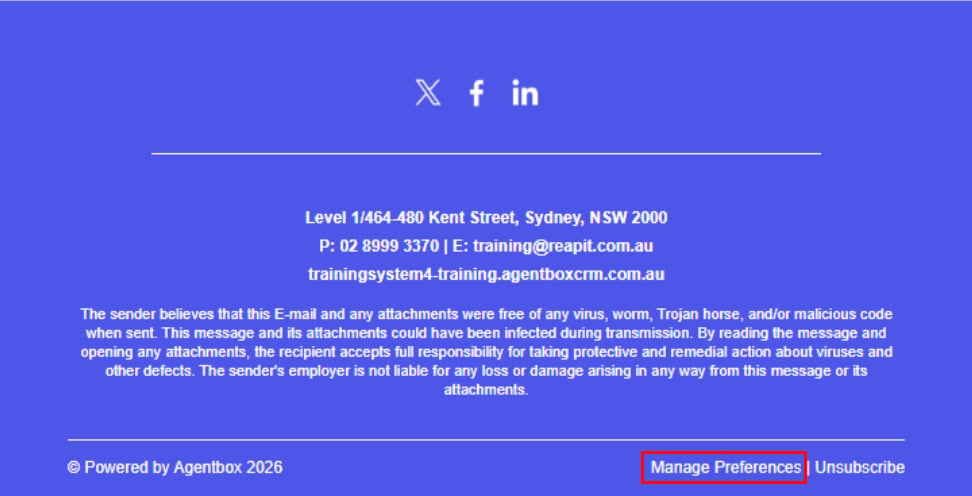
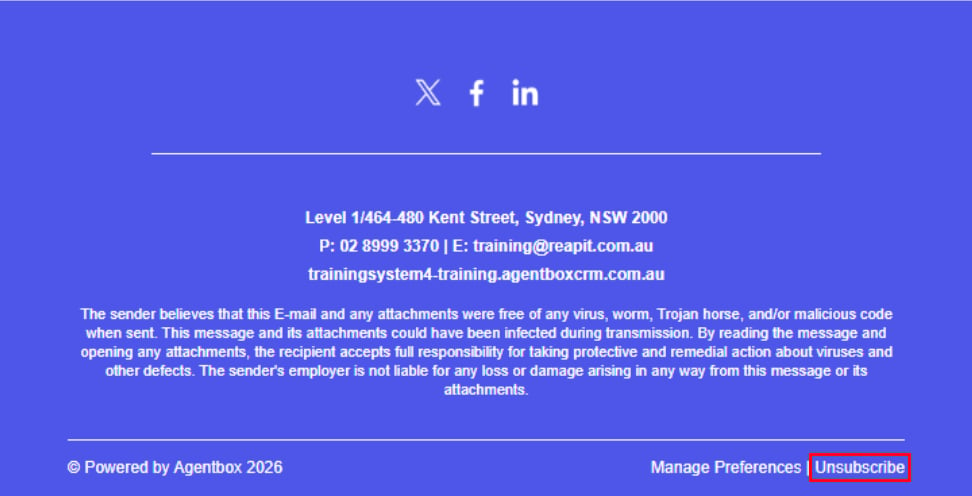
- Upon receiving the eNewsletter, should your client wish to adjust their preferences, they can action this by clicking Manage Preferences at the bottom of the eNewsletter.
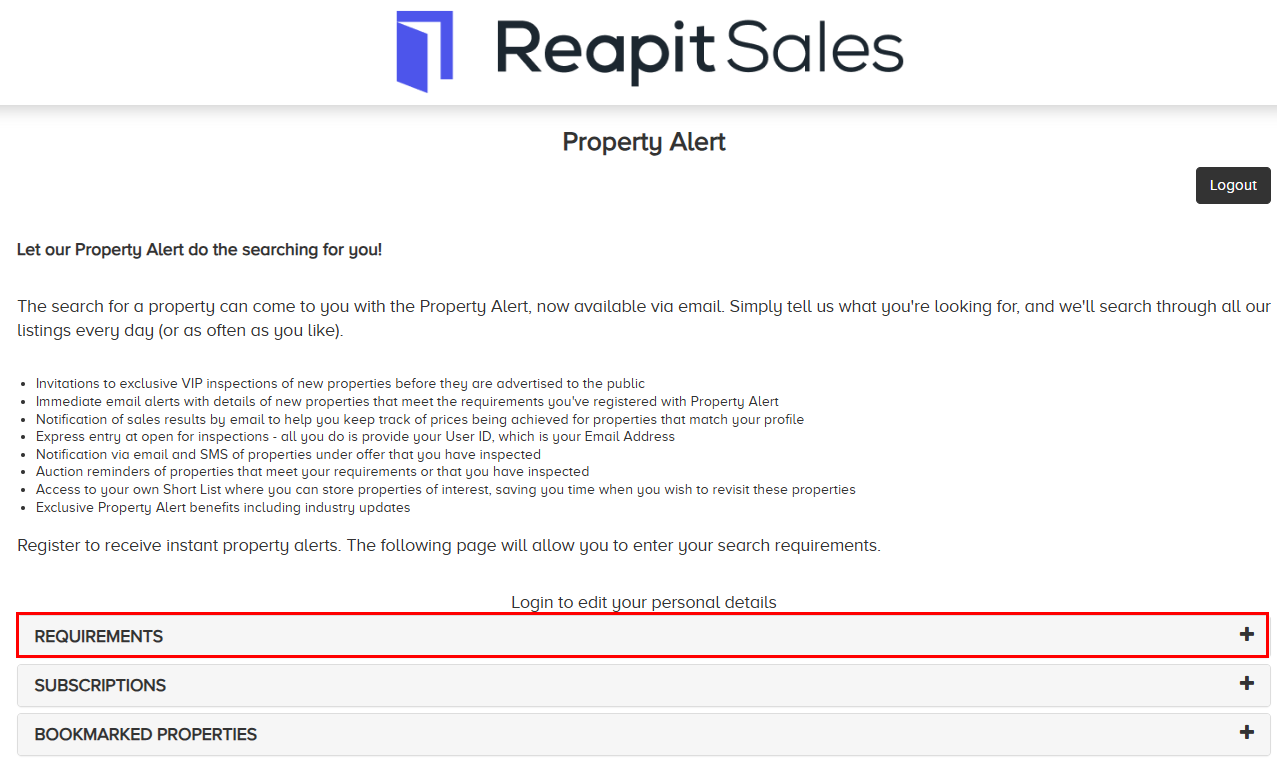
- Click on the Requirements + icon to update your property requirements.
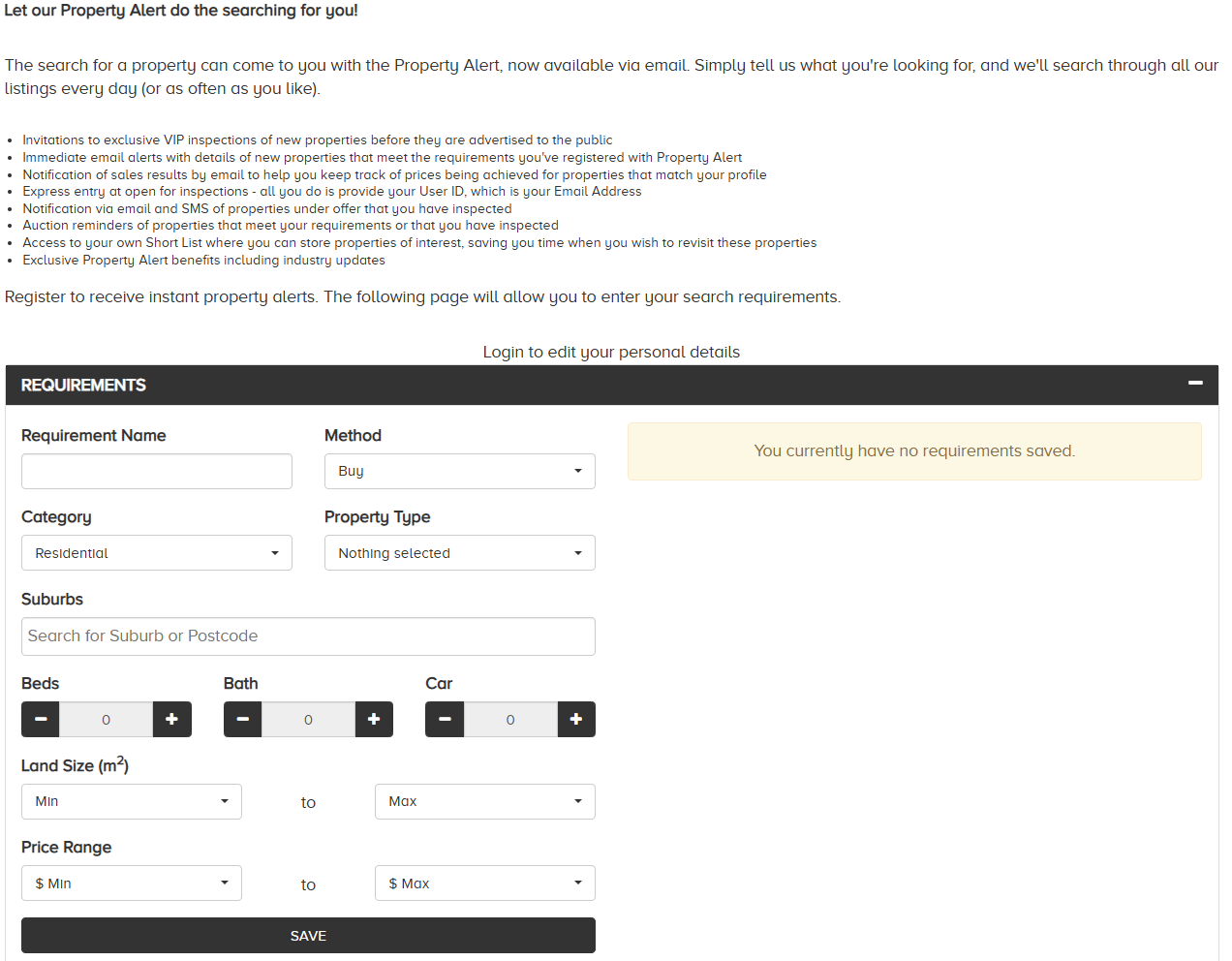
- Update requirements as desired. Click Save to confirm.
- Update subscriptions as desired. Click Update to confirm.
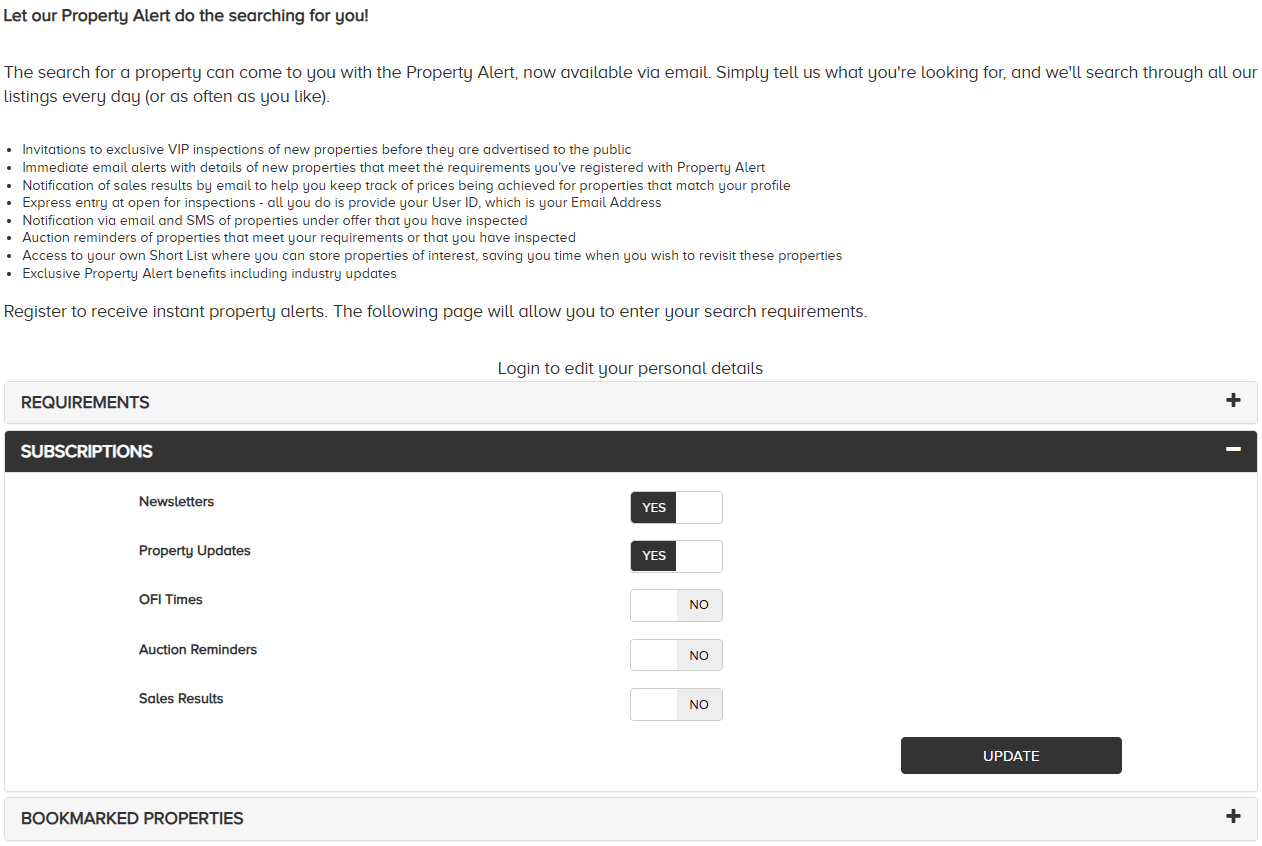
Note: Once your client updates their property preferences, it will be reflected in their Reapit Sales Contact Card.
Unsubscribe
- Upon receiving the eNewsletter, should your client wish to unsubscribe, they can action this by clicking Unsubscribe at the bottom of the eNewsletter.
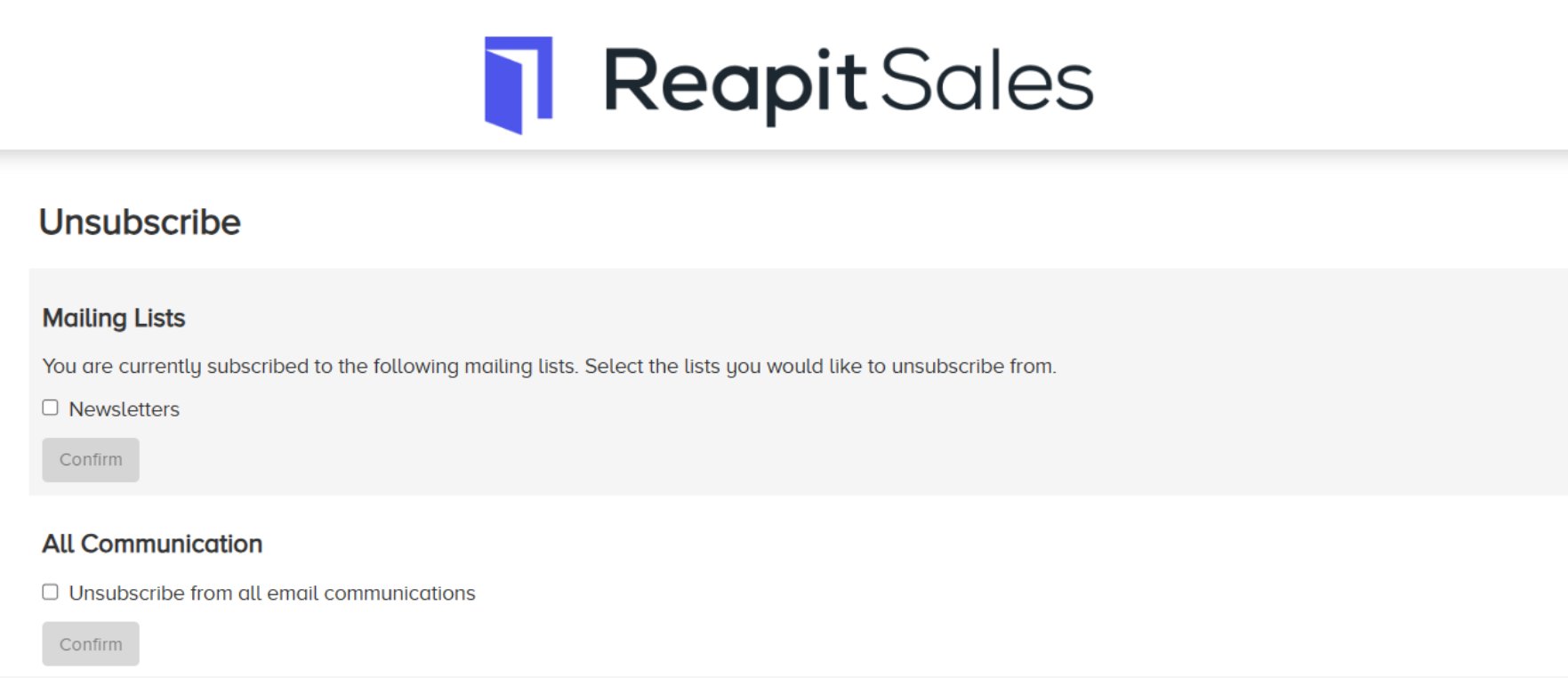
2*.* To unsubscribe for eNewsletters, click the appropriate checkbox. Click Confirm.
- To unsubscribe from all email communication, click Unsubscribe from all email communication. Click Confirm.