'%20d='M0%208a8%208%200%200%201%208-8h24a8%208%200%200%201%208%208v24a8%208%200%200%201-8%208H8a8%208%200%200%201-8-8V8Z'/%3e%3cpath%20fill='%23fff'%20d='M10.41%206v3.779h15.048v19.537h4.132V6H10.41Z'/%3e%3cpath%20fill='%23fff'%20d='M20.967%2034V13.837L10.41%209.78v20.166L20.967%2034Z'/%3e%3cdefs%3e%3clinearGradient%20id='reapit-sales__a'%20x1='20.702'%20x2='20.702'%20y1='.351'%20y2='31.228'%20gradientUnits='userSpaceOnUse'%3e%3cstop%20stop-color='%235573FD'/%3e%3cstop%20offset='.575'%20stop-color='%234E56EA'/%3e%3c/linearGradient%3e%3c/defs%3e%3c/svg%3e)
Prospective Buyer/ Tenant Modification Logs
This article shows where to view prospective buyer and tenant modification logs from within the property card in Reapit Sales.
Overview
Prospective Buyer/ Tenant Modification Logs
This article shows where to view prospective buyer and tenant modification logs from within the property card in Reapit Sales.
Note: The ability to edit/delete certain activities is limited by permissions and system-configurations like backdating and deleting notes.
Modification logs are available via the prospective Buyers/Tenants Panel.
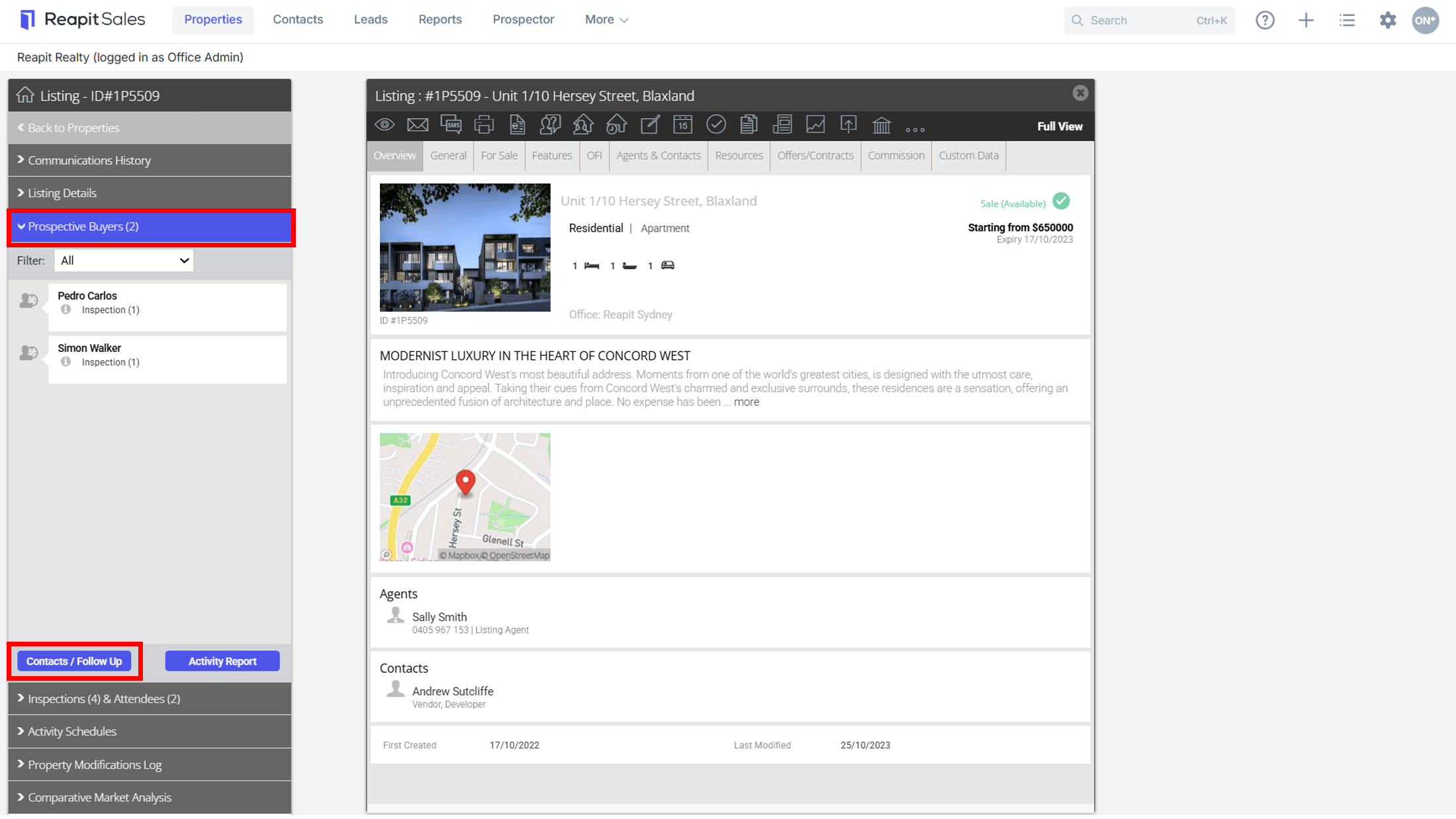
- Select 'Prospective Buyers' for Sales or 'Prospective Tenants' for rentals from the Property Card side menu.
- Click 'Contacts / Follow Up'.
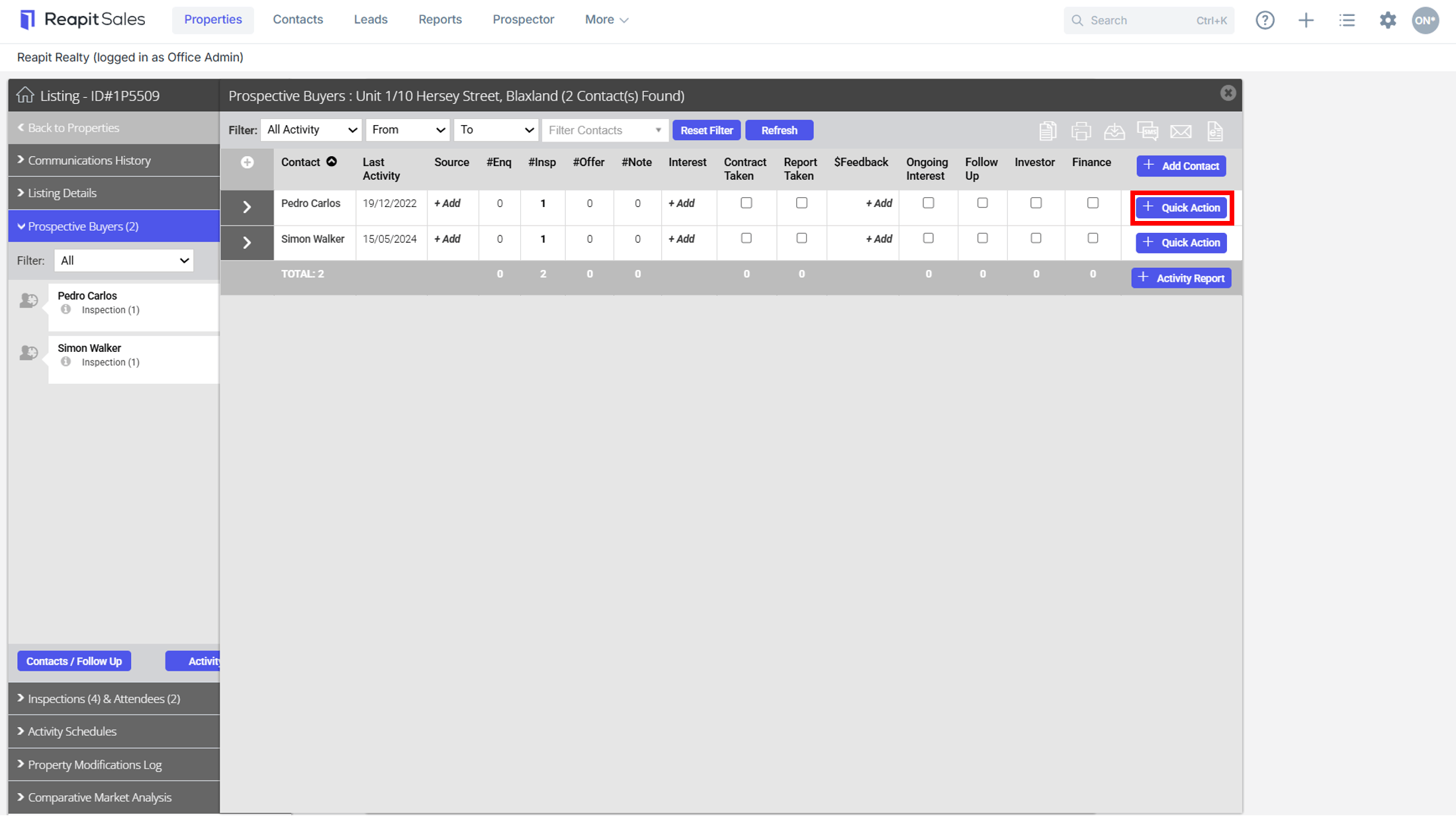
- Select the 'Quick Action' icon.
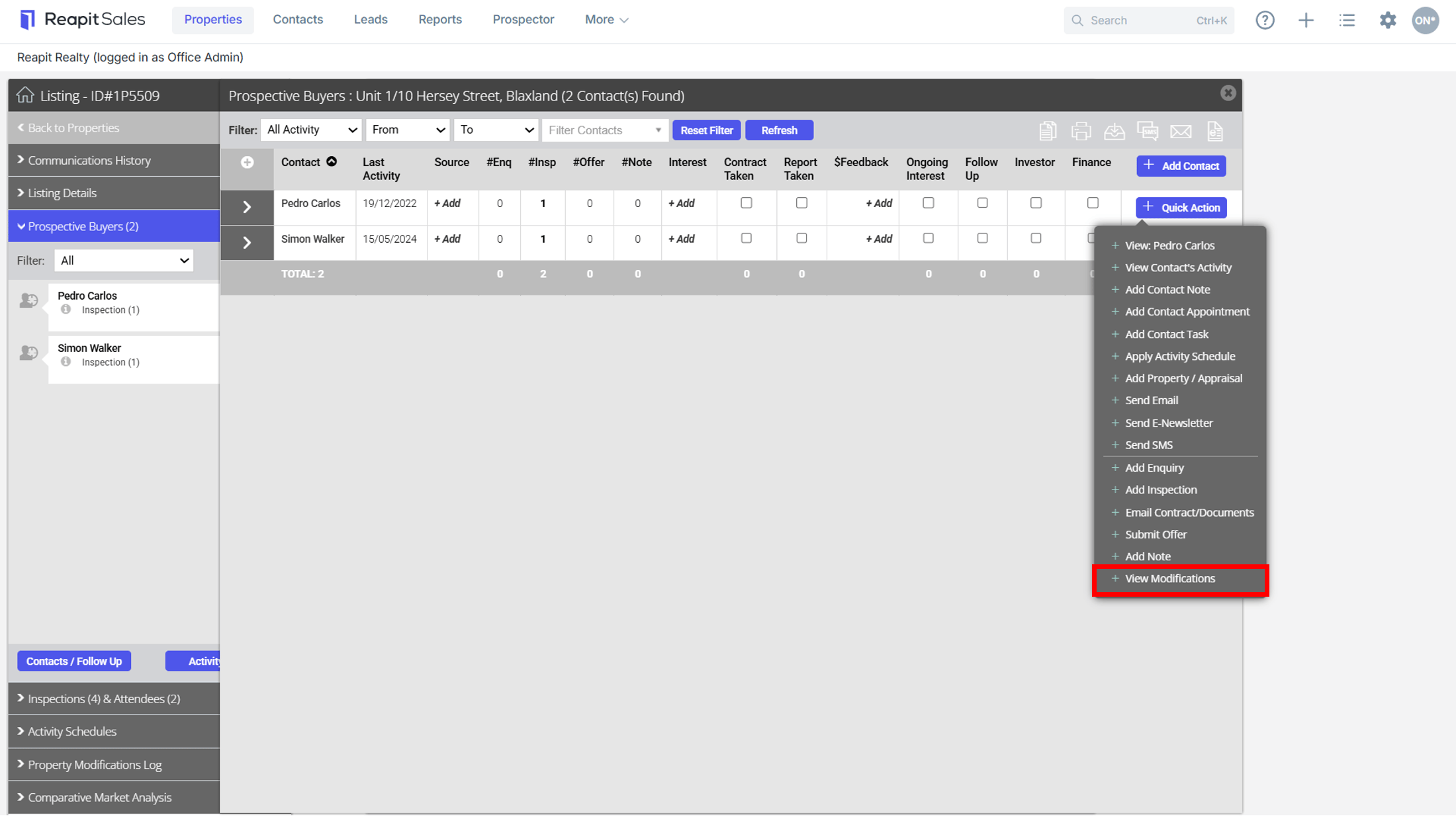
- Click 'View Modifications'.
Logs are stored when the following actions are made:
- Parent Record: Source, Interest Level, Contract Taken?, Report Taken?, Price Feedback, Ongoing Interest?, Follow Up?
- Enquiry: Add Enquiry, Edit Enquiry Comment, Delete Enquiry
- Inspection: Add Inspection, Edit Inspection Comment, Edit Inspection Date, Delete Inspection
- Note: Add Note, Edit Note Headline, Edit Note Description, Edit Note Date, Delete Note
- Offer: Add Offer, Edit Offer Date, Edit Offer Price, Delete Offer.