'%20d='M0%208a8%208%200%200%201%208-8h24a8%208%200%200%201%208%208v24a8%208%200%200%201-8%208H8a8%208%200%200%201-8-8V8Z'/%3e%3cpath%20fill='%23fff'%20d='M10.41%206v3.779h15.048v19.537h4.132V6H10.41Z'/%3e%3cpath%20fill='%23fff'%20d='M20.967%2034V13.837L10.41%209.78v20.166L20.967%2034Z'/%3e%3cdefs%3e%3clinearGradient%20id='reapit-sales__a'%20x1='20.702'%20x2='20.702'%20y1='.351'%20y2='31.228'%20gradientUnits='userSpaceOnUse'%3e%3cstop%20stop-color='%235573FD'/%3e%3cstop%20offset='.575'%20stop-color='%234E56EA'/%3e%3c/linearGradient%3e%3c/defs%3e%3c/svg%3e)
LMM - Changing the Status of your Listing
This article takes you through the process of changing a listing status in Reapit Sales Listing Management Module.
LMM - Changing the Status of your Listing
This article takes you through the process of changing a listing status in Reapit Sales Listing Management Module.
Disclaimer:* This article refers to functionality of the Listing Management Module Only. For full CRM, users access our additional content via the side menu.
Marking the listing as Sold
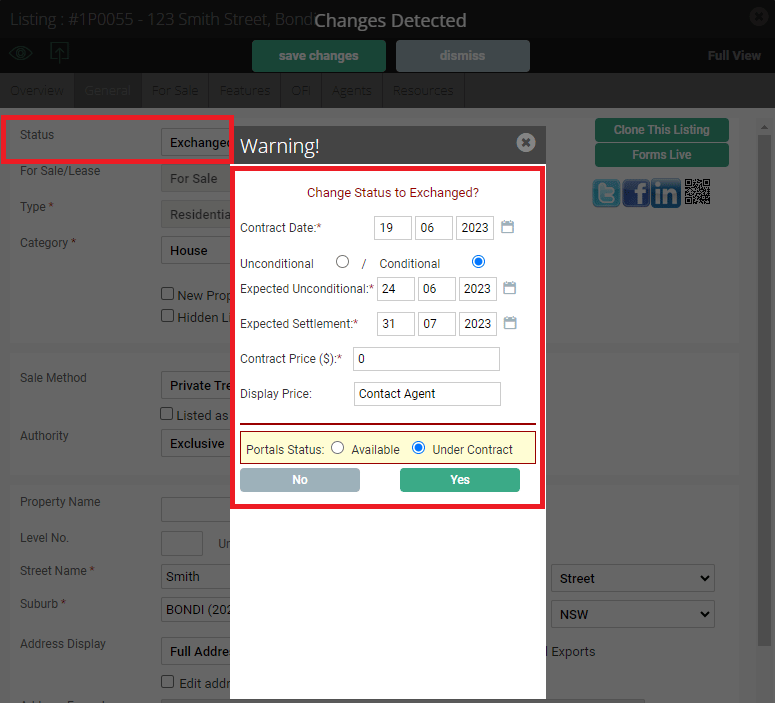
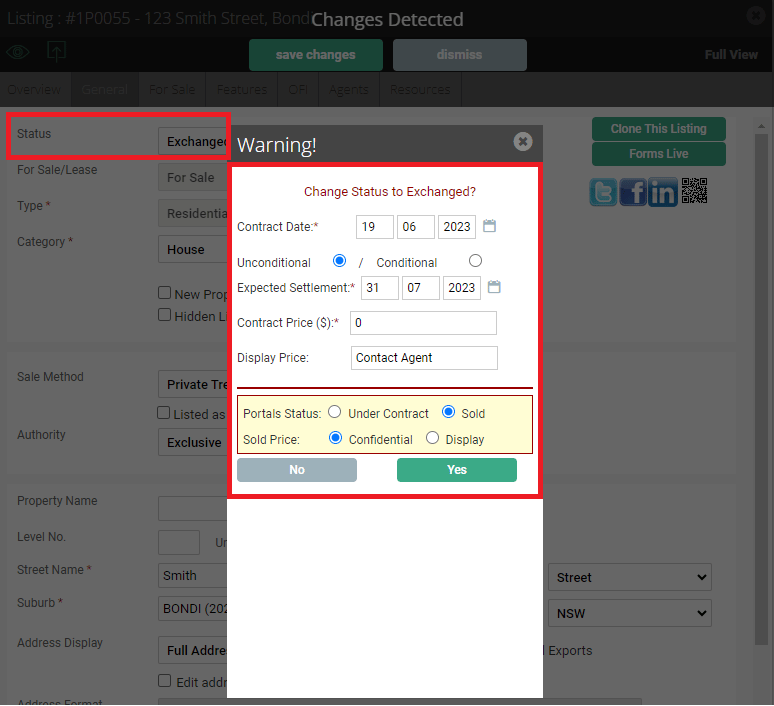
Once your property has received an offer, you can then proceed to mark it as Exchanged.
- Make sure to fill in all fields with accurate dates, and specify whether it is a conditional or an unconditional sale. (as you can see below, the combination of dates differs depending on the status of the sale)
- The information shown above the red line refers back to Reapit Sales data which you will have access to.
- The information shown below the red line refers back to the portals, and will update the portal status accordingly.
Marking the listing as Settled
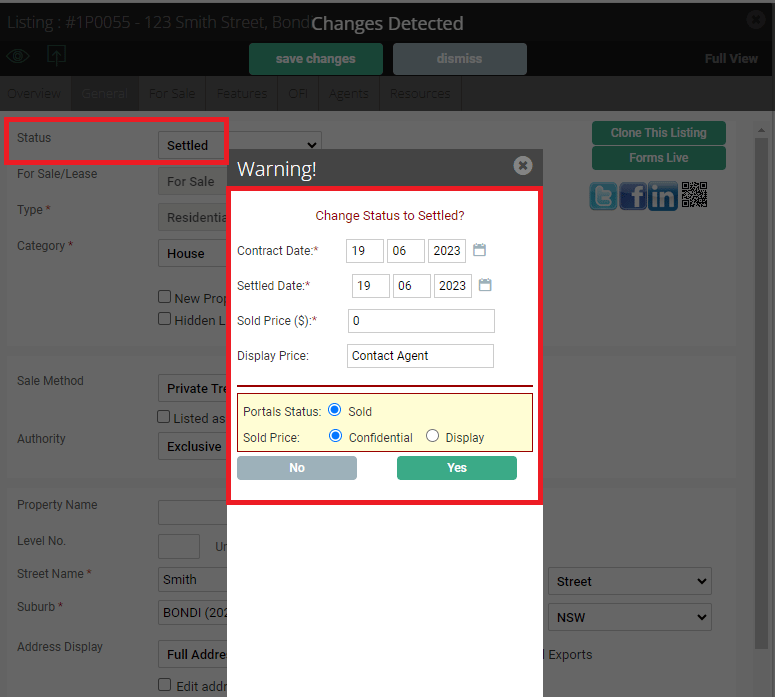
When your listing is ready to be settled, you can now change its status to a Settled status.
- Enter in the details regarding the campaign for your reference within Reapit Sales
- Update the information below the red line to reflect the changes on the portals.
Making a listing offline
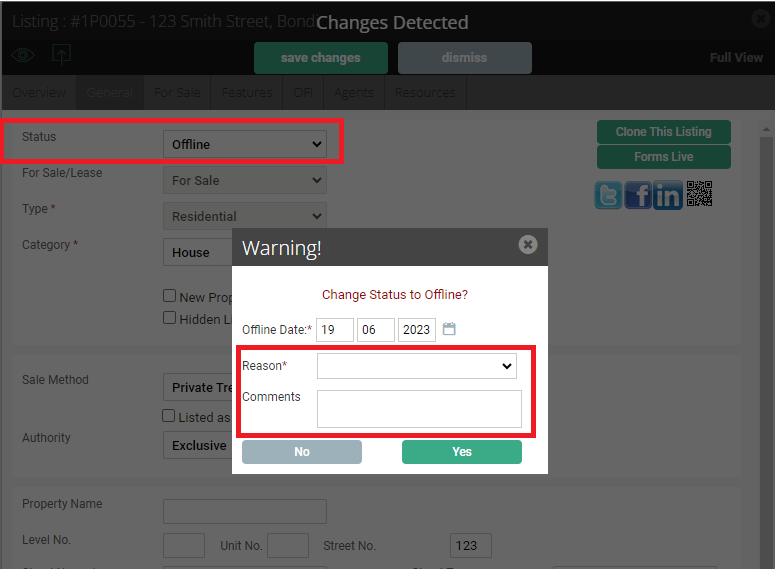
In the instance that your listing needs to be removed from online platforms, you can change its status to an Offline status.
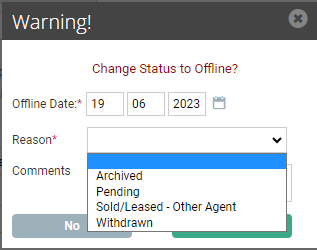
Once the status has changed, the system requires you to specify the reason, which will then allow you to save any changes and will reflect accordingly on the portals this listing had been uploaded to.