'%20d='M0%208a8%208%200%200%201%208-8h24a8%208%200%200%201%208%208v24a8%208%200%200%201-8%208H8a8%208%200%200%201-8-8V8Z'/%3e%3cpath%20fill='%23fff'%20d='M10.41%206v3.779h15.048v19.537h4.132V6H10.41Z'/%3e%3cpath%20fill='%23fff'%20d='M20.967%2034V13.837L10.41%209.78v20.166L20.967%2034Z'/%3e%3cdefs%3e%3clinearGradient%20id='reapit-sales__a'%20x1='20.702'%20x2='20.702'%20y1='.351'%20y2='31.228'%20gradientUnits='userSpaceOnUse'%3e%3cstop%20stop-color='%235573FD'/%3e%3cstop%20offset='.575'%20stop-color='%234E56EA'/%3e%3c/linearGradient%3e%3c/defs%3e%3c/svg%3e)
Connecting to Support Chat
Reapit Sales now offers live chat, allowing you to connect directly with our support team. This article covers how to access the chat feature in Reapit Sales.
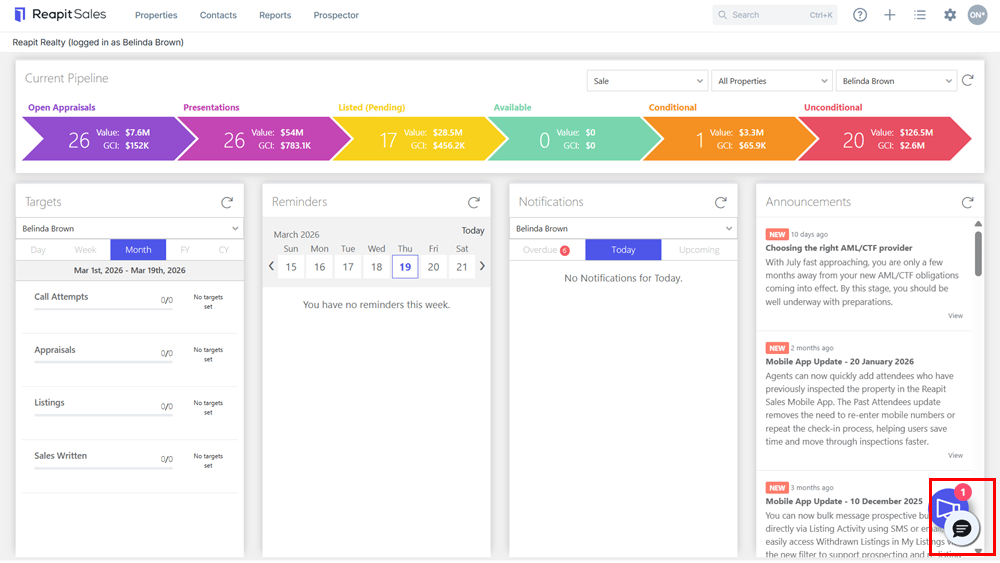
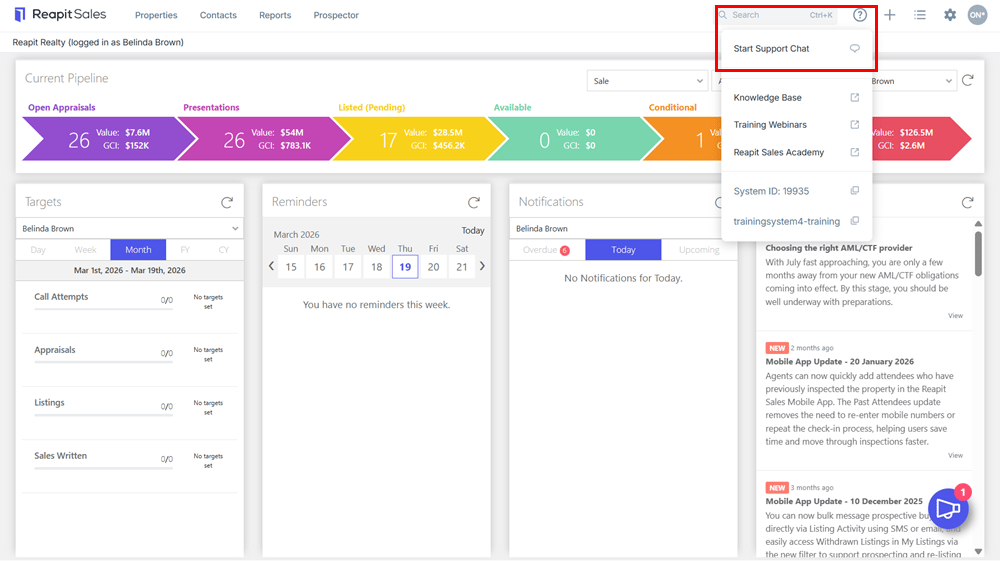
1. To access live chat, click on the Help Icon and select Start Live Chat from the drop-down menu.
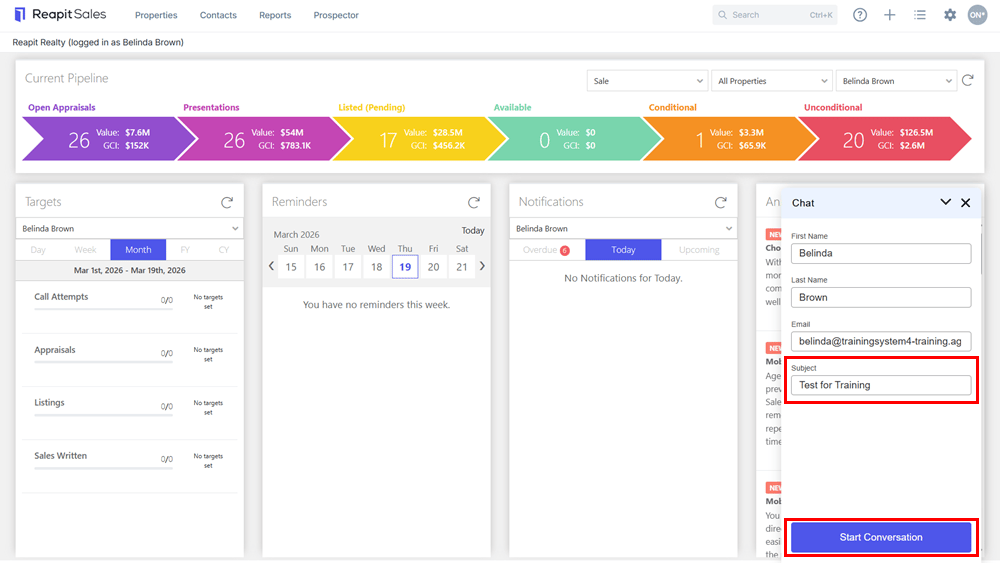
2. The chat window will open, automatically filling in your First Name, Last Name, and Email address. Enter the subject for the chat and click Start Conversation.
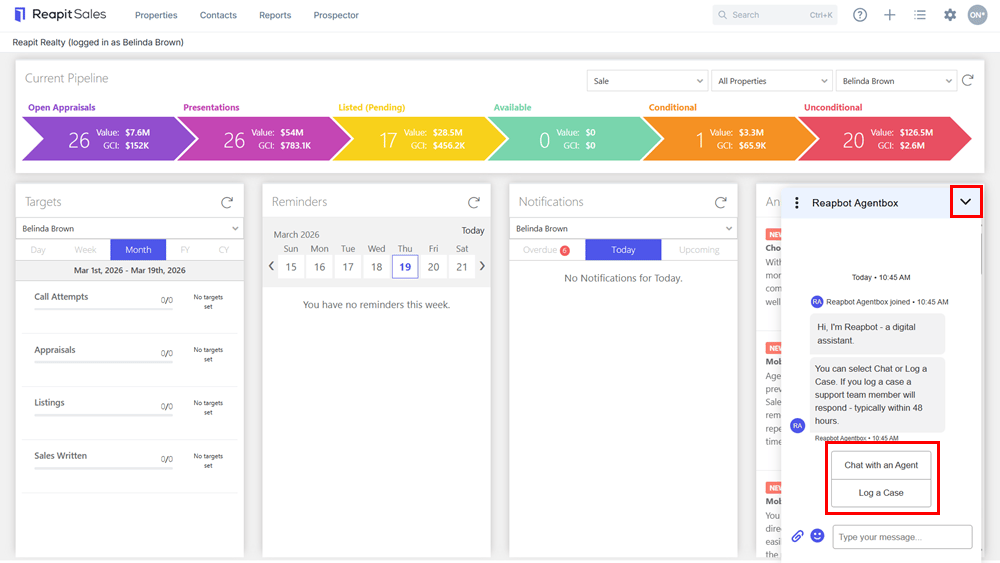
3. You can choose to chat with a live support agent or log a support case. If no support agents are available, you will be prompted to save your request as a case for follow-up.
4. While waiting for a response, you can minimise the chat window and continue working.
5. A notification alert will appear when a new message is received.
6. Once you are connected to support, the name of the assigned agent will be displayed.