'%20d='M0%208a8%208%200%200%201%208-8h24a8%208%200%200%201%208%208v24a8%208%200%200%201-8%208H8a8%208%200%200%201-8-8V8Z'/%3e%3cpath%20fill='%23fff'%20d='M10.41%206v3.779h15.048v19.537h4.132V6H10.41Z'/%3e%3cpath%20fill='%23fff'%20d='M20.967%2034V13.837L10.41%209.78v20.166L20.967%2034Z'/%3e%3cdefs%3e%3clinearGradient%20id='reapit-sales__a'%20x1='20.702'%20x2='20.702'%20y1='.351'%20y2='31.228'%20gradientUnits='userSpaceOnUse'%3e%3cstop%20stop-color='%235573FD'/%3e%3cstop%20offset='.575'%20stop-color='%234E56EA'/%3e%3c/linearGradient%3e%3c/defs%3e%3c/svg%3e)
View Sent Alerts
This article will cover viewing sent alerts in Reapit Sales.
View Sent Alerts
This article will cover viewing sent alerts in Reapit Sales.
- Search for your Contact and open their Contact Card
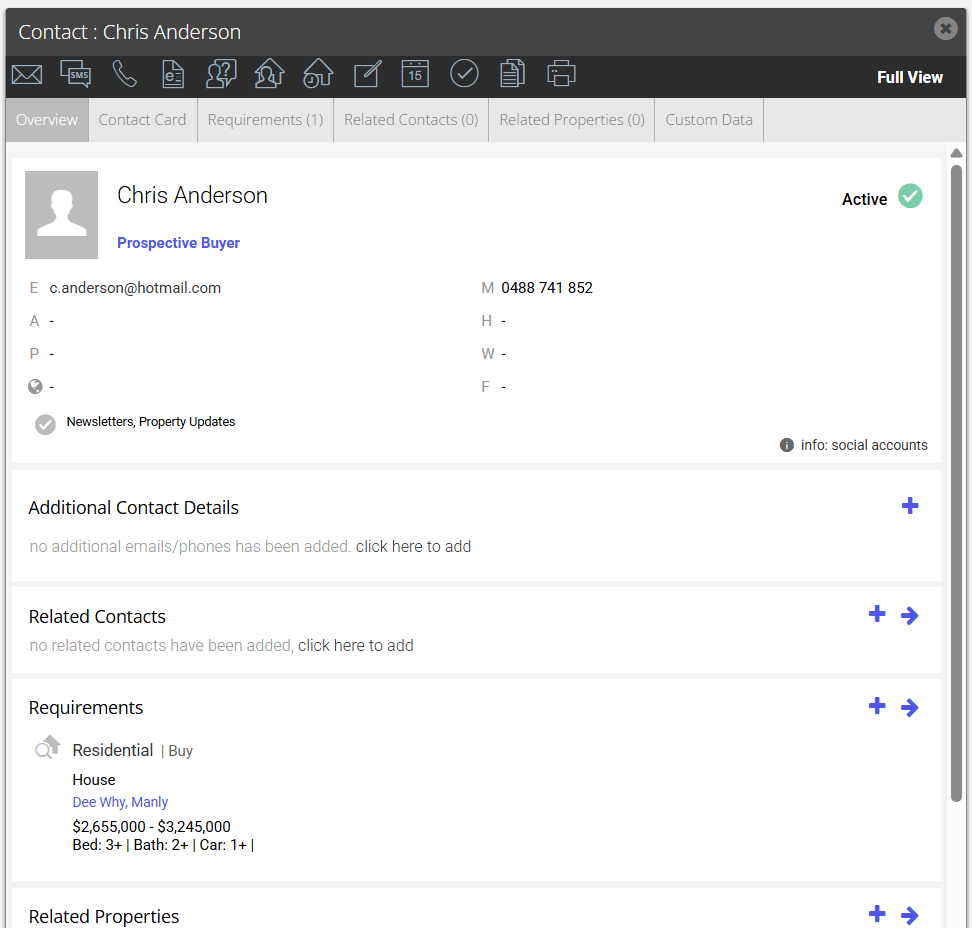
- Select Full View to open left hand panel
- Click the History Tab
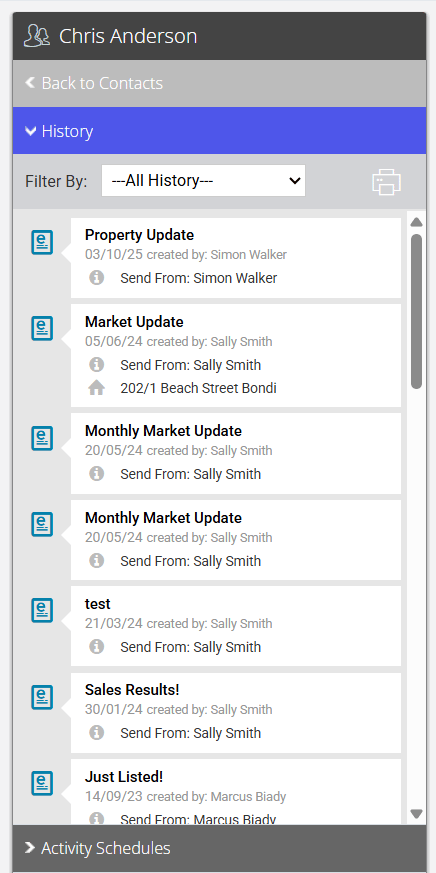
- Filter by Auto Email if needed

- Click Your Matched Properties Alert to preview the template that has been sent out.
.png?Policy=eyJTdGF0ZW1lbnQiOlt7IlJlc291cmNlIjoiaHR0cHM6Ly9kemY4dnF2MjRlcWhnLmNsb3VkZnJvbnQubmV0L3VzZXJmaWxlcy8xMTEyOC8xNDIwNS9ja2ZpbmRlci9pbWFnZXMvMSg1MykucG5nIiwiQ29uZGl0aW9uIjp7IkRhdGVMZXNzVGhhbiI6eyJBV1M6RXBvY2hUaW1lIjoxNzc1MTEzOTM4fX19XX0_&Signature=QvfSSrSSOE-6g-NBdcA4zSbLMNtNiIk3CnzLMqISdWXCkCK4OR~acefoQFuOm1Ck4QkpqJt7xmRu5m~8ek-zcm1wIQ61z4sYQZ2PnQEHDwwe98ZQA6oesVc8yQ0U~7nog2UoWwsQEJTP4GbyEX2MmtTnFcBSUhCeCHAI~fWq8Y9~T7xGDceUF1pu0nUm-BYvyiqnue9GwjDnibqkVr4XFDQHRvR9qFv2lERUGQIdo5OZq0SnlaiGXanDR9oXZWPC7lWIAb3nLqL59S6LuiuAIZLQhzfab1uvcj8fe348iXxREA5VTmCnYorXHw9S1lGotJr51KxqMHbbxhFXuzMPUQ__&Key-Pair-Id=K2TK3EG287XSFC)
*Note: For the distribution method 'Send as HTML email', this will embed the letter in the email for sending. The communication will then appear in the communication history.