'%20d='M0%208a8%208%200%200%201%208-8h24a8%208%200%200%201%208%208v24a8%208%200%200%201-8%208H8a8%208%200%200%201-8-8V8Z'/%3e%3cpath%20fill='%23fff'%20d='M10.41%206v3.779h15.048v19.537h4.132V6H10.41Z'/%3e%3cpath%20fill='%23fff'%20d='M20.967%2034V13.837L10.41%209.78v20.166L20.967%2034Z'/%3e%3cdefs%3e%3clinearGradient%20id='reapit-sales__a'%20x1='20.702'%20x2='20.702'%20y1='.351'%20y2='31.228'%20gradientUnits='userSpaceOnUse'%3e%3cstop%20stop-color='%235573FD'/%3e%3cstop%20offset='.575'%20stop-color='%234E56EA'/%3e%3c/linearGradient%3e%3c/defs%3e%3c/svg%3e)
Statement of Information
This article demonstrates how to upload a Statement of Information in the documents section of a listing in Reapit Sales. *Note: VIC Clients Only: Under the 'Estate Agents Act 1980' a 'Statement of Information' must be provided in an approved format for each residential property advertised for sale in Victoria.
Overview
Statement of Information
This article demonstrates how to upload a Statement of Information in the documents section of a listing in Reapit Sales.
*Note: VIC Clients Only: Under the 'Estate Agents Act 1980' a 'Statement of Information' must be provided in an approved format for each residential property advertised for sale in Victoria.
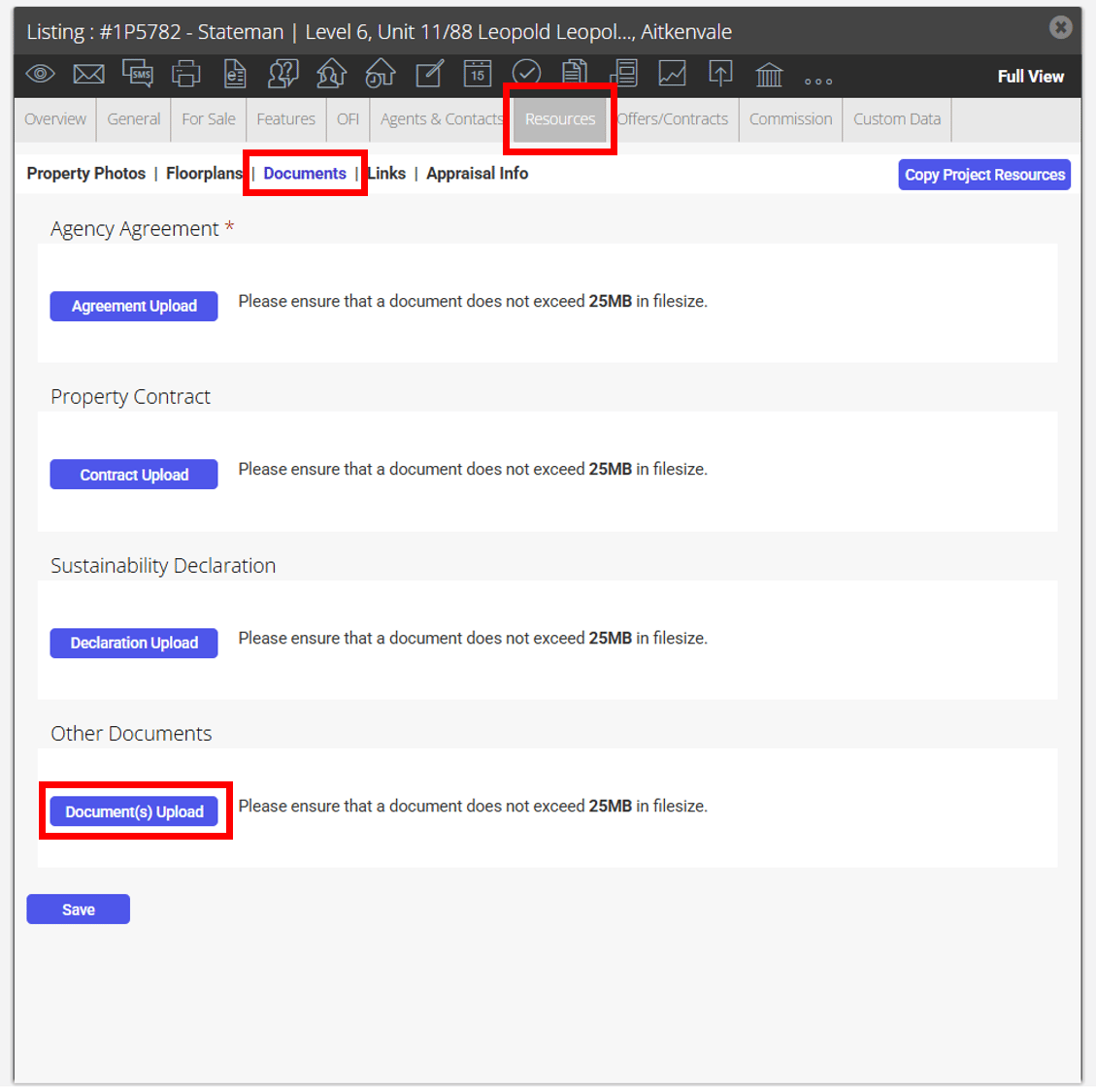
- Search for your Property and open the Resources Tab
- Click Documents on the sub-resources tab
- Under Other Documents select document upload.
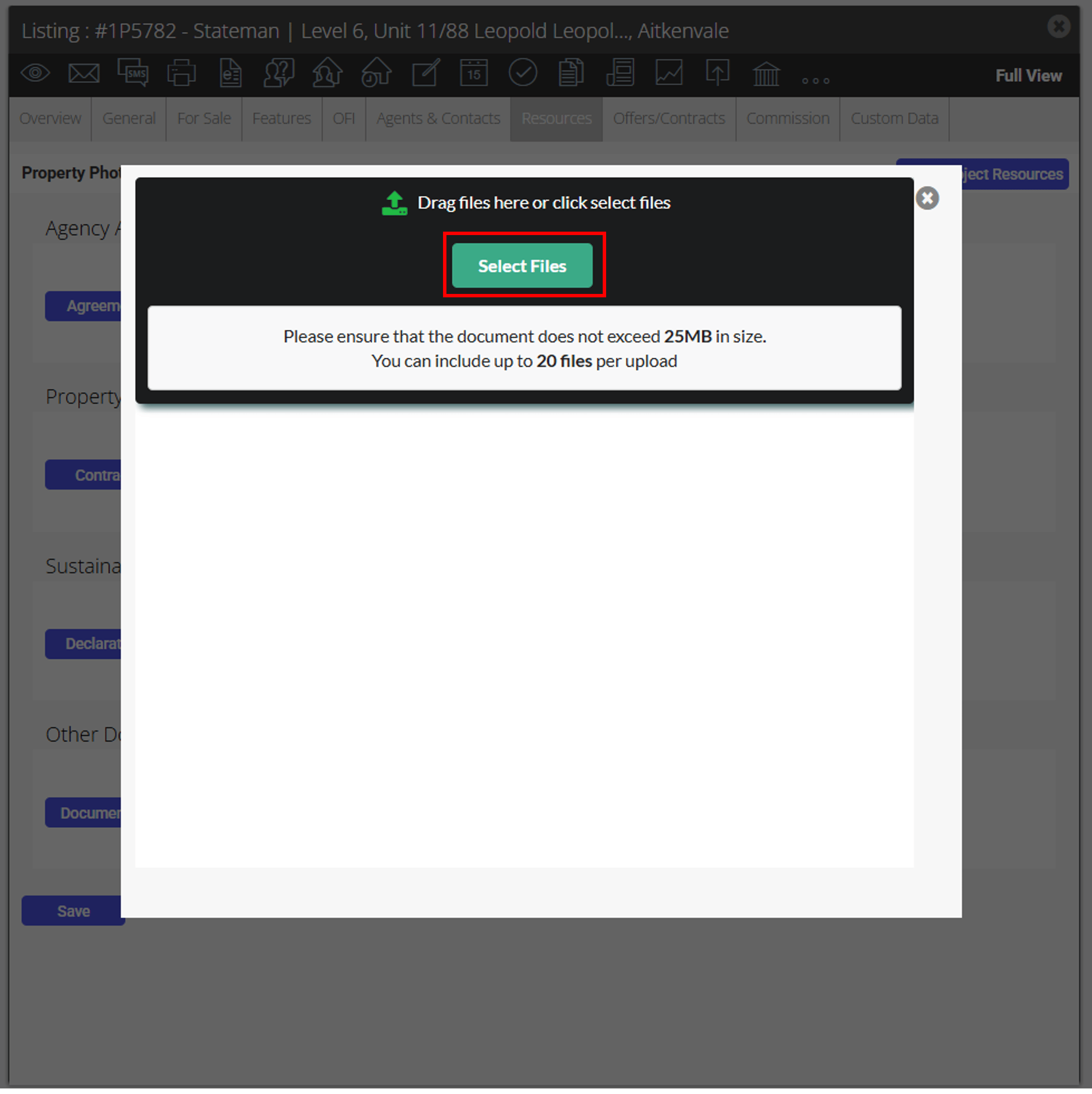
- Click the Select Files to browse your computer or Drag Files you would like to upload
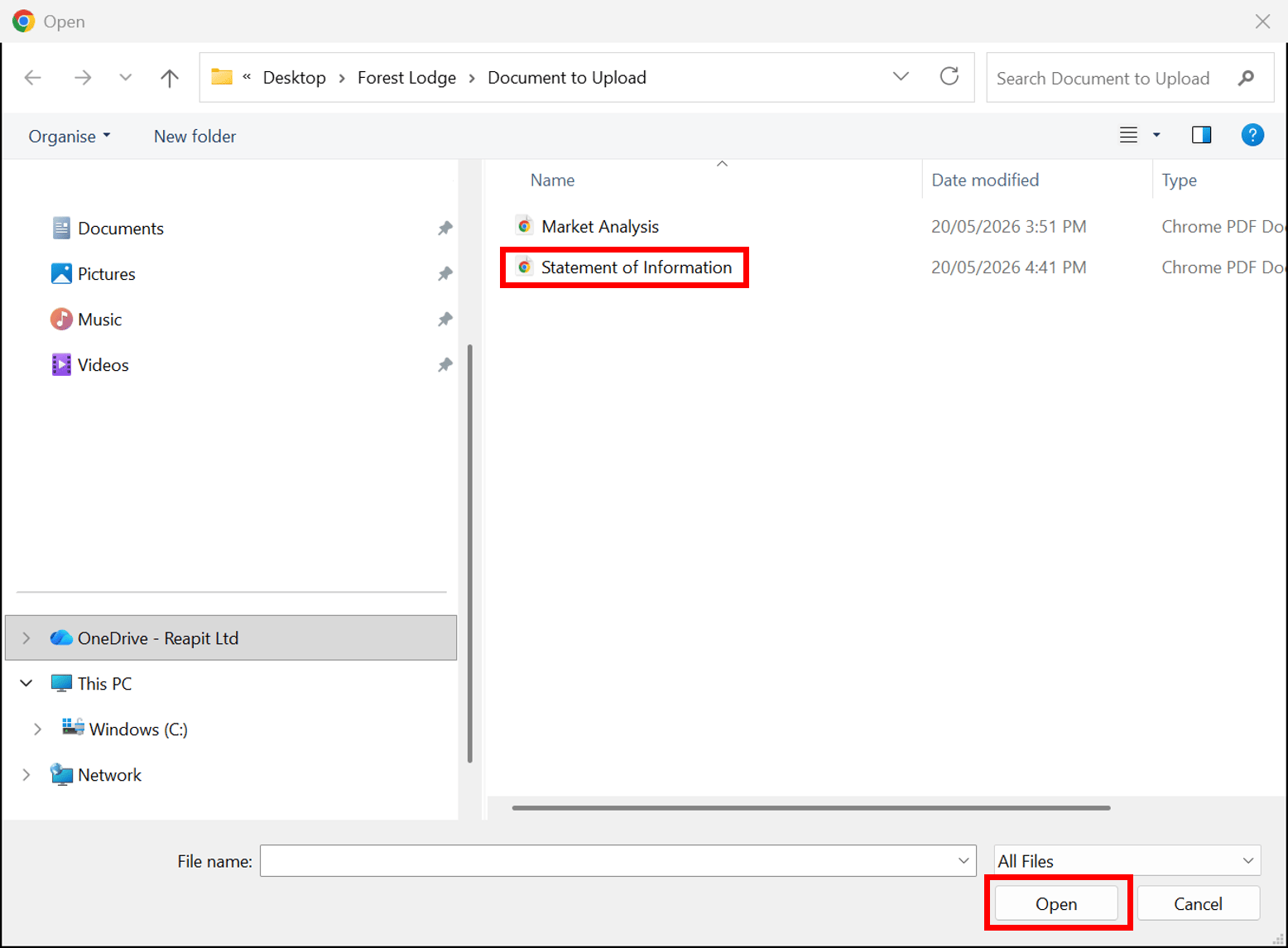
- Locate and select document to upload
- Click Open
- You will be directed back to the Document Resources tab.
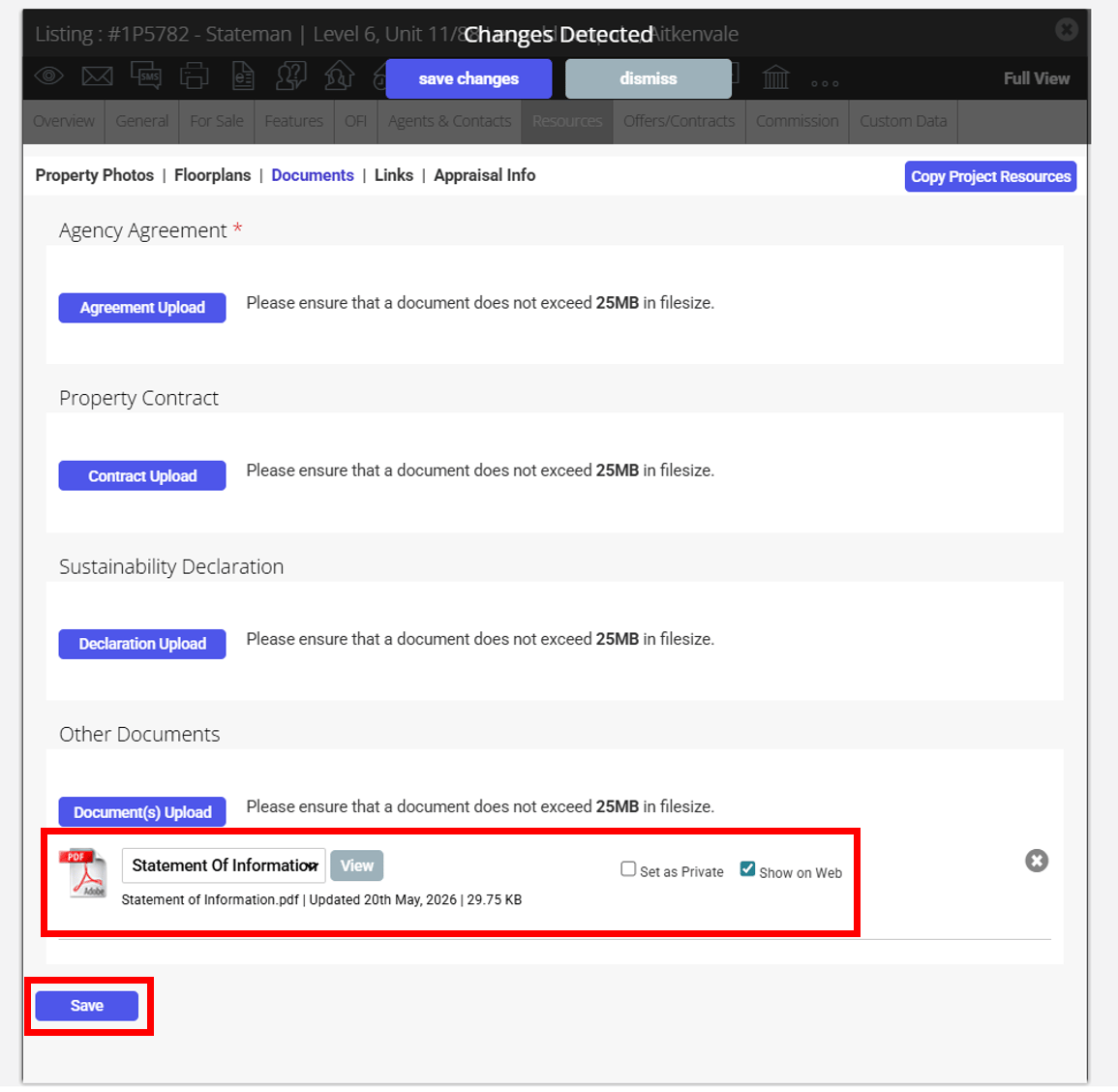
- Select Statement of Information from the dropdown and select the Show on web site tickbox.
- Click Save.