'%20d='M0%208a8%208%200%200%201%208-8h24a8%208%200%200%201%208%208v24a8%208%200%200%201-8%208H8a8%208%200%200%201-8-8V8Z'/%3e%3cpath%20fill='%23fff'%20d='M10.41%206v3.779h15.048v19.537h4.132V6H10.41Z'/%3e%3cpath%20fill='%23fff'%20d='M20.967%2034V13.837L10.41%209.78v20.166L20.967%2034Z'/%3e%3cdefs%3e%3clinearGradient%20id='reapit-sales__a'%20x1='20.702'%20x2='20.702'%20y1='.351'%20y2='31.228'%20gradientUnits='userSpaceOnUse'%3e%3cstop%20stop-color='%235573FD'/%3e%3cstop%20offset='.575'%20stop-color='%234E56EA'/%3e%3c/linearGradient%3e%3c/defs%3e%3c/svg%3e)
Export listings from Agentbox to Campaigntrack
This article covers how to export listing information from Reapit Sales to Campaigntrack via the integration.
Overview
Export listings from Reapit Sales to Campaigntrack
This article covers how to export listing information from Reapit Sales to Campaigntrack via the integration.
*Note: The following fields are compulsory for a successful export:
- Headline
- Description
- Display Price
- Agent (Please ensure the appraisal or listing agent is assigned to ALL Listings AND Appraisals in the Appear on Site section of the Agents and Contacts tab).
- Vendor
- Images
- Search for your Property and open the Property Card.
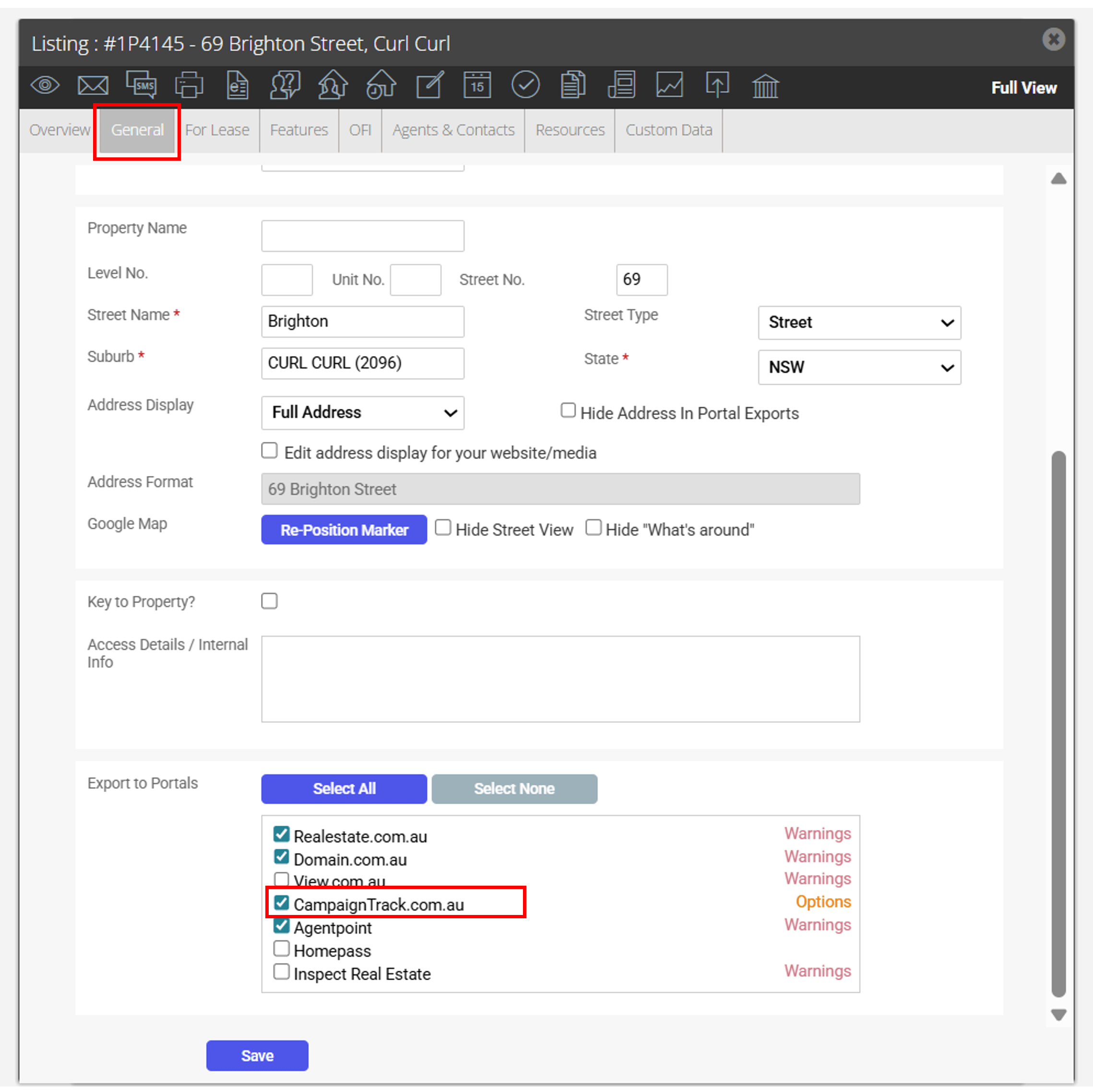
- Ensure the Campaigntrack portal is ticked within the Export to Portals section of the General tab.
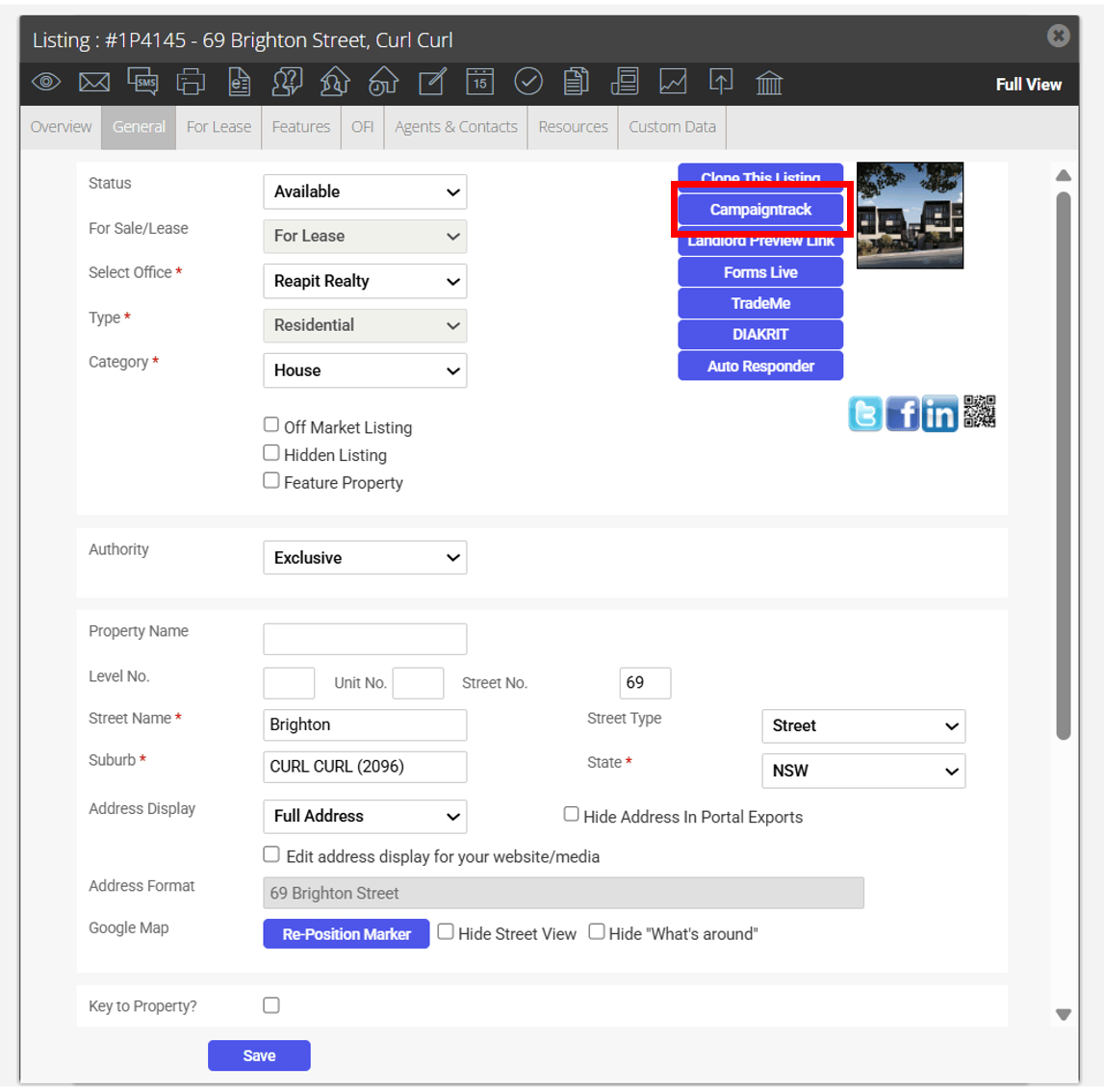
- Click the Campaigntrack button at the top of the General tab.
- Select Options -There is the ability to:
- Override the Campaigntrack Property Ref & Web ID upon export to Campaigntrack. -This will be useful in situations where a listing was manually entered into Campaigntrack and you need to match up the Reapit Sales listing to the existing Campaigntrack Property Ref.
- Exclude Images that are within Reapit Sales from sending to Campaigntrack. - This will be useful in situations where images are uploaded separately to Campaigntrack and you do not want to overwrite these images with the images from within Reapit Sales.
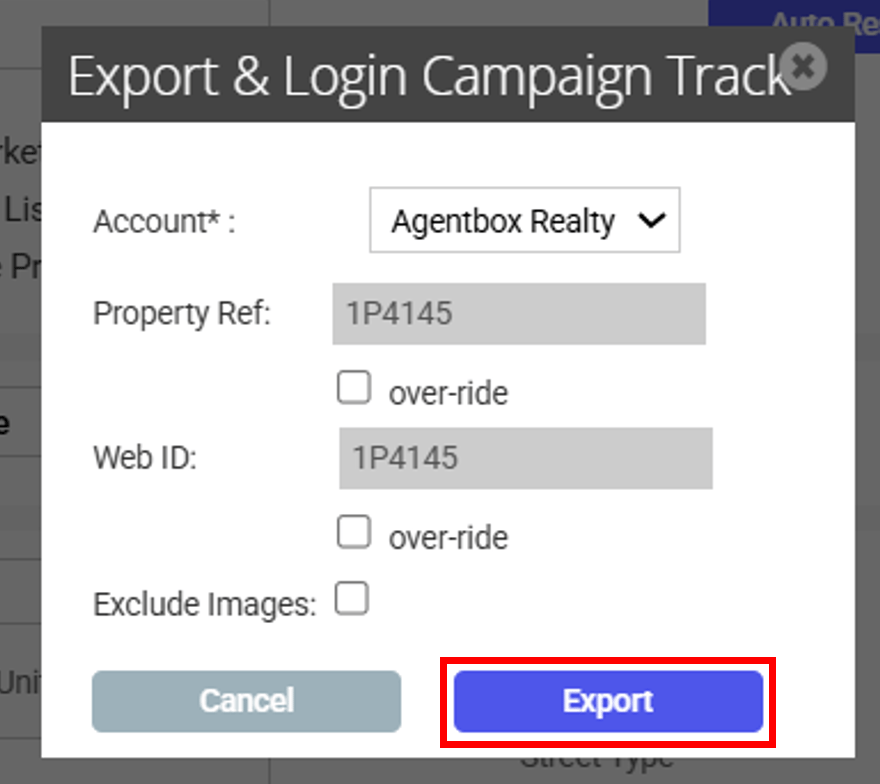
- Click the Export button to be redirected to the listing within Campaigntrack.
This process will need to be repeated for all updates to the listing that are required to also be updated within Campaigntrack. This excludes OFI Times which are sent automatically.