'%20d='M0%208a8%208%200%200%201%208-8h24a8%208%200%200%201%208%208v24a8%208%200%200%201-8%208H8a8%208%200%200%201-8-8V8Z'/%3e%3cpath%20fill='%23fff'%20d='M10.41%206v3.779h15.048v19.537h4.132V6H10.41Z'/%3e%3cpath%20fill='%23fff'%20d='M20.967%2034V13.837L10.41%209.78v20.166L20.967%2034Z'/%3e%3cdefs%3e%3clinearGradient%20id='reapit-sales__a'%20x1='20.702'%20x2='20.702'%20y1='.351'%20y2='31.228'%20gradientUnits='userSpaceOnUse'%3e%3cstop%20stop-color='%235573FD'/%3e%3cstop%20offset='.575'%20stop-color='%234E56EA'/%3e%3c/linearGradient%3e%3c/defs%3e%3c/svg%3e)
Edit E-Newsletter Section
This article shows how to edit e-Newsletter section in Reapit Sales.
Edit E-Newsletter Section
This article shows how to edit e-Newsletter section in Reapit Sales.
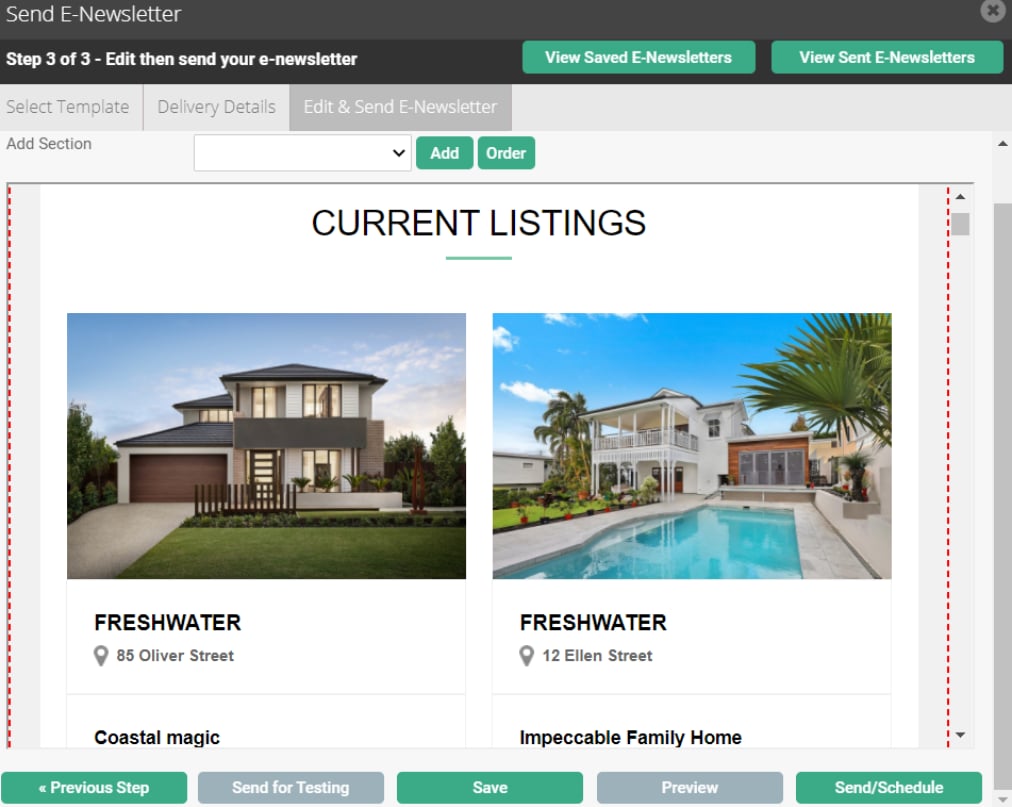
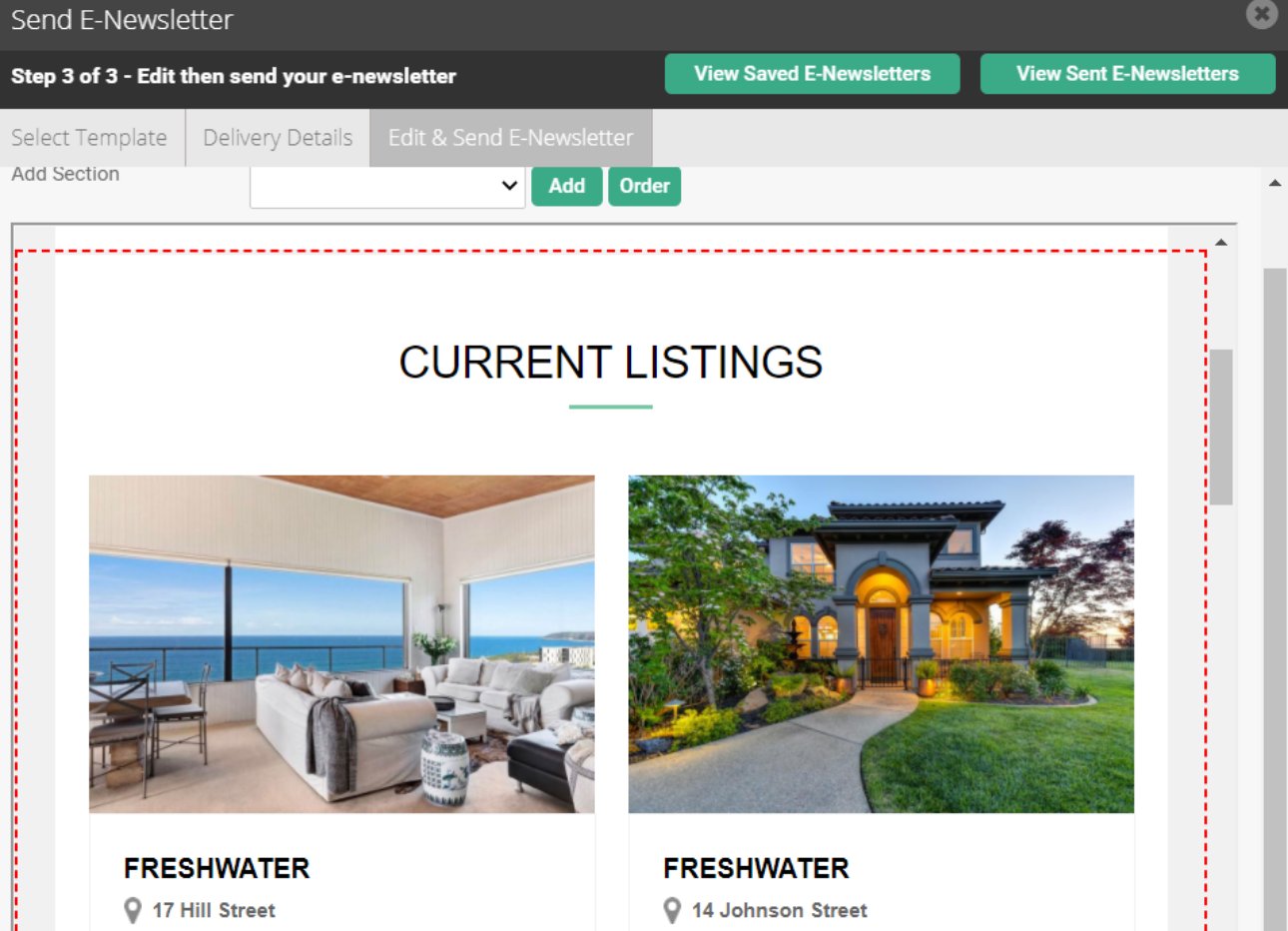
- Click the Section highlighted by a red dashed line you wish to edit.
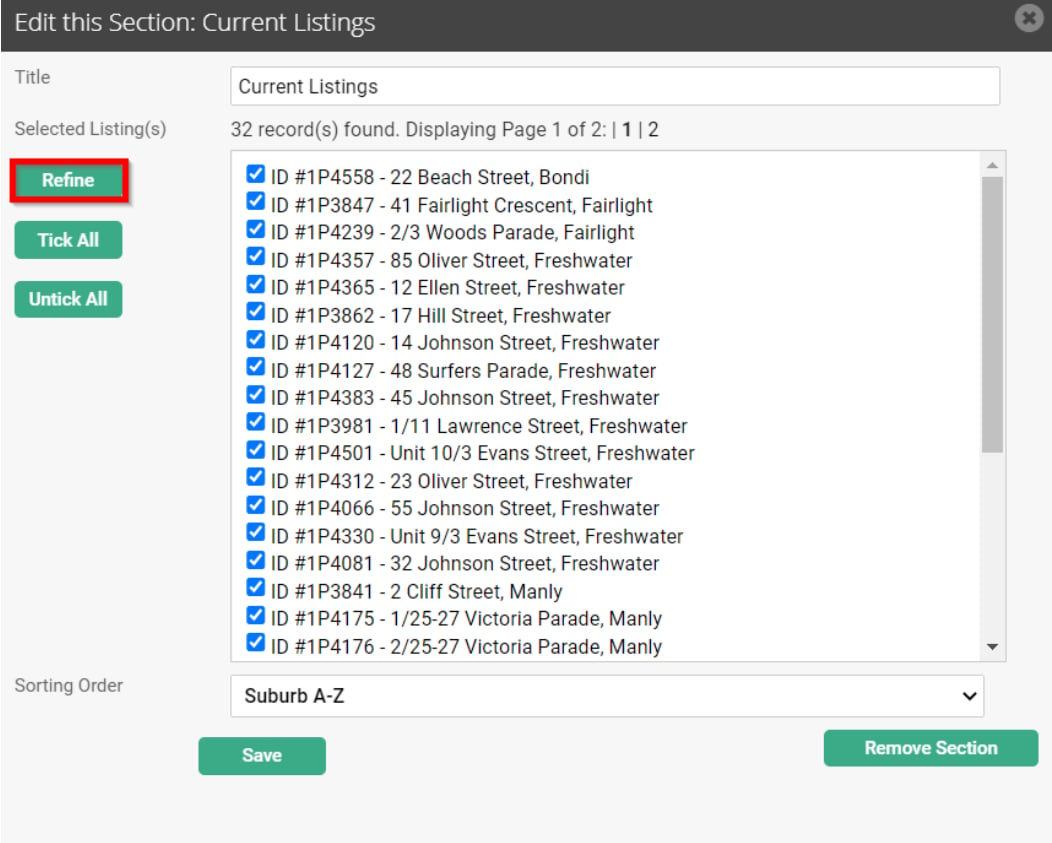
- Click on the Refine button to filter through your listings.
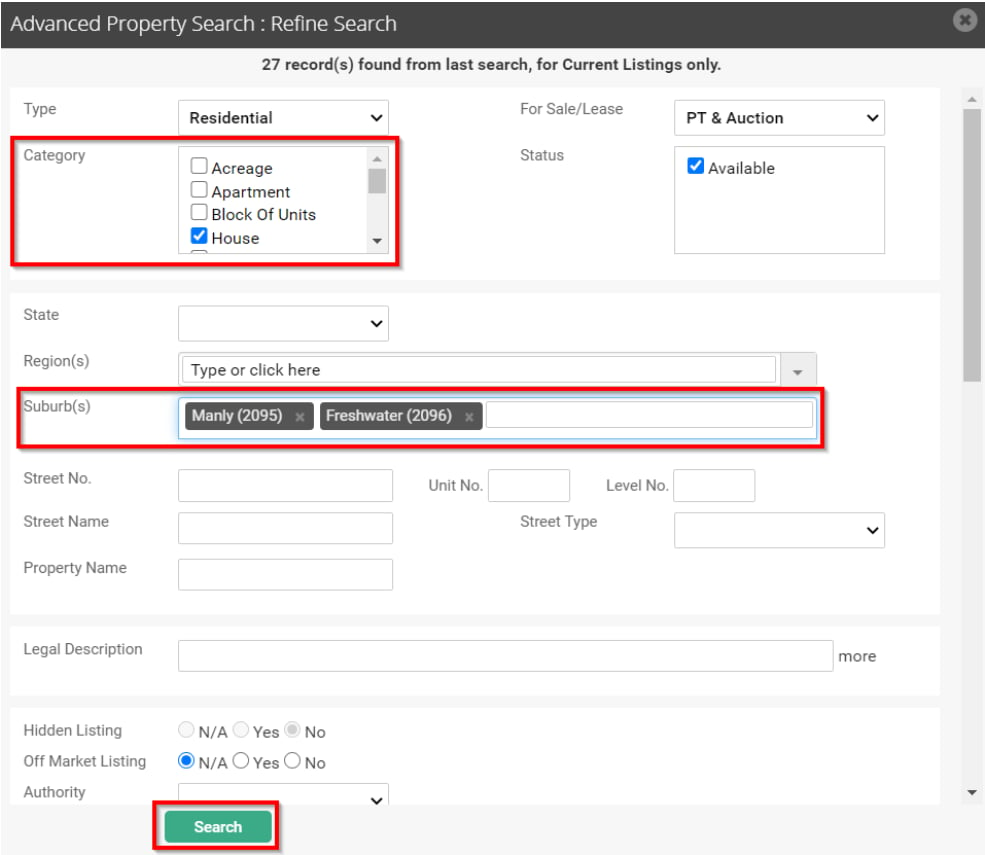
- Use the search fields to refine your current listings list. IN the below example I am wanting to only include house listings in selected suburbs. Click the Search button.
- Review your new list then click Save.
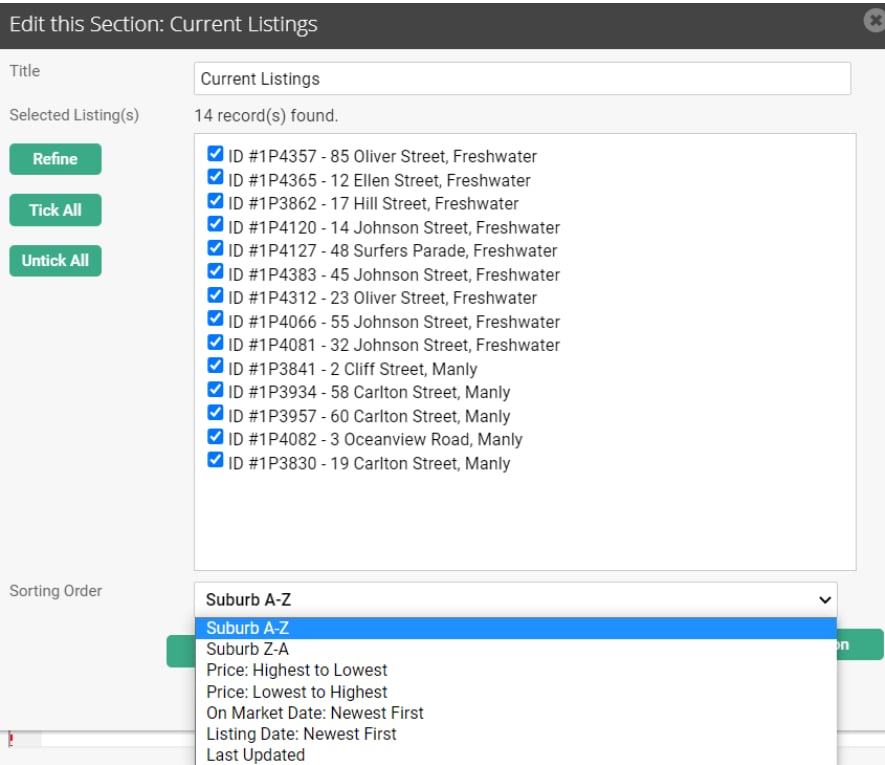
- Select all listings that you would like to include in your E-Newsletter. You can either Tick/Untick all or, you can pick specific listings.
Note: You are able to select the order that the listings will be displayed under Sorting Order.
This will give you options of the following:
- Suburb A-Z
- Suburb Z-A
- Price: Highest to Lowest
- Price: Lowest to Highest
- On Market Date: Newest First
- Listing Date: Newest First
- Last Updated
- Click Save.
- Click Preview to view the contents of your Newsletter.