'%20d='M0%208a8%208%200%200%201%208-8h24a8%208%200%200%201%208%208v24a8%208%200%200%201-8%208H8a8%208%200%200%201-8-8V8Z'/%3e%3cpath%20fill='%23fff'%20d='M10.41%206v3.779h15.048v19.537h4.132V6H10.41Z'/%3e%3cpath%20fill='%23fff'%20d='M20.967%2034V13.837L10.41%209.78v20.166L20.967%2034Z'/%3e%3cdefs%3e%3clinearGradient%20id='reapit-sales__a'%20x1='20.702'%20x2='20.702'%20y1='.351'%20y2='31.228'%20gradientUnits='userSpaceOnUse'%3e%3cstop%20stop-color='%235573FD'/%3e%3cstop%20offset='.575'%20stop-color='%234E56EA'/%3e%3c/linearGradient%3e%3c/defs%3e%3c/svg%3e)
Entering Past Sales (for reporting purposes)
This article shows how to add past sale information to a listing to ensure a clean data history within Reapit Sales.
Entering Past Sales (for reporting purposes)
This article shows how to add past sale information to a listing to ensure a clean data history within Reapit Sales.
If you would like to update past sales imported into Reapit Sales for clean data history and reporting purposes please follow these steps.
- Search for your Property and open the property card.
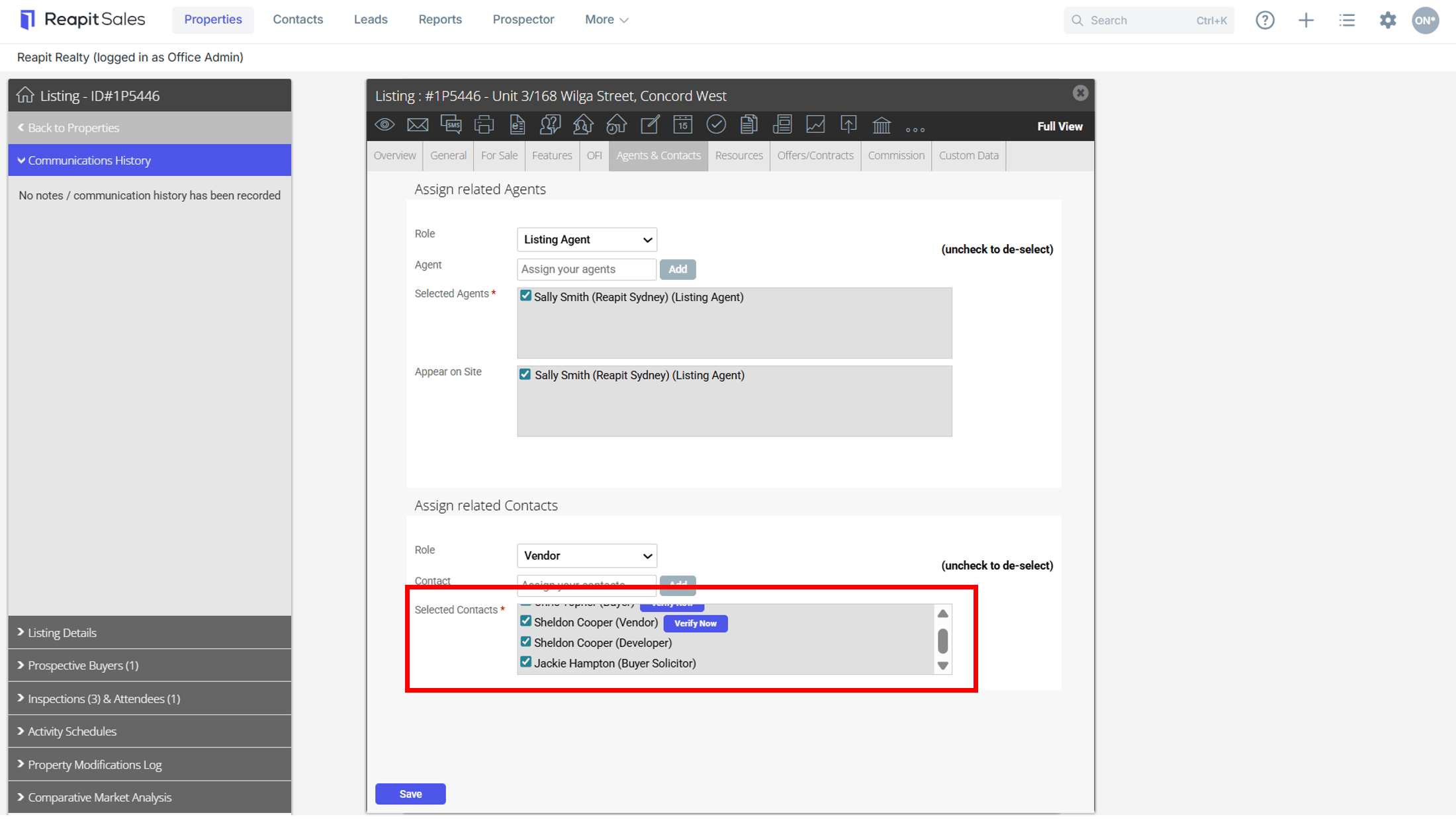
- Click on the Agents & Contacts Tab and assign the appraisal agent/s, listing agent/s and selling agent/s (if different to the lister) and the Vendor & Vendor Solicitor if applicable.
- Open the Offers/Contracts Tab.
- Enter the correct Offer Details - Offer Date, Offer Price, Select the Buyer & Buyer Solicitor (ensure you always select add).
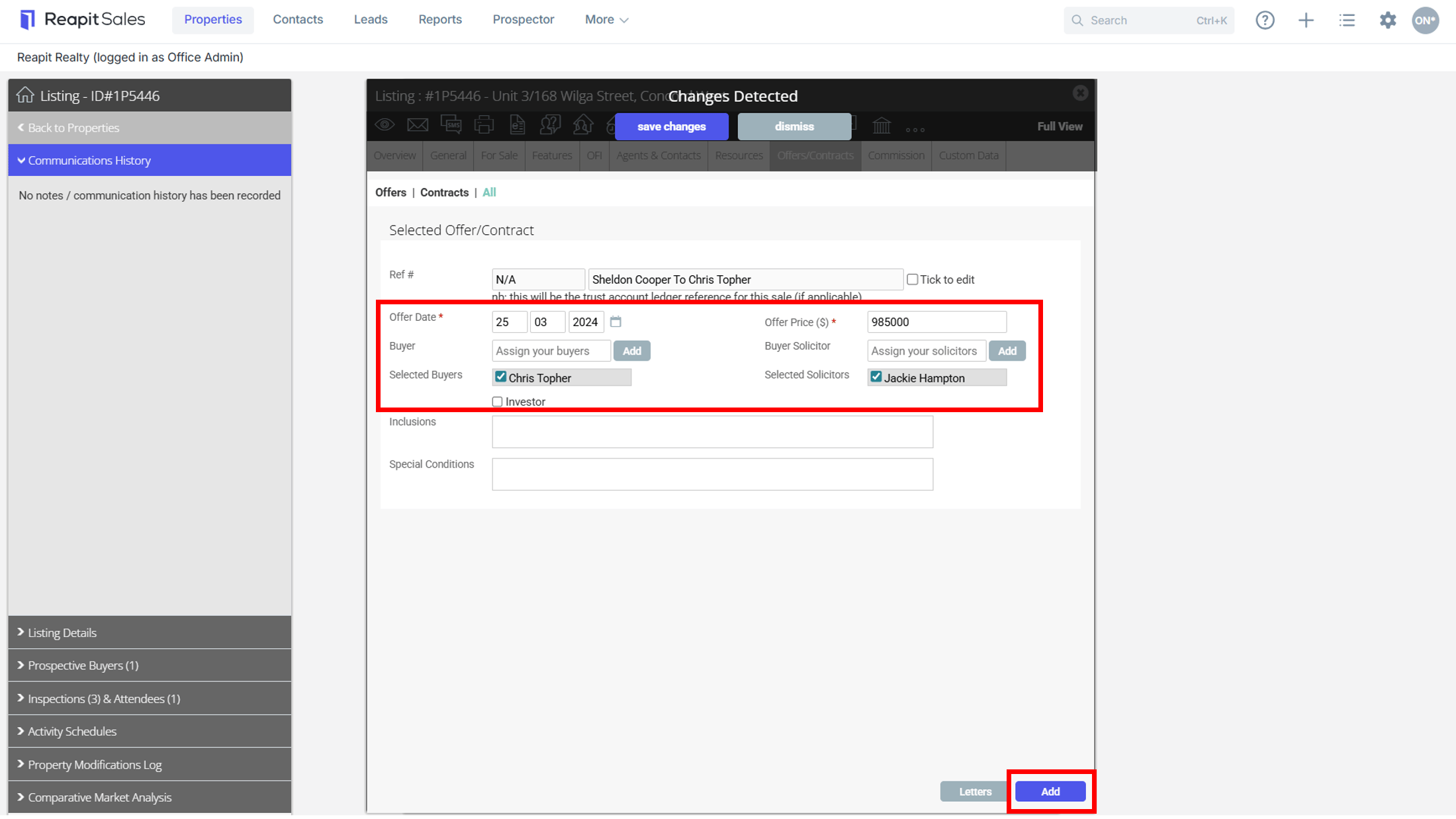
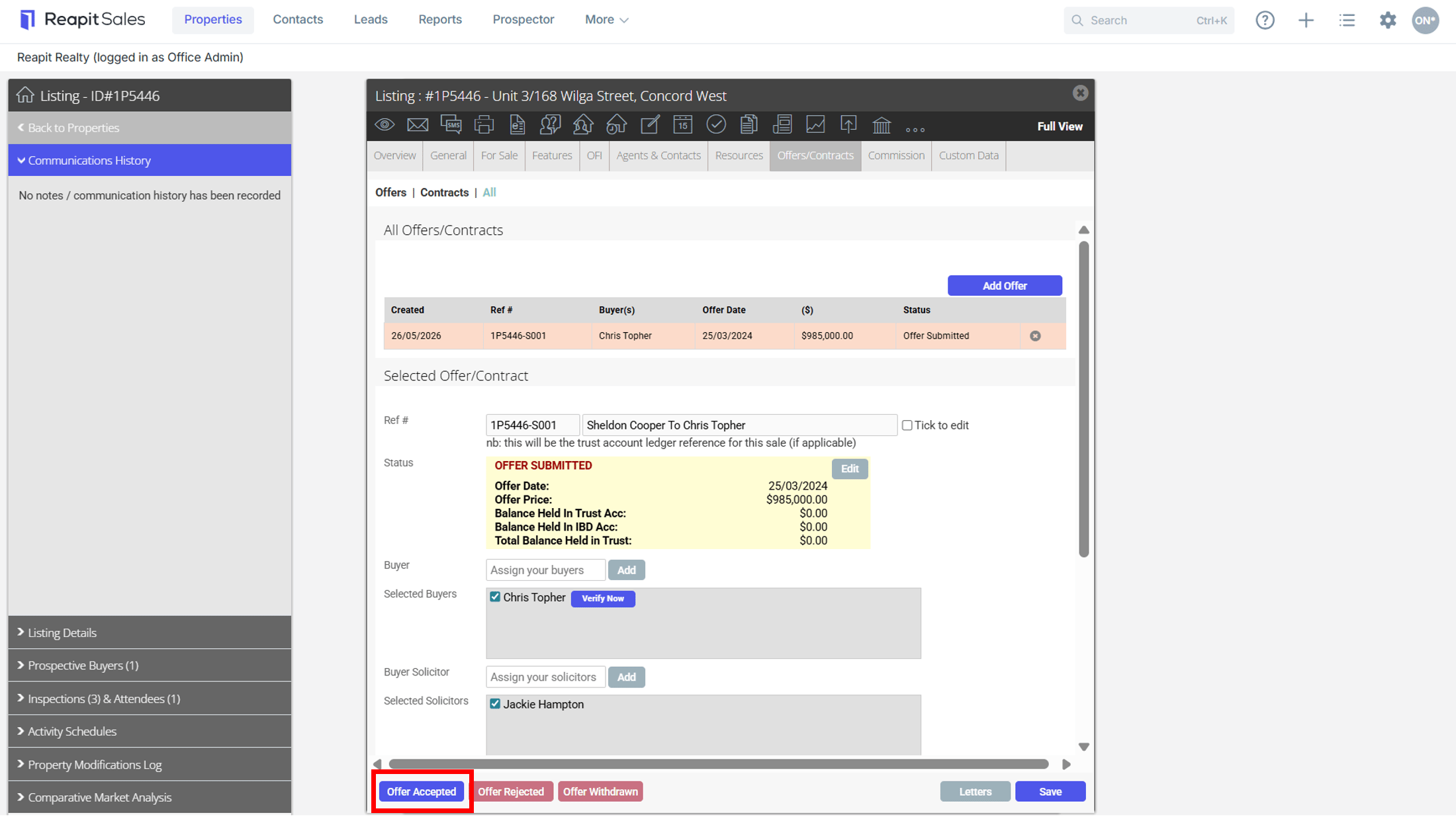
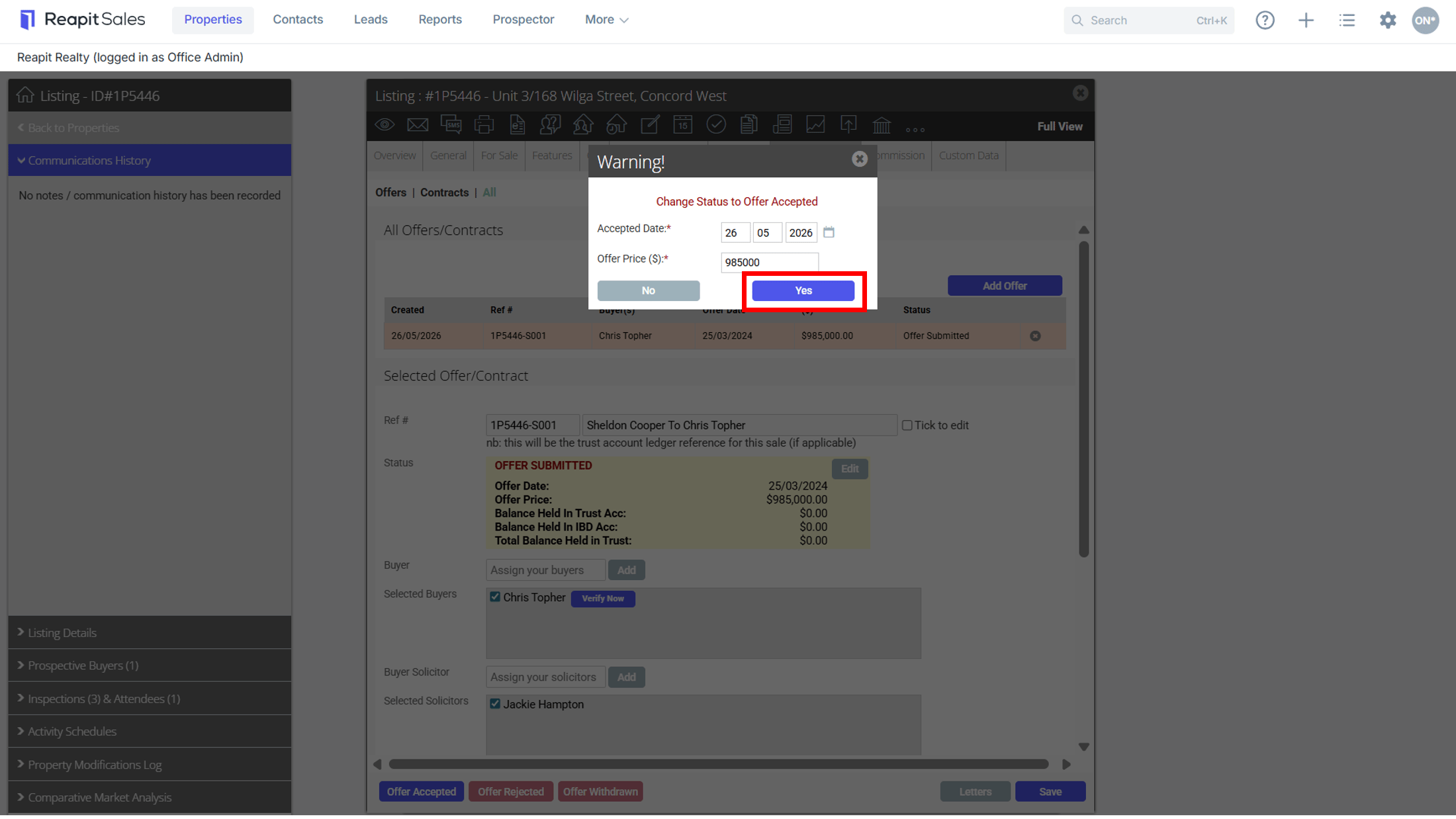
- Click to accept the offer with the correct date and price on the Offer Accepted button
 in the bottom left corner.

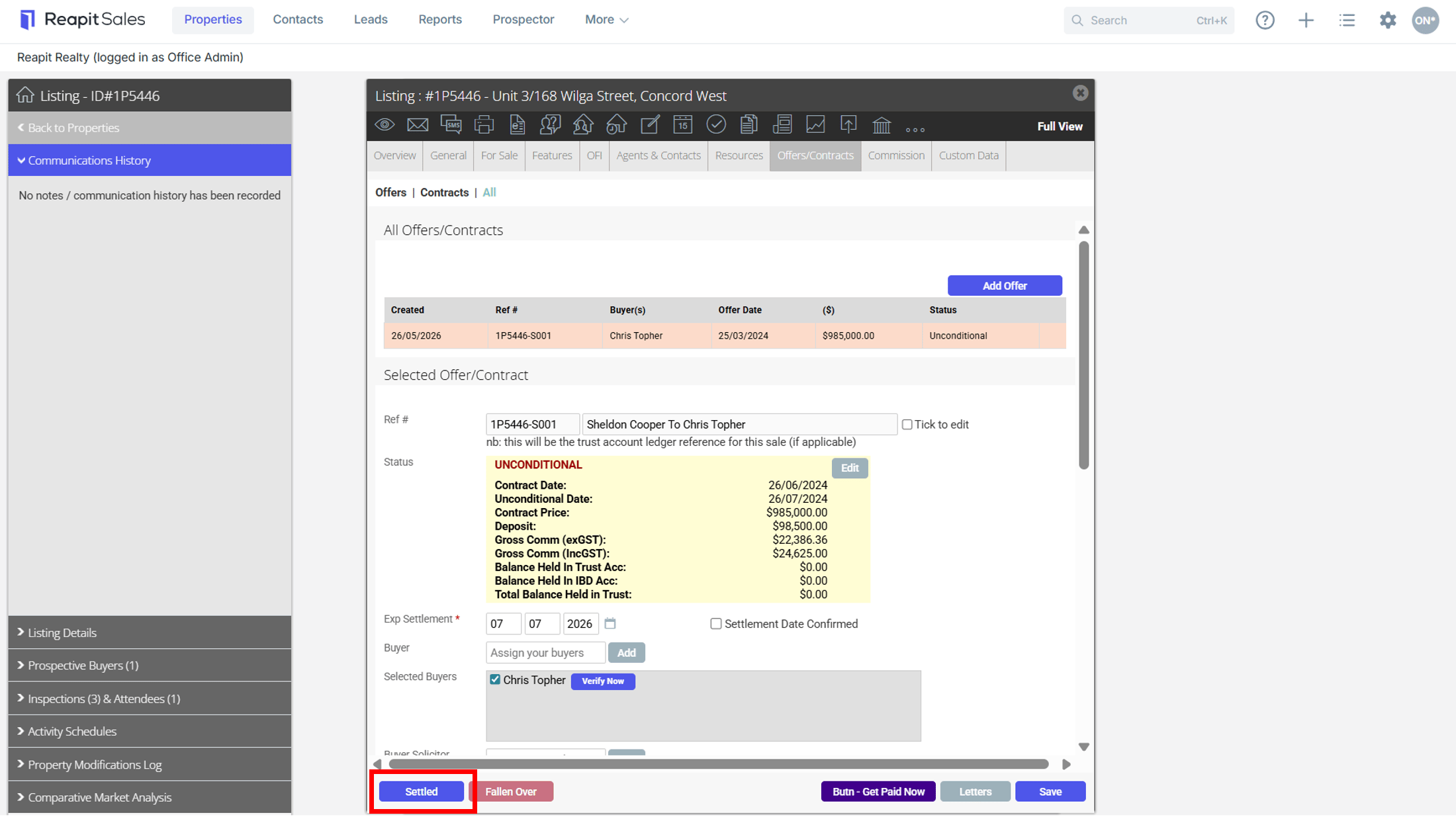
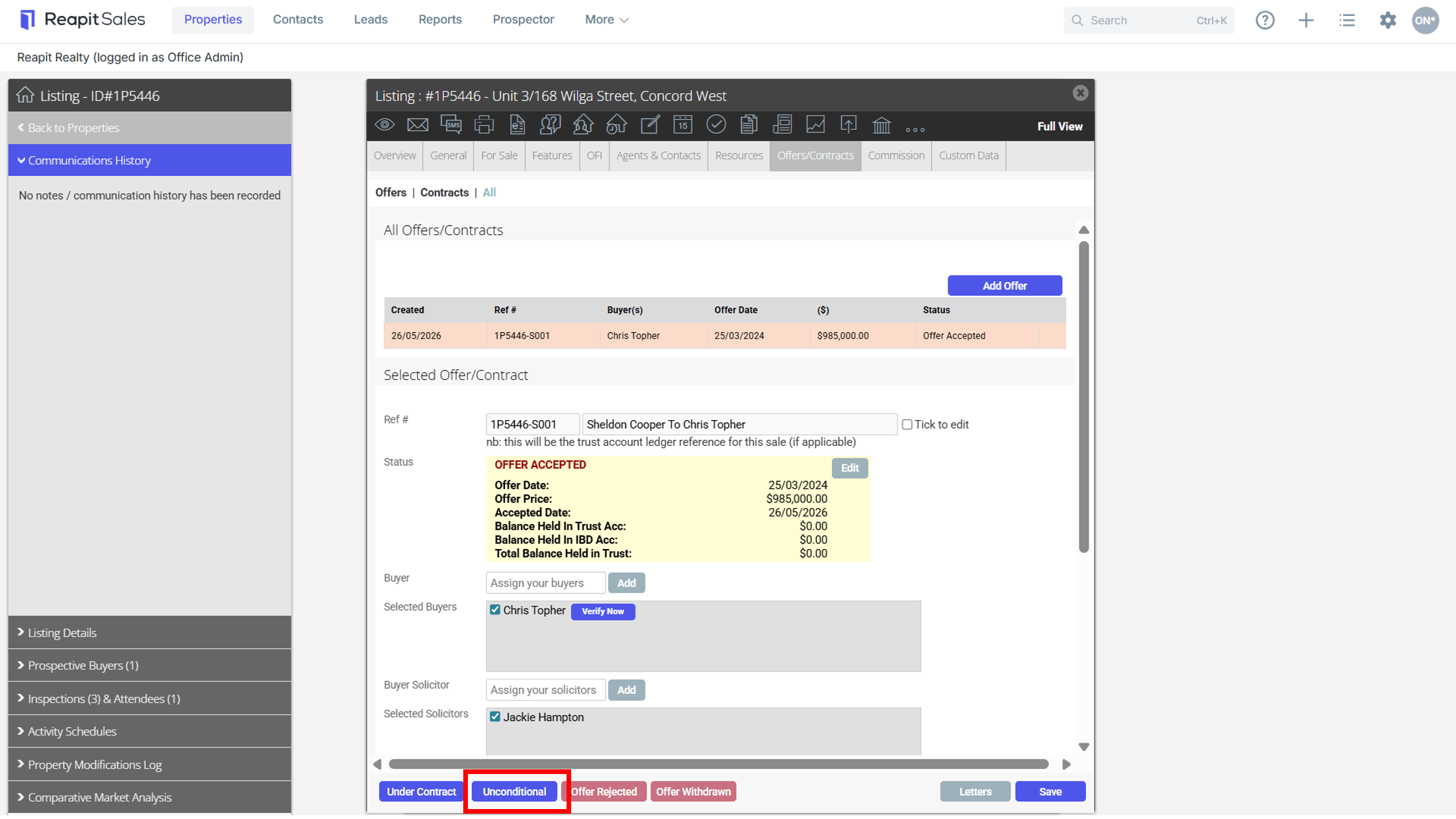
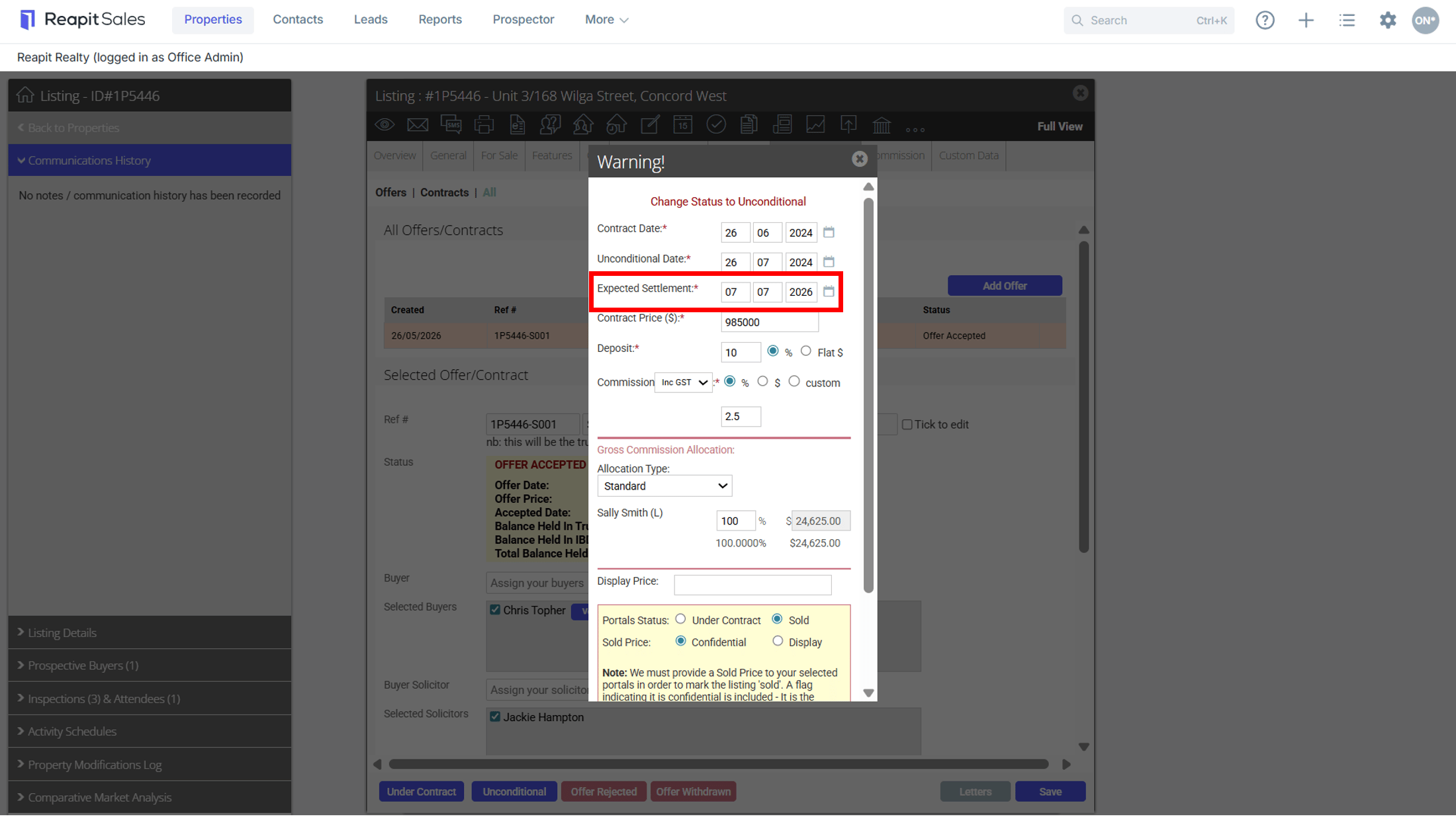
- Mark property as Unconditional and enter the correct Contract date, Unconditional Date and Contract Price, however, leave the expected settlement date as a future date (You are able to back-date the Actual Settlement Date when progressing the status to Settled).
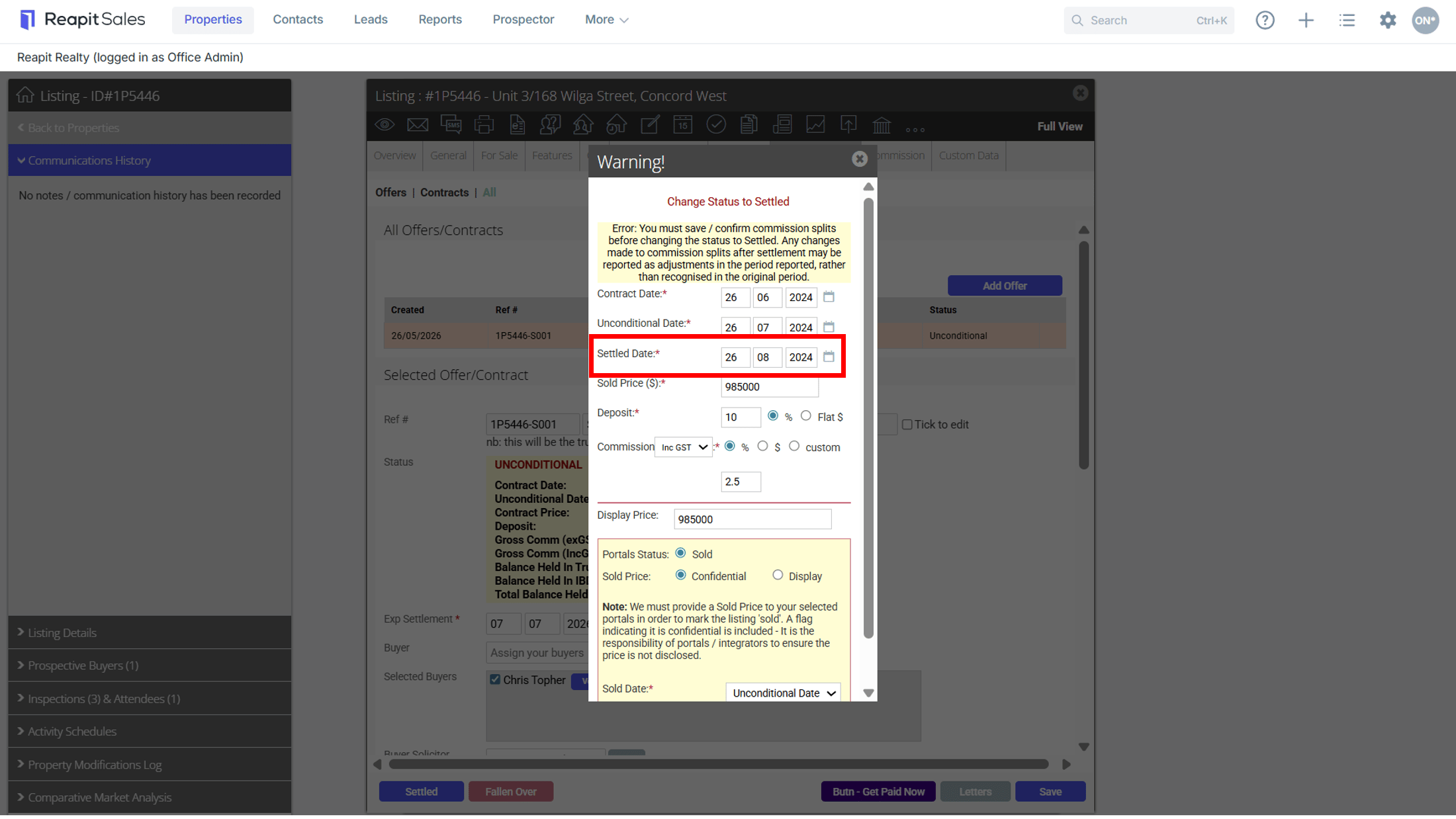
- Mark the property as Settled and you will now be able to backdate to the Correct Settled date.
*Note: Everything above the red line if for internal reporting, anything below the red line is for the portals.