'%20d='M0%208a8%208%200%200%201%208-8h24a8%208%200%200%201%208%208v24a8%208%200%200%201-8%208H8a8%208%200%200%201-8-8V8Z'/%3e%3cpath%20fill='%23fff'%20d='M10.41%206v3.779h15.048v19.537h4.132V6H10.41Z'/%3e%3cpath%20fill='%23fff'%20d='M20.967%2034V13.837L10.41%209.78v20.166L20.967%2034Z'/%3e%3cdefs%3e%3clinearGradient%20id='reapit-sales__a'%20x1='20.702'%20x2='20.702'%20y1='.351'%20y2='31.228'%20gradientUnits='userSpaceOnUse'%3e%3cstop%20stop-color='%235573FD'/%3e%3cstop%20offset='.575'%20stop-color='%234E56EA'/%3e%3c/linearGradient%3e%3c/defs%3e%3c/svg%3e)
Clone/Relist Rental Listings
This article runs through how to clone/relist rental listings in Reapit Sales.
Clone/Relist Rental Listings
This article runs through how to clone/relist rental listings in Reapit Sales.
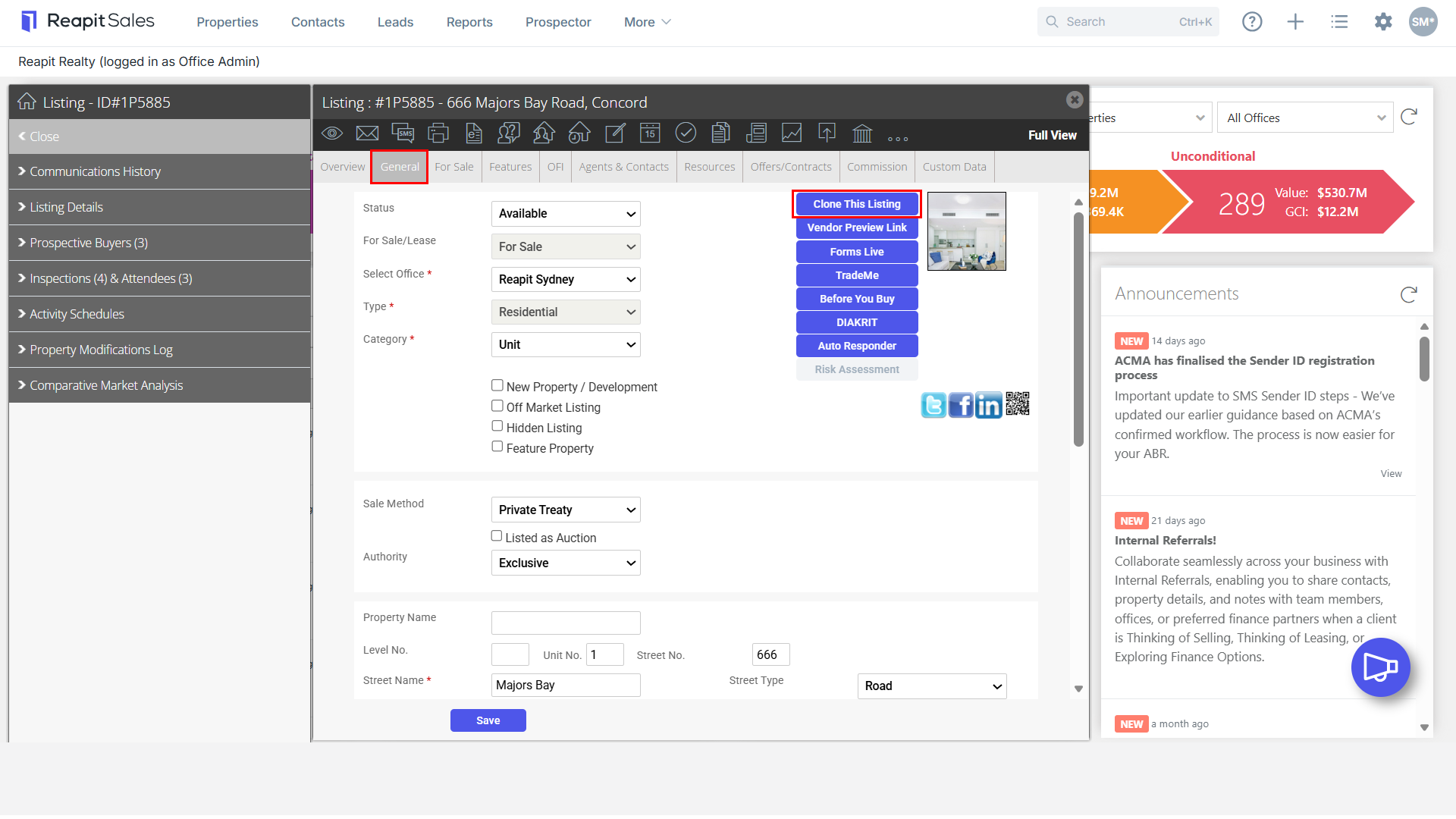
- Search for your Property and open the property card, navigate to General tab and select Clone This Listing.
WARNING: The system will only allow for one active Listing For Sale and one For Lease at the same address, at a time.
- For Lease Listings - You cannot clone a For Lease Listing if the Listing is currently available. In the general tab change the status to Leased or Offline
- For Sale Listings - If cloning a For Sale Listing into a For Lease simply go to the General Tab and click Clone this Listing. If cloning a Sale to another Sale then the original For Sale entry will need to be updated to the status Offline.
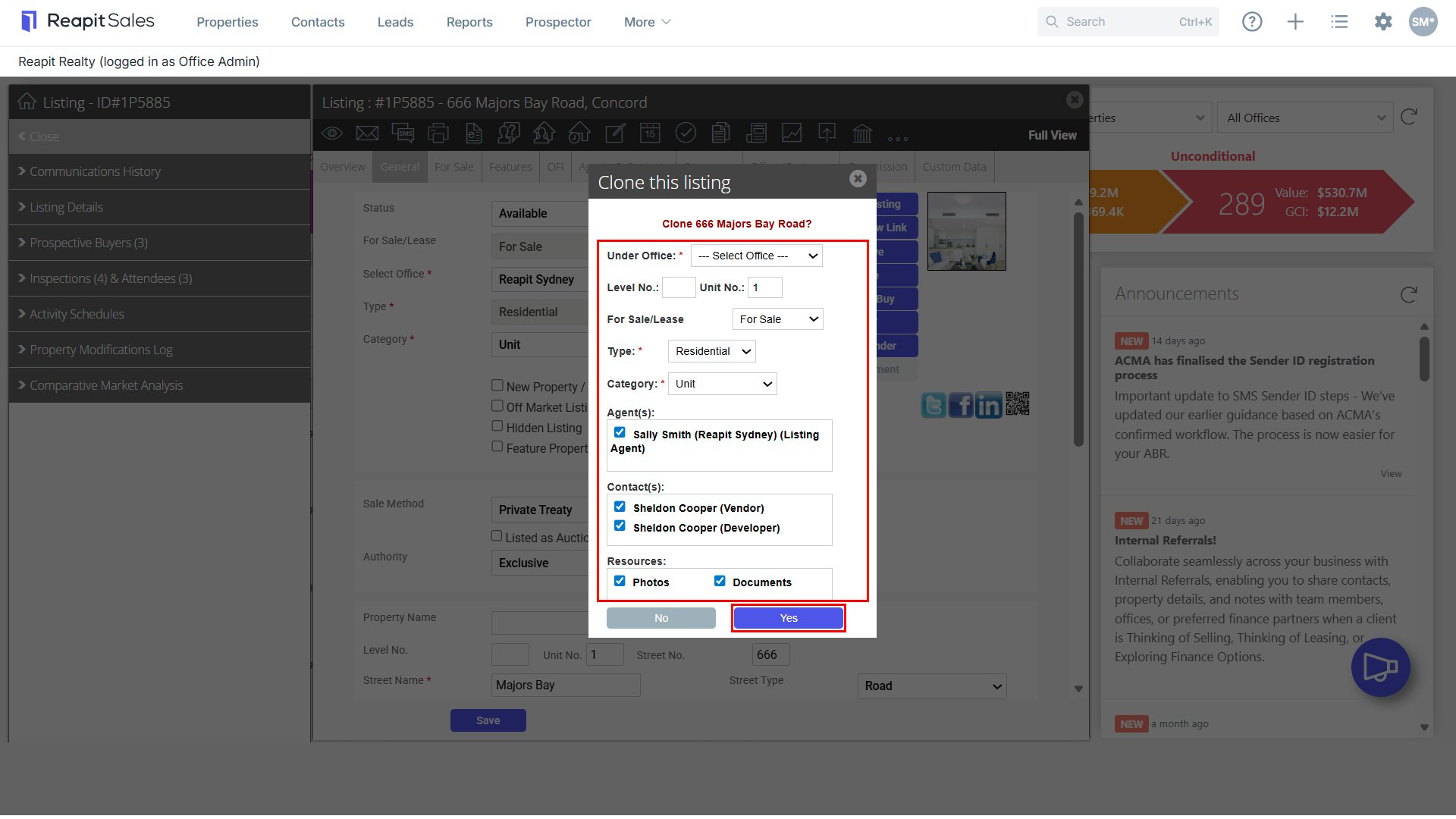
- Complete the Clone the Listing box to advise the system what details you would like cloned, for example, Agents, contacts, photos, documents, type, category and For Sale/For Lease. Once selected, click Yes to clone.
- A new Listing will be created with a new Listing ID. This property will be created with the Status Offline and will need to be made available, once it is ready for marketing.