'%20d='M0%208a8%208%200%200%201%208-8h24a8%208%200%200%201%208%208v24a8%208%200%200%201-8%208H8a8%208%200%200%201-8-8V8Z'/%3e%3cpath%20fill='%23fff'%20d='M10.41%206v3.779h15.048v19.537h4.132V6H10.41Z'/%3e%3cpath%20fill='%23fff'%20d='M20.967%2034V13.837L10.41%209.78v20.166L20.967%2034Z'/%3e%3cdefs%3e%3clinearGradient%20id='reapit-sales__a'%20x1='20.702'%20x2='20.702'%20y1='.351'%20y2='31.228'%20gradientUnits='userSpaceOnUse'%3e%3cstop%20stop-color='%235573FD'/%3e%3cstop%20offset='.575'%20stop-color='%234E56EA'/%3e%3c/linearGradient%3e%3c/defs%3e%3c/svg%3e)
Buyer Match: Email/ SMS Matched Contacts
This article runs through about Buyer Match: Email/ SMS Matched Contacts in Reapit Sales app in mobile devices.
Buyer Match: Email/ SMS Matched Contacts
This article runs through about Buyer Match: Email/ SMS Matched Contacts in Reapit Sales app in mobile devices.
You can email and SMS contacts in bulk that have search requirements matching your listings.
- Go to the listing and click on the Buyer Match Tab.
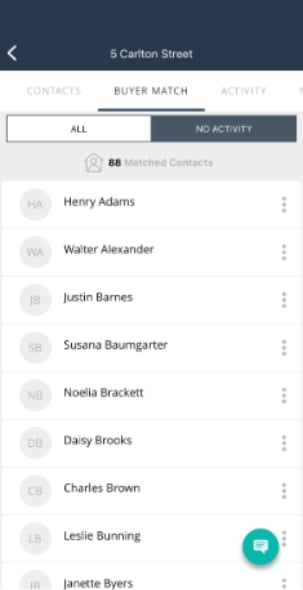
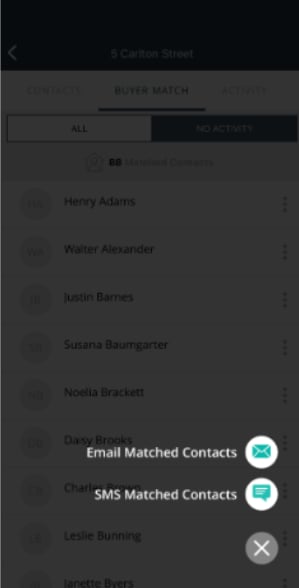
- Click on the green message icon in the bottom right-hand corner and select email or SMS matched contacts.
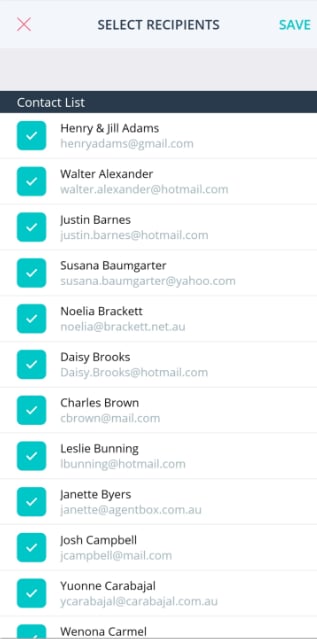
- Filter down the contacts.
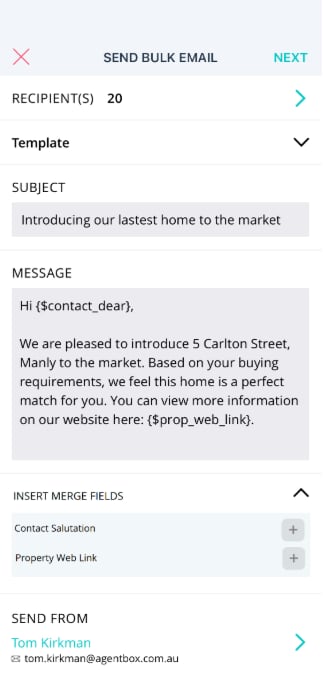
- Create a custom message and insert key merge fields (contact salutation & property web link) or select from existing templates. The message can be previewed prior to sending.