'%20d='M0%208a8%208%200%200%201%208-8h24a8%208%200%200%201%208%208v24a8%208%200%200%201-8%208H8a8%208%200%200%201-8-8V8Z'/%3e%3cpath%20fill='%23fff'%20d='M10.41%206v3.779h15.048v19.537h4.132V6H10.41Z'/%3e%3cpath%20fill='%23fff'%20d='M20.967%2034V13.837L10.41%209.78v20.166L20.967%2034Z'/%3e%3cdefs%3e%3clinearGradient%20id='reapit-sales__a'%20x1='20.702'%20x2='20.702'%20y1='.351'%20y2='31.228'%20gradientUnits='userSpaceOnUse'%3e%3cstop%20stop-color='%235573FD'/%3e%3cstop%20offset='.575'%20stop-color='%234E56EA'/%3e%3c/linearGradient%3e%3c/defs%3e%3c/svg%3e)
Remittance Advice
This article shows how to view or print the remittance advice in Reapit Sales.
Remittance Advice
This article shows how to view or print the remittance advice in Reapit Sales.
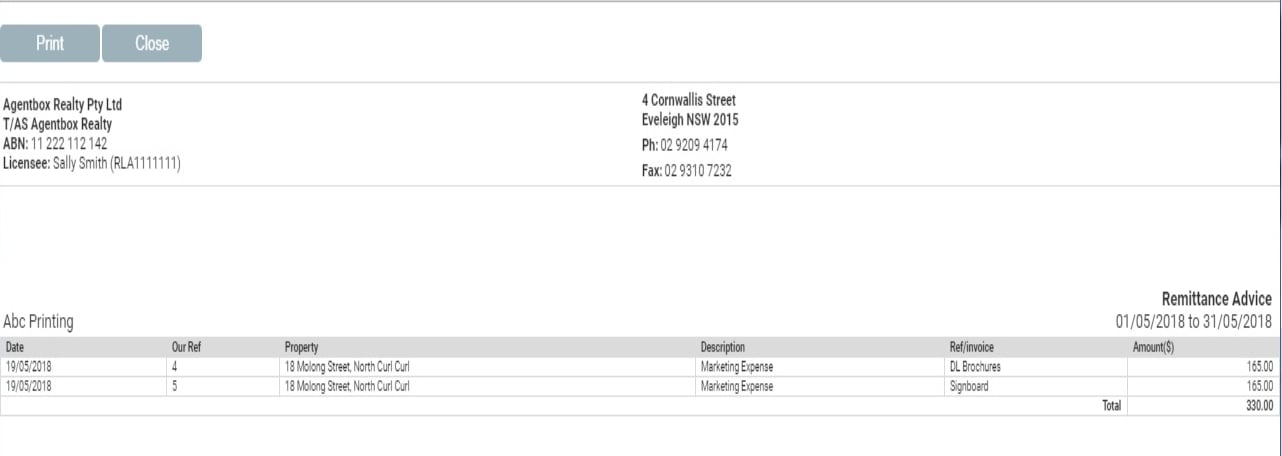
A supplier/creditor remittance advice is a notice sent to a supplier, to inform them that their invoice has been paid. It includes all payments made to a supplier or all suppliers within a monthly date range, specifying the date paid, payment description, invoice reference and amount paid.
Note: The report will include all suppliers who have had at least one payment made to them in the period and each supplier will be on a separate page.
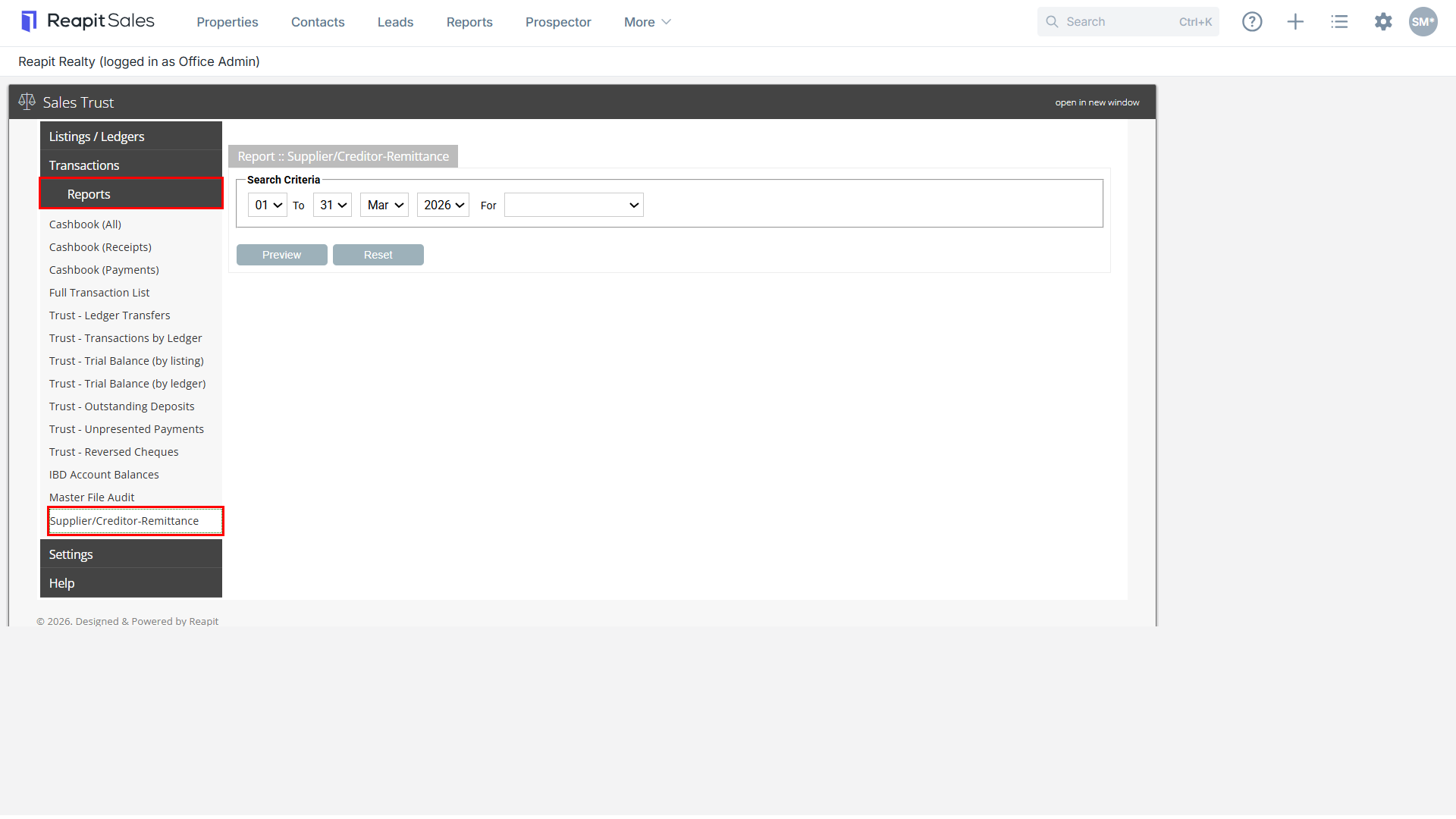
- Select Reports and then Supplier/Creditor-Remittance.
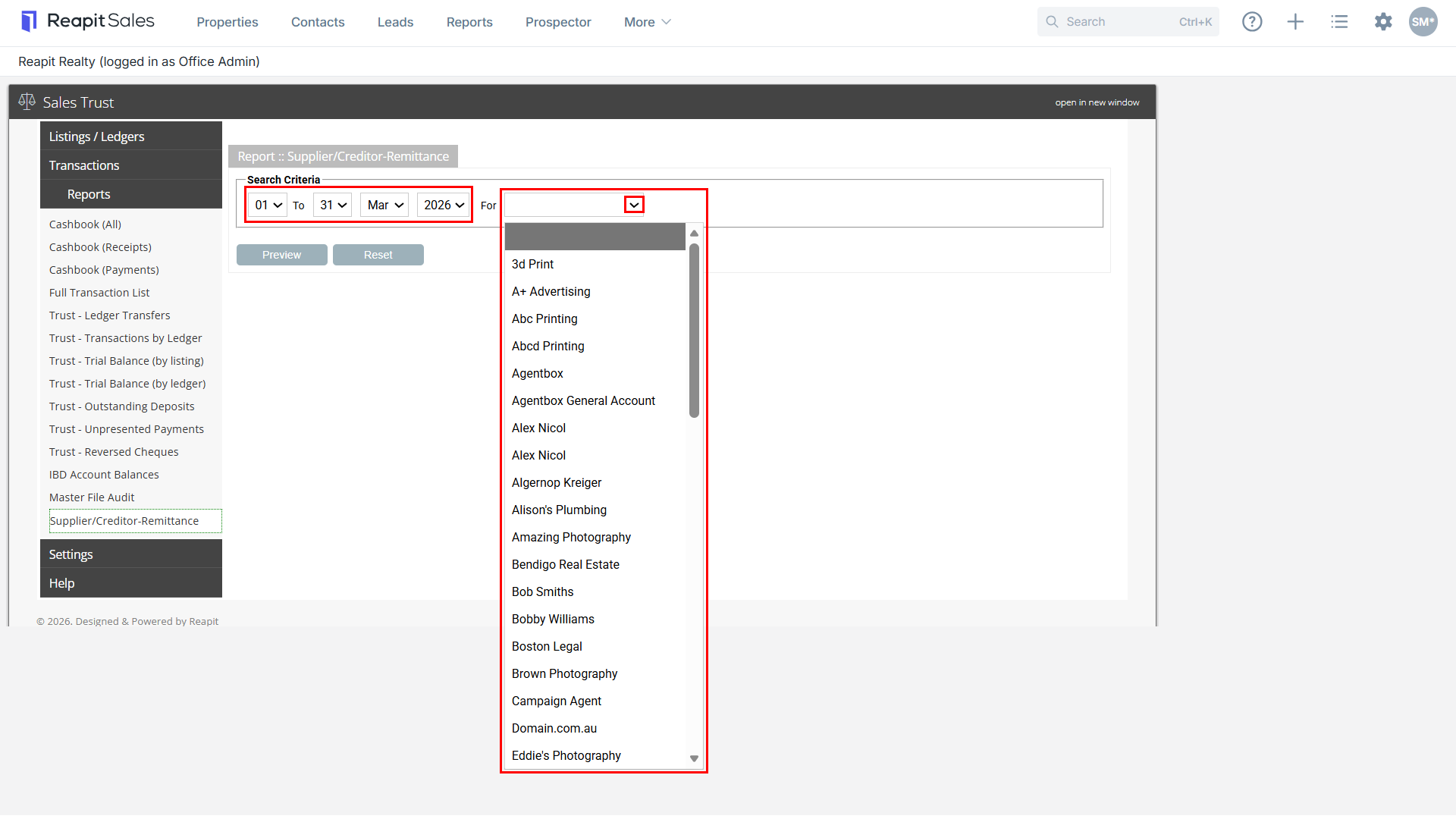
- Select Date Range.
- Select a Supplier (If you would like to view results for all suppliers leave the drop-down blank).
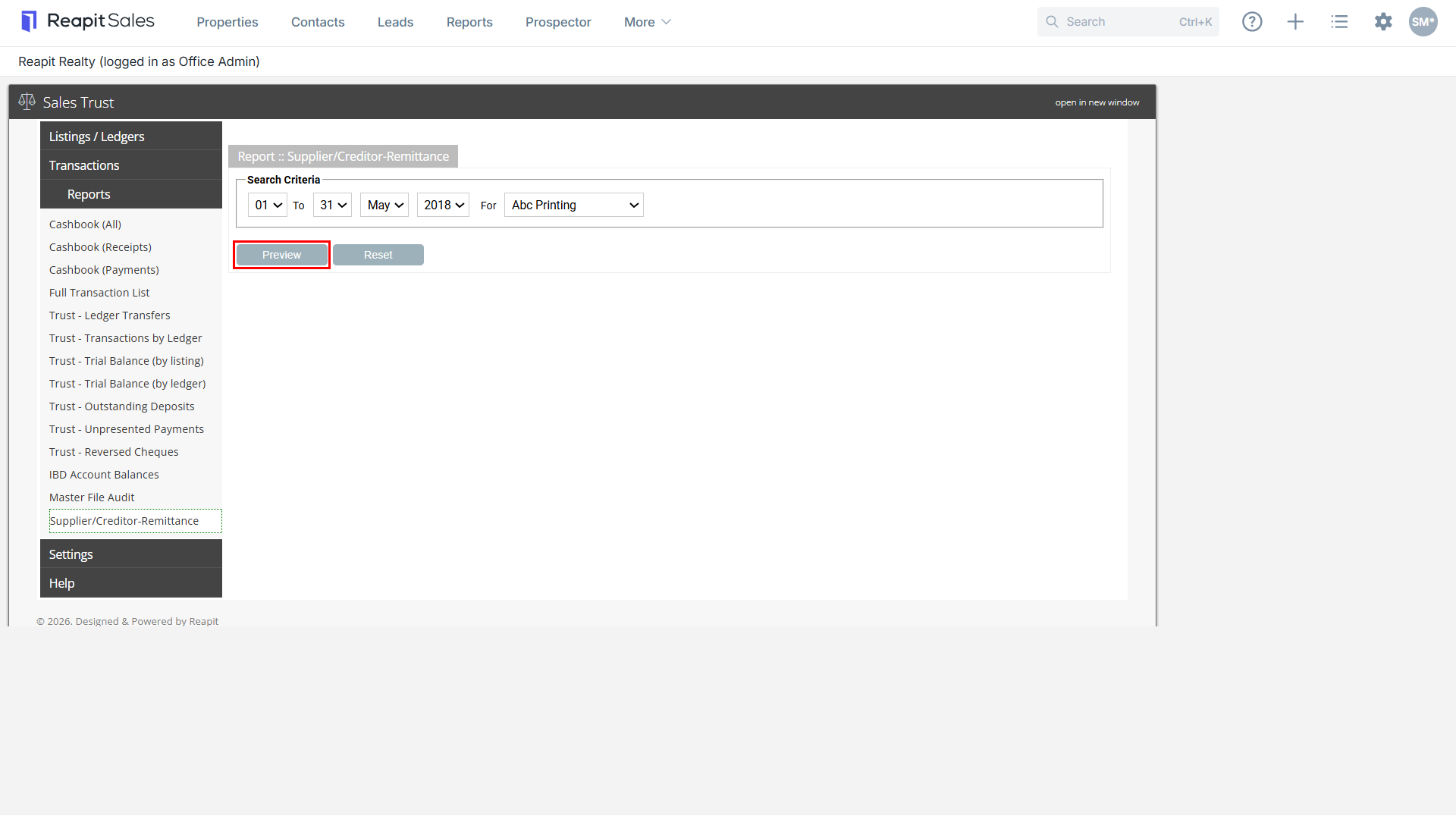
- Click
 and a report will generate in another window or tab. If the reports do not load, please ensure Pop Ups are enabled.