'%20d='M0%208a8%208%200%200%201%208-8h24a8%208%200%200%201%208%208v24a8%208%200%200%201-8%208H8a8%208%200%200%201-8-8V8Z'/%3e%3cpath%20fill='%23fff'%20d='M10.41%206v3.779h15.048v19.537h4.132V6H10.41Z'/%3e%3cpath%20fill='%23fff'%20d='M20.967%2034V13.837L10.41%209.78v20.166L20.967%2034Z'/%3e%3cdefs%3e%3clinearGradient%20id='reapit-sales__a'%20x1='20.702'%20x2='20.702'%20y1='.351'%20y2='31.228'%20gradientUnits='userSpaceOnUse'%3e%3cstop%20stop-color='%235573FD'/%3e%3cstop%20offset='.575'%20stop-color='%234E56EA'/%3e%3c/linearGradient%3e%3c/defs%3e%3c/svg%3e)
Add an Appraisal in the App
This article will cover adding an appraisal in the Reapit Sales App.
Add an Appraisal in the App
This article will cover adding an appraisal in the Reapit Sales App.
You can create new appraisals, update appraisal dates and times and edit appraisal statuses in the Reapit Sales App with ease. When creating a new appraisal, the user will be assigned as the appraisal agent and the associated contact will be assigned as prospective vendor for sales and prospective landlord for rentals.
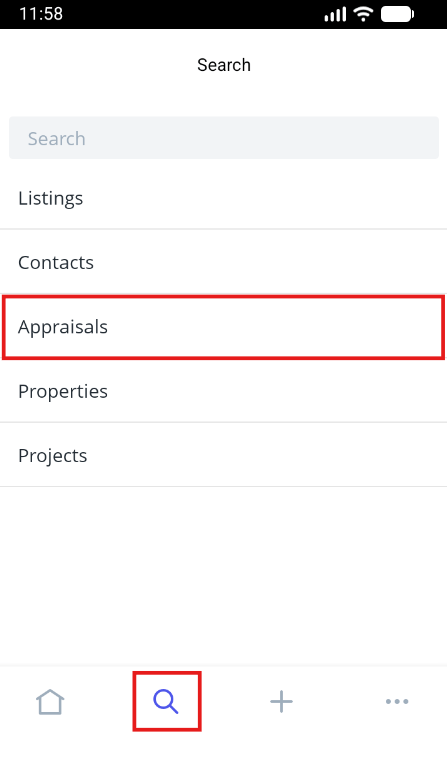
- Tap the magnifying glass icon from the main menu and select Appraisals.
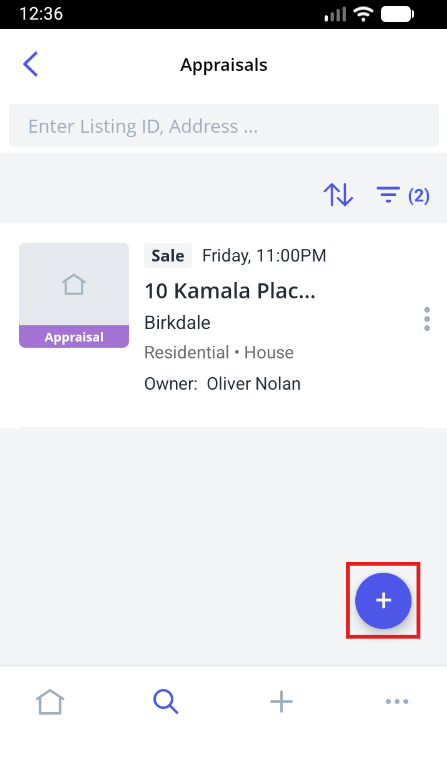
- Click the Green Plus button to add an Appraisal.
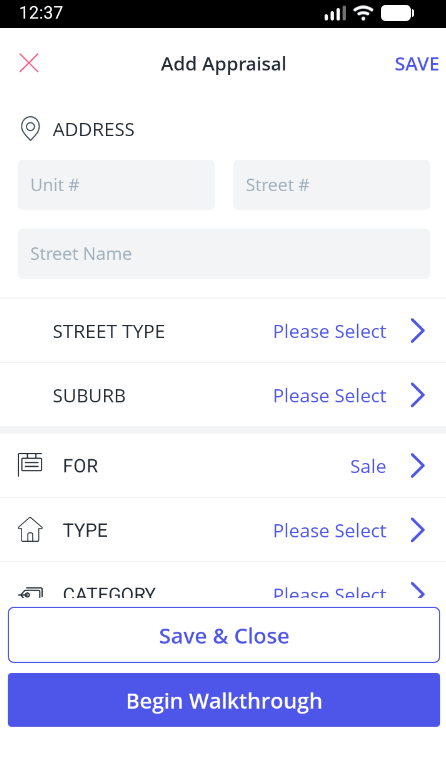
- Complete the general appraisal details - address, property attributes and add related contacts to the appraisal by searching from your existing database or add new contacts on-the-go.
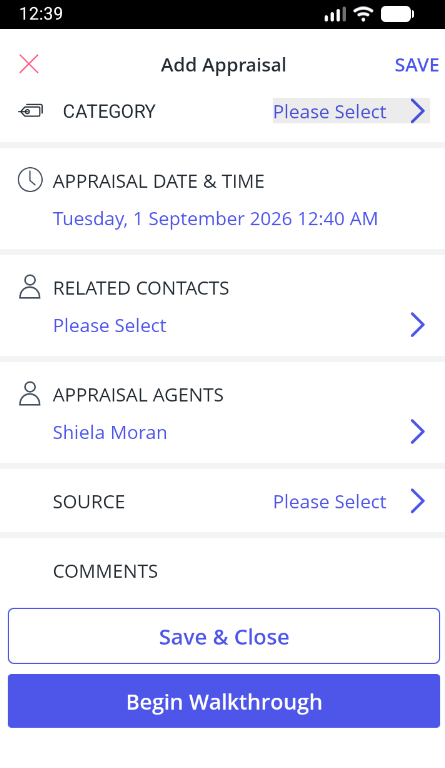
- Once you have entered the appraisal details you can Save and Close or begin the Appraisal Walkthrough.
Note:
- You must have the Create New Property user permission in order to be able to add a new appraisal.
- Adding Related Contacts, Source & Comments for appraisals can be made mandatory by a Master User via the System Configuration options within the desktop version of Reapit Sales.
You may also be interested in
How do I begin the Appraisal Walkthrough, click here to learn more.