'%20d='M0%208a8%208%200%200%201%208-8h24a8%208%200%200%201%208%208v24a8%208%200%200%201-8%208H8a8%208%200%200%201-8-8V8Z'/%3e%3cpath%20fill='%23fff'%20d='M10.41%206v3.779h15.048v19.537h4.132V6H10.41Z'/%3e%3cpath%20fill='%23fff'%20d='M20.967%2034V13.837L10.41%209.78v20.166L20.967%2034Z'/%3e%3cdefs%3e%3clinearGradient%20id='reapit-sales__a'%20x1='20.702'%20x2='20.702'%20y1='.351'%20y2='31.228'%20gradientUnits='userSpaceOnUse'%3e%3cstop%20stop-color='%235573FD'/%3e%3cstop%20offset='.575'%20stop-color='%234E56EA'/%3e%3c/linearGradient%3e%3c/defs%3e%3c/svg%3e)
SMS Activity Snapshot to Vendor in Mobile App
This article will guide you through the process of sending an SMS Activity Snapshot to your vendors following each open home. This snapshot provides valuable insights on attendee statistics, including the number of attendees, repeat views, and contract holders.
SMS Activity Snapshot to Vendor in Mobile App
This article will guide you through the process of sending an SMS Activity Snapshot to your vendors following each open home.
This snapshot provides valuable insights on attendee statistics, including the number of attendees, repeat views, and contract holders.
Note: Ensure you have SMS credits available and the necessary permissions to use this feature.
Tip: Make sure the vendor is assigned to your listings.*
- From the Mobile App home screen, select the appropriate OFI.
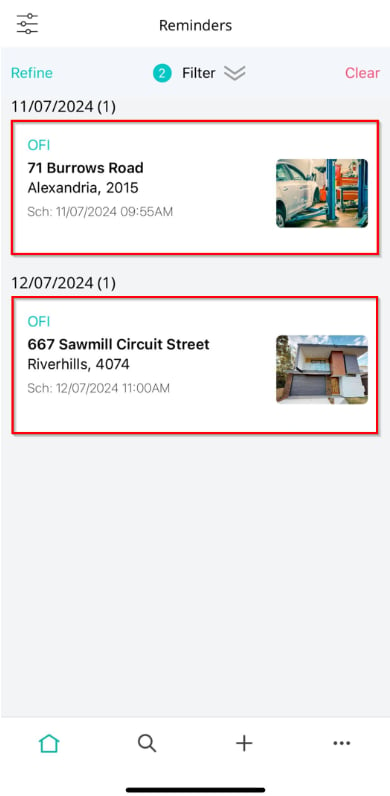
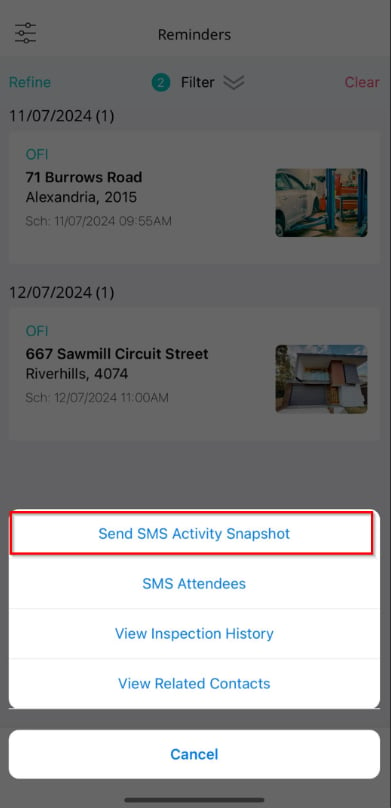
- Select Send SMS Activity Snapshot.
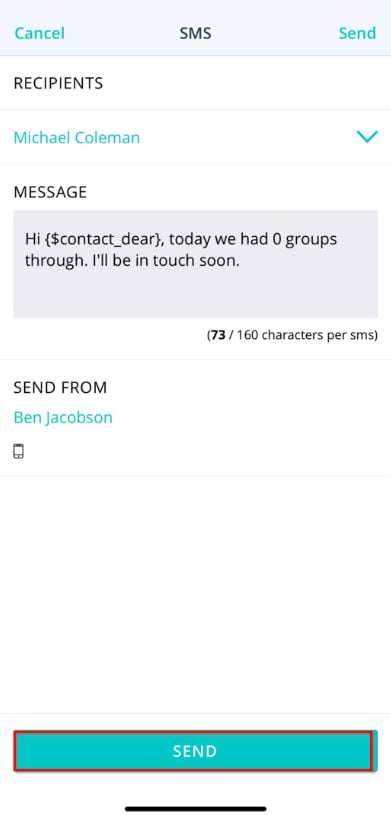
- Click Send to transmit the activity snapshot to the recipient.
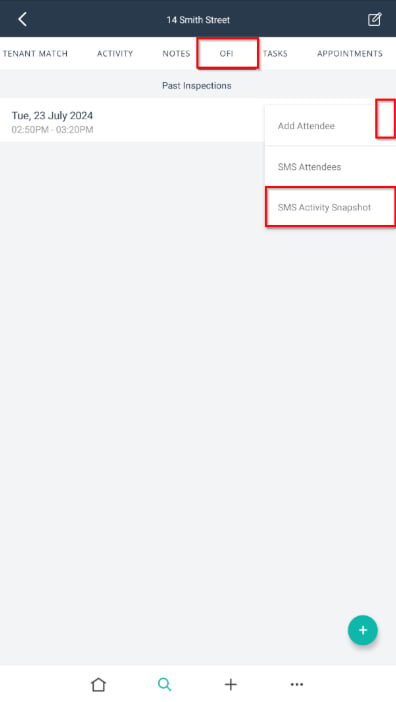
Alternatively, click on Listings and select the relevant property displayed under the My Listings tab.
In the OFI tab, you 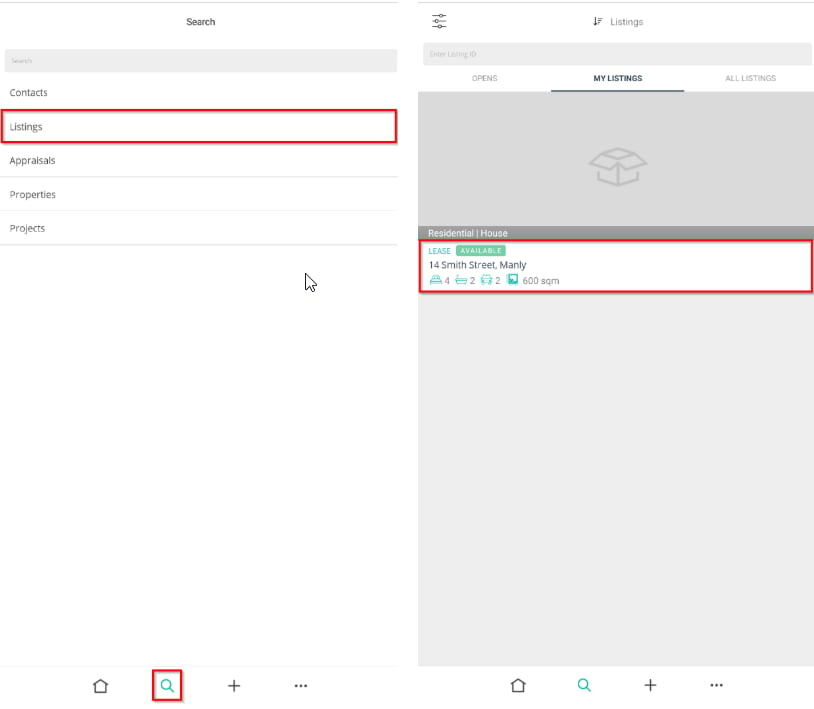
a list of past inspections.
- To access a specific OFI, click on the three action dots next to the desired entry and select SMS Activity Snapshot.