'%20d='M0%208a8%208%200%200%201%208-8h24a8%208%200%200%201%208%208v24a8%208%200%200%201-8%208H8a8%208%200%200%201-8-8V8Z'/%3e%3cpath%20fill='%23fff'%20d='M10.41%206v3.779h15.048v19.537h4.132V6H10.41Z'/%3e%3cpath%20fill='%23fff'%20d='M20.967%2034V13.837L10.41%209.78v20.166L20.967%2034Z'/%3e%3cdefs%3e%3clinearGradient%20id='reapit-sales__a'%20x1='20.702'%20x2='20.702'%20y1='.351'%20y2='31.228'%20gradientUnits='userSpaceOnUse'%3e%3cstop%20stop-color='%235573FD'/%3e%3cstop%20offset='.575'%20stop-color='%234E56EA'/%3e%3c/linearGradient%3e%3c/defs%3e%3c/svg%3e)
Documents
This article demonstrates how to upload documents to a listing in Reapit Sales.
Overview
Documents
This article demonstrates how to upload documents to a listing in Reapit Sales.
Upload essential property documents such as Agency Agreements, Property Contracts, Statements of Information, and Strata Plans directly to your listings.
Document Size Limits:
- Accelerate: Maximum document size is 15MB.
- Premium: Maximum document size is 25MB.
Steps to Uploading Documents:
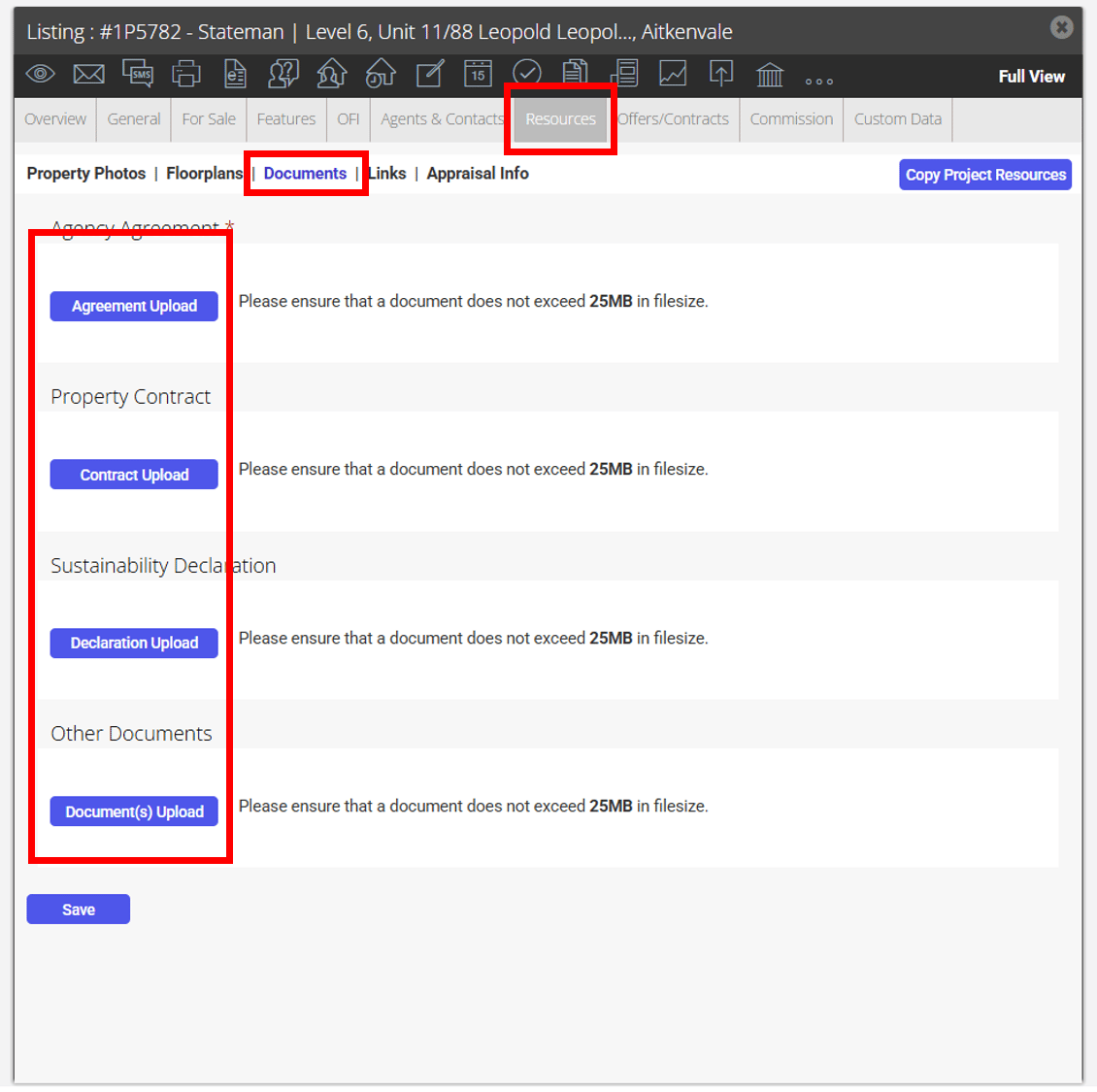
1. Locate Your Property: Search for your property and open the Resources Tab.
- Access the Documents Section: Click on 'Documents' within the sub-resources tab.
- Select the Upload button for the type of document you are uploading.
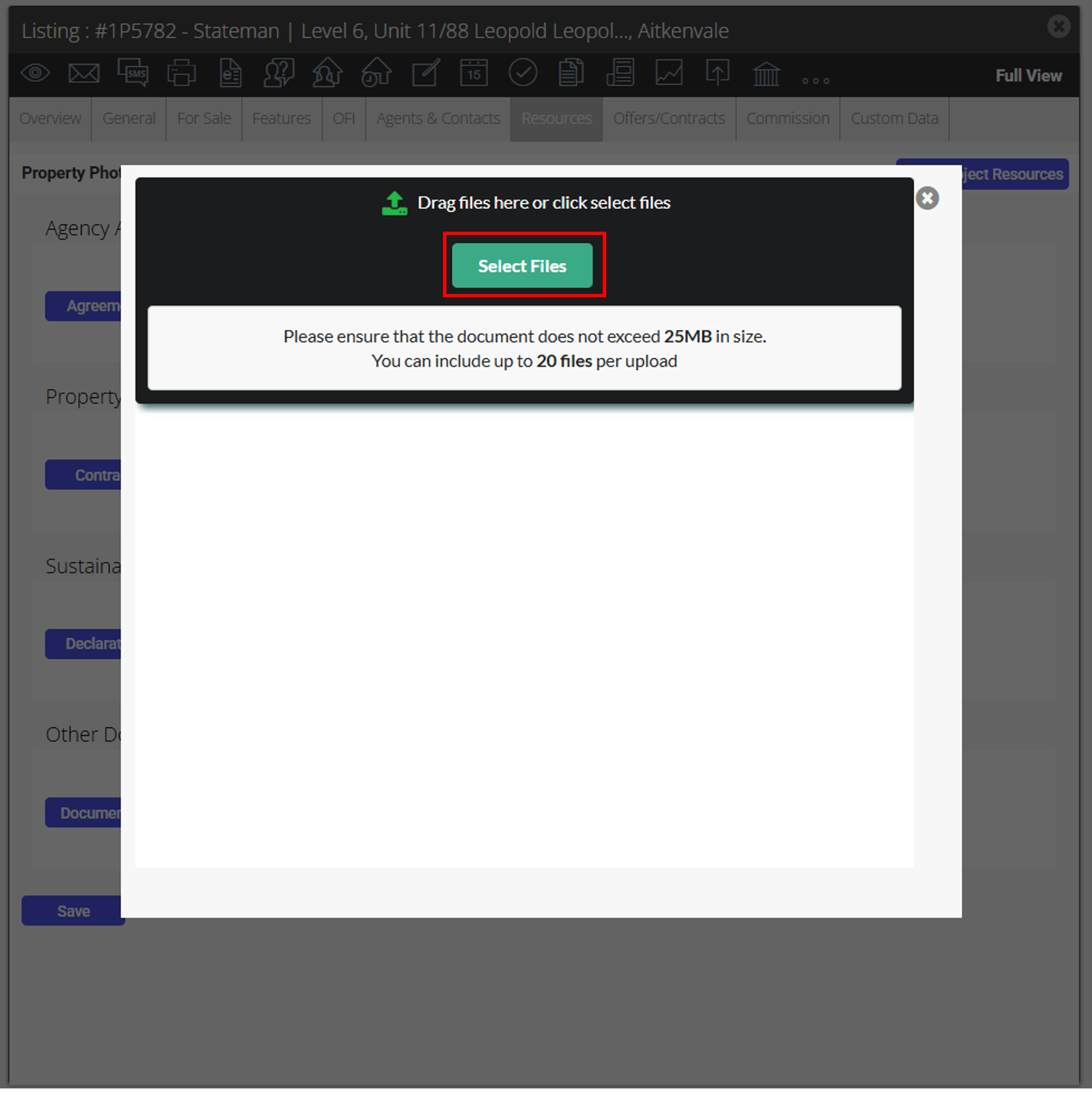
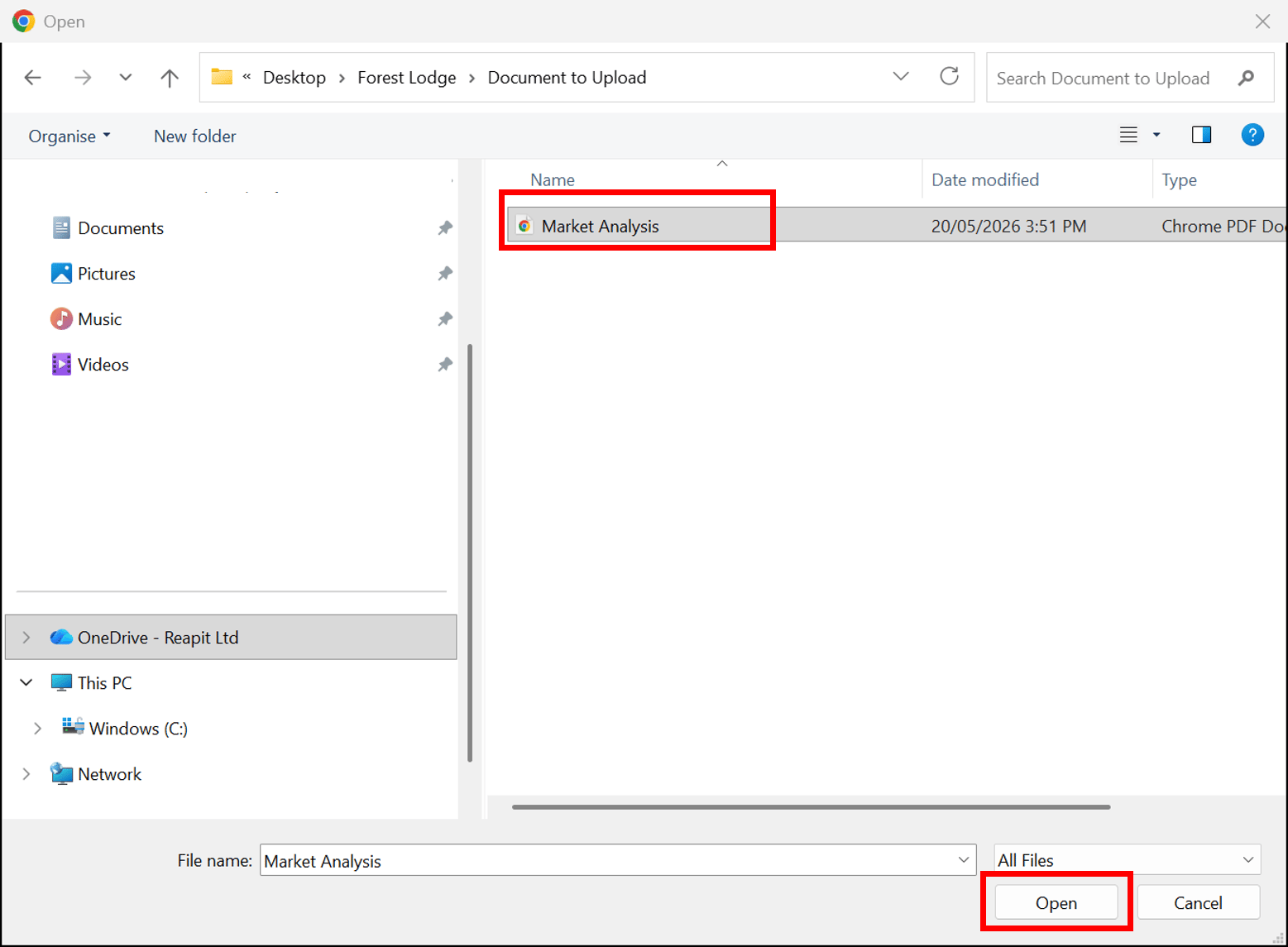
2. Uploading Files: Drag and drop files from your computer, or click 'Select Files', choose the document you want to upload and then click 'Open'. For example, uploading an Agreement.
5. Privacy Settings: Use the ‘Set as Private’ checkbox to mark individual documents as private, excluding them from the ‘Email Contract/Documents’ workflow and preventing them from showing on the web.
- Click on Save.
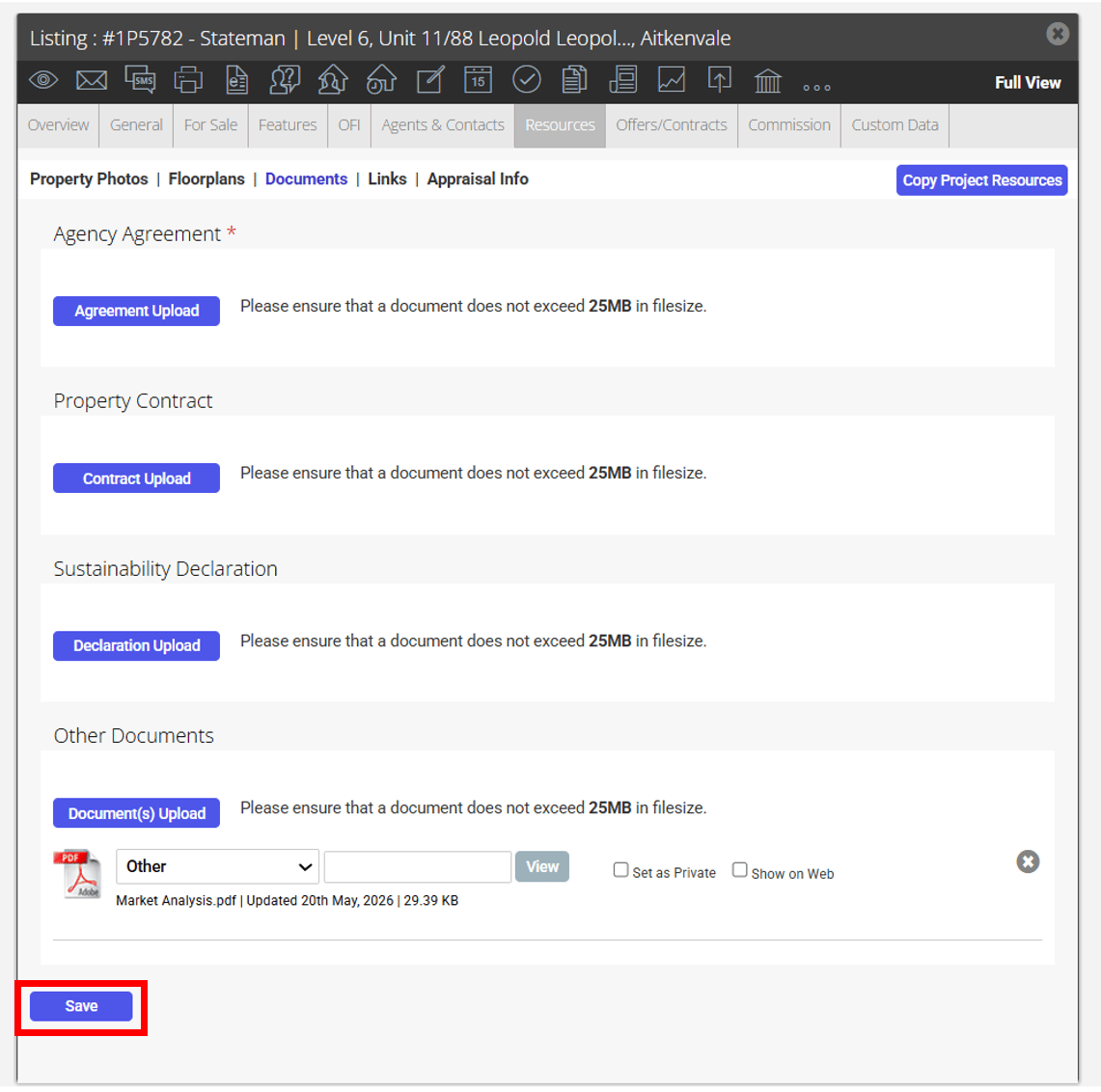
- Note: Agency Agreement documents are automatically set as private and cannot be made public or displayed on the web.
New Expiration Policies for Private Document Links:
- Emails: Links to private documents sent via email will expire 7 days after being sent, ensuring sensitive information is secured and only available for a limited time.
- API Access: Links to private documents accessed via the API will expire 60 minutes after access, enhancing security for sensitive data.
These updates are designed to improve the management and security of sensitive documents within Reapit Sales, aligning with best practices in data protection.