'%20d='M0%208a8%208%200%200%201%208-8h24a8%208%200%200%201%208%208v24a8%208%200%200%201-8%208H8a8%208%200%200%201-8-8V8Z'/%3e%3cpath%20fill='%23fff'%20d='M10.41%206v3.779h15.048v19.537h4.132V6H10.41Z'/%3e%3cpath%20fill='%23fff'%20d='M20.967%2034V13.837L10.41%209.78v20.166L20.967%2034Z'/%3e%3cdefs%3e%3clinearGradient%20id='reapit-sales__a'%20x1='20.702'%20x2='20.702'%20y1='.351'%20y2='31.228'%20gradientUnits='userSpaceOnUse'%3e%3cstop%20stop-color='%235573FD'/%3e%3cstop%20offset='.575'%20stop-color='%234E56EA'/%3e%3c/linearGradient%3e%3c/defs%3e%3c/svg%3e)
Contact Action Icons
This article explains the contact action icons in Reapit Sales.
Contact Action Icons
This article explains the contact action icons in Reapit Sales.
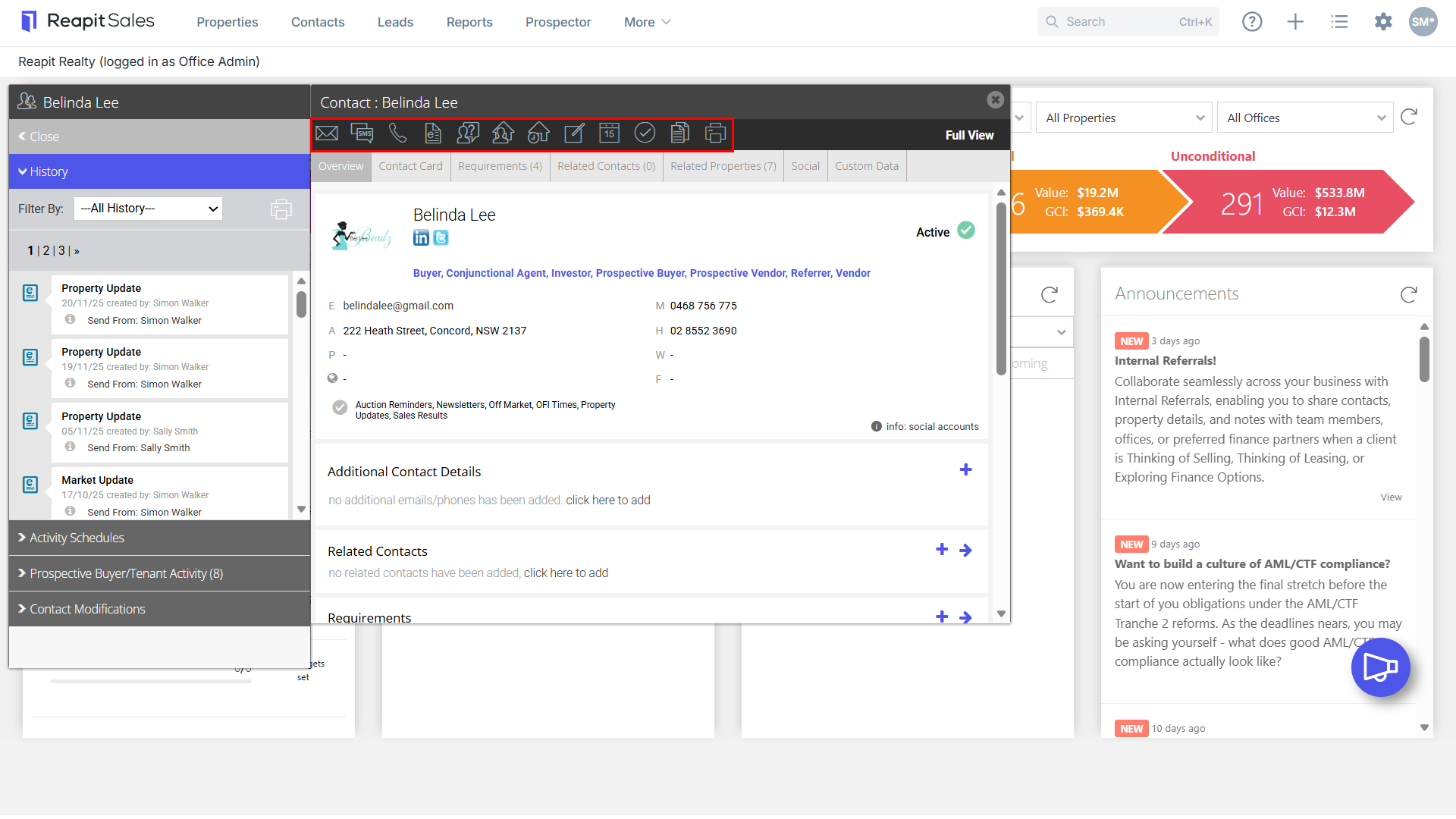
From Left to Right
- Email - Send an email directly to the contact and view previously sent emails.
- SMS - Send an SMS directly to the contact (SMS credits to be purchased in advance, contact support at salessupportanz@reapit.com).
- E-Newsletter - Send an e-newsletter directly to the contact.
- Log Enquiry - Log an enquiry made on a property by the contact.
- Match Properties - Match available properties suitable for the contact. Only appears if requirements have been entered.
- Log Feedback by Appointment - Log feedback on a property the contact has inspected by appointment.
- Add a Note - Add notes against the contact and view previous notes.
- Add a Meeting - Schedule a meeting with this contact.
- Tasks & Activity Schedules - Apply a single task, activity schedule or view active and completed tasks against the contact.
- Send a Letter - Send a letter directly to the contact, edit/create a letter template and access previously sent letters.
- Print - Print a summary of the property including property type, bed, bath, car, related agents and contacts, features etc.