'%20d='M0%208a8%208%200%200%201%208-8h24a8%208%200%200%201%208%208v24a8%208%200%200%201-8%208H8a8%208%200%200%201-8-8V8Z'/%3e%3cpath%20fill='%23fff'%20d='M10.41%206v3.779h15.048v19.537h4.132V6H10.41Z'/%3e%3cpath%20fill='%23fff'%20d='M20.967%2034V13.837L10.41%209.78v20.166L20.967%2034Z'/%3e%3cdefs%3e%3clinearGradient%20id='reapit-sales__a'%20x1='20.702'%20x2='20.702'%20y1='.351'%20y2='31.228'%20gradientUnits='userSpaceOnUse'%3e%3cstop%20stop-color='%235573FD'/%3e%3cstop%20offset='.575'%20stop-color='%234E56EA'/%3e%3c/linearGradient%3e%3c/defs%3e%3c/svg%3e)
Listing 'Approved for Marketing' Functionality
This article introduces the Approve for Marketing function on the property card in Reapit Sales.
Overview
Listing 'Approved for Marketing' Functionality
This article introduces the Approve for Marketing function on the property card in Reapit Sales.
Permissions
In order to approve a listing for marketing, users will require the ability to edit the listing and additionally have the ‘Edit Listing Marketing Approval’ permission.
- Edit Listing Marking Approval Status - Allows user to modify the approved for marketing status for listings that they are able to edit.
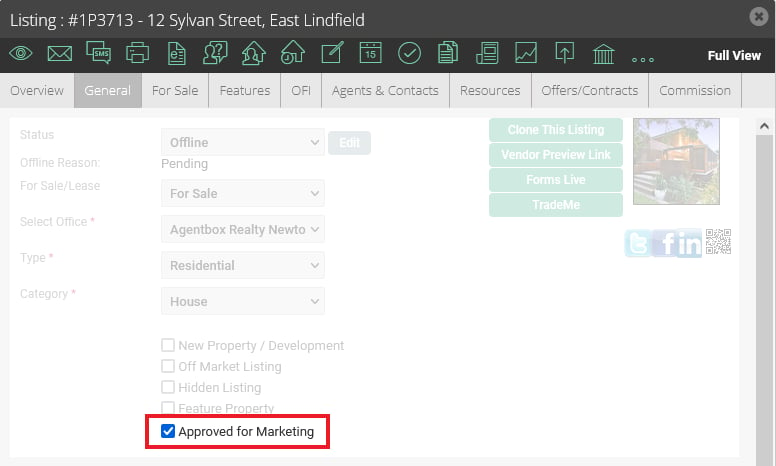
When the listing approved for marketing functionality is enabled, an 'Approved for Marketing' checkbox is made available on the general tab of each SALE listing.
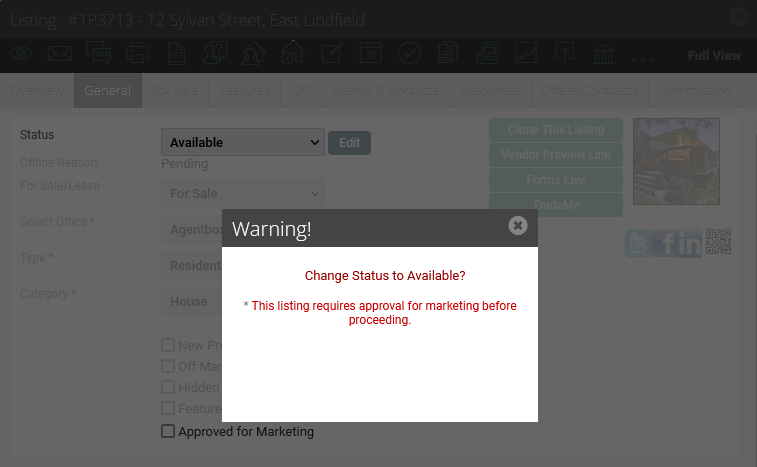
The user cannot progress to the ‘Available’ status until the ‘Approved for Marketing’ checkbox is ticked.
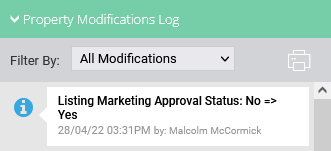
Modification Logs Listing modification logs are recorded when the ‘Approved for Marketing’ status is updated.
Enabling
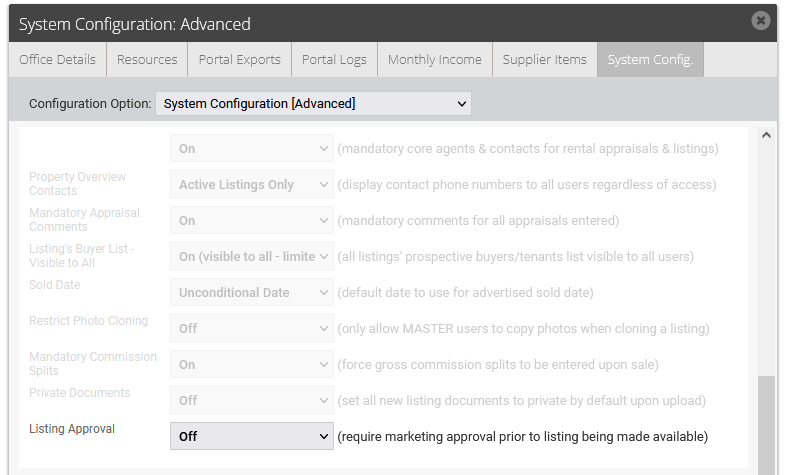
The ‘Listing Approval’ functionality can be enabled/disabled by Master Users via the System Configuration [Advanced] options.