'%20d='M0%208a8%208%200%200%201%208-8h24a8%208%200%200%201%208%208v24a8%208%200%200%201-8%208H8a8%208%200%200%201-8-8V8Z'/%3e%3cpath%20fill='%23fff'%20d='M10.41%206v3.779h15.048v19.537h4.132V6H10.41Z'/%3e%3cpath%20fill='%23fff'%20d='M20.967%2034V13.837L10.41%209.78v20.166L20.967%2034Z'/%3e%3cdefs%3e%3clinearGradient%20id='reapit-sales__a'%20x1='20.702'%20x2='20.702'%20y1='.351'%20y2='31.228'%20gradientUnits='userSpaceOnUse'%3e%3cstop%20stop-color='%235573FD'/%3e%3cstop%20offset='.575'%20stop-color='%234E56EA'/%3e%3c/linearGradient%3e%3c/defs%3e%3c/svg%3e)
Conduct CMA
This article demonstrates how to access the Comparative Market Analysis (CMA) feature in Reapit Sales.
Overview
Conduct a Comparative Market Analysis
This article demonstrates how to access the Comparative Market Analysis (CMA) feature in Reapit Sales.
- Click on Properties
- Search for and select the required property.
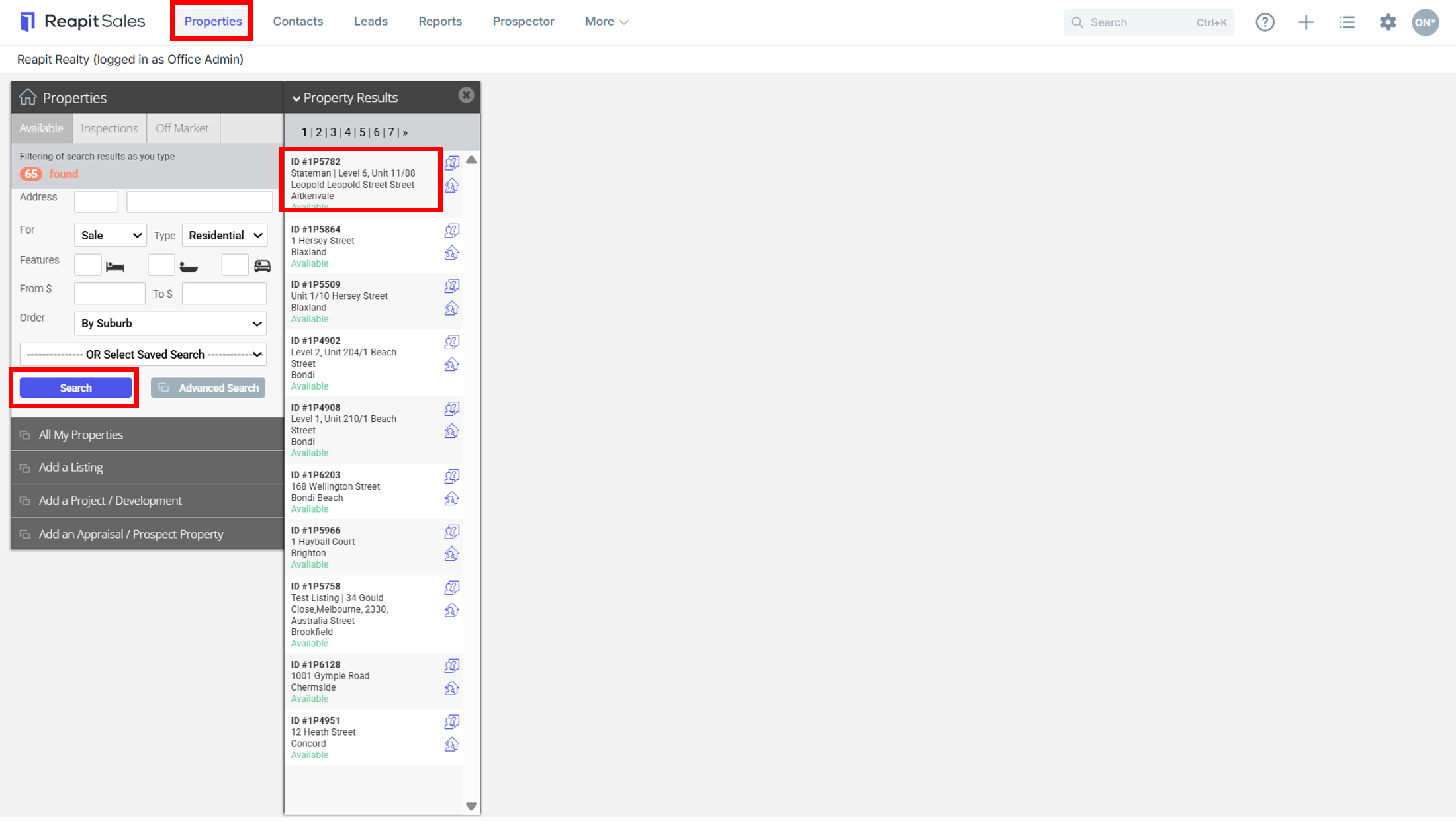
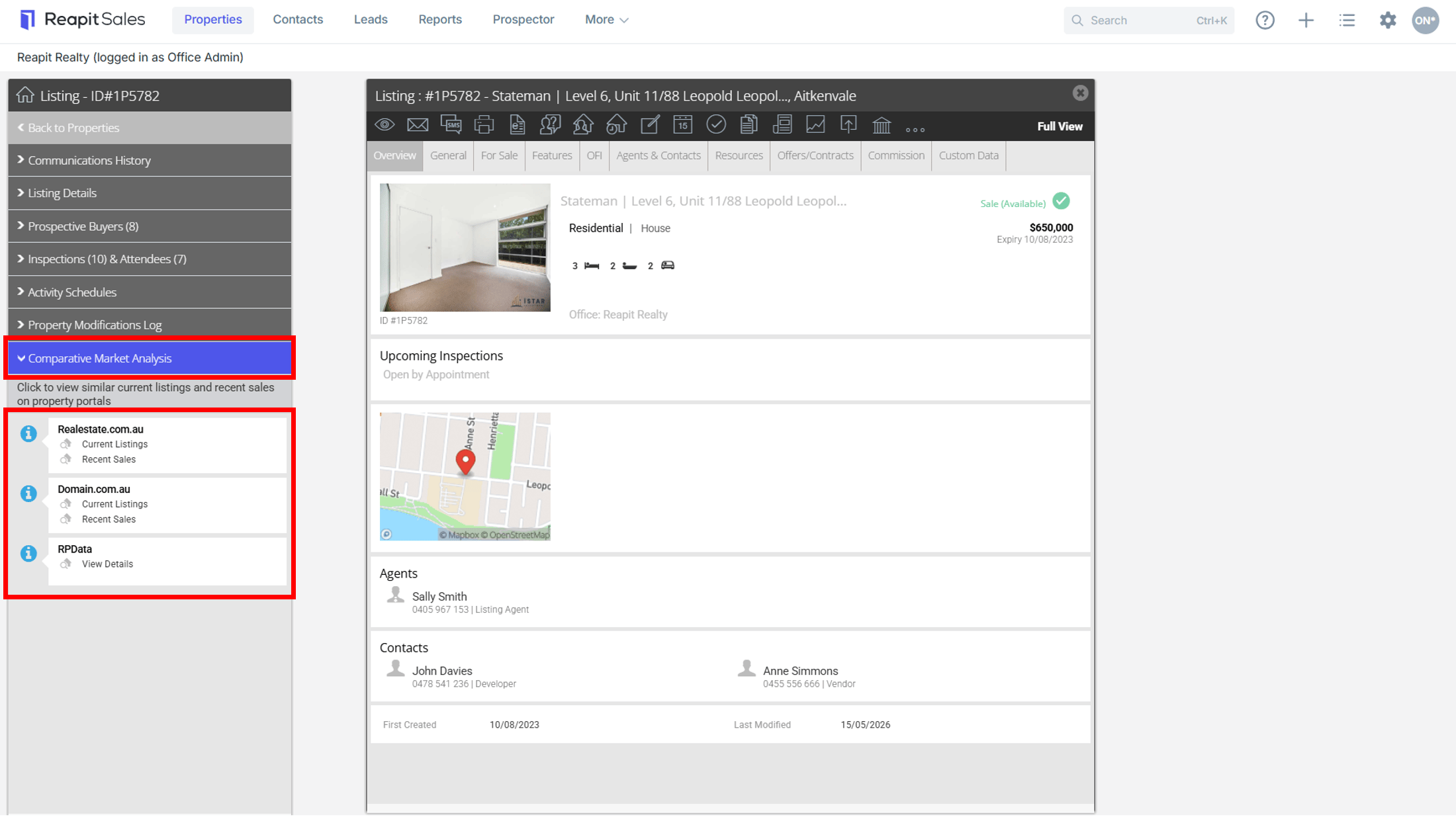
- Click Comparative Market Analysis tab on the Left Property Panel (If the matching left panel is not visible, click Full View in the top right hand corner of the property card).

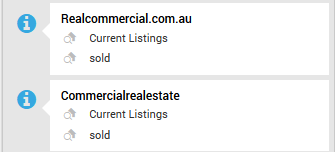
*Note: If the corresponding property was a commercial listing you would be presented with:

- Click the page you would like to open, e.g. recent sales on realestate.com.au and this will open in a new browser tab or window. It will conduct a search through the portal based on the suburb and search price of the property or appraisal price if appraisal and prospecting price if prospect.
- Close the browser tab, or window to return to Reapit Sales.
*Note: If you have the Prospector Module, you will also be able to quickly access RP Data information and quicklinks to generate a CMA or Valuation report.