'%20d='M0%208a8%208%200%200%201%208-8h24a8%208%200%200%201%208%208v24a8%208%200%200%201-8%208H8a8%208%200%200%201-8-8V8Z'/%3e%3cpath%20fill='%23fff'%20d='M10.41%206v3.779h15.048v19.537h4.132V6H10.41Z'/%3e%3cpath%20fill='%23fff'%20d='M20.967%2034V13.837L10.41%209.78v20.166L20.967%2034Z'/%3e%3cdefs%3e%3clinearGradient%20id='reapit-sales__a'%20x1='20.702'%20x2='20.702'%20y1='.351'%20y2='31.228'%20gradientUnits='userSpaceOnUse'%3e%3cstop%20stop-color='%235573FD'/%3e%3cstop%20offset='.575'%20stop-color='%234E56EA'/%3e%3c/linearGradient%3e%3c/defs%3e%3c/svg%3e)
Template Categories
The article demonstrates how offices can define Categories for their Marketing Expenses, Activity Schedule Templates and Letter/Email/SMS Templates using Template Categories within Reapit Sales.
*Note: Master Users Only
Allows Users to filter by Category when selecting a template to use for improved productivity.
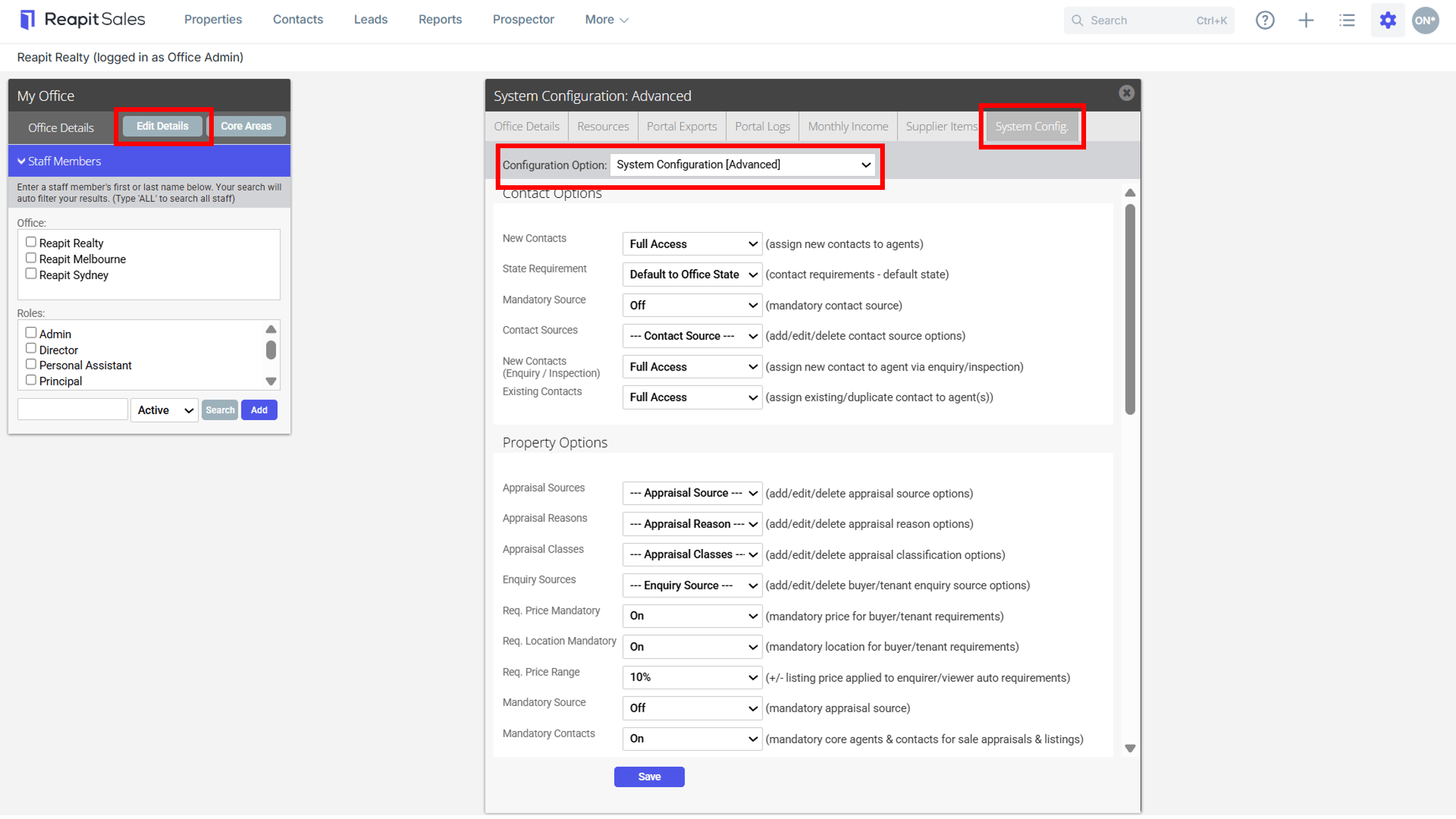
1. Click My Office from the main menu

2. Click the Edit Details button on the Left Panel
3. Click the System Config. tab
4. Select System Configuration (Advanced) from the Configuration Option drop-down
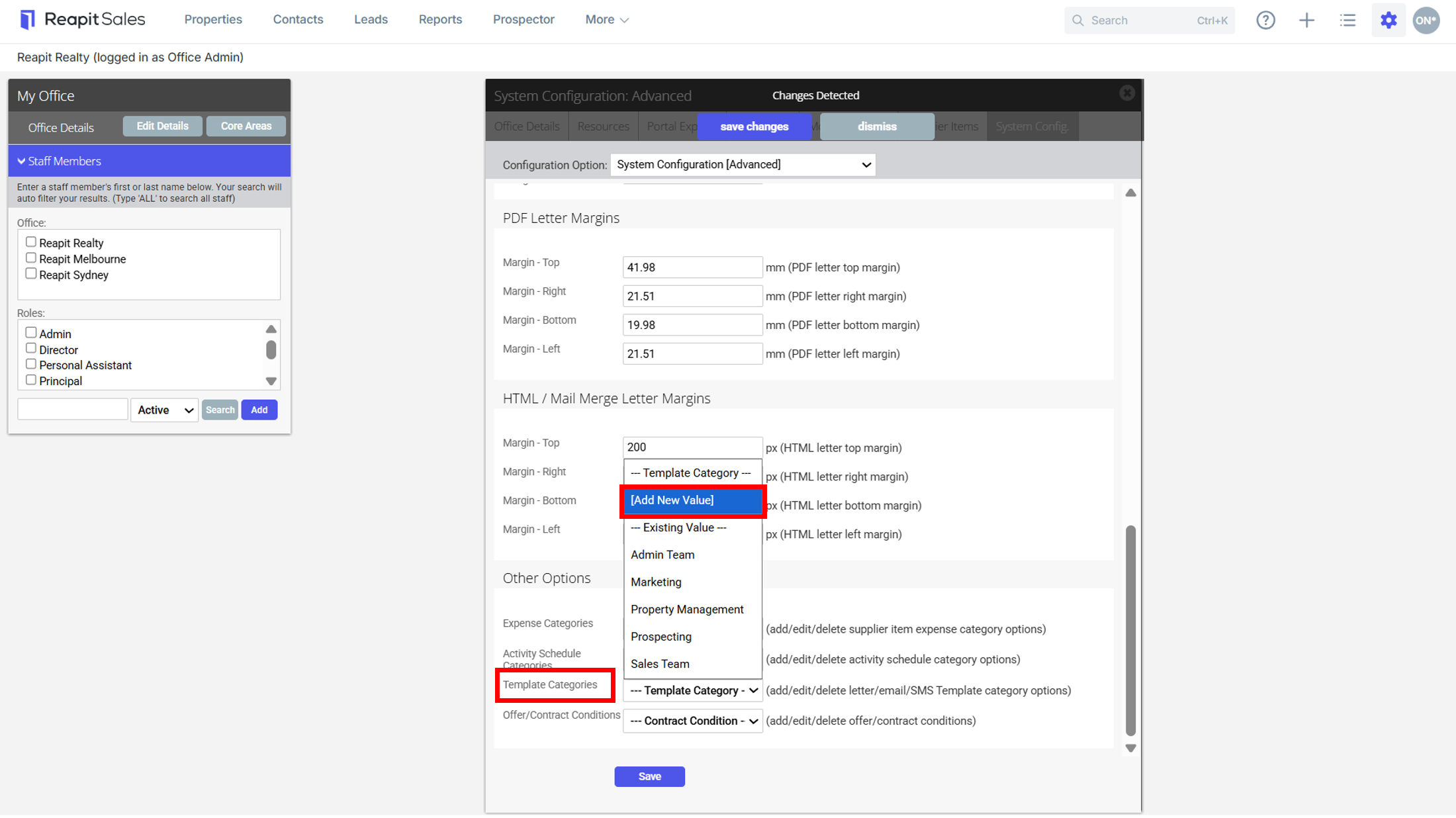
5. From Other Options: Template Categories - Select Add New Value from the required category drop-down
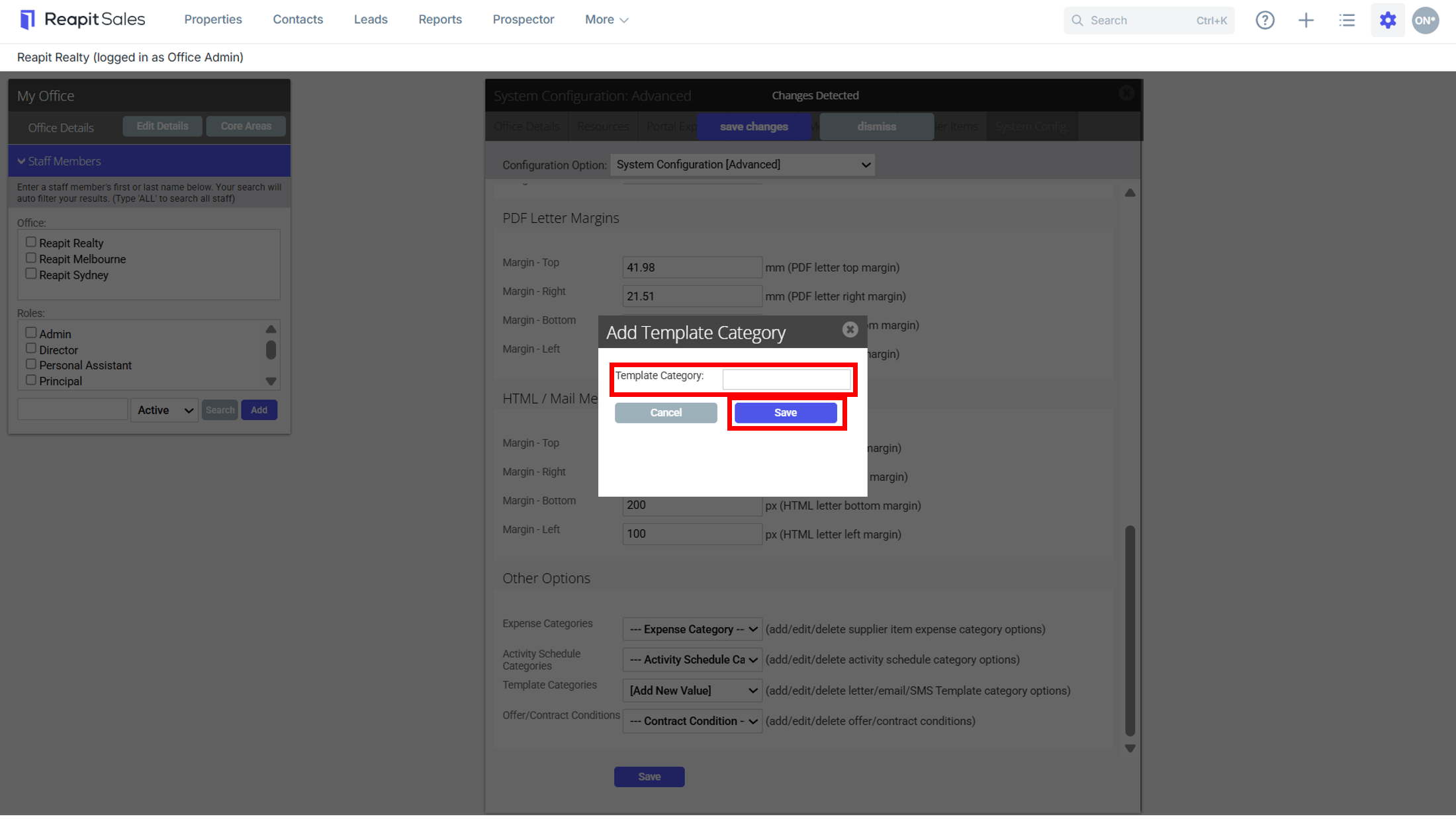
6. Enter new category details and click Save to finish.