'%20d='M0%208a8%208%200%200%201%208-8h24a8%208%200%200%201%208%208v24a8%208%200%200%201-8%208H8a8%208%200%200%201-8-8V8Z'/%3e%3cpath%20fill='%23fff'%20d='M10.41%206v3.779h15.048v19.537h4.132V6H10.41Z'/%3e%3cpath%20fill='%23fff'%20d='M20.967%2034V13.837L10.41%209.78v20.166L20.967%2034Z'/%3e%3cdefs%3e%3clinearGradient%20id='reapit-sales__a'%20x1='20.702'%20x2='20.702'%20y1='.351'%20y2='31.228'%20gradientUnits='userSpaceOnUse'%3e%3cstop%20stop-color='%235573FD'/%3e%3cstop%20offset='.575'%20stop-color='%234E56EA'/%3e%3c/linearGradient%3e%3c/defs%3e%3c/svg%3e)
Add Other Date
This article runs through how to add other date in Reapit Sales.
Add Other Date
This article runs through how to add other date in Reapit Sales.
How do I add a searchable date to a contact e.g. birthday?
- Search for your Contact open their Contact Card.

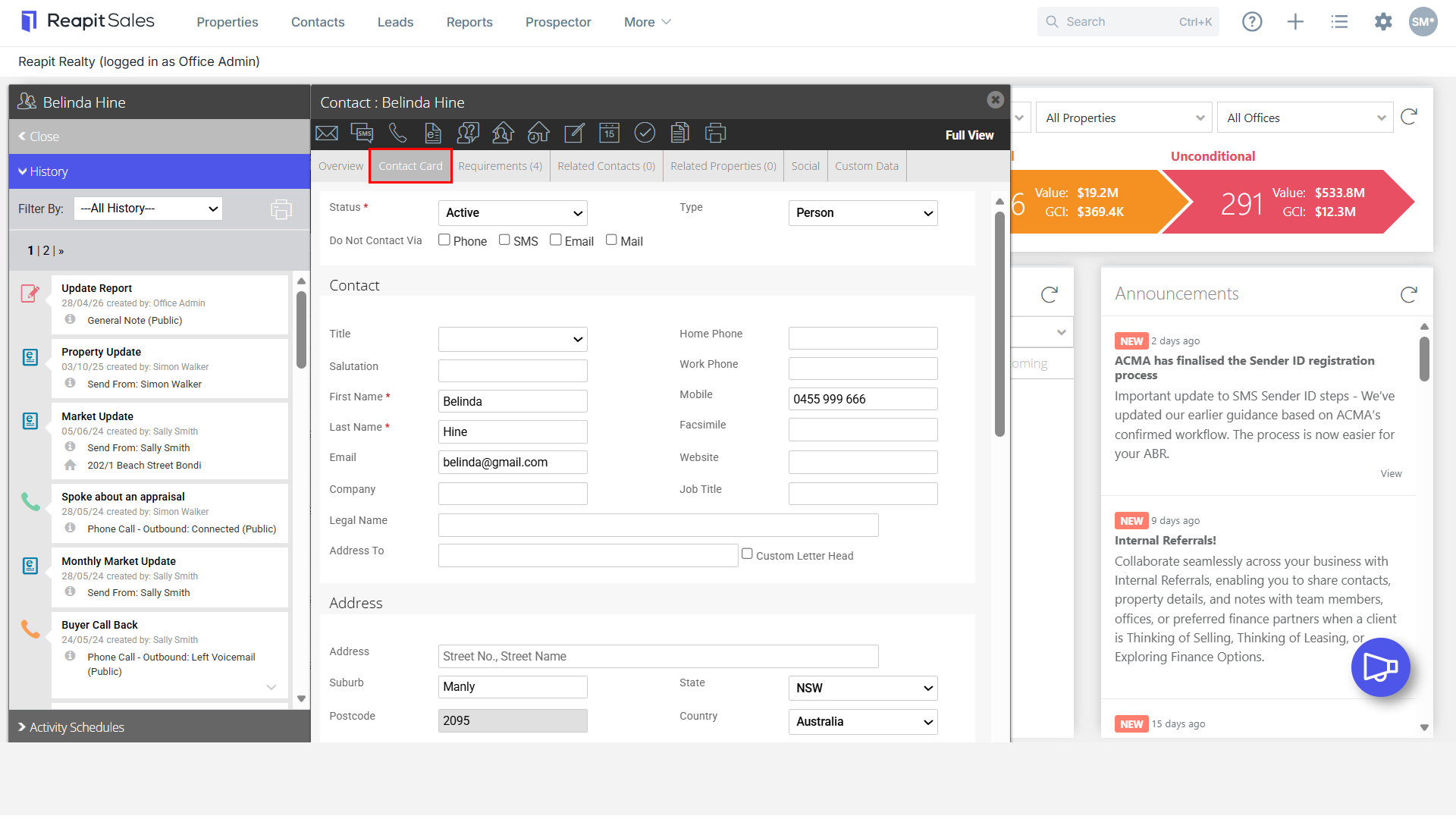
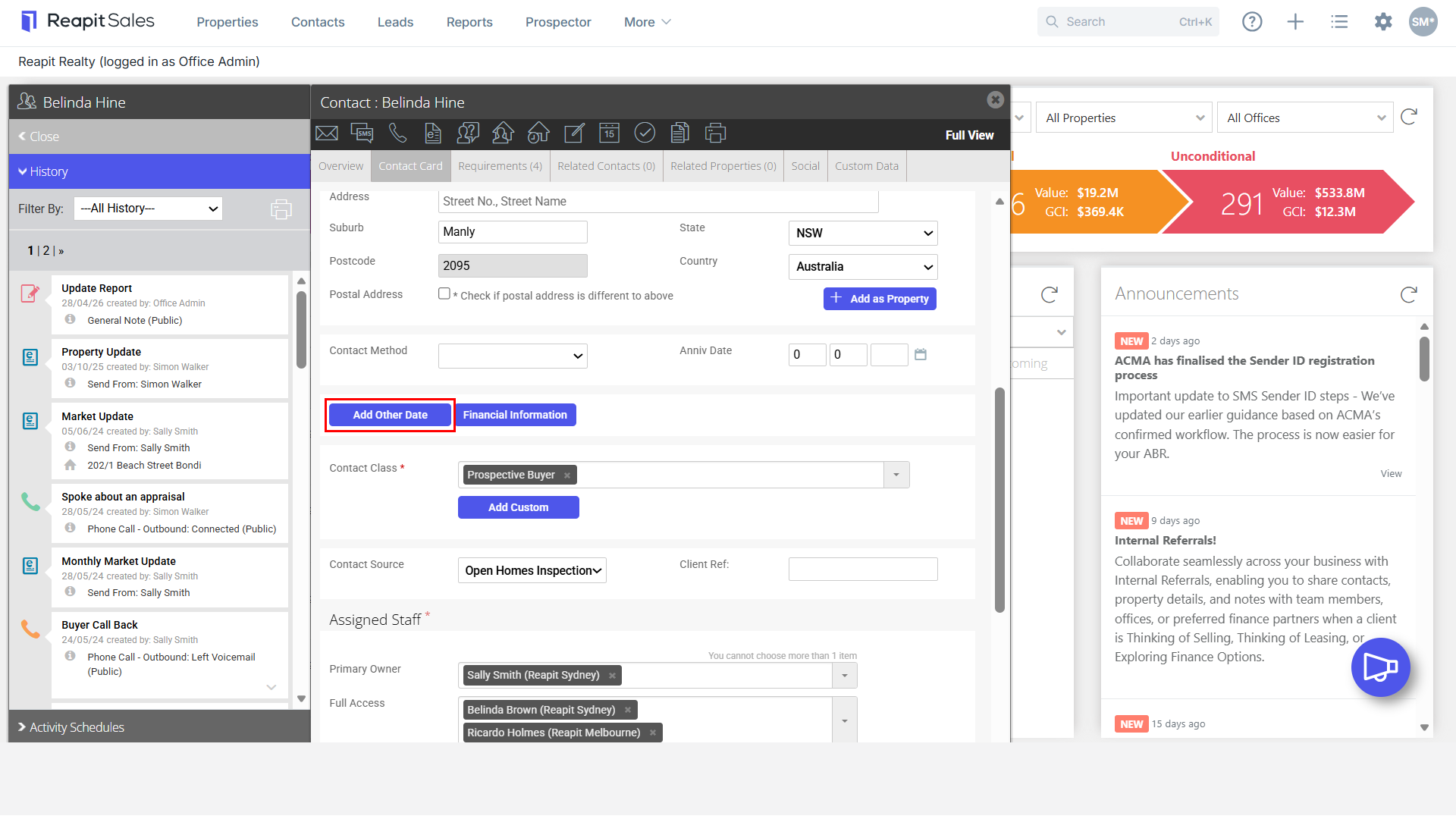
- Click the Add Other Date.
- Enter Date
- Select Date type from the drop-down e.g. DOB (Birthday)

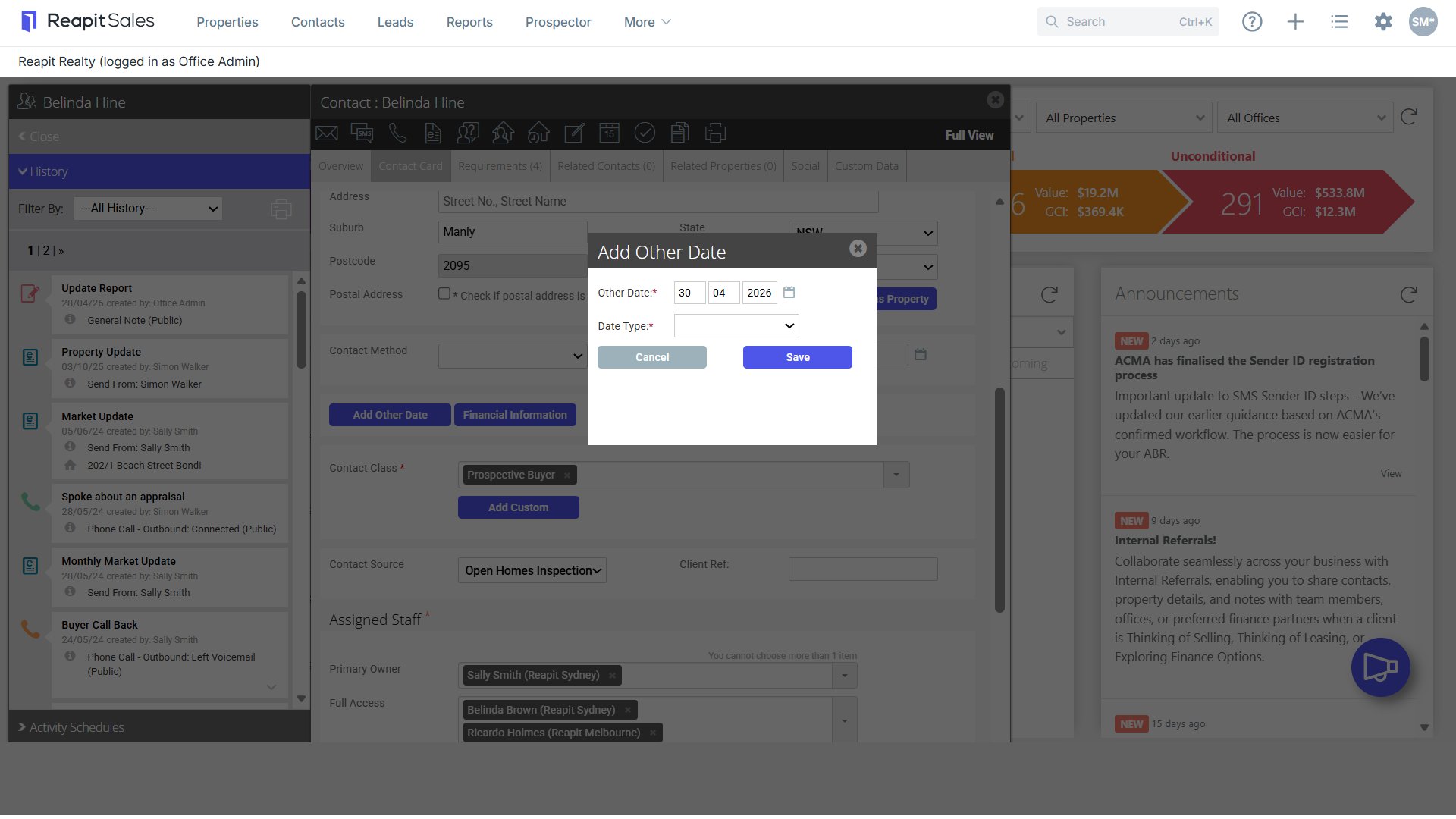
- If the date type does not exist, you can create your own by selecting Make New Type in the drop-down.

- Enter the New Date Type e.g. Children's Birthday, Wedding Anniversary, First Sale with our Agency etc.
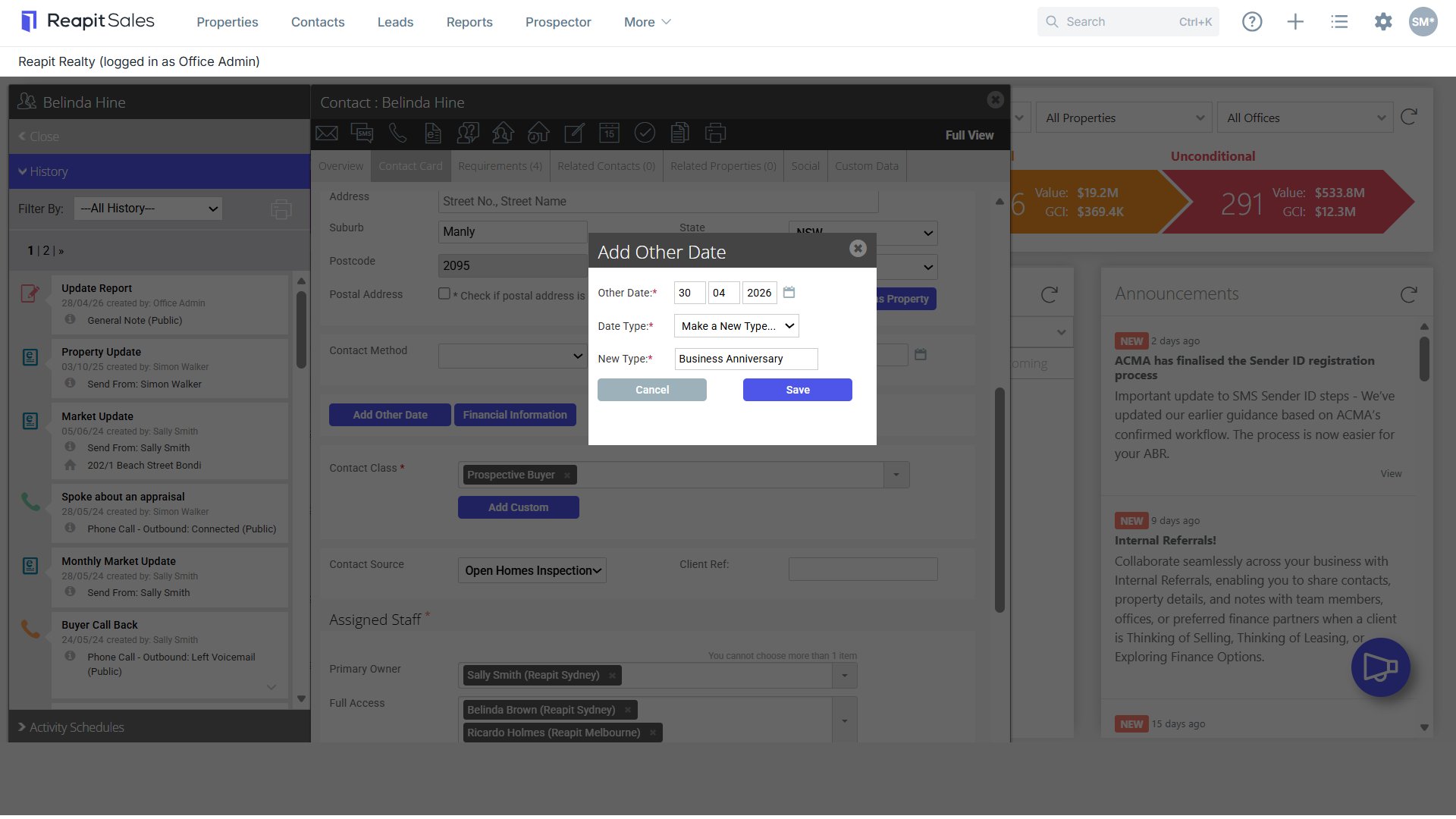

- Click Save.
- The date will be attached to the contact
- The new date type will be added to your Date Type drop down to use again for other contacts

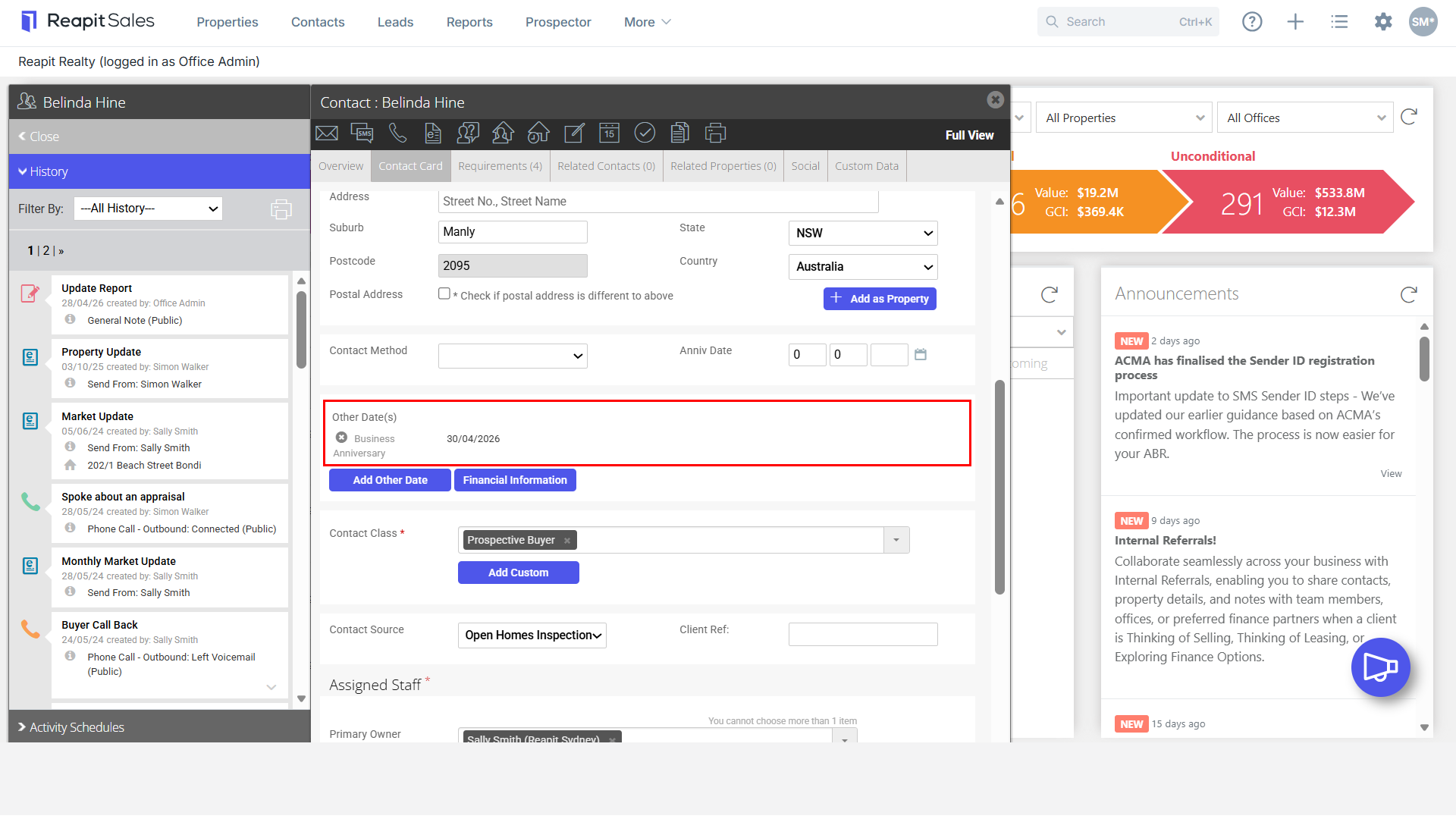
- You can produce a target list of all contacts with a certain type of ‘other date’ in a certain date range using the Advanced Contact Search:
- Select Event Date Type - e.g Wedding Anniversary
- Enter a range
- Either a full date range period e.g. 01/01/2011-01/01/2012: will produce a target list of all contacts who had a wedding anniversary in 2011. A partial date range period e.g. /01/__ to _/02/___, will produce a target list of all contacts who had a wedding in the month of January regardless of the year of marriage.