'%20d='M0%208a8%208%200%200%201%208-8h24a8%208%200%200%201%208%208v24a8%208%200%200%201-8%208H8a8%208%200%200%201-8-8V8Z'/%3e%3cpath%20fill='%23fff'%20d='M10.41%206v3.779h15.048v19.537h4.132V6H10.41Z'/%3e%3cpath%20fill='%23fff'%20d='M20.967%2034V13.837L10.41%209.78v20.166L20.967%2034Z'/%3e%3cdefs%3e%3clinearGradient%20id='reapit-sales__a'%20x1='20.702'%20x2='20.702'%20y1='.351'%20y2='31.228'%20gradientUnits='userSpaceOnUse'%3e%3cstop%20stop-color='%235573FD'/%3e%3cstop%20offset='.575'%20stop-color='%234E56EA'/%3e%3c/linearGradient%3e%3c/defs%3e%3c/svg%3e)
Export Project to Portals
This article shows how to export project to portals in Reapit Sales.
Export Project to Portals
This article shows how to export project to portals in Reapit Sales.
Note:
- Only those with the following permissions can export to portals.
- Edit Listing Portal Exports - Allows User to modify Portal Export options for Listings that they are able to edit.
- Projects are not able to be portal feed to REA, Domain etc and are a folder that contains listings within Agentbox. However, some third party websites may be able to support Projects via the API. For more information, please speak to your website host.
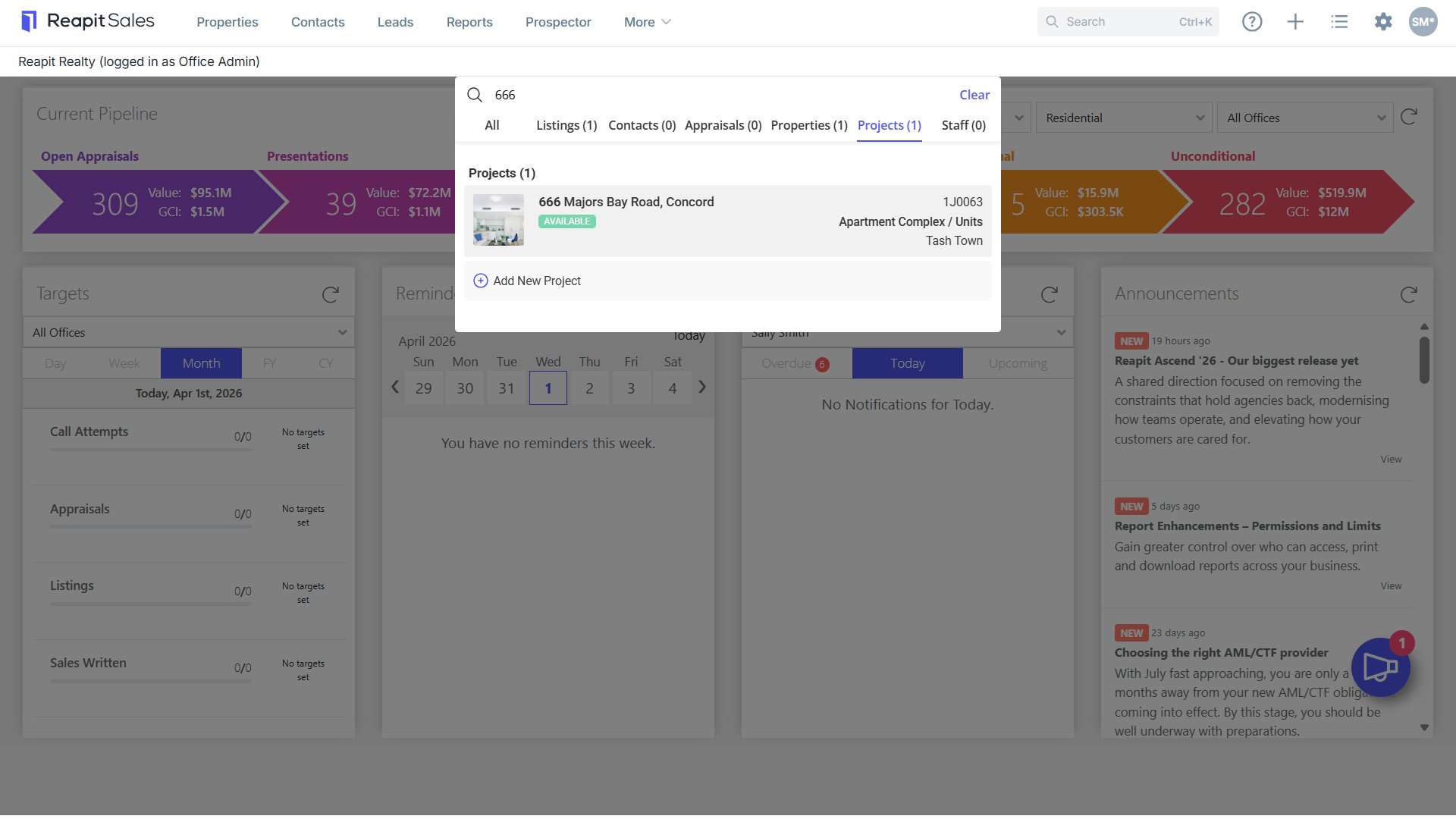
- Search for your Project and open the Project.
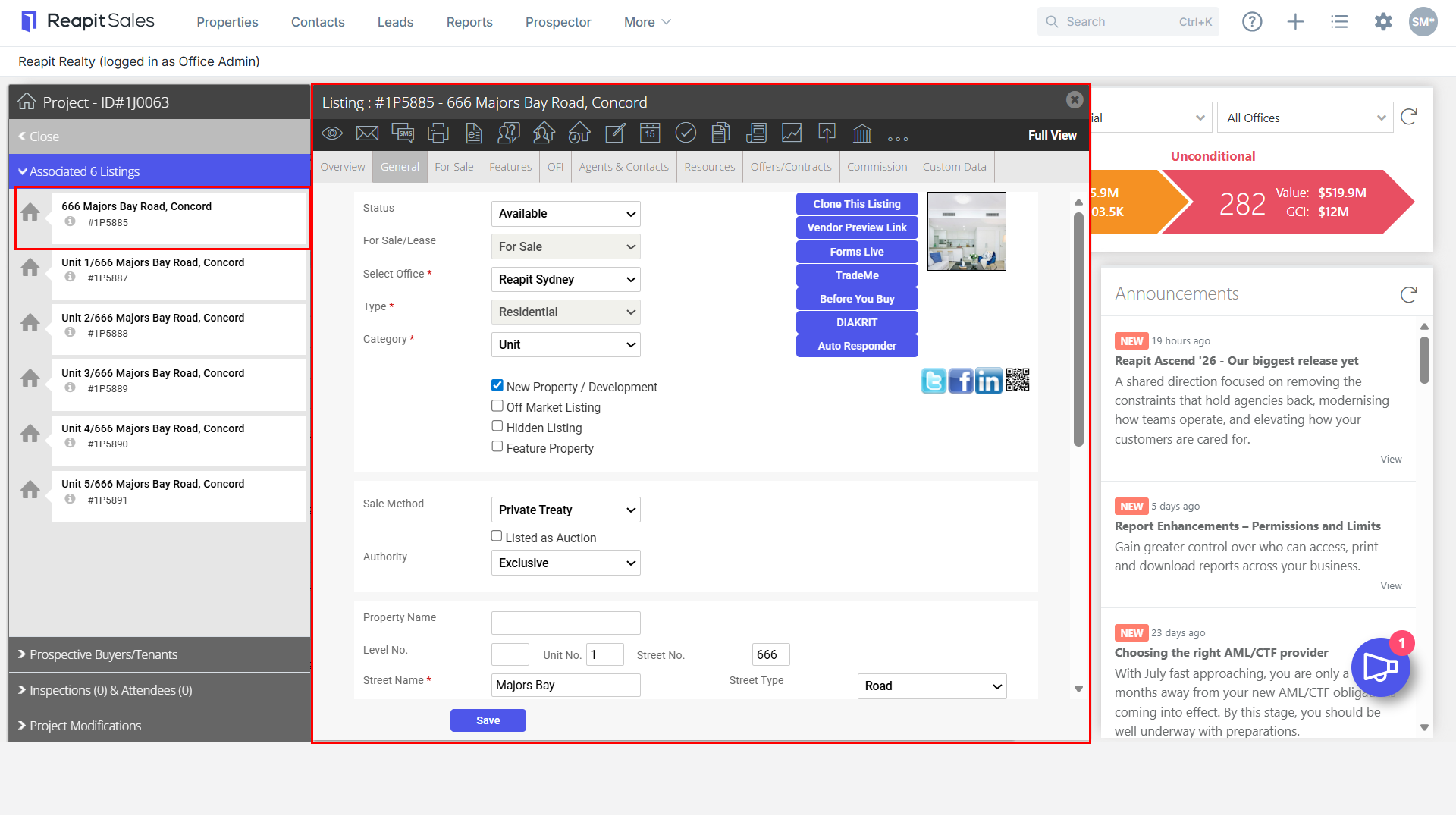
- On the left panel under Associated Listings, click to open the project listing you would like to export out to the portals.

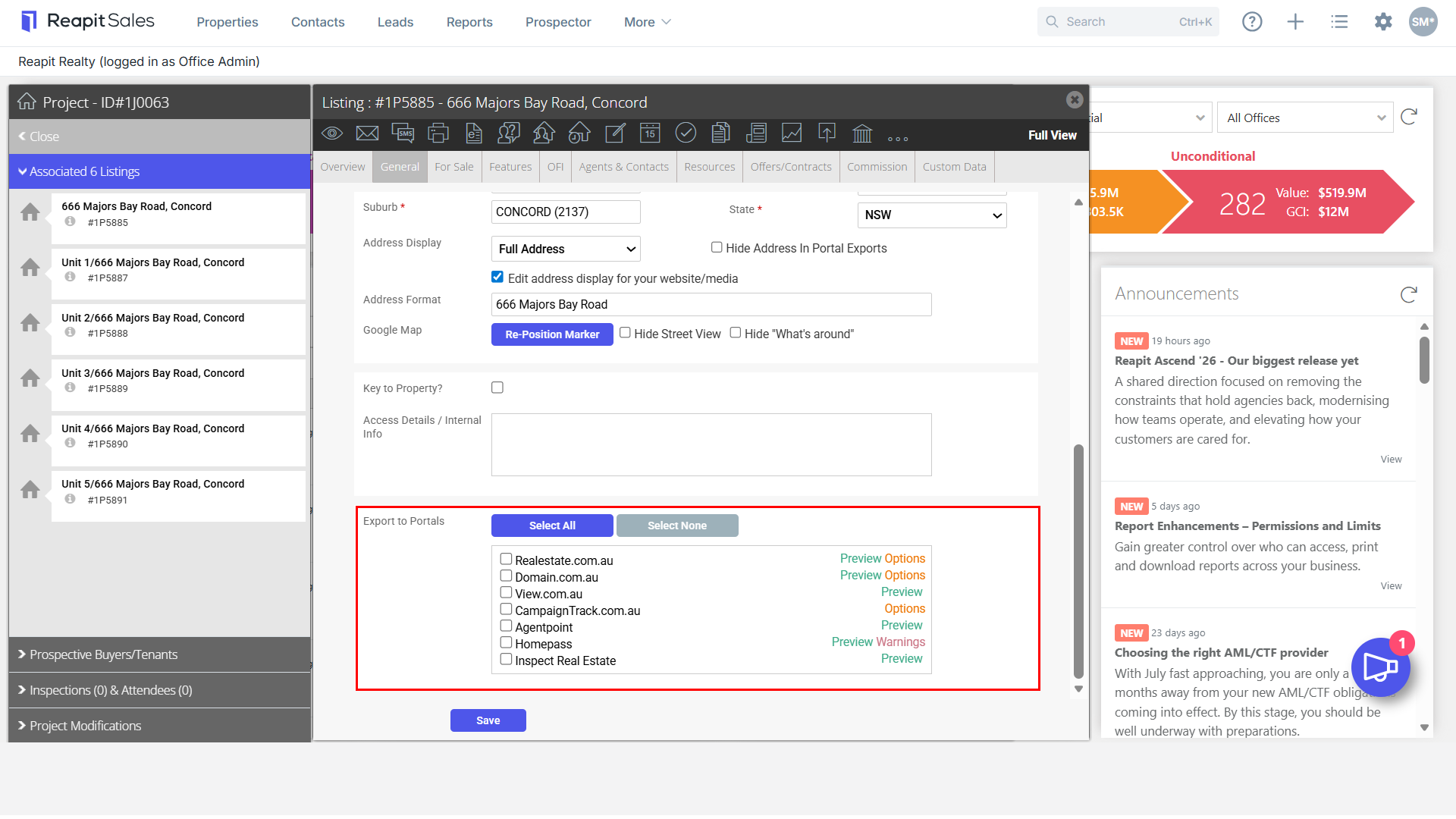
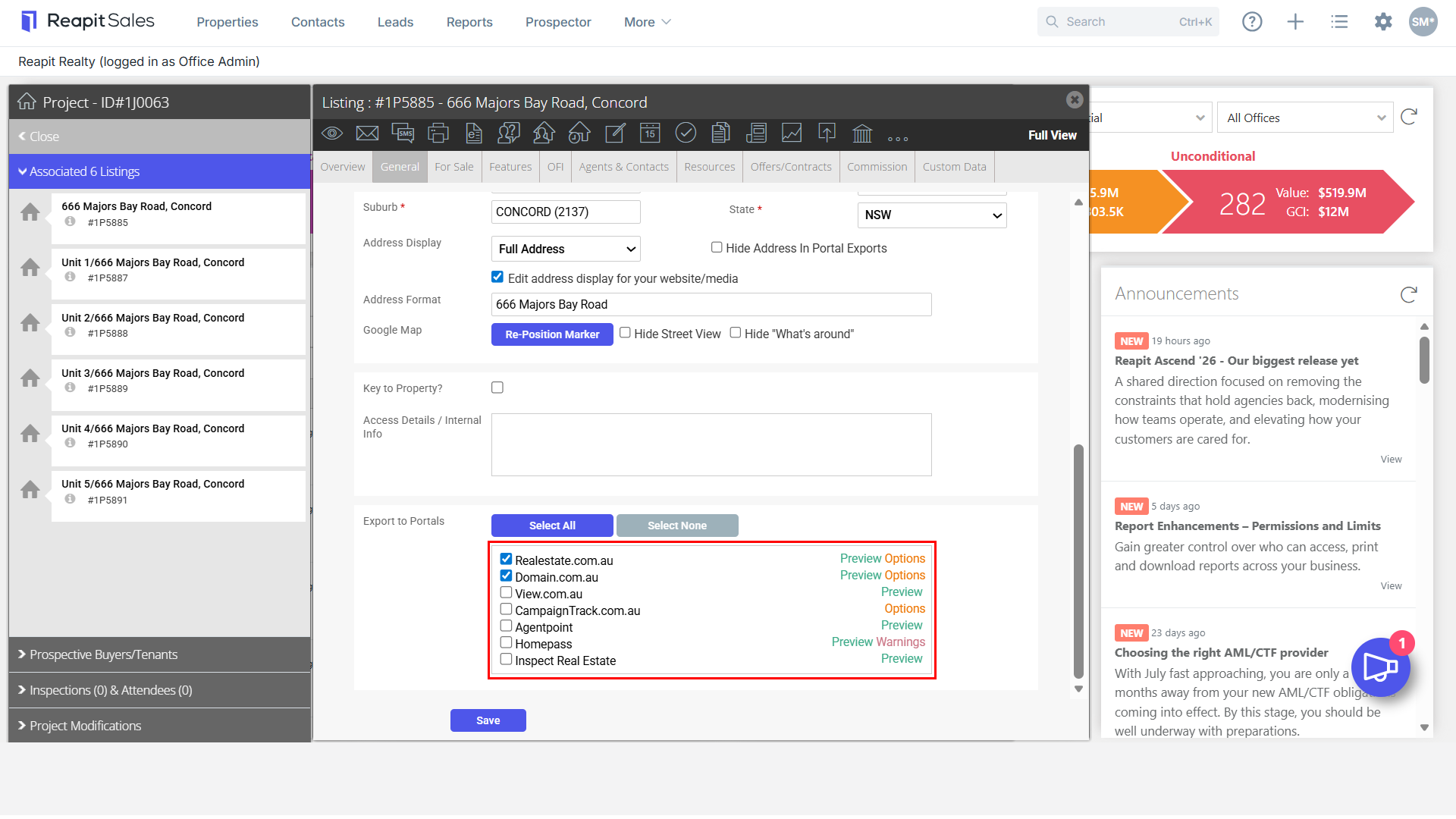
- Click to open the General Property tab and scroll to the bottom. T****ick the box next to each of the portals you would like to export the listing to or click Select All.
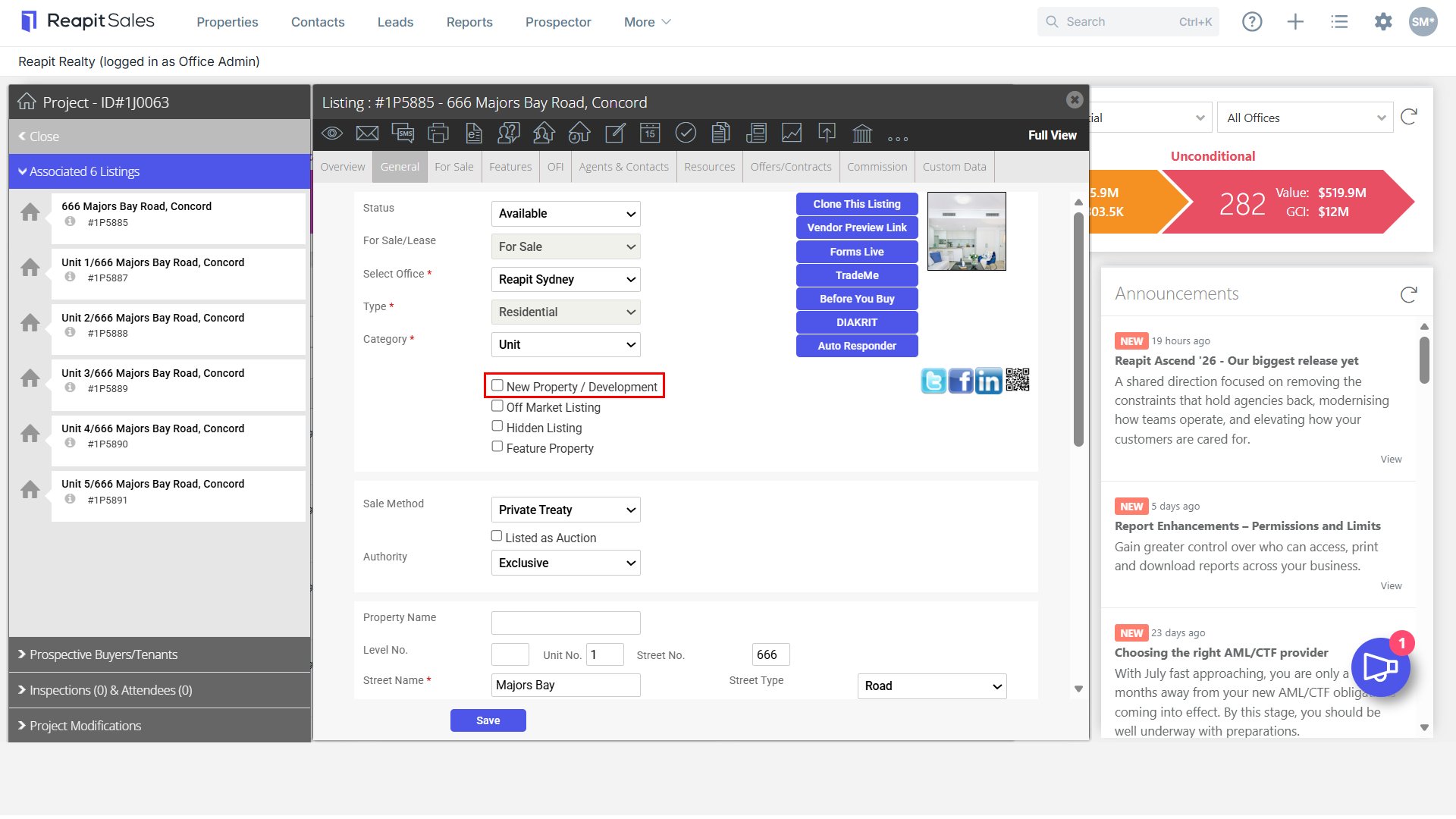
- For the listing to appear under the relevant New Homes/New Development category of Realestate.com.au or Domain.com.au (subject to your portal subscription) you will also need to tick the New Property/Development checkbox.
Ensure that your Portal Exports have been ticked appropriately and proceed to click 'Options' to review where the listing will be sent on Realestate & Domain.
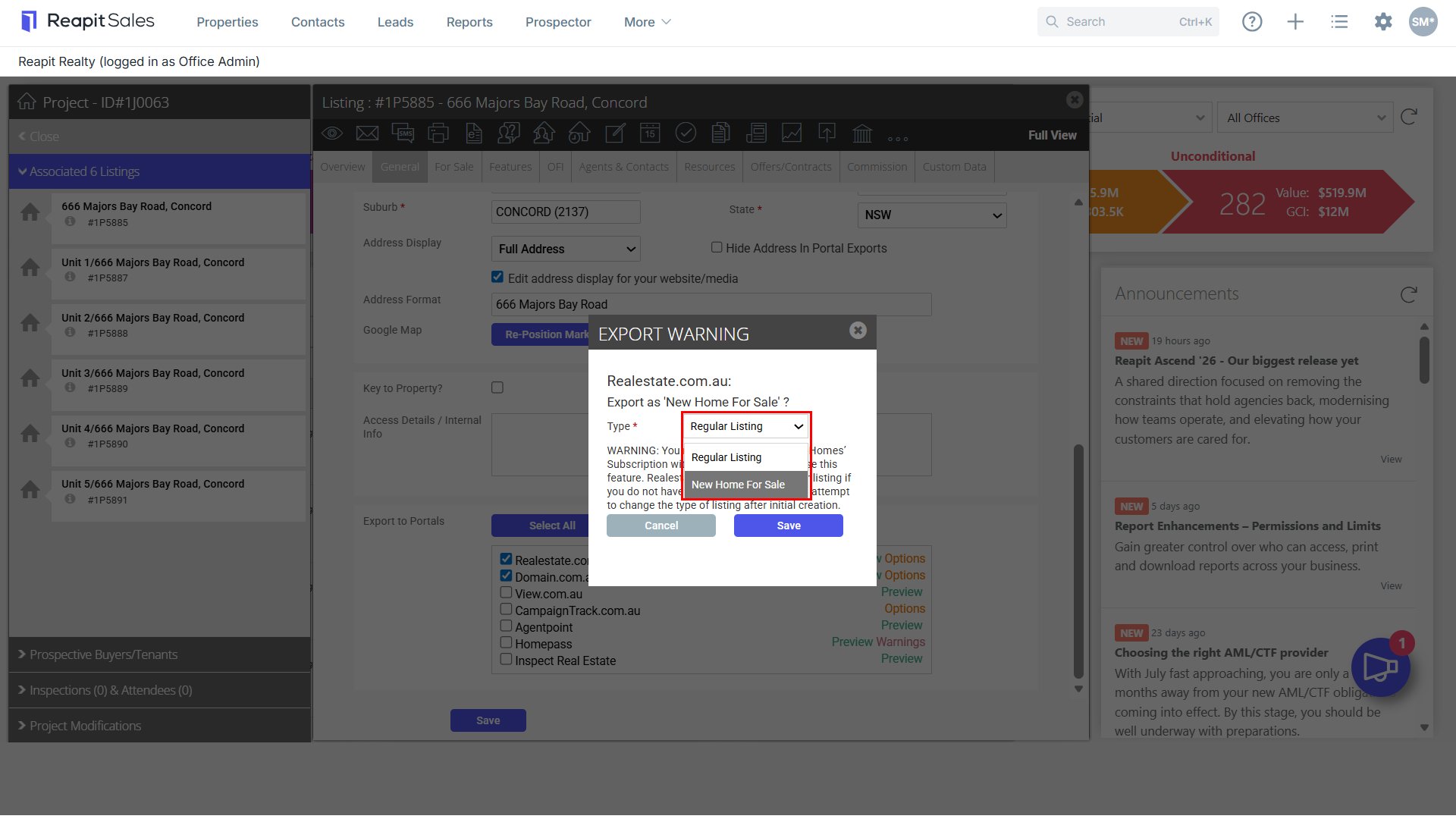
For your Realestate Portal Export, select the appropriate Type.
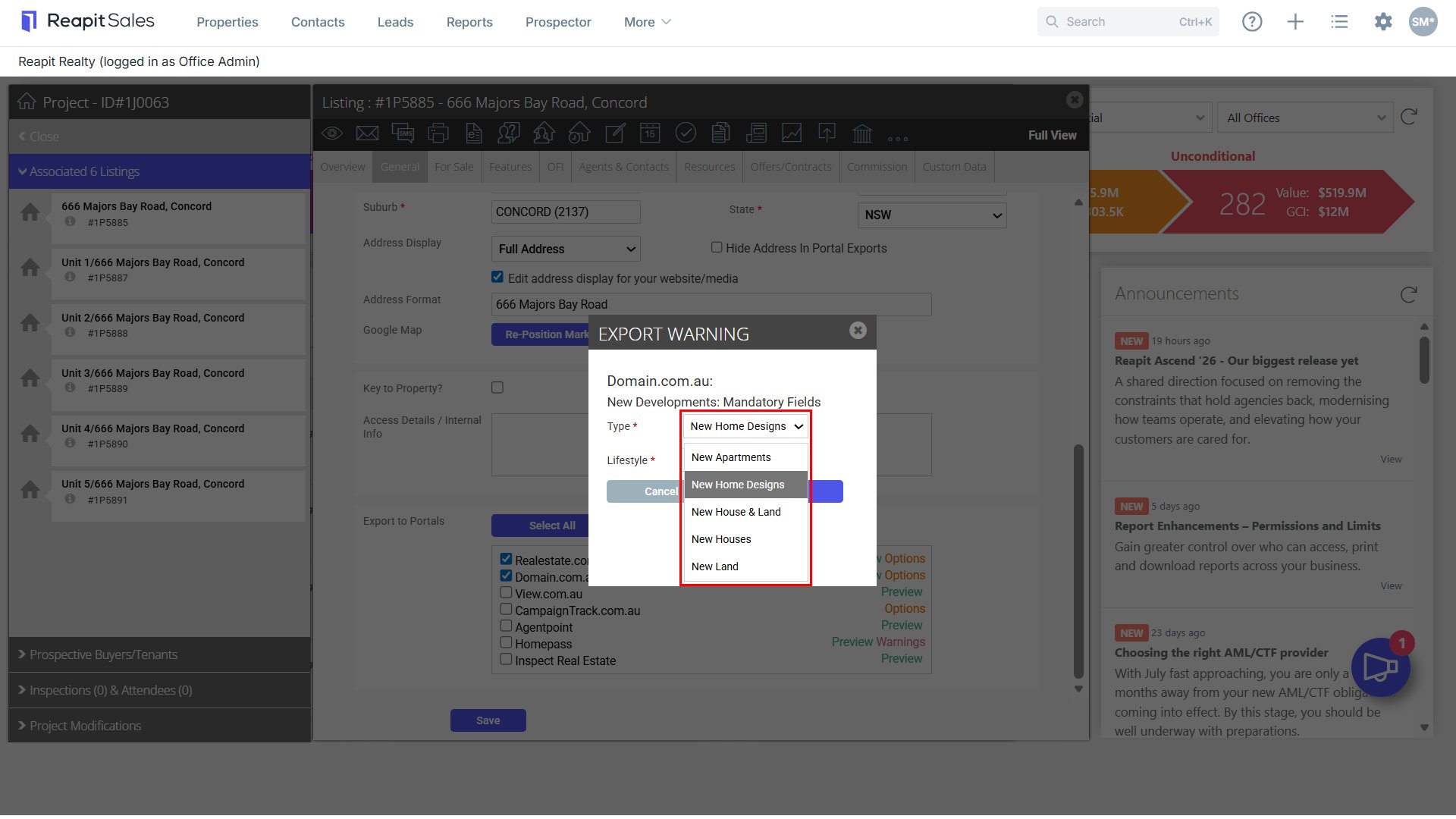
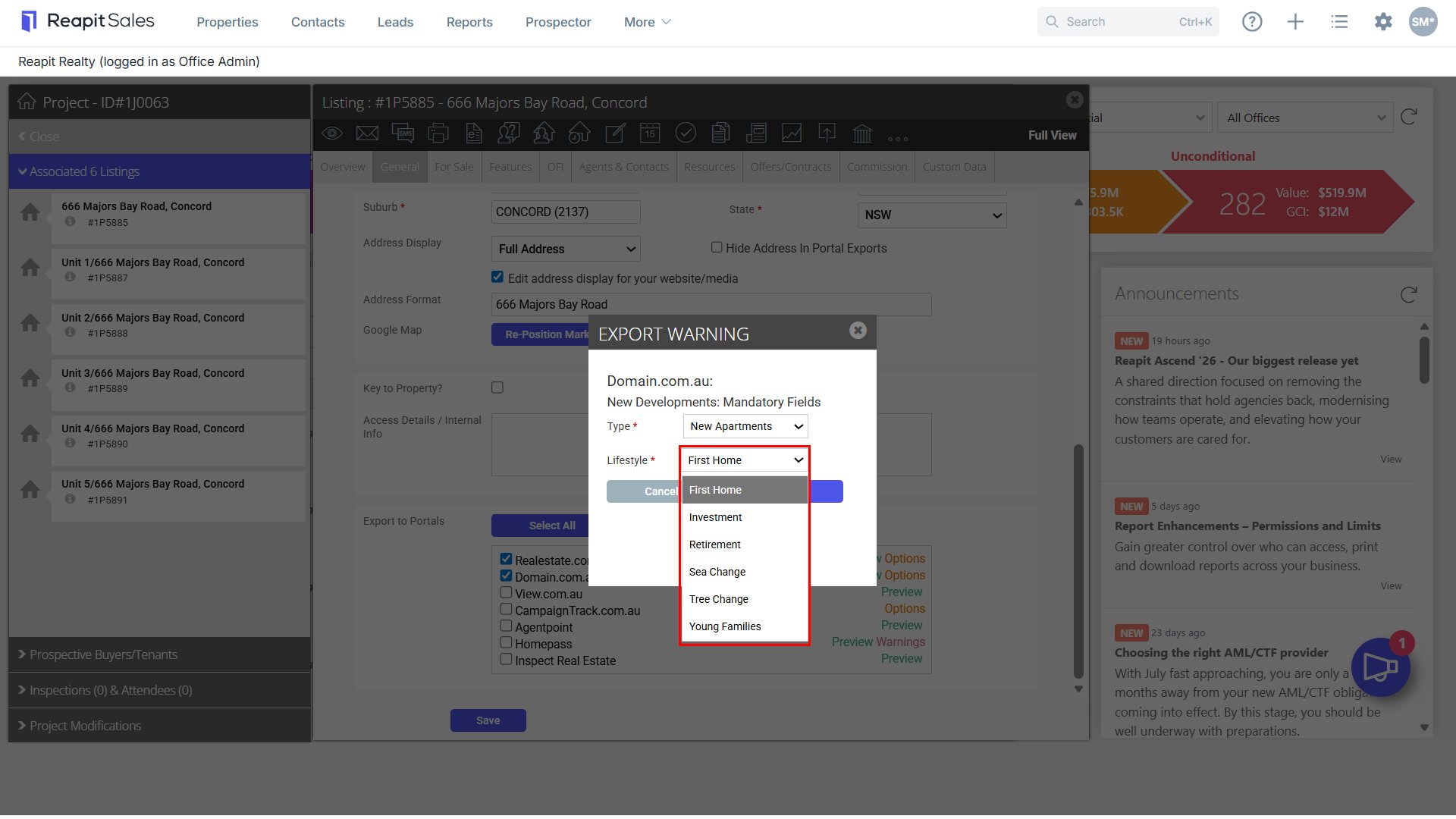
For your Domain Portal Export, select the appropriate Type & Lifestyle.
- Click Save.